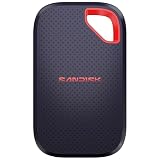
A photo library fails differently from a documents folder. RAW files, edited exports and phone backups pile up quietly for years, and the day the internal drive fills up is usually the day a card gets wiped before its contents were copied anywhere safe. The real decision here is not which drive is fastest on a spec sheet; it is how much room your library needs, whether the drive protects the only copy of your work, and how the drive fits a routine you will actually keep.
This guide is for hobbyist photographers, family archivists and working shooters whose libraries have outgrown a laptop drive. Every pick below is a portable external hard drive chosen from its Amazon listing details: stated capacity, interface, encryption and any bundled photo software. Capacities run from 2TB to 5TB, and the shortlist deliberately mixes plain plug-and-play drives with encrypted models and one drive that bundles photo-organisation software.
Our Top Picks
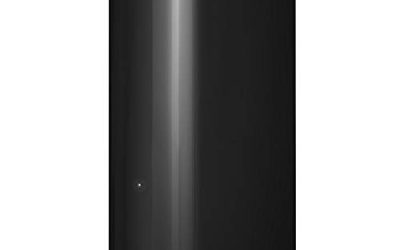
 Western Digital WD 5TB Elements Portable External Hard5TB4.35 x 3.23 x 0.82 inches0.52 poundsCheck on Amazon
Top 3 picks at a glance

Quick Picks
As an Amazon Associate we earn from qualifying purchases.
| Product | Best for | Key spec from title |
|---|---|---|
| WD My Passport 5TB | The main library drive with protection | 5TB, 256-bit AES hardware encryption |
| WD Elements 5TB | Simple plug-and-play photo storage | 5TB, USB 3.2 Gen 1, PC and Mac ready |
| Seagate Backup Plus Slim 2TB | Photographers who want bundled photo software | 2TB, includes Mylio Create and Adobe CC Photography trial |
| Toshiba Canvio Basics 2TB | A second copy kept in a camera bag | 2TB, USB 3.0 portable drive |
| Seagate One Touch 5TB | Encrypted storage for client work | 5TB, password-activated hardware encryption |
How to Choose
Size the Drive for the Library You Will Have
Capacity planning starts with an honest count of what you already shoot. A year of RAW files from a modern mirrorless camera, plus phone photos and edited exports, can pass a terabyte faster than most people expect, and a drive that is nearly full on day one forces a second purchase and a messy split library. The practical rule is to buy for the library you expect in three years, not the one on your disk today. That is why this shortlist leans on 5TB models for main libraries and treats 2TB drives as second copies or travel drives.
A Drive Is Not a Backup by Itself
Moving your only copy of a photo library onto an external drive is not a backup; it is a relocation. A backup means the library exists in at least two places, so a dropped drive, a failed drive or a stolen bag cannot erase years of work in one moment. Plan the pair, not the single drive: one drive holds the working library, a second drive or a cloud copy holds the duplicate, and the two are not stored in the same bag. Every drive in this guide is a spinning portable hard drive, so treat each one as a component in a routine rather than the whole routine.
Portable Spinning Drives Suit Bulk Photo Storage
External hard drives trade raw speed for capacity, and for photo libraries that trade usually makes sense. Browsing, culling and archiving large folders does not demand the transfer pace of video editing, and none of the listings here publish a usable sequential transfer figure for photo work, so speed claims would be guesswork. What matters instead is the connection: all five picks use USB 3.0-class or better connections over a standard cable, so any of them plugs into a laptop or desktop without adapters or docks. Portable bus-powered drives also travel easily between a desk, a camera bag and a relative’s house for off-site copies.
Encryption and Bundled Software Are Real Differences
The five drives split into clear camps. The WD Elements and Toshiba Canvio Basics are plain storage: no encryption and no bundled backup software is claimed in their listings, which keeps them simple but leaves protection entirely to you. The WD My Passport and Seagate One Touch add password protection with hardware encryption, which matters when a drive carries client shoots or family archives and leaves the house. The Seagate Backup Plus Slim takes a third route, bundling a year of Mylio Create and a short Adobe CC Photography trial, so the software question may decide the pick before the hardware does.
The 5 Best Options
WD My Passport 5TB

The My Passport is the natural anchor drive for a growing photo library. Its 5TB capacity gives a RAW-heavy archive room to grow for years, and it is the only pick here that pairs that capacity with both backup software and 256-bit AES hardware encryption behind a password, so the same drive can hold the working library and protect it when it travels. WD also backs it with a 3-year limited warranty, the longest stated in this group, which suits a drive you plan to keep in daily service.
Specs
- Capacity: 5TB portable external hard drive
- Interface: USB 3.1 / USB 3.0 compatible, SuperSpeed USB-A cable rated 5Gbps
- Security: password protection with 256-bit AES hardware encryption
- Software: backup software with ransomware defence
- Warranty: 3-year limited warranty
- Dimensions: 4.22 x 2.95 x 0.75 in
Best for: the main library drive for photographers who want capacity, backup software and encryption in one unit.
Watch out for: this code is the Black model; other colours carry their own listings, so confirm the live listing matches this model and capacity before ordering.
ASIN: B07VP5X239
WD Elements 5TB
The Elements is the straightforward alternative for anyone who finds bundled software and passwords more burden than benefit. It offers the same 5TB capacity class as the My Passport in a plug-and-play package the listing describes as ready for PC and Mac, and that simplicity is the point: connect it, copy the library, and let your own folder discipline and backup app handle the rest. For a second-copy drive that lives off-site, or a plain archive volume, the absence of encryption software is one less thing to configure, forget or lock yourself out of.
Specs
- Capacity: 5TB portable external hard drive
- Interface: USB 3.2 Gen 1 / USB 3.0
- Compatibility: plug and play ready for PC and Mac
- Model: WDBU6Y0050BBK-WESN
Best for: a simple, high-capacity archive or second-copy drive with no software layer to manage.
Watch out for: the listing claims no encryption or bundled backup software, so pair it with your own backup routine; also avoid the separate Renewed listing of this drive and order the new listing under this code.
ASIN: B07X41PWTY
Seagate Backup Plus Slim 2TB
This is the one pick chosen as much for its software bundle as its hardware. The listing includes one year of Mylio Create and two months of Adobe CC Photography, which speaks directly to photographers whose problem is not just storing pictures but organising them across devices. At 2TB it will not swallow a huge RAW archive the way the 5TB drives can, so it fits better as the organised working library for a hobbyist, a travel drive for a single long trip, or the drive handed to a family member holding the shared photo collection.
Specs
- Capacity: 2TB portable external hard drive
- Interface: USB 3.0
- Compatibility: PC, laptop and Mac
- Included software: 1 year Mylio Create and 2 months Adobe CC Photography, per the listing
- Model: STHN2000400, Black
Best for: photographers who want photo-organisation software bundled with a slim portable drive.
Watch out for: this model line is old, so confirm a live new offer exists on the listing before ordering, and do not confuse it with the older STDR2000100 generation sold under a different code.
ASIN: B07MY44GDG
Toshiba Canvio Basics 2TB

The Canvio Basics is the honest utility pick of the group. Its listing promises a 2TB portable drive on USB 3.0 and very little else, and that plainness is exactly what a second copy needs: no accounts, no bundled trials, no encryption layer standing between you and your files on an unfamiliar computer. Keep one as the duplicate that lives away from your desk, in a camera bag, a drawer at work or a relative’s house, and its modest capacity stops mattering because its job is redundancy, not housing the whole archive.
Specs
- Capacity: 2TB portable external hard drive
- Interface: USB 3.0
- Colour: Black
- Model: HDTB520XK3AA, current generation
Best for: the off-site or camera-bag second copy in a two-drive backup routine.
Watch out for: this code is the current HDTB520XK3AA generation; the previous HDTB420XK3AA generation is a different listing, so check the model number on the live page matches before ordering.
ASIN: B0BQX6NNVC
Seagate One Touch 5TB

The One Touch pairs the group’s joint-largest capacity with password-activated hardware encryption, which makes it the pick for drives that carry other people’s pictures. Wedding, portrait and event photographers who transport client galleries on a physical drive get protection that a plain drive cannot offer if the bag goes missing, and 5TB means one drive can hold a full season of shoots with room to spare. It covers PC, notebook and Mac per the listing, so it moves between a studio desktop and a laptop without reformatting drama in most mixed setups.
Specs
- Capacity: 5TB portable external hard drive
- Interface: USB 3.0
- Security: password-activated hardware encryption
- Compatibility: PC, notebook and Mac
- Model: STKZ5000400, Black
Best for: working photographers carrying client work who need 5TB with hardware encryption.
Watch out for: a second code appears in some records for a One Touch 5TB offer; this code is the one tied to the STKZ5000400 model, so verify the live listing shows that model number before ordering.
ASIN: B094R15DYV
Which One Fits Your Situation
Your Laptop Is Full and the Library Keeps Growing
Start with a 5TB drive and make it the library’s permanent home rather than a temporary overflow. The WD My Passport suits this role best because its backup software and encryption support daily use, while the WD Elements covers the same capacity more simply if you already run your own backup app. Either way, keep the laptop’s internal drive as working space for current shoots and let the external drive hold the archive.
You Shoot for Clients and the Drive Leaves the House
Choose encryption first and capacity second. The Seagate One Touch gives you 5TB behind a password-activated hardware lock, and the WD My Passport offers the same protection idea with its own backup software on top. A plain drive like the Elements or Canvio Basics has no answer if a bag is lost, so reserve those for copies that stay in one trusted place.
You Want Your Photos Organised, Not Just Stored
The Seagate Backup Plus Slim is the only pick whose listing bundles photo software: a year of Mylio Create for organising a library across devices and a short Adobe CC Photography trial for editing. Its 2TB capacity suits a hobbyist library or a curated family archive. Treat the bundled terms as a starting point, and check what each service costs to continue before your workflow depends on it.
You Need a Second Copy More Than a Bigger Drive
Buy the Toshiba Canvio Basics and put it somewhere else. A 2TB duplicate stored off-site protects the irreplaceable part of most libraries, the finished and family photos, even if it cannot mirror a huge working archive. The discipline matters more than the drive: update the copy on a schedule, after every major shoot or monthly, and never let both copies travel in the same bag.
Common Mistakes
- Moving the only copy of a library onto an external drive and calling it a backup; a backup means at least two copies in different places.
- Buying a 2TB drive for a RAW library that already fills 1.5TB, then splitting the archive across drives within a year.
- Ordering a Renewed or older-generation listing by mistake; several of these models have separate codes for older generations and refurbished units.
- Leaving an encrypted drive’s password unrecorded anywhere safe, which turns the protection into permanent data loss.
- Storing the main drive and its backup copy in the same camera bag, so one theft or drop takes both.
Frequently Asked Questions
Is 2TB or 5TB the right size for a photo library?
It depends on your shooting volume and format. A JPEG-only family archive can live comfortably on 2TB for years, while a RAW shooter can add hundreds of gigabytes in a single busy season. Count your current library, estimate three years of growth, and buy the size that still leaves clear headroom, which for most growing libraries is the 5TB class.
Does an external hard drive count as a backup?
Only if another copy exists somewhere else. A single external drive holding the sole copy of your photos is storage, not backup, because its failure or loss removes the library entirely. The working rule is two copies on different devices, ideally with one kept off-site, and the drives in this guide work best as parts of that arrangement.
Should I choose an encrypted drive for family photos?
Encryption matters most when the drive leaves your home. A drive that stays in a desk drawer gains little from a password, while one that travels to shoots, offices or relatives’ houses protects family and client pictures if it is lost. The My Passport and One Touch in this guide offer hardware encryption; the Elements and Canvio Basics do not.
Why do these listings not state transfer speeds?
Portable hard drive listings in this group do not publish a usable sequential transfer figure for photo work, so any speed ranking would be invented. For browsing, copying and archiving photo folders, every pick here connects over USB 3.0-class or better, which is adequate for library tasks. If fast active editing is your priority, that is a different product category than these capacity-focused drives.
Related guides
More from Amazon
Programs that pair well with the guide above. Offers and eligibility are set by Amazon and may change.
Free shipping on eligible items, Prime Video and more. Eligible new members can start with a free trial.
Start a Prime free trialAd-free music streaming. Eligible new subscribers can start with a free trial.
Try Music Unlimited freeA Prime membership for ages 18-24 with a trial period. Eligibility is set by Amazon.
See Prime for Young AdultsAudiobooks and podcasts to listen to on the go. Eligible new members can start with a free trial.
Try Audible freeAs an Amazon Associate we earn from qualifying purchases.