
Repasting a laptop is not like repasting a desktop. You are working in a cramped chassis with a low-profile heatsink, direct-die contact, and very little mounting pressure compared to a desktop cooler. The original factory paste often dries out after a year or two of heat cycles, leaving you with fans at full speed, thermal throttling during games or exports, and a hot chassis that makes the whole desk uncomfortable.
A good laptop thermal paste needs to stay stable under repeated heating and cooling, spread evenly without air pockets, and last without pumping out from between the die and the heatsink. For most users in 2026, that means choosing a non-conductive, non-corrosive paste with the right viscosity for thin laptop coolers rather than chasing the highest possible conductivity number on the box. The eight options below cover the most common sizes and budgets for laptop repasting, from single-gram tubes for one job to larger syringes for multiple devices.
As an Amazon Associate we earn from qualifying purchases at no extra cost to you.





Our Top Picks


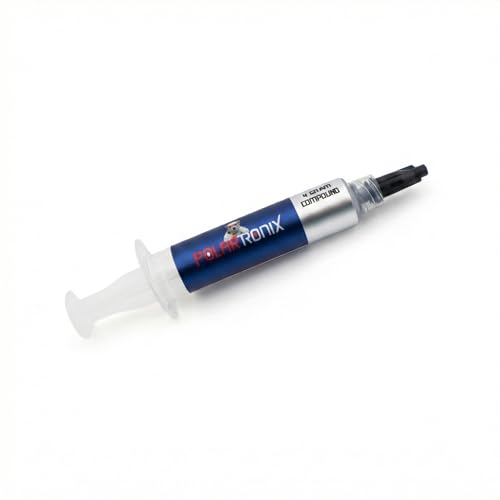


Top 3 picks at a glance
Quick Picks
| Product | Best for | Price |
|---|---|---|
| Thermal Grizzly Kryonaut – 1 Gram – Extremely High Performance Thermal Paste + 12 Cleaning Wipes 6 Wet & 6 Dry | Best for First-Time Repaste with Cleanup Included | Check on Amazon |
| ARCTIC MX-6 (4 g) – Ultimate Performance Thermal Paste | Best 4g All-Rounder for Laptops | Check on Amazon |
| ARCTIC MX-6 (8 g) – Ultimate Performance Thermal Paste | Best Value for Multiple Laptops | Check on Amazon |
| Thermal Paste for Computer CPU GPU Laptop 12.8W/mk Made in USA 4 Gram | Best Budget 12.8W/mK Option | Check on Amazon |
| Thermal Grizzly Kryonaut – 1 Gram Thermal Paste Extremely High Performance | Best Premium Single-Gram Pick | Check on Amazon |
| HiSolo 2-Pack 8g Total (4g Each) 13W/m-K High-Grade Thermal Paste Kit | Best Budget Two-Pack | Check on Amazon |
| Thermal Grizzly Liquid Metal Thermal Paste Conductonaut 1 Gram | Best for Experienced Users Only | Check on Amazon |
| Cooler Master CryoFuze Premium Performance Thermal Paste, Nanoparticles, 2 Grams | Best 2g Premium Non-Conductive Pick | Check on Amazon |
How We Compared
We focused on what matters specifically for laptop repasting rather than desktop overclocking. Laptops run hot in a tight space, use direct-die cooling with limited heatsink pressure, and are harder to open again, so long-term stability and ease of application count more than peak numbers. We prioritized pastes that are non-conductive and non-corrosive where stated, suitable for CPU and GPU dies, and available in practical sizes from 1 gram for a single laptop to 8 grams for two or three machines.
We compared listed specifications that buyers can verify before buying, including tube size in grams, stated thermal conductivity where provided such as 12.8W/mK and 13W/m-K, and conductivity type. We did not run lab temperature tests and we do not present invented benchmark deltas; instead we explain who each paste suits, how it applies, and when to choose a different option.
The 8 Best Picks
1. Thermal Grizzly Kryonaut – 1 Gram + 12 Cleaning Wipes – around $11
This bundle is for first-time laptop repasters who want everything for a clean job in one box. The 1 gram syringe is enough for one to two laptop CPU and GPU dies when applied as a small pea or thin line, and the included 12 wipes with 6 wet and 6 dry pads handle old paste removal without buying separate cleaner. Made for demanding applications, it spreads easily under laptop heatsink pressure and is a well-known choice for CPU, GPU, and console chips.
- Pro: Includes complete cleaning set so you do not need to source isopropyl and wipes separately
- Pro: 1 gram size is ideal for a single laptop without leftover storage worries
- Con: Higher price per gram than larger syringes if you plan to repaste multiple machines
Skip it if you already have cleaning supplies and want a larger tube for several devices; the standalone 1 gram or a 4 gram option will cost less per repaste.
2. ARCTIC MX-6 (4 g) – Ultimate Performance Thermal Paste – around $8
This is the straightforward pick for most laptop owners who want one syringe to cover a laptop and still have paste left for next time. The 4 gram size typically covers two to three laptop repastes or one laptop plus a desktop touch-up, with very high thermal conductivity and long durability as stated by the maker. It is listed as non-conductive, which adds a safety margin if a small amount spreads beyond the die during mounting.
- Pro: Non-conductive formula reduces risk around exposed SMDs near the die
- Pro: 4 gram volume hits the sweet spot between price and coverage for home users
- Con: No cleaning wipes included, so you will need your own alcohol wipes
Skip it if you only need a single small application and want the lowest upfront cost; a 1 gram tube may be cheaper initially.
3. ARCTIC MX-6 (8 g) – Ultimate Performance Thermal Paste – around $7
For households with more than one laptop, or anyone who repastes for friends and family, this 8 gram syringe offers the lowest cost per gram in the MX-6 line. That makes it practical to keep on hand for re-dos if mounting pressure is uneven the first time.
- Pro: Same trusted non-conductive formula suited to laptops, consoles, and graphics cards
- Con: 8 grams is more than most single-laptop users will use before the tip ages
Skip it if you are only doing one thin-and-light laptop and prefer a fresh, small tube each time.
4. Thermal Paste for Computer CPU GPU Laptop 12.8W/mk Made in USA 4 Gram – around $5
This 4 gram paste is for budget-focused repasters who still want a clearly stated 12.8W/mK conductivity rating. It is marketed as non-corrosive and non-conductive and suitable for all processors, including laptop CPU and GPU dies.
- Pro: Stated 12.8W/mK provides a concrete spec to compare against other pastes
- Pro: 4 gram size and low price make it a strong budget option for students and offices
- Con: Brand is less established than ARCTIC or Thermal Grizzly for long-term support info
Skip it if brand history and widely available application guides are your priority; choose MX-6 or Kryonaut instead.
5. Thermal Grizzly Kryonaut – 1 Gram Thermal Paste Extremely High Performance – around $8
This standalone 1 gram Kryonaut is for users who want the premium Thermal Grizzly formula without paying for the wipe bundle. You get the same extremely high performance paste designed for demanding applications and overclocking, sized for one careful laptop repaste with a little left over.
- Pro: Premium Kryonaut formula in the smallest, freshest single-use size
- Pro: Lower price than the wipe bundle if you already own cleaning supplies
- Con: 1 gram does not leave much margin for practice or a second device
Skip it if this is your first time opening a laptop; the bundle with 12 wipes will save a separate purchase and help ensure proper prep.
6. HiSolo 2-Pack 8g Total (4g Each) 13W/m-K High-Grade Thermal Paste Kit – around $3
This kit is for ultra-budget buyers who want the most paste for the least money and like having a spare tube. Two tubes let you keep one sealed while you use the other, which helps keep the second syringe fresh for a future laptop, console, or GPU repaste.
- Pro: 13W/m-K rating is the highest stated conductivity in this roundup
- Con: Less detailed brand documentation compared to established thermal brands
Skip it if you prefer a single, well-documented premium paste with extensive community application notes for laptops.
7. Thermal Grizzly Liquid Metal Thermal Paste Conductonaut 1 Gram – around $14
This 1 gram Conductonaut liquid metal is strictly for experienced users who understand the risks and have taped-off and sealed around the die before. Unlike traditional paste, liquid metal is electrically conductive and can short components if it migrates, so it is not forgiving of over-application or laptop movement. It is listed for demanding applications where maximum transfer is wanted, but for most laptops a quality non-conductive paste is the safer, more appropriate choice.
- Pro: Liquid metal category intended for maximum thermal transfer in expert hands
- Pro: 1 gram is enough for several careful direct-die applications when used sparingly
- Con: Electrically conductive, so any spill onto SMDs can damage the board
Skip it if you have not used liquid metal before, if your laptop travels daily, or if you want a non-conductive safety margin; choose any non-conductive paste above instead.
8. Cooler Master CryoFuze Premium Performance Thermal Paste, Nanoparticles, 2 Grams – around $6
This 2 gram CryoFuze is for users who want a premium nanoparticle formula in a mid-size tube that sits between 1 gram and 4 gram options. At 2 grams it is enough for one laptop CPU plus GPU with extra for a redo, or two small single-die ultrabooks, without committing to 4 or 8 grams. Marketed for GPU, CPU, consoles, laptops, graphics cards, and heat sinks, it is positioned as a general-purpose premium compound suitable for the lower mounting pressure of laptop coolers.
- Pro: 2 gram size is practical for one laptop with a safety buffer
- Pro: Nanoparticle premium formula aimed at stable performance across devices
Skip it if you need to cover three or more devices; a 4 gram or 8 gram option will be more economical.
Buying Guide
How Much Paste Do You Actually Need
Laptop dies are small. A 1 gram syringe is typically enough for one laptop with both CPU and GPU dies if you apply a 3 to 4 millimeter dot or a short line and let heatsink pressure spread it. A 2 gram tube adds a margin for a second attempt if the heatsink lifts unevenly. A 4 gram syringe usually covers two to three laptops, and an 8 gram syringe is best when you maintain multiple machines or want to keep paste on hand for a year. Do not over-apply to compensate for poor contact; clean both surfaces fully and tighten heatsink screws in the numbered order.
Conductivity, Safety, and Longevity
Stated conductivity like 12.8W/mK or 13W/m-K helps compare products on paper, but viscosity and durability matter more in a laptop. A paste that resists pump-out from thermal cycling will maintain contact longer than one that thins out quickly. For laptops, choose a non-conductive, non-corrosive paste unless you are an experienced liquid metal user who will insulate surrounding components. Also check operating temperature range and shelf life on the packaging, and store any remaining paste with the cap on, upright, at room temperature.
Application Tips for Laptop Heatsinks
Power down, unplug, and remove the battery where possible before opening the chassis. Photograph screw positions, disconnect the fan connector, and loosen the heatsink screws in reverse order, then lift straight up to avoid smearing. Clean old paste from the die and copper plate with a dry wipe first, then a wet isopropyl wipe, and finish with a dry lint-free wipe. Apply new paste to the center of each die only, not the heatsink, reseat evenly, and tighten in the printed sequence to 0.3 to 0.5 Nm if the service manual lists a torque. Reconnect the fan and test temperatures at idle and under load before fully reassembling.
Our Verdict
FAQ
Can I use desktop thermal paste on a laptop?
Yes, most desktop pastes work on laptops if they are non-conductive and rated for CPU and GPU use. The key differences are die size and mounting pressure, so a paste that spreads well in a thin layer and resists pump-out is preferred. Avoid electrically conductive liquid metal unless you have experience sealing the area around the die.
How often should I repaste a laptop?
Most laptops benefit from a repaste every 2 to 3 years, or sooner if fans run loudly at idle, temperatures throttle under moderate load, or the original paste was low quality. If you transport the laptop often or run sustained workloads, check temperatures every 6 to 12 months with a monitoring app and repaste when you see a sustained rise over your baseline.
Do I need to replace thermal pads when I repaste?
Inspect the pads on memory and VRMs when the heatsink is off. If they are torn, crumbling, or no longer make full contact, replace them with the same thickness, usually 0.5mm to 1.5mm depending on the model, and the same footprint. Do not replace pads with paste; pads fill larger gaps that paste cannot bridge reliably.
What is the safest paste for a beginner to use on a laptop?
A non-conductive, non-corrosive paste in a 1 to 4 gram syringe is safest for beginners because it will not short nearby components if a small amount squeezes out. Pair it with proper cleaning before application and an even heatsink remount. If it is your first time, consider a bundle that includes cleaning wipes so the surfaces are fully prepped.









