
The best high-end prebuilt gaming PC in 2026 is a flagship tower that pairs an RTX 5080 or RTX 5090 (or a Radeon RX 9070 XT for a lower-cost enthusiast tier) with a gaming-focused processor such as the Ryzen 7 9800X3D, a 1000W or larger ATX 3.x power supply, 32GB to 64GB of fast DDR5 and a large NVMe drive. Among sellers, the Alienware Area-51, the Corsair Vengeance line, the NZXT Player Three, MSI’s MPG Infinite X3, Lenovo’s Legion Tower 7 and boutique builders such as Falcon Northwest and Maingear are the names that most often appear in published roundups. This guide compares them by spec class and trade-off, based on published specifications and reviews.
Two market facts matter in late 2026. First, NVIDIA has not announced a confirmed date for refreshed RTX 50 Super cards, and reports describe supply of top-end cards as constrained, so current RTX 50 and Radeon RX 9000 cards are what is realistically on offer. Second, memory and storage prices have been volatile, which can change the value of a flagship prebuilt from month to month. Because of that, this article uses price tiers in words rather than quoting numbers.
As an Amazon Associate we earn from qualifying purchases at no extra cost to you.


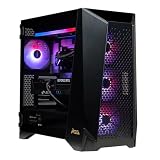

Our Top Picks
Top 3 picks at a glance
Flagship components at a glance
| Component | Key published spec | Why it matters in a flagship build |
|---|---|---|
| RTX 5090 | 32GB GDDR7, 512-bit bus, about 575W board power | Highest-end gaming card; needs a large power supply and case |
| RTX 5080 | 16GB GDDR7, 256-bit bus, about 360W board power | Strong 4K and high-refresh 1440p card at a lower power draw |
| RTX 5070 Ti | 16GB GDDR7, 256-bit bus, about 300W board power | Entry point to enthusiast-class gaming |
| Radeon RX 9070 XT | 16GB GDDR6, about 304W board power | AMD’s top RDNA 4 card; strong value per frame |
| Ryzen 7 9800X3D | 8 cores, 16 threads, 3D V-Cache, about 120W TDP | Widely cited as a leading gaming processor |
| Ryzen 9 9950X3D | 16 cores, 32 threads, 3D V-Cache, about 170W TDP | Gaming plus heavy content creation |
| Core Ultra 9 285K | 24 cores, up to about 250W maximum turbo power | Strong productivity; gaming results trail the best X3D chips |
How to size the power supply: a worked example
Flagship machines fail more often from undersized power supplies and heat than from weak processors, so do this calculation before comparing listings.
- Take the graphics card’s rated board power. For an RTX 5090 that is about 575W.
- Add the processor’s maximum power. A Ryzen 7 9800X3D draws on the order of 120W under gaming load, and a Core Ultra 9 285K can approach 250W.
- Add 100W to 150W for motherboard, memory, drives, fans and USB devices.
- Add 20% to 30% headroom for transient spikes, which flagship graphics cards produce.
RTX 5090 plus 9800X3D: 575 + 120 + 125 = 820W, and with 25% headroom about 1025W. That is why 1000W is the practical minimum and 1200W provides room. RTX 5080 plus 9800X3D: 360 + 120 + 125 = 605W, and with 25% headroom about 755W, so an 850W unit is comfortable. RTX 5070 Ti plus 9800X3D: 300 + 120 + 125 = 545W, and with headroom about 680W, so 750W is adequate. Also confirm the power supply has the 12V-2×6 (also called 12VHPWR) cable for the graphics card and an ATX 3.x rating.
Quick comparison of the lines
| Line | Best for | Graphics options (typical) | Processor options (typical) | Price tier |
|---|---|---|---|---|
| Alienware Area-51 | Showpiece design with big-brand support | RTX 5080 and RTX 5090 class | Intel Core Ultra and AMD Ryzen | Premium |
| Corsair Vengeance | Clean parts and all-Corsair internals | RTX 5070 Ti to RTX 5090 class | Ryzen 7 9800X3D and Intel options | Mid to premium |
| NZXT Player Three | Minimal, airflow-focused design | RTX 5080 class and above | Ryzen 7 9800X3D class | Premium |
| MSI MPG Infinite X3 | MSI-designed board and graphics | RTX 5070 Ti to RTX 5090 class | Core Ultra and Ryzen options | Mid to premium |
| Lenovo Legion Tower 7 | Major-OEM support and frequent sales | RTX 5070 Ti to RTX 5090 class | Core Ultra and Ryzen options | Mid to premium |
| Falcon Northwest | Boutique build quality and support | RTX 5080 and RTX 5090 class | Ryzen X3D and Intel options | Premium |
| Maingear and similar boutiques | Custom configuration and finish | Any current high-end card | Any current high-end processor | Premium |
Configurations shift, so treat each row as a family to research rather than a fixed model.
Best for a showpiece: Alienware Area-51
Spec line: Large tower with a distinct chassis, RTX 5080 or RTX 5090 graphics in high configurations, and a choice of recent Intel or AMD processors. Best for: buyers who want a flagship look and Dell’s service network. Skip if: you will swap parts often and have not verified the motherboard and power supply details of your configuration.
The Area-51 is Alienware’s current flagship tower and is positioned as a more serviceable, airflow-focused redesign than earlier generations. Published reviews generally praise the cooling approach and chassis design, with the usual caveat that you should check which parts are standard and which are brand-specific in the configuration you choose.
- Pro: Strong brand recognition and large support network.
- Pro: Flagship cooling and a large interior for high-end graphics cards.
- Pro: Frequent promotions and built-in financing options.
- Con: Premium positioning means a surcharge over equivalent parts.
- Con: Some parts may be less standard than in an ATX tower from an integrator.
Best for clean internals: Corsair Vengeance
Spec line: Tower systems using Corsair memory, cooling, case and power supply, offered with Ryzen 7 9800X3D or Intel processors and RTX 50-series graphics up to flagship cards in some configurations. Best for: buyers who want tidy assembly from a parts maker. Skip if: you want the absolute cheapest hardware.
The Vengeance a7500 and its siblings are commonly named as the best all-round high-end prebuilt in 2026 roundups, in part because of the Ryzen 7 9800X3D plus RTX 5070 Ti combination, standard parts and Corsair’s support. A configuration with a 5080-class card sits higher on the price ladder.
- Pro: Standard parts and clean cable routing.
- Pro: One company responsible for many of the components.
- Pro: Strong gaming processor options.
- Con: Price premium over integrator builds.
- Con: Highest graphics tiers may be offered in fewer configurations.
Best for minimal design: NZXT Player Three
Spec line: Airflow-focused tower with NZXT case and cooling, an RTX 5080-class card in published configurations and a Ryzen 7 9800X3D-class processor. Best for: buyers who want a restrained look without losing high-end performance. Skip if: you want a lot of choice at lower prices.
NZXT’s Player series is built around curated configurations. The top-end systems pair the company’s cases with gaming-focused processors and high-end graphics, and reviewers tend to praise the interior layout and straightforward ordering.
- Pro: Clean interior and sensible airflow.
- Pro: Clear component lists.
- Pro: Gaming-focused processor choices.
- Con: Premium price tier.
- Con: Brand-matched coolers and cases limit mix-and-match swaps.
Best for MSI-designed parts: MPG Infinite X3
Spec line: Tower systems with MSI motherboards, MSI graphics cards in many configurations and high-end Intel or AMD processors. Best for: shoppers who like a cohesive set of parts from one designer. Skip if: you plan to replace the motherboard or case.
MSI’s higher-tier desktops integrate its own boards and graphics cards and offer configurations from enthusiast to flagship. As with other large sellers, the full parts list matters more than the series name.
- Pro: Coordinated internals from one maker.
- Pro: Frequent availability at large retailers.
- Pro: Range from enthusiast to flagship tiers.
- Con: Many similar model names.
- Con: Case design may limit later cooling swaps.
Best for mainstream-brand value: Lenovo Legion Tower 7
Spec line: Larger Legion tower with enthusiast graphics tiers and mainstream high-end processors. Best for: buyers who want a major-OEM warranty and benefit from Lenovo’s regular sales. Skip if: you want a heavily customizable configurator.
The Legion Tower 7 line sits above the Tower 5 and offers stronger components with a restrained look. Watch for sale events, which can change the final price noticeably.
- Pro: Established warranty and repair infrastructure.
- Pro: Sales cycles can lower the final price.
- Pro: Restrained, desk-friendly styling.
- Con: Less configurable than boutique sellers.
- Con: Check power supply and cooling for flagship graphics tiers.
Best for boutique support: Falcon Northwest
Spec line: Hand-built towers, including compact and full-size designs, with enthusiast processors and the latest flagship graphics. Best for: buyers with a large budget who want personal attention and a premium finish. Skip if: price-per-frame is the main goal.
Falcon Northwest has a long reputation among boutique builders for build quality, testing and customer service. The company’s compact cases are particularly known for fitting high-end hardware into small footprints, which also demands careful attention to cooling. Expect a premium price tier and longer lead times than large integrators.
- Pro: High build quality and attentive service.
- Pro: Compact flagship designs available.
- Pro: Standard high-end components.
- Con: Premium pricing.
- Con: Lead times can be longer than mass-market sellers.
Best for a bespoke finish: Maingear and similar builders
Spec line: Custom-configured towers with options for finishes, cooling and parts. Best for: buyers who want a build customized to their preferences. Skip if: you prefer an off-the-shelf configuration with a short delivery time.
Maingear and comparable boutique sellers offer extensive customization and premium assembly. As with Falcon Northwest, you pay for labor, tuning and service. If your goal is the best frame rate per dollar, an integrator build or self-built system will usually come in lower.
- Pro: High degree of customization and attention to finish.
- Pro: Often use well-regarded parts.
- Pro: Personal support.
- Con: Premium price tier.
- Con: Fewer retail return paths than large sellers.
Which graphics card tier fits which display
| Display | Card tier that fits | Approximate fps range in demanding games (varies) | Notes |
|---|---|---|---|
| 1440p, 165 to 240Hz | RTX 5070 Ti or RX 9070 XT | Roughly 100 to 180 fps at high settings | Best value tier for high refresh |
| 4K, 60 to 120Hz | RTX 5080 | Roughly 70 to 120 fps with upscaling | 16GB is adequate for most titles |
| 4K, 120Hz and path tracing | RTX 5090 | Roughly 90 to 160 fps with upscaling and frame generation | 32GB gives headroom for heavy settings |
| Ultrawide 1440p or 5K | RTX 5080 or RTX 5090 | Varies widely with the game | Check monitor refresh and connection type |
These ranges are approximate, depend on game, settings, upscaling mode and processor, and shift with driver and patch updates.
Processor choice for a flagship: X3D versus high-core-count
For games, the Ryzen 7 9800X3D is widely cited as a leading choice because the extra 3D V-Cache helps in many titles. The Ryzen 9 9950X3D adds more cores for video editing, compiling and heavy multitasking while keeping strong gaming performance. Intel’s Core Ultra 9 285K does well in productivity work but is generally reported as trailing the best X3D chips in games. If your PC is mainly for gaming, the 9800X3D class is a safe pick; if you also render or stream with heavy encoding, consider the 16-core option or plan on GPU-based encoding to keep the processor free.
Cooling, noise and case size
A flagship graphics card releases several hundred watts of heat, so the case needs sufficient intake airflow. A 360mm radiator is common on high-end prebuilts, while some designs use large air coolers. For a small-form-factor flagship, ask how the manufacturer addresses graphics card cooling and what fan noise to expect. Larger towers are generally quieter at the same performance because they can move air with slower fans.
Checklist for a high-end prebuilt
- Power supply: 1000W or more for RTX 5090, 850W for RTX 5080, ATX 3.x rated with a native 12V-2×6 cable.
- Memory: 32GB of DDR5 at 6000 MT/s is the sweet spot; 64GB is for creators and heavy multitaskers.
- Storage: 2TB NVMe at minimum, and a free M.2 slot for expansion.
- Cooling: 360mm liquid or a high-end dual-tower air cooler, with fans on intake and exhaust.
- Connectivity: modern Wi-Fi, 2.5GbE or faster Ethernet, and enough USB ports on the front panel.
- Warranty: read the seller’s current terms for parts, labor and shipping, and confirm how upgrades affect coverage.
Prebuilt versus self-built at the high end
At flagship prices, the premium for a prebuilt becomes more noticeable in absolute terms, but so do the risks of assembly: cable seating for 12V-2×6 connectors, case clearance and thermal tuning. A prebuilt takes those risks off your hands and provides a single support contact. A self-built machine gives better value and exact parts selection. A practical test is to price the full parts list; if the prebuilt costs only slightly more, the convenience is easy to justify.
Frequently Asked Questions
What is the best high-end prebuilt gaming PC?
For most buyers, a tower with a Ryzen 7 9800X3D, an RTX 5080 or RTX 5070 Ti, 32GB of DDR5 and a 850W to 1000W power supply from Corsair, NZXT, MSI or Alienware is the best balance. An RTX 5090 build makes sense for 4K at high refresh rates and heavy path-traced games.
Is an RTX 5090 prebuilt worth it?
It is worth it if you play at 4K with demanding settings or want the maximum headroom for years. For 1440p, an RTX 5070 Ti or RTX 5080 gives much better value, because the graphics card is a large share of the total cost.
What is the best gaming PC ever made?
There is no permanent answer because the title belongs to whichever flagship is current. In 2026, the best-performing gaming systems pair the fastest available graphics card with a leading gaming processor, adequate cooling and fast memory.
Should I wait for RTX 50 Super cards?
Reports in 2026 describe the Super series as delayed with no confirmed launch date, and some rumors point to early 2027. If a configuration you like is available at a fair price now, waiting for an unconfirmed refresh is a gamble.
How much power supply do I need for an RTX 5090?
Plan for at least 1000W, ideally 1200W, with an ATX 3.x power supply and a native 12V-2×6 cable. The worked example above shows how that number comes from the card, the processor and headroom for transient spikes.
Are boutique builders worth it?
They are worth it if you value build quality, tuning and personal support and your budget allows a premium. If you mostly care about frames per dollar, a large integrator or a self-built machine is cheaper.
Bottom line
Pick the graphics tier from your display, then the processor from how you use the PC, then the power supply and cooling from the worked numbers above. Corsair and NZXT suit buyers who want tidy standard parts, Alienware suits those who want a showpiece with a large service network, MSI and Lenovo suit mainstream value, and Falcon Northwest or Maingear suit buyers who want a bespoke result. Always read the current parts list and warranty terms on the exact configuration before you order.
Related guides
- Best RTX 3080 Prebuilt Gaming PCs: Used and Refurbished Buying Guide for 2026: 4 Compared
- Best Prebuilt Gaming PCs for 2026: 7 Lines Worth Buying and How to Spot a Weak Config: 4 Compared
- 4 Best Prebuilt Gaming PCs for 1080p: Entry-Level and Esports Picks for 2026
- Best Prebuilt Gaming PC Companies in 2026: Ranked by Warranty, Parts and Upgrades
More from Amazon
Programs that pair well with the guide above. Offers and eligibility are set by Amazon and may change.
Free shipping on eligible items, Prime Video and more. Eligible new members can start with a free trial.
Start a Prime free trialAd-free music streaming. Eligible new subscribers can start with a free trial.
Try Music Unlimited freeA Prime membership for ages 18-24 with a trial period. Eligibility is set by Amazon.
See Prime for Young AdultsAudiobooks and podcasts to listen to on the go. Eligible new members can start with a free trial.
Try Audible freeAs an Amazon Associate we earn from qualifying purchases.


