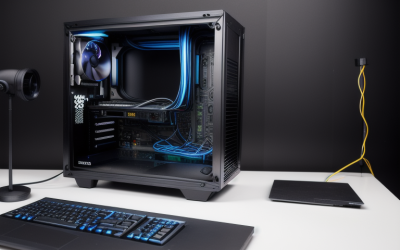
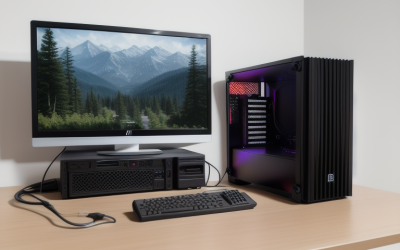
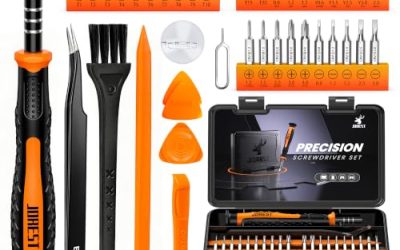
The best gaming PC components in 2026 are a gaming-focused processor such as the Ryzen 7 9800X3D (or a Ryzen 5 9600X for budget builds), a graphics card chosen by resolution (RTX 5060 Ti or RX 9060 XT for 1080p, RTX 5070 Ti or RX 9070 XT for 1440p, RTX 5080 or RTX 5090 for 4K), 32GB of DDR5-6000 memory, a PCIe 4.0 or 5.0 NVMe SSD of at least 1TB and a quality ATX 3.1 power supply with 20% to 30% headroom. Everything else, including the motherboard, cooler and case, should be sized around those choices. This guide works part by part and ends with a budget allocation you can adapt for a home-built PC, based on published specifications and reviews.
Component prices, especially for memory and storage, have been unusually volatile through 2025 and 2026, and graphics card supply has been tight at the high end, with no confirmed date for NVIDIA’s rumored RTX 50 Super refresh. For that reason this guide ranks by role and spec class instead of quoting prices, and it uses a “Price tier” column in its tables.
As an Amazon Associate we earn from qualifying purchases at no extra cost to you.

Our Top Picks


Top 3 picks at a glance
Quick reference: the pick for each part
| Part | Best all-round pick | Budget pick | High-end pick | Price tier |
|---|---|---|---|---|
| Processor | Ryzen 7 9800X3D | Ryzen 5 9600X or 7600 | Ryzen 9 9950X3D | Mid |
| Graphics card | RTX 5070 Ti or RX 9070 XT (16GB) | RTX 5060 Ti or RX 9060 XT | RTX 5080 or RTX 5090 | Mid to premium |
| Motherboard | B850 (AM5) | B650 (AM5) | X870E (AM5) | Mid |
| Memory | 32GB DDR5-6000 CL30 (2x16GB) | 32GB DDR5-5600 | 64GB DDR5-6000 to 6400 | Mid |
| Storage | 2TB PCIe 4.0 NVMe | 1TB PCIe 4.0 NVMe | 2TB to 4TB PCIe 5.0 NVMe | Mid |
| Power supply | 850W ATX 3.1, 80 Plus Gold | 650W to 750W 80 Plus Bronze or Gold | 1000W to 1200W ATX 3.1 | Mid |
| CPU cooler | Dual-tower air or 280mm to 360mm AIO | Single-tower air cooler | 360mm AIO | Low to mid |
| Case | Mesh-front mid-tower | Budget airflow case | Large case with room for a 360mm radiator | Low to mid |
Step 1: pick the graphics card first
For gaming, the graphics card changes frame rate more than any other part, so choose it before the rest and build around it. The right tier follows from your monitor.
| Monitor | Card tier | Video memory | Board power (published) |
|---|---|---|---|
| 1080p, 144 to 240Hz | RTX 5060 Ti or RX 9060 XT | 8GB to 16GB | About 180W |
| 1440p, 144 to 240Hz | RTX 5070 Ti or RX 9070 XT | 16GB | About 300W |
| 4K, 60 to 120Hz | RTX 5080 | 16GB | About 360W |
| 4K, high refresh and path tracing | RTX 5090 | 32GB | About 575W |
Memory size matters as much as raw speed: 8GB cards struggle with newer high-texture games at 1440p, so choose 16GB if you plan to keep the card for several years. The RTX 50 series adds DLSS 4 with multi frame generation, while Radeon RX 9000 cards offer FSR 4 upscaling, and both can raise frame rates in supported games. Treat frame generation as a bonus rather than a substitute for raw performance, since it adds latency in competitive shooters.
Which brand: NVIDIA or AMD?
NVIDIA generally leads in ray tracing and software features such as streaming encoders and DLSS support, while AMD’s Radeon RX 9070 XT and RX 9060 XT are frequently cited as strong value choices with 16GB of memory at their tier. If you stream or use creative software that favors CUDA, NVIDIA is the safer choice. If rasterized frames per dollar matter most, compare current published reviews for the exact cards.
Step 2: choose the processor
The Ryzen 7 9800X3D (8 cores, 16 threads, 3D V-Cache, roughly 120W TDP) is widely cited as a top gaming processor. The Ryzen 5 9600X and Ryzen 5 7600 provide six cores at a lower price and are fine for 1080p and 1440p with mid-range graphics cards. The Ryzen 9 9950X3D adds 16 cores for creators who also game. Intel’s Core Ultra 200S series suits productivity-heavy users, though reviewers generally report that the best X3D chips lead in gaming. If you already own an AM5 board, remember that AM5 has been supported across several processor generations, which helps future upgrades.
Pairing the processor with the graphics card
At 1440p and 4K the graphics card is usually the limit, so a six-core processor can be enough. At 1080p with a card in the RTX 5070 Ti class or above, the processor becomes more important, which is where X3D chips shine. A simple check: if published reviews show the gap between a six-core and an eight-core chip at your resolution is under about 10% in the games you play, spend the difference on the graphics card.
Step 3: pick a motherboard that matches
For AM5 processors, the B850 chipset is a good mainstream choice with PCIe 5.0 support for the graphics slot and at least one M.2 slot on most boards. B650 is a lower-cost option that still handles most gaming builds. X870E adds more connectivity and PCIe 5.0 lanes for enthusiasts. Intel builds use Z890 or B860 boards for Core Ultra 200S processors. Check four things on any board: the VRM quality (cooling on the power-delivery section), the number of M.2 slots, rear USB and networking features, and whether it has built-in Wi-Fi if you need it.
VRM sizing in one line
A processor rated for about 120W to 170W runs comfortably on most mid-range boards. If you plan to use an overclocking-oriented high-core-count chip, choose a board with a better heatsink on the power section.
Step 4: memory
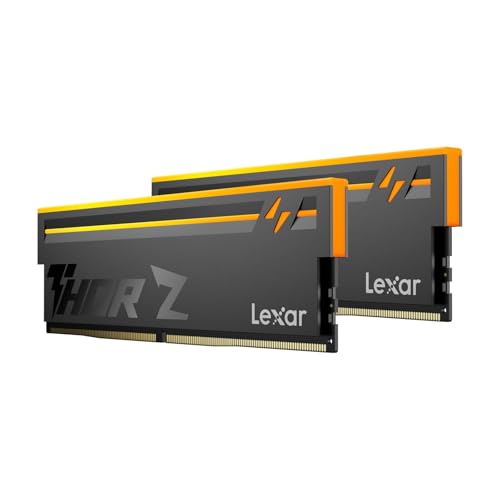
For AM5, DDR5-6000 with CL30 timings is the widely cited sweet spot, because it matches the memory controller’s preferred ratio and offers low latency. Choose 32GB in two 16GB sticks for dual-channel operation. Four-stick configurations can force lower speeds, so prefer two larger sticks. If you edit video or run many applications, consider 64GB. Enable the memory profile (EXPO on AMD boards or XMP on Intel boards) in the BIOS, since memory often runs at a lower default speed otherwise.
Why not spend more on faster RAM?
Beyond DDR5-6000 to 6400 the gains in most games are small, while price increases quickly. Spend the difference on the graphics card.
Step 5: storage
A PCIe 4.0 NVMe drive is enough for most gaming builds, because game load times differ little between PCIe 4.0 and 5.0 drives. For capacity, 2TB is the practical choice because installs often exceed 100GB each. Drives such as the Samsung 990 Pro, WD Black SN850X and Crucial T500 are commonly cited PCIe 4.0 models. Look for a drive with DRAM cache and good endurance (TBW rating) rather than the cheapest option. If you add a PCIe 5.0 drive, check its heat: they generally need a heatsink and airflow.
Step 6: power supply
Choose an ATX 3.1 power supply from a reputable manufacturer with an 80 Plus Gold rating and a native 12V-2×6 cable if your graphics card uses it. To size the unit, add the graphics card’s board power to the processor’s maximum power, add about 100W for the rest of the system, and multiply by 1.25. Example: RTX 5070 Ti (300W) plus Ryzen 7 9800X3D (about 120W) plus 100W is 520W, times 1.25 is 650W, so an 750W to 850W unit gives comfortable headroom and room for a later upgrade. For an RTX 5090 (575W) plus the same processor and extras, that totals 795W, times 1.25 is about 995W, so a 1000W to 1200W unit is right.
Brands to look at
Corsair RM series, Seasonic Focus and Prime, be quiet! Straight Power and MSI MPG units are frequently cited in reviews for reliability. Compare current reviews of the exact model because manufacturers revise units.
Step 7: cooler and case
A quality single- or dual-tower air cooler, such as the Thermalright Peerless Assassin 120 or the Noctua NH-D15 family, handles most gaming processors quietly. A 280mm or 360mm liquid cooler such as the Arctic Liquid Freezer III suits hotter chips and gives a cleaner look. For the case, choose a mesh-front mid-tower with space for at least three front intake fans. Check that the graphics card length and the cooler height fit the case’s published limits.
Six individual components worth shortlisting
Ryzen 7 9800X3D
Spec line: 8 cores, 16 threads, 3D V-Cache, AM5 socket, about 120W TDP. Best for: high-refresh gaming where the processor sets the limit. Skip if: you mostly play at 4K or run heavy multi-core workloads.
- Pro: Widely cited as a leading gaming processor.
- Pro: Efficient, so it runs on modest coolers.
- Pro: AM5 platform has a long upgrade path.
- Con: Costs more than six-core alternatives.
- Con: Gains over cheaper chips shrink at 4K.
GeForce RTX 5070 Ti
Spec line: 16GB GDDR7, 256-bit bus, about 300W board power. Best for: 1440p high-refresh and entry-level 4K. Skip if: you only play at 1080p.
- Pro: 16GB of memory suits new texture-heavy games.
- Pro: DLSS 4 and strong streaming encoder.
- Pro: Moderate power draw for the performance class.
- Con: Supply and pricing have been inconsistent in 2026.
- Con: Overkill for 1080p.
Radeon RX 9070 XT
Spec line: 16GB GDDR6, about 304W board power, RDNA 4. Best for: value-focused 1440p gaming. Skip if: you rely on CUDA software or the best ray tracing performance.
- Pro: 16GB at a competitive tier.
- Pro: Strong rasterized performance.
- Pro: FSR 4 improves upscaling quality.
- Con: Ray tracing trails NVIDIA’s equivalent in many games.
- Con: Fewer creative software optimizations.
Thermalright Peerless Assassin 120
Spec line: Dual-tower air cooler with two 120mm fans, supports AM5 and LGA1700 mounting. Best for: quiet, low-cost cooling of mainstream processors. Skip if: your case is narrow or you need a tall-memory clearance.
- Pro: Strong cooling for its price tier.
- Pro: Easy installation.
- Pro: No pump to fail.
- Con: Large, so check case and memory clearance.
- Con: Plain looks.
Samsung 990 Pro or WD Black SN850X (2TB)
Spec line: PCIe 4.0 x4 NVMe drives with DRAM cache, sequential reads near 7,000MB/s. Best for: main game library. Skip if: you need only light storage.
- Pro: Fast and consistent.
- Pro: Good endurance ratings.
- Pro: Wide availability, including heatsink versions.
- Con: Cost per terabyte above budget drives.
- Con: PCIe 5.0 drives are faster on paper but run hotter.
Corsair RM850x or similar 850W ATX 3.1 unit
Spec line: 850W, 80 Plus Gold, fully modular, with a native 12V-2×6 cable on current models. Best for: RTX 5070 Ti to RTX 5080 builds. Skip if: you build a small-form-factor PC and need an SFX unit.
- Pro: Reliable, well-reviewed design.
- Pro: Modular cables for tidy builds.
- Pro: Headroom for a later graphics upgrade.
- Con: Costs more than basic units.
- Con: Confirm the current revision and cable type before buying.
Budget allocation: how to split the money
| Part | Share of a balanced gaming build | Note |
|---|---|---|
| Graphics card | 35% to 45% | The biggest lever for frame rate |
| Processor | 12% to 18% | Higher at 1080p high refresh |
| Motherboard | 8% to 12% | Do not overspend |
| Memory | 6% to 10% | 32GB is the target |
| Storage | 6% to 10% | 2TB NVMe |
| Power supply | 6% to 9% | Quality matters more than wattage alone |
| Cooler and case | 6% to 10% | Airflow over looks if funds are limited |
If your actual split deviates widely, for example 20% on the graphics card and 30% on the processor, the build is probably unbalanced for gaming.
Compatibility checklist before you buy
- Processor socket matches the motherboard socket (AM5 for Ryzen 7000 and 9000, LGA1851 for Core Ultra 200S).
- Memory type is DDR5 on both the board and the kit.
- The cooler supports the socket and fits the case height.
- The graphics card length and thickness fit the case.
- The power supply has the right connectors, including the 12V-2×6 connector if required.
- The motherboard has enough M.2 slots and the right form factor for the case (ATX, micro-ATX or mini-ITX).
- BIOS compatibility: some boards need a BIOS update for newer processors, so check whether the board supports the chip out of the box or has a flashback feature.
Assembly tips that avoid common mistakes
- Install the processor, memory and M.2 drive on the motherboard before placing it in the case, since access is easier.
- Mount the cooler according to its instructions and apply thermal paste only if it is not pre-applied.
- Seat the 12V-2×6 cable fully until it clicks, since partial seating is a known cause of heat and damage.
- Plug the monitor into the graphics card, not the motherboard.
- Update the BIOS if needed, enable EXPO or XMP and install current graphics drivers.
Prebuilt or DIY?
Building is generally cheaper for the same parts and teaches you the system, but prebuilt machines include assembly and a warranty. In periods when parts prices spike, the gap narrows. Price the parts list on the day you buy, and compare it with a prebuilt that uses the same tier of components.
Frequently Asked Questions
What are the best components for a gaming PC?
A Ryzen 7 9800X3D, an RTX 5070 Ti or RX 9070 XT, a B850 motherboard, 32GB of DDR5-6000, a 2TB NVMe SSD and an 850W ATX 3.1 power supply make a strong 1440p build. Scale the graphics card and processor up or down for your resolution and budget.
How much RAM do I need for gaming?
32GB is the current sweet spot. 16GB still works for many games but can limit multitasking and some newer titles.
Is a more expensive motherboard worth it?
Usually not for gaming. Choose a board with good power delivery, enough M.2 slots and the features you need. Extra cost mostly buys connectivity and overclocking headroom.
What power supply wattage do I need?
Add the graphics card and processor power, add about 100W, then multiply by 1.25. A typical RTX 5070 Ti build is comfortable on 750W to 850W, while an RTX 5090 build needs about 1000W or more.
Should I buy PCIe 5.0 storage?
Not for gaming alone. PCIe 4.0 drives load games nearly as quickly, run cooler and often cost less. Choose PCIe 5.0 only if you move large files frequently.
Can I reuse old parts?
Often yes, particularly the case, power supply (if it is recent and has enough wattage) and storage. Memory generally cannot move between DDR4 and DDR5 platforms, and old power supplies may lack the connectors modern graphics cards need.
Bottom line
Start with the graphics card that fits your monitor, pair it with a gaming-focused processor, give the system 32GB of DDR5-6000, a 2TB NVMe drive and a power supply sized with the 25% headroom rule, then choose a motherboard, cooler and case that fit those parts. Verify compatibility on the checklist before you order, and compare current reviews for the exact models because manufacturers revise their products.
Related guides
- Best Websites to Build a Gaming PC Online: 7 Custom PC Builders Compared (2026)
- Best Office PC to Upgrade for Gaming: What Fits, What Doesn’t and the Power Math: 4 Compared (2026)
- Best Gaming PC Build Under $2,000 in 2026: Three Part Lists and a Budget Split: 4 Compared
- Best Gaming PC Build Under $1,500 in 2026: Three Parts Lists for 1440p: 4 Compared
More from Amazon
Programs that pair well with the guide above. Offers and eligibility are set by Amazon and may change.
Free shipping on eligible items, Prime Video and more. Eligible new members can start with a free trial.
Start a Prime free trialAd-free music streaming. Eligible new subscribers can start with a free trial.
Try Music Unlimited freeA Prime membership for ages 18-24 with a trial period. Eligibility is set by Amazon.
See Prime for Young AdultsAudiobooks and podcasts to listen to on the go. Eligible new members can start with a free trial.
Try Audible freeAs an Amazon Associate we earn from qualifying purchases.