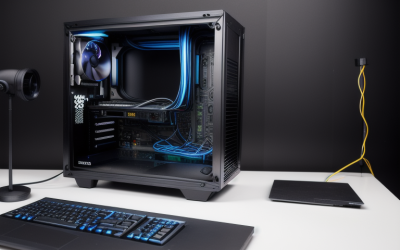
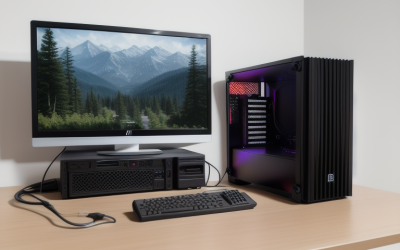
For a gaming PC build under 1500, the strongest approach in late 2026 is to put the largest share of the budget into a 16GB graphics card (RTX 5060 Ti 16GB or Radeon RX 9060 XT 16GB), pair it with a six-core AM5 processor such as the Ryzen 5 7600 or 9600X, and keep a 32GB DDR5 kit and a Gold-rated 750W power supply. That combination targets 1440p gaming at high settings and leaves a clean upgrade path to a faster GPU or an X3D processor later. The catch for 2026 is memory: DDR5 prices are far above where they were a year ago, so the memory kit now eats a bigger slice of the budget than the old rule of thumb assumed.
Below are three complete build plans, the individual parts that make them work, a worked power-budget calculation, and a priority order for what to cut if prices on the day do not line up. Everything is based on published specifications and review coverage. Part prices change daily, so the article uses price tiers and percentage shares rather than live prices.
As an Amazon Associate we earn from qualifying purchases at no extra cost to you.


Our Top Picks
 msi Gaming RTX 3050 Ventus 2X 6G OC1.7" x 4.3" x 7.4"7.4 x 4.3 x 0.1 inches1.3 poundsCheck on Amazon
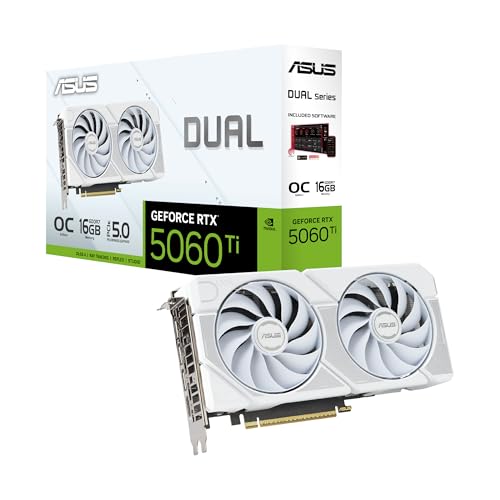 ASUS Dual GeForce RTX 5060 Ti 16GB GDDR7RTX5060Ti|OC|16GB|White9 x 4.7 x 0.1 inches1.4 poundsCheck on Amazon

Top 3 picks at a glance
Where the 1500 goes: a budget split that works
Gaming performance depends mostly on the GPU, then the CPU, then everything else. A good starting split for a 1500 build looks like this, with ranges because market prices move.
| Component | Share of budget | Why |
|---|---|---|
| Graphics card | 35% to 40% | Biggest effect on frame rate at 1440p |
| CPU | 12% to 16% | Six to eight cores is enough for gaming at this level |
| Memory (32GB DDR5) | 12% to 18% in 2026 | Higher than the historical 6% to 8% because of the memory shortage |
| Motherboard | 8% to 10% | B650-class boards offer the best value on AM5 |
| SSD (1TB to 2TB NVMe) | 6% to 9% | Fast Gen 4 drives are enough |
| Power supply | 6% to 8% | Quality matters more than wattage |
| Case and cooling | 6% to 9% | Mesh front, two or three fans included |
| Windows license and extras | 3% to 5% | Optional if you already own a license |
If the memory share runs high, the practical fix is to trim the case and SSD before cutting the GPU. A 1TB SSD can be supplemented by a second drive later, but you cannot add VRAM to a graphics card.
The three build plans
Build 1: Balanced 1440p AMD build
Parts: Ryzen 5 7600 (six cores, 65W), Radeon RX 9060 XT 16GB, B650 motherboard, 32GB DDR5-6000 (2 x 16GB), 1TB PCIe Gen 4 NVMe, 750W Gold power supply, mesh-front mid-tower, tower air cooler.
Best for: 1440p high-settings gaming in most current games, with enough VRAM for textures. Skip if: you rely on NVIDIA-specific features such as DLSS-only titles, or heavy ray tracing.
- Pro: 16GB of VRAM handles modern texture settings at 1440p.
- Pro: The Ryzen 5 7600 is efficient and cool.
- Pro: Strong value per frame in rasterized games.
- Con: Ray tracing performance trails comparable NVIDIA cards.
- Con: Upscaling support depends on the game’s FSR implementation.
Build 2: NVIDIA DLSS and ray tracing build
Parts: Ryzen 5 9600X (six cores, current Zen 5), GeForce RTX 5060 Ti 16GB, B650 motherboard, 32GB DDR5-6000, 1TB Gen 4 NVMe, 750W Gold power supply, airflow case, 240mm AIO or good tower cooler.
Best for: Players who use DLSS, frame generation, ray tracing or NVIDIA’s creative tools. Skip if: you want the most rasterized performance for the money, where the AMD card often looks stronger on paper.
- Pro: 16GB VRAM variant avoids the limits of the 8GB model.
- Pro: DLSS and multi-frame generation support in many titles.
- Pro: Low power draw eases PSU and cooling needs.
- Con: Price position is higher than the AMD alternative.
- Con: The memory bus is narrow, so the card relies on cache and VRAM capacity.
Build 3: Upgrade-ready 1080p to 1440p build with a gaming-first CPU
Parts: Ryzen 7 7800X3D (eight cores, 3D V-Cache), a mid-range GPU in the RTX 5060 or RX 9060 XT class, B650 board, 32GB DDR5-6000, 1TB NVMe, 750W Gold power supply, tower air cooler.
Best for: High-refresh-rate competitive and CPU-heavy games, plus a plan to upgrade the GPU later. Skip if: you want the best 1440p visuals today, because spending more on the CPU leaves less for the GPU.
- Pro: Gaming CPU leadership in CPU-bound titles.
- Pro: Stays relevant across several GPU generations.
- Pro: AM5 socket supports future processors.
- Con: GPU is one step lower than in Builds 1 and 2.
- Con: Higher CPU price squeezes everything else.
Parts that make a 1500 build work
Ryzen 5 7600 or Ryzen 5 9600X
Spec line: six cores, twelve threads, AM5 socket, DDR5 only, integrated graphics for troubleshooting. Best for: most gamers at this budget. Skip if: you stream and play at the same time on one machine, where more cores help.
- Pro: Low power draw.
- Pro: Efficient with a basic tower cooler.
- Pro: Long AM5 platform life.
- Con: Fewer cores than higher-tier chips.
- Con: Zen 5 premium over the older 7600.
Ryzen 7 7800X3D
Spec line: eight cores, sixteen threads, 3D V-Cache, 120W class power, AM5. Best for: competitive and simulation games. Skip if: your GPU is the limit at 1440p ultra, since the CPU gain then shrinks.
- Pro: Large cache boosts game performance.
- Pro: Cool-running for its performance.
- Pro: Strong upgrade headroom.
- Con: Costs noticeably more than a six-core chip.
- Con: Limited availability in some regions as production shifts.
Radeon RX 9060 XT 16GB
Spec line: 16GB GDDR6, PCIe 5.0 x16 interface, board power around 160W class. Best for: value-focused 1440p. Skip if: you want top ray tracing performance.
- Pro: Large VRAM pool at its price.
- Pro: Efficient power draw.
- Pro: Good rasterization performance.
- Con: Weaker ray tracing than NVIDIA equivalents.
- Con: Some games favor DLSS implementation.
GeForce RTX 5060 Ti 16GB
Spec line: 16GB GDDR7, 128-bit bus, board power around 180W class, PCIe 5.0 x8 interface. Best for: DLSS and ray tracing at 1440p. Skip if: you accidentally buy the 8GB model, which is a different product with a tighter limit on texture settings.
- Pro: 16GB model has enough VRAM for 1440p.
- Pro: Frame generation and DLSS support.
- Pro: Low power draw.
- Con: Narrow memory bus.
- Con: Higher price than the AMD alternative.
B650 motherboard
Spec line: AM5, DDR5, at least one PCIe 5.0 x16 slot, one or two M.2 slots, 2.5GbE LAN. Best for: value. Skip if: you need many USB ports or multiple fast SSDs.
- Pro: Enough features for gaming.
- Pro: Wide model choice from several makers.
- Pro: Supports future AM5 CPUs.
- Con: Fewer high-end features than X870 boards.
- Con: Quality varies, so check VRM and reviews.
32GB DDR5-6000 CL30 kit (2 x 16GB)
Spec line: two matched modules, EXPO profile, DDR5-6000 with CL30 to CL36 timings. Best for: AM5 systems, since 6000 MT/s is the sweet spot. Skip if: the price is far above normal and you must start with 16GB, in which case buy a single 16GB module only if you accept single-channel performance and a later replacement.
- Pro: Dual-channel performance.
- Pro: Enough capacity for games plus background apps.
- Pro: EXPO profile makes setup easy.
- Con: Costs more than in earlier years.
- Con: Pricing changes quickly during shortages.
750W 80 Plus Gold ATX 3.x power supply
Spec line: fully modular, ATX 3.0 or 3.1, 12V-2×6 or standard PCIe connectors. Best for: safe headroom for a future GPU upgrade. Skip if: your GPU draws well under 200W and you never plan to upgrade, where a 650W unit also works.
- Pro: Efficiency and safety.
- Pro: Clean cabling.
- Pro: Supports a later GPU step-up.
- Con: Costs more than an entry unit.
- Con: Brand quality varies, so choose reviewed models.
Worked power budget
The power supply is sized from the components’ rated power, plus a safety margin for transient spikes. Using the figures from the spec lines above:
| Component | Rated power (approx.) |
|---|---|
| Ryzen 5 7600 (package power limit) | 88W |
| Radeon RX 9060 XT 16GB or RTX 5060 Ti 16GB | 160W to 180W |
| Motherboard, memory, SSD | 40W |
| Fans, cooler and USB devices | 20W |
| Total sustained draw | about 310W to 330W |
| Recommended PSU (2x total, rounded up) | 650W to 750W |
A 750W Gold unit runs most efficiently at 40% to 60% load, so about 300W to 450W of real usage sits close to the efficient range. The extra capacity handles a later upgrade to a card in the 250W to 300W class without a PSU swap. For the 7800X3D build, replace the CPU line with about 120W and the total rises to roughly 340W to 380W, still well inside 750W.
What to cut when prices do not line up
- Case and cooler first. A basic mesh case with included fans and a good tower cooler saves more than it costs in performance.
- SSD size next. Start with 1TB and add storage later.
- Motherboard features. Skip Wi-Fi 7 or extra M.2 slots you will not use.
- CPU tier. Move from the 9600X to the 7600, which gives similar gaming performance.
- Memory as a last resort. If you must, begin with 32GB at a lower speed rather than 16GB.
- Never cut the PSU quality or the GPU VRAM. These are the hardest and most expensive parts to change later.
Prebuilt alternative if parts prices are too high
With memory prices elevated, some prebuilts in this class cost less than the parts add up to, because builders buy in volume. Compare a prebuilt using the same checklist: named PSU, dual-channel memory, a 16GB GPU for 1440p, and at least 1TB NVMe. Lines such as CyberPowerPC, iBuyPower, Skytech, NZXT Player and MSI Codex regularly offer machines in this tier. Use the parts-sum check, and if the prebuilt costs less than the parts and meets the checklist, it is a reasonable choice.
Approximate performance expectations
These ranges reflect typical results in published reviews of cards in this class and vary with game, settings, CPU and patch. Treat them as ballparks, not guarantees.
| Resolution and settings | Typical frame rate range | Notes |
|---|---|---|
| 1080p, high settings | 100 to 200+ fps | Highly dependent on the game; esports titles far higher |
| 1440p, high settings | 70 to 130 fps | Upscaling raises this |
| 1440p, ultra with ray tracing | 40 to 80 fps | Upscaling and frame generation often needed |
| 4K, medium to high | 35 to 65 fps | Upscaling recommended |
Which build fits your situation
| If you… | Choose | Reason |
|---|---|---|
| Play single-player and AAA games at 1440p | Build 1 or Build 2 | GPU-heavy workloads benefit from the larger share of budget spent on graphics |
| Use DLSS, frame generation or ray tracing regularly | Build 2 | NVIDIA’s feature set is broader in supported games |
| Play esports and simulation games at 144Hz or higher | Build 3 | CPU cache raises minimum frame rates |
| Want the cheapest path that still lasts | Build 1 | Best value per frame in rasterized games |
| Plan a GPU upgrade within two years | Build 3 | The CPU will not bottleneck a faster card later |
Upgrade path after the first year
The reason to pick AM5 and a 750W power supply is what you can do later without starting over. A realistic sequence is to run the build as is for a year, then add a second 2TB NVMe drive when game libraries outgrow the first, then replace the graphics card with a faster one when a model in the 250W to 300W class reaches a comfortable price tier. A six-core processor can later be swapped for an X3D chip with only a BIOS update, no new board required. Memory is the one part that gets harder to upgrade over time, which is why starting with two matched 16GB modules is better than one module you will need to discard.
First-boot checklist after you assemble it
- Enable EXPO in the BIOS. Without it, DDR5-6000 memory may run at a default 4800 MT/s, which gives up noticeable performance on AM5.
- Update the BIOS before installing Windows if the board shipped with an older version, since newer releases improve memory training and CPU support.
- Turn on Resizable BAR (listed as Above 4G Decoding and Re-Size BAR Support) so the CPU can address the full graphics memory.
- Install the graphics driver from the vendor rather than relying on Windows Update’s generic one.
- Check fan curves. Set case fans to ramp at about 50 to 60 degrees Celsius so the build stays quiet at idle.
- Confirm the GPU is in the top PCIe slot and that the monitor cable is in the graphics card, not the motherboard.
Frequently Asked Questions
Can you build a good gaming PC for 1500 in 2026?
Yes, a build in the 1440p class is realistic: a six-core AM5 processor, a 16GB graphics card, 32GB of DDR5 and a Gold power supply. Memory prices are the squeeze, so you may have to economize on the case and SSD to fit the budget.
Is 16GB of RAM enough for a gaming PC now?
It still works for many games, but 32GB is the safer choice for modern titles, background apps and streaming. If prices force a choice, 16GB in two matched modules beats a single module, and you can add another pair later.
Should I buy an RTX 5060 Ti 8GB or 16GB?
Choose the 16GB model for 1440p, since the 8GB version can run into texture limits in newer games. Check the listing carefully, because the two versions share a name.
Is it better to build or buy a prebuilt at this budget?
Build if you want exact parts and enjoy the process. Buy a prebuilt if its parts-sum comes in lower and the spec is clean, since builders pay less for memory and storage in bulk.
Do I need an X3D processor at this price?
Not for most players. An X3D chip helps most in CPU-limited, high-refresh games, but at 1440p a better GPU usually raises frame rates more than a better CPU.
Will this build be upgradeable?
Yes. AM5 supports future processors, a 750W Gold PSU covers a later GPU upgrade, and a standard ATX layout keeps case and cooler swaps simple.
Related guides
- Best Websites to Build a Gaming PC Online: 7 Custom PC Builders Compared (2026)
- Best Office PC to Upgrade for Gaming: What Fits, What Doesn’t and the Power Math: 4 Compared (2026)
- Best Gaming PC Components in 2026: A Part-by-Part Guide for a DIY Build
- Best Gaming PC Build Under $2,000 in 2026: Three Part Lists and a Budget Split: 4 Compared
More from Amazon
Programs that pair well with the guide above. Offers and eligibility are set by Amazon and may change.
Free shipping on eligible items, Prime Video and more. Eligible new members can start with a free trial.
Start a Prime free trialAd-free music streaming. Eligible new subscribers can start with a free trial.
Try Music Unlimited freeA Prime membership for ages 18-24 with a trial period. Eligibility is set by Amazon.
See Prime for Young AdultsAudiobooks and podcasts to listen to on the go. Eligible new members can start with a free trial.
Try Audible freeAs an Amazon Associate we earn from qualifying purchases.