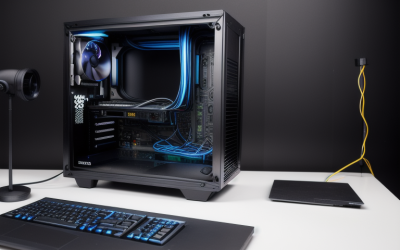
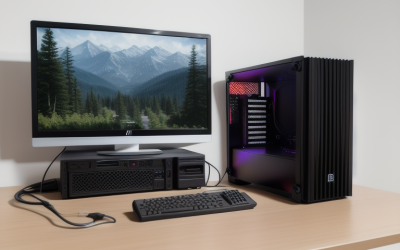
The best website to build a gaming PC online depends on what you value most: NZXT BLD and iBUYPOWER suit first-time buyers who want a guided configurator, CyberPowerPC suits people who want the most part choices for the money, and Origin PC, Maingear, Digital Storm and Falcon Northwest suit buyers who will pay for cable work, tuned builds and longer support relationships. No single site wins for everyone, so this guide ranks seven real builders by the things that actually separate them, then shows how to check any configurator before you pay.
A quick note on method. This is a research roundup based on published specs, each company’s own descriptions of its services, and the patterns that recur in independent reviews. warranty terms, shipping times and configurator options change often, so confirm the current terms on the seller’s own page before you order.
Quick Comparison of the Best Online Custom PC Builders
| Builder | Best for | Customization depth | Price tier | Main trade-off |
|---|---|---|---|---|
| NZXT BLD | Clean, simple first build | Limited, curated parts | Mid to premium | Fewer choices and a price premium for the look |
| iBUYPOWER | Value with real part choice | Broad | Entry to mid | Cable work and component brands vary by config |
| CyberPowerPC | Most parts per dollar | Very broad | Entry to mid | Easy to over-customize into odd combinations |
| Origin PC | Deep customization, liquid cooling | Very deep | Premium | Premium pricing, longer build times |
| Maingear | Premium service and design | Deep | Premium | Cost sits well above value builders |
| Digital Storm | Premium builds, international shipping | Deep | Mid to premium | Prices climb quickly with upgrades |
| Falcon Northwest | Small form factor and workstation-grade builds | Deep but curated | Premium | Highest price tier of the group |
What “Building a PC Online” Actually Means
The phrase covers three different things, and mixing them up is the most common mistake. A configurator on a builder’s site lets you pick a case, CPU, GPU, memory and storage, and a technician assembles and tests it. A parts-list planner such as PCPartPicker helps you check compatibility and compare retailers, but you assemble the machine yourself. A retailer-assisted build, such as an in-store service at a computer retailer, sits between the two. Most people searching for the best gaming PC builder website want the first kind, so that is what the ranked list below covers.
1. NZXT BLD: Best for a Clean First Build
Spec line: curated prebuilt configurations with a limited set of options, NZXT cases and cooling, current Intel Core Ultra or AMD Ryzen CPUs paired with RTX 50 or Radeon RX 9000 series graphics depending on stock.
Best for: buyers who care about tidy cable management, a coherent look and a simple selection process.
Skip if: you want to choose a specific motherboard, memory kit or power supply brand, or you want the lowest cost per frame.
- Pro: the configurator is short and hard to get wrong, which is helpful if you are not sure what a PCIe lane is.
- Pro: cases and coolers come from the same ecosystem, so builds look consistent and airflow is designed rather than improvised.
- Pro: a good fit if you already own an NZXT-style desk setup and want the machine to match.
- Con: part choices are narrower than at deeper configurators, and you pay a premium for presentation.
- Con: if you later want to swap components, standard parts are used, but check which proprietary pieces (such as fan hubs or case-specific cooling mounts) are involved.
2. iBUYPOWER: Best Balance of Price and Choice
Spec line: broad catalog of prebuilt lines plus a customizer, case options from several brands, and CPU and GPU choices from both Intel/NVIDIA and AMD sides.
Best for: buyers who want to stay in the entry to mid price tier but still choose the case, cooler and storage.
Skip if: you want a completely uniform component list across every configuration; part brands can differ between lines, so you have to read the final summary page carefully.
- Pro: wide range of cases and price points, which makes it easy to find a build that fits a stated budget.
- Pro: the company describes parts-and-labor coverage on direct orders; check the current term and what it excludes before purchase.
- Pro: financing options are commonly offered, which can matter for a larger purchase.
- Con: some lines use proprietary or non-standard motherboard or power supply layouts, which can limit upgrades.
- Con: default listings sometimes pair a strong GPU with modest memory or storage; adjust those first.
3. CyberPowerPC: Best for Maximum Part Choice at Lower Cost
Spec line: very large catalog with a detailed configurator that lets you pick from many cases, coolers, memory kits and storage drives alongside current CPUs and GPUs.
Best for: buyers who know what they want and want to avoid paying for a name on the case.
Skip if: you are not confident reading part lists; a wide selection includes weaker options that look attractive on a price comparison.
- Pro: the configurator exposes many options, including secondary storage and extra cooling.
- Pro: value tier pricing means more of the budget lands in the GPU, which is the part that moves frame rates most.
- Pro: the company publishes its own parts and labor terms, so you can compare them with other sellers.
- Con: it is easy to build a combination that looks good on paper but has an undersized power supply or slow memory.
- Con: build quality and cable work can vary with the line you pick; read the product description for the exact case and power supply.
4. Origin PC: Best for Deep Customization
Spec line: fully custom gaming desktops with extensive case, cooling, memory and storage options, including custom liquid cooling as an upgrade, builds supported by a US-based team. Origin PC is part of Corsair, which shows in its component pairings.
Best for: enthusiasts who want custom loops, specific part brands and a build they can describe in detail.
Skip if: you want the cheapest route to 1440p or you need the machine quickly; custom builds usually take longer than stocked prebuilts.
- Pro: very deep customization, including options most value builders do not list.
- Pro: support is a stated selling point, and the company describes extended support options.
- Pro: component pairings tend to be coherent, with attention to airflow and cable routing.
- Con: premium price tier; the same GPU and CPU cost noticeably more than at value builders.
- Con: lead times can be longer, especially for liquid-cooled or heavily customized builds.
5. Maingear: Best for Premium Design and Service
Spec line: custom and semi-custom desktops in several size classes, with well-known styling, a mix of air and liquid cooling options and the latest NVIDIA and AMD graphics.
Best for: buyers who want a recognizable high-end brand with white-glove positioning.
Skip if: your priority is performance per dollar; the price of the brand is real.
- Pro: strong reputation for premium service and finishing among enthusiast communities.
- Pro: styling options are distinctive without being gaudy.
- Pro: good fit for a flagship GPU build where case, cooling and noise matter as much as frame rates.
- Con: sits in the premium price tier, which makes little sense for a 1080p budget build.
- Con: configurator depth is good but not unlimited; check that your preferred part brands are available.
6. Digital Storm: Best Premium Option That Ships Internationally
Spec line: custom gaming desktops across several lines, with liquid-cooling options, premium case choices and a configurator that scales from mid tier to flagship builds.
Best for: buyers outside the United States who still want a US-style boutique builder, and anyone who wants a premium build without the very top price tier.
Skip if: you only need an entry-level machine; the lower price tiers are not where the company stands out.
- Pro: it is often cited as one of the few custom builders that ships internationally; confirm your country and any import duties before ordering.
- Pro: broad choice of cases and cooling for a premium builder.
- Pro: lines are organized by size and budget, which helps you narrow down quickly.
- Con: price rises quickly as you add upgrades; compare the final total, not the starting price.
- Con: shipping and duties for international orders add cost and time.
7. Falcon Northwest: Best for Small Form Factor and Workstation-Grade Builds
Spec line: hand-built, heavily tuned desktops including compact cases, with a reputation for careful assembly, testing and premium parts.
Best for: buyers who want a compact or quiet high-end machine and are willing to pay for the assembly work behind it.
Skip if: you want a flexible budget; this is the top of the price ladder and entry builds are not the point.
- Pro: strong reputation for build quality and testing, particularly in small form factor systems.
- Pro: good fit for combined gaming and creator workloads where stability matters.
- Pro: premium finishes and attention to detail inside the case.
- Con: highest price tier in this list.
- Con: limited choice at the lower end; it is not a budget builder.
Do You Need a PC Builder Site, or Is Building Yourself Better?
The honest comparison is between paying a builder to assemble the machine, buying a stocked prebuilt, and building it yourself with a parts list. Assembly itself is the smallest part of the cost; what you are really paying for is testing, warranty handling and the convenience of a single point of contact. If a part fails, a builder’s support team handles the diagnosis, while on a self-built PC you handle it yourself and deal with each component manufacturer separately.
| Route | Time you spend | Support if something fails | Upgrade flexibility | Best for |
|---|---|---|---|---|
| Online custom builder | Low (configure and wait) | One company handles it | Good if standard parts are used | First-time buyers and busy people |
| Stocked prebuilt from a builder | Lowest | One company handles it | Varies by line | Buyers who want it fast |
| Self-built from a parts list | High (research and assembly) | Separate warranty for each part | Highest | Buyers who enjoy the process |
| Retailer-assisted build | Medium | Split between store and part makers | High | Buyers who want in-person help |
How to Check Any Configurator Before You Pay
Whichever site you pick, run the same checks on the final summary page, not the marketing page. Most bad prebuilt experiences come from a detail that was visible on the order summary but not in the headline.
- Power supply wattage and tier. A 1440p build with a mid-range GPU usually needs a quality 750W unit; a flagship GPU build usually needs 1000W or more. The brand and efficiency rating matter as much as the number.
- Memory configuration. Look for two matched modules (for example 2x16GB) running in dual channel, not a single stick. Check the listed speed, since DDR5 kits vary widely.
- Storage type and size. An NVMe SSD should be the boot drive. A 1TB drive fills quickly with modern games, so 2TB is a more comfortable default.
- Motherboard. The summary should name the chipset. A budget board on a high-end CPU limits memory speed and upgrade options.
- Cooling. Know whether you are getting a tower air cooler or a liquid cooler and what size. Air coolers are quiet and simple; liquid coolers look good and handle hotter CPUs.
- Warranty terms. Read the length, what is covered (parts, labor, shipping both ways), and whether opening the case voids it.
- Return policy and build time. Custom builds are often less returnable than stocked items. Check the build lead time and what happens if a part is delayed.
Worked Example: Spotting a Misallocated Build
Imagine two configurations at the same price tier. Build A pairs an 8-core CPU with an RTX 5070-class GPU, 32GB of DDR5 in two modules, a 2TB NVMe drive and an 850W power supply. Build B pairs a newer-sounding but lower tier 6-core CPU with a one-tier-lower GPU, 16GB of single-channel memory, a 1TB drive and a 600W power supply, with RGB fans and a glass-front case making up the difference in cost.
For gaming, Build A is the better buy. Frame rates in most modern games depend more on the GPU than on the case or the lighting, and a single stick of memory costs measurable performance in many titles. The lesson: pick the GPU and memory first, then choose the case, and treat any lighting package as the last thing to pay for.
How the Market Looks Right Now
As of late 2026, NVIDIA’s RTX 50 series and AMD’s Radeon RX 9000 series are the current graphics generations, and the rumored RTX 50 Super refresh has not shipped. A global memory shortage has pushed up the cost of graphics cards and DDR5, which affects every builder equally. Two practical effects follow. First, configurator prices and stock can change week to week, so a build you configure today may cost more or less next month. Second, builders that buy parts in volume sometimes have better access to GPUs than individual buyers, which can make a complete prebuilt a competitive option even if you would normally build yourself.
Seasonal sales also matter. Black Friday and Cyber Monday are typically the strongest sale window of the year for complete systems, and builders often run limited-time offers around them. Treat any listed discount as something to verify on the configurator, and compare the final order total across two or three sellers rather than trusting a banner.
Which Site Should You Pick? A Decision Guide
| Your situation | Start with | Why |
|---|---|---|
| First gaming PC, want something simple | NZXT BLD | Short configurator, coherent parts |
| Want the most GPU for the budget | CyberPowerPC or iBUYPOWER | Value tier pricing and broad part lists |
| Want a liquid-cooled showpiece | Origin PC or Digital Storm | Deep cooling and case options |
| Want a compact or quiet high-end machine | Falcon Northwest | Careful assembly in small cases |
| Want premium service and a recognizable brand | Maingear | Strong enthusiast reputation |
| Live outside the United States | Digital Storm, then check local builders | International shipping is a stated strength; confirm your country |
| Want to see parts and get in-person help | A local computer retailer’s build service | Face-to-face support and easier returns |
Mistakes to Avoid When Ordering Online
- Chasing the biggest number. A larger RAM or SSD number does not make up for a weaker GPU. Spend on the GPU first.
- Ignoring the power supply. A build that technically boots on a low-quality unit may be unstable under load. Look for a named, reputable PSU.
- Paying for lighting. RGB fans add cost and no performance. Choose them only if you want the look.
- Skipping the final summary. Promotional photos and bullet lists rarely list every part. The order summary does.
- Forgetting a monitor match. A flagship GPU on a 1080p 60Hz monitor wastes money. Match the build to the display you own or plan to buy.
Frequently Asked Questions
What is the best website to build a gaming PC?
There is no universal winner. NZXT BLD is the simplest for first-time buyers, CyberPowerPC and iBUYPOWER offer the most choice at lower cost, and Origin PC, Maingear, Digital Storm and Falcon Northwest compete in the premium tier. Choose by your budget and how much customization you want.
Is it cheaper to build a gaming PC online or myself?
Building it yourself is usually cheaper in parts cost, but the gap narrows when GPU and memory supply is tight, because large builders sometimes get better access to parts. A builder also bundles assembly, testing and a single warranty contact. Compare the final order total with a PCPartPicker parts list for the same components.
Are online custom PC builders reliable?
Reputable builders assemble and test systems before shipping, but experiences vary by company and by line. Read the warranty terms, check the exact parts on the order summary, and look at recent independent reviews for the specific line you plan to buy.
Can I upgrade a PC from an online builder later?
Usually yes, if it uses standard ATX parts. Some lines use proprietary motherboards, power supplies or cases, which limit upgrades. Check the part list for standard components and ask the seller if you are unsure.
When is the best time to buy a custom gaming PC?
The Black Friday and Cyber Monday period is typically the strongest sale window for complete systems, and many builders also run promotions around back-to-school and spring. Verify any offer on the configurator itself and compare final totals across sellers.
Do I need a PC builder site if I already have PCPartPicker?
PCPartPicker is a planning and price comparison tool, not a seller of assembled computers. Use it to check compatibility and cross-check any builder’s configuration, then decide whether to assemble the parts yourself or order the build from a company.
Related guides
- Best Office PC to Upgrade for Gaming: What Fits, What Doesn’t and the Power Math: 4 Compared (2026)
- Best Gaming PC Components in 2026: A Part-by-Part Guide for a DIY Build
- Best Gaming PC Build Under $2,000 in 2026: Three Part Lists and a Budget Split: 4 Compared
- Best Gaming PC Build Under $1,500 in 2026: Three Parts Lists for 1440p: 4 Compared
More from Amazon
Programs that pair well with the guide above. Offers and eligibility are set by Amazon and may change.
Free shipping on eligible items, Prime Video and more. Eligible new members can start with a free trial.
Start a Prime free trialAd-free music streaming. Eligible new subscribers can start with a free trial.
Try Music Unlimited freeA Prime membership for ages 18-24 with a trial period. Eligibility is set by Amazon.
See Prime for Young AdultsAudiobooks and podcasts to listen to on the go. Eligible new members can start with a free trial.
Try Audible freeAs an Amazon Associate we earn from qualifying purchases.