Shoppers who type “top rated laptops for business” usually want a short list they can trust, but the phrase is slippery. Popularity signals vary by listing, and a laptop can be well liked at a coffee shop and still be a poor fit for a finance team. This guide leaves that noise aside and ranks nothing by crowd opinion. Instead, it reads the specifications printed in each listing title and asks a simpler question: does this machine suit a working professional who opens documents, joins video calls, and moves between a desk and a meeting room?
It is written for managers, consultants, and employees choosing a work laptop in 2026 who need clear criteria rather than slogans. Seven models are covered, from a renewed Dell Latitude to larger 17-inch and touchscreen options. Each is judged only on stated processor, memory, storage, display, operating system, and ports, and where a title is silent, the review says so.
Our Top Picks
Top 3 picks at a glance
Quick Picks
As an Amazon Associate we earn from qualifying purchases at no extra cost to you.





| Product | Best for | Key spec from the title |
|---|---|---|
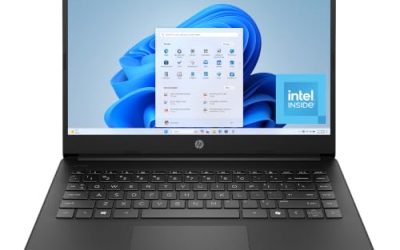
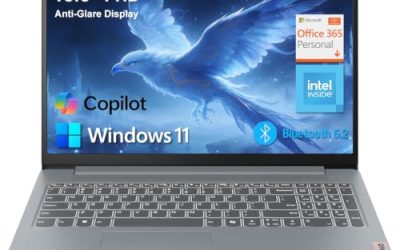
| Lenovo V15 Gen 4 | Wired offices and presentations | Core i5-13420H, HDMI, RJ45, Windows 11 Pro |
| Dell Latitude 5420 (Renewed) | Compact business-brand laptop | 14″ FHD, Core i5-1145G7, 16GB DDR4, 256GB SSD |
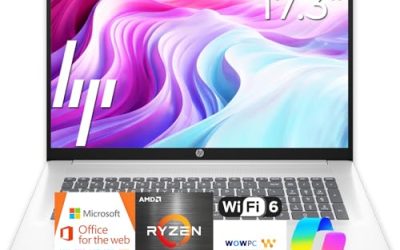
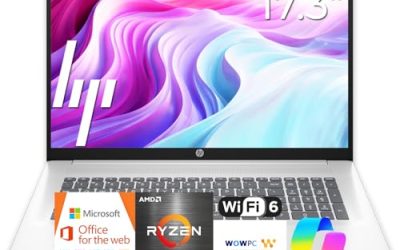
| HP 17.3″ Ryzen 5 7430U | Large-screen desk work | Ryzen 5 7430U, 17.3″ FHD, 16GB RAM, 512GB PCIe |
| Dell Inspiron 15 3530 | Touch input and big storage | 15.6″ FHD touchscreen, Core i7-1355U, 16GB, 1TB SSD |
| HP 255 G10 | Standardized office rollouts | 16GB RAM, 512GB SSD, Windows 11 Pro, webcam shutter |
| Dell 15.6″ Core Ultra 5 225U | Bright rooms and long typing days | Core Ultra 5 225U, 16GB DDR5, 512GB, 300-nit anti-glare |
| Dell Inspiron Touchscreen (Core i5) | Business and student sharing | 15.6″ touchscreen, Windows 11 Pro, 16GB, 1TB SSD |
How to Choose
Judge the Processor by Generation and Class
A business laptop spends most of its time on spreadsheets, browsers, and calls, so a recent mid-range chip is plenty. Pay attention to the generation: an Intel Core i5-1145G7 is an older design than a Core Ultra 5 225U, while a Ryzen 5 7430U sits in the efficiency-focused U-series. Do not pay extra for a high-power processor if the job is office work, and ignore comparison claims inside titles that name rival chips.
Insist on 16GB of Memory
Six of the seven titles here state 16GB, which is deliberate, and the Lenovo V15 is the one to verify. Modern collaboration software, browsers, and spreadsheets each consume memory, and 8GB leaves little room once they run together. For storage, 512GB is a sensible target for a work machine, and 1TB helps consultants who keep large local project folders.
Check Display Features, Not Just Size
Full HD is the baseline. An anti-glare finish matters for offices with overhead lighting, and the Dell Core Ultra 5 title lists 300 nits of brightness, a reasonable figure for indoor work. A touchscreen suits note-taking and presentations but adds a layer that reflects more light. A 14-inch screen carries easily, while a 17.3-inch screen is best left on a desk.
Match the Operating System and Ports to Your IT Setup
Windows 11 Pro is the edition managers usually want, because it supports management and encryption features that Home does not. For ports, HDMI handles projectors, RJ45 supports wired networks, and USB-C helps with modern docks. A webcam shutter, as listed on the HP 255 G10, is a small privacy detail that many compliance-minded teams appreciate.
The 7 Best Options
Lenovo V15 Gen 4
The V15 Gen 4 is built around an Intel Core i5-13420H and a 15.6-inch Full HD display, with HDMI, RJ45 Ethernet, a webcam, a numeric keypad, and Windows 11 Pro. It suits professionals in offices where wired networking and projector connections are still part of the routine.
- Strength: a built-in Ethernet port keeps connections steady in buildings with unreliable Wi-Fi.
- Strength: Windows 11 Pro and a numeric keypad suit finance and administrative roles.
- Trade-off: the visible title does not state memory or storage, so those details need checking on the listing page.
Skip it if you want an ultra-light travel laptop or need to see every key specification in the title itself. Teams that never touch a cable or a projector can safely pick a model with fewer legacy ports and put the savings toward memory.
Dell Latitude 5420 (Renewed)
This renewed Latitude offers a 14-inch Full HD screen, an Intel quad-core Core i5-1145G7, 16GB of DDR4 memory, and a 256GB SSD, with a camera, HDMI, and Windows 11 Pro. It fits employees who prefer a smaller footprint from a business-oriented line.
- Strength: a 14-inch body is easier to carry between meetings than a 15.6-inch machine.
- Strength: 16GB of memory and Windows 11 Pro cover the key business needs.
- Trade-off: it is a renewed unit with an older processor generation, and 256GB is modest for storing project files.
Skip it if you want a brand-new device or plan to keep it for many years of software growth. Consultants who store large local project folders will also run into the 256GB ceiling sooner than they expect, so they should lean toward a 512GB or 1TB machine instead.
HP 17.3″ Ryzen 5 7430U Laptop
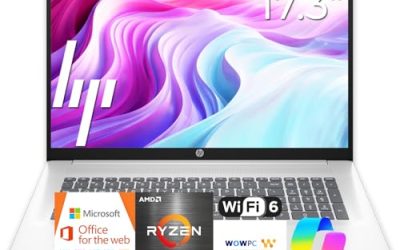
This HP combines an AMD Ryzen 5 7430U with 16GB of RAM, a 512GB PCIe SSD, WiFi 6, and a 17.3-inch Full HD screen. It is a natural pick for analysts and administrators who want a large canvas for spreadsheets and split windows.
- Strength: the large display allows two documents to sit side by side comfortably.
- Strength: 16GB of RAM and a 512GB SSD align with solid business thresholds.
- Trade-off: the title advertises long battery life without stating hours, and a 17-inch laptop is awkward to carry daily.
Skip it if your day involves frequent travel or tight tray tables on trains and planes. A hybrid worker who splits time between an office and a home desk is a better match for it than someone who spends most of the week on the road.
Dell Inspiron 15 3530
The Inspiron 15 3530 pairs an Intel Core i7-1355U with 16GB of RAM and a 1TB SSD behind a 15.6-inch Full HD touchscreen. It suits professionals who handle large local files or like touch input for markup and presentations.
- Strength: 1TB of storage is generous for client folders, scans, and archives.
- Strength: a Core i7 processor and Wi-Fi 6 give some headroom for heavier multitasking.
- Trade-off: the Inspiron line is a consumer-leaning family, so buyers wanting formal business-class features should confirm what is included.
Skip it if you need a strict managed-fleet device or prefer a matte screen without touch. Anyone who wants a thin, light bag-friendly body should also look elsewhere, since a 15.6-inch touchscreen with a 1TB drive is aimed at desk use more than commuting.
HP 255 G10
The HP 255 G10 is a straightforward office laptop with an AMD quad-core processor, 16GB of RAM, a 512GB SSD, and a 15.6-inch Full HD display. The webcam shutter and Windows 11 Pro stand out as business-friendly extras.
- Strength: matching 16GB and 512GB configurations make it easy to standardize across a team.
- Strength: the webcam shutter helps with privacy in shared spaces.
- Trade-off: the processor is described only as quad-core, which makes direct comparison with other chips harder.
Skip it if you need touch, dedicated graphics, or a premium thin-and-light design. Executives who expect a showpiece device for client meetings will want to look at a more upscale line than this practical, fleet-oriented workhorse, which is built to be dependable rather than eye-catching.
Dell 15.6″ Laptop with Core Ultra 5 225U
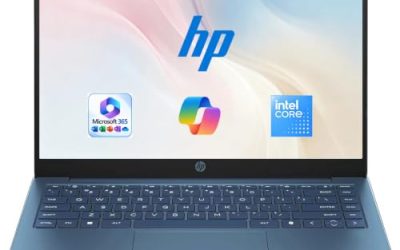
This Dell uses an Intel Core Ultra 5 225U with 16GB of DDR5 memory and a 512GB SSD, and the title highlights a 300-nit WVA anti-glare screen and a backlit keyboard. It targets people who type for hours in rooms with mixed lighting.
- Strength: the newest processor family in this group, paired with DDR5 memory.
- Strength: an anti-glare screen and a backlit keyboard suit long days and dim evenings.
- Trade-off: it ships with Windows 11 Home, so teams needing Pro features must plan an upgrade.
Skip it if your IT policy requires Windows 11 Pro out of the box. Organizations that image every laptop themselves may not care about the edition, but small teams without an IT contractor should factor in the upgrade step before buying several units at once.
Dell Inspiron Touchscreen (Core i5)
The Inspiron touchscreen model lists a 15.6-inch Full HD panel, an Intel Core i5-1155G7, 16GB of RAM, a 1TB SSD, and Windows 11 Pro. The title also mentions business and student use, which makes it a flexible pick for a shared household office.
- Strength: Windows 11 Pro with 16GB and 1TB is a strong specification list.
- Strength: touch input adds flexibility for annotation and presentations.
- Trade-off: the Core i5-1155G7 is an older processor generation than several rivals here.
Skip it if processor freshness matters more than storage size for your role. Buyers who want a recent chip with efficient power use are better served by the Core Ultra model, while this one speaks to people who simply want room for files and a familiar Pro edition.
Which One Fits Your Situation
You Present in Conference Rooms and Plug Into Everything
The Lenovo V15 Gen 4 has HDMI and RJ45, which covers projectors and wired networks in older meeting spaces.
You Need One Standard Laptop for a Whole Team
The HP 255 G10 gives you a repeatable 16GB, 512GB, Windows 11 Pro setup with a webcam shutter on every machine.
You Store Large Client Files Locally
The Dell Inspiron 15 3530 and the Dell Inspiron touchscreen model both list 1TB of storage, with the 3530 offering the newer Core i7 processor.
You Work at a Desk Under Bright Lights
The Dell Core Ultra 5 225U model lists an anti-glare 300-nit screen and a backlit keyboard, while the HP 17.3″ Ryzen 5 7430U adds a larger canvas for spreadsheets.
Common Mistakes
- Equating popularity with fit; a laptop that suits a student may lack features a business needs.
- Skipping the operating system edition and discovering later that a Home license blocks management tools.
- Accepting 8GB of RAM to save a little, then slowing every collaboration app.
- Buying a 17-inch laptop for a traveling role, then carrying extra weight to every client site.
- Ignoring generation: a name like Core i5 can mean very different processors across years.
Related guides
- Sustainable Gaming Pc Power Supply Efficiency Guide
- Noctua Nh-D15 Vs Thermalright Peerless Assassin 120
- Thermal Paste Application Method For Lga1851
Frequently Asked Questions
What makes a laptop suitable for business?
Look for at least 16GB of RAM, 512GB of storage, Windows 11 Pro, a Full HD display, and the ports you use, such as HDMI or Ethernet. Reliability and webcam privacy features also matter in shared offices.
Is a touchscreen worth it for work?
It helps with markup, presentations, and quick navigation, but it is optional. Choose it if you annotate documents often; skip it if you prefer a matte, less reflective screen.
Should I consider a renewed business laptop?
Renewed units can offer business-class build at a lower cost, but they usually come with an older processor. Check the warranty terms in the listing and confirm that 16GB of memory is included.
Is Windows 11 Home enough for work?
It handles everyday tasks, but Pro adds management and encryption features that many employers require. If your company uses managed devices, plan for Pro.