A small business laptop does not need to impress anyone in a spec war. It needs to open the accounting file without stalling, hold a video call while a shared spreadsheet is open, survive a few years of daily use, and leave enough money in the budget for everything else a growing company buys. The challenge is that listings for business laptops are crowded with phrases like “Powerful” and “Latest,” while the details that matter, such as memory, storage, operating system edition, and ports, hide in the middle of long titles.
This guide is for owners and office managers shopping in 2026 who are outfitting a bookkeeper, a front desk, a sales rep, or themselves. It compares seven business-oriented models strictly on what their titles state: processor family, RAM, storage, screen size, operating system, and connection options. Where a title leaves a question open, such as exact battery hours, the guide says so instead of guessing.
Our Top Picks
Top 3 picks at a glance
Quick Picks
As an Amazon Associate we earn from qualifying purchases at no extra cost to you.




| Product | Best for | Key spec from the title |
|---|---|---|
| HP 17-inch Ryzen 5 Business Laptop | Spreadsheet-heavy desk work | Ryzen 5, 16GB RAM, 512GB SSD, 17.3″ FHD, numeric keypad |
| Lenovo Business 15.6″ Laptop | Light office tasks and email | 8GB DDR5, 128GB storage, WiFi 6, USB-C |
| Lenovo V15 Gen 4 | Wired networks and Windows 11 Pro | Core i5-13420H, HDMI, RJ45, Windows 11 Pro |
| HP 255 G10 | Standard office fleet buying | 16GB RAM, 512GB SSD, Windows 11 Pro, webcam shutter |
| Dell Latitude 5420 (Renewed) | Compact, lower-cost office laptop | 14″ FHD, Core i5-1145G7, 16GB DDR4, 256GB SSD |
| HP 17.3″ Ryzen 5 7430U Laptop | Large-screen multitasking | Ryzen 5 7430U, 17.3″ FHD, 16GB RAM, 512GB PCIe |
| Dell Pro 16 | Professional 16-inch setups | Core 5 120U, 16GB DDR5, 512GB SSD, 16″ FHD+ anti-glare |
How to Choose
Operating System Edition Matters More Than You Think
Windows 11 Pro adds business features such as domain join, BitLocker device encryption management, and remote desktop hosting, which Windows 11 Home lacks. If your accountant, IT contractor, or insurance policy expects managed devices, Pro is worth looking for in the title. Several listings here state Windows 11 Pro, while others list Home or leave the edition unstated, so confirm before ordering.
Set Memory and Storage Thresholds by Role
For a reception desk running a browser and a booking tool, 8GB can work. For anyone juggling accounting software, a browser full of tabs, and a video call, 16GB is the practical target. A 128GB drive fills fast with Windows updates and local files, so 256GB is the floor for a business machine and 512GB is more comfortable. Budget models cut corners on exactly these two lines, so check them first.
Check the Ports You Will Actually Use
Small offices still use wired networks, projectors, and external monitors. Look for HDMI for displays and an RJ45 Ethernet port if your office uses cabled connections, as the Lenovo V15 title lists. USB-C is useful for modern docks and chargers. A numeric keypad, noted on several listings, saves real time for anyone entering figures all day, and it generally means a 15-inch or larger body.
Choose a Screen Size That Fits How You Work
A 14-inch body travels easily to client meetings. A 15.6-inch screen is the common middle ground, and a 17.3-inch screen is suited to a fixed desk where side-by-side windows matter. Larger bodies are heavier and less pleasant to carry daily. Full HD resolution is the baseline to demand, and an anti-glare finish helps in bright offices.
The 7 Best Options
HP 17-inch Ryzen 5 Business Laptop
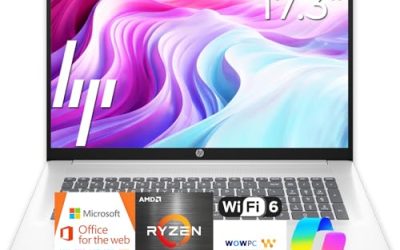
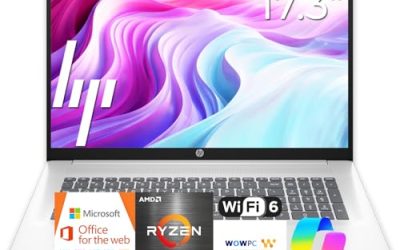
This model combines an AMD Ryzen 5 processor, 16GB of RAM, a 512GB SSD, and a 17.3-inch full HD display. It is best suited to bookkeepers, analysts, and anyone who lives in spreadsheets and benefits from the wide screen and numeric keypad.
- Strength: 16GB of RAM and a 512GB SSD match the thresholds that suit most office roles.
- Strength: the large display and numeric keypad speed up data entry and side-by-side windows.
- Trade-off: a 17.3-inch body is bulky for frequent travel, and the title advertises long battery life without stating hours.
Skip it if your staff carry their laptops between sites every day and prefer something lighter. It also makes less sense for a shared counter or a cramped reception desk, where a 17-inch footprint can crowd out the point-of-sale gear around it.
Lenovo Business 15.6″ Laptop
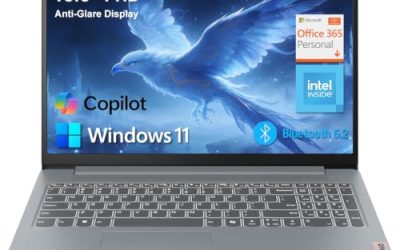
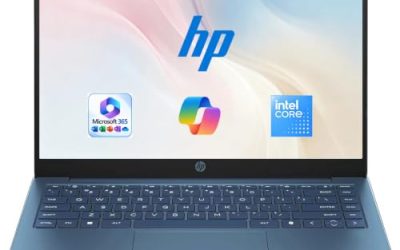
This Lenovo targets light office use with 8GB of DDR5 memory and 128GB of storage, plus WiFi 6, USB-C, and an anti-glare screen. The title also lists Office 365 and Copilot AI, which suit an owner who wants a ready-to-use machine for email, documents, and calls.
- Strength: DDR5 memory and WiFi 6 are modern features for a machine in the modest tier.
- Strength: the anti-glare 15.6-inch FHD screen is easier to use in bright rooms.
- Trade-off: 128GB of storage fills quickly, and the processor is listed only as Intel without a model name.
Skip it if your staff keep large local files or need to run several heavy programs at once. Teams that plan to grow into larger customer databases or design files should price a model with 16GB and at least 256GB of storage rather than stretching this configuration.
Lenovo V15 Gen 4
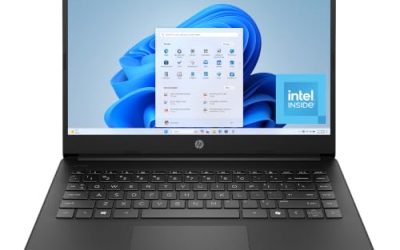
The V15 Gen 4 is the business-class option for offices that still rely on cables. Its title lists an Intel Core i5-13420H, HDMI, an RJ45 Ethernet port, a webcam, a numeric keypad, and Windows 11 Pro.
- Strength: the built-in Ethernet port is valuable for stable connections in older buildings or shared offices.
- Strength: Windows 11 Pro supports business management features.
- Trade-off: the visible title does not state RAM or storage, so confirm those specifications on the listing before buying.
Skip it if you want a thin travel machine, since this is a standard 15.6-inch work laptop. It is also a poor match for an owner who wants every key detail visible at a glance, because RAM and storage are not shown in the visible part of the title and need a second look on the product page before a purchase.
HP 255 G10
The HP 255 G10 follows the familiar office-fleet formula with an AMD quad-core processor, 16GB of RAM, a 512GB SSD, and a 15.6-inch Full HD display. It is the practical option for owners who want identical, predictable machines for several employees.
- Strength: 16GB and 512GB cover the recommended thresholds for most roles.
- Strength: a webcam shutter and Windows 11 Pro address privacy and management needs.
- Trade-off: the title does not name an exact processor model, which makes comparison with other CPUs harder.
Skip it if you need a high-end display, a compact body, or any dedicated graphics. Designers, video editors, and anyone running graphics-heavy software for clients belong in a different category than the plain office work this model is clearly aimed at.
Dell Latitude 5420 (Renewed)
This is a renewed Dell Latitude with a 14-inch Full HD display, an Intel quad-core Core i5-1145G7, 16GB of DDR4 RAM, and a 256GB SSD. It appeals to owners who want a business-class brand at a lower cost and a more compact size.
- Strength: 16GB of RAM and Windows 11 Pro are listed on a 14-inch body that is easy to carry.
- Strength: HDMI and a camera cover display and meeting basics.
- Trade-off: it is a renewed unit with an older processor generation, and 256GB is the minimum storage a business user should accept.
Skip it if you want a brand-new unit or the newest processor generation. Owners who want a clear warranty story from the manufacturer for every seat should also compare it against a new unit before buying several of them.
HP 17.3″ Ryzen 5 7430U Laptop
This HP pairs an AMD Ryzen 5 7430U with 16GB of RAM, a 512GB PCIe SSD, WiFi 6, and a 17.3-inch Full HD display. It suits a fixed workstation where a large screen helps with tables, calendars, and multiple documents.
- Strength: a named processor model and a PCIe SSD make the specification easy to verify.
- Strength: WiFi 6 and 16GB of memory support smooth video meetings and many open tabs.
- Trade-off: like other 17-inch models, it is better on a desk than in a travel bag, and the title gives no battery hours.
Skip it if portability is a priority or you need a model explicitly listing Windows 11 Pro in the visible title. People who bounce between a desk and a conference room all day will likely prefer a smaller body than this large 17.3-inch panel.
Dell Pro 16
The Dell Pro 16 is the most modern-looking business option here, with an Intel Core 5 120U, 16GB of DDR5 memory, a 512GB SSD, and a 16-inch FHD+ anti-glare display. The title also refers to a business AI PC lineage, which signals a professional-grade product family.
- Strength: 16GB of DDR5 and a 512GB SSD hit the target thresholds.
- Strength: the 16-inch FHD+ anti-glare panel gives extra vertical space without a full 17-inch body.
- Trade-off: the mixed processor references in the title can confuse buyers, so verify the exact configuration.
Skip it if you need a 14-inch travel machine or want to avoid reading the fine print on a long title. Owners who simply want the most familiar, no-surprises office configuration may be happier with the HP 255 G10, whose title is shorter and easier to read.
Which One Fits Your Situation
You Run the Books All Day
The HP 17-inch Ryzen 5 or the HP 17.3″ Ryzen 5 7430U give you a wide screen, 16GB of RAM, and a numeric keypad for long data-entry sessions.
You Equip a Small Team With Identical Machines
The HP 255 G10 is the straightforward choice for a repeatable setup, with 16GB, 512GB, and Windows 11 Pro on every desk.
You Work on Wired Networks or Present to Clients
The Lenovo V15 Gen 4 adds RJ45 Ethernet and HDMI, which helps in older offices and meeting rooms.
You Want a Compact, Lower-Cost Machine
The renewed Dell Latitude 5420 offers a 14-inch body and business-class design, while the Dell Pro 16 suits owners who want a newer 16-inch platform.
Common Mistakes
- Buying 8GB of RAM for a role that will run accounting software, a browser, and video calls together.
- Assuming every business laptop includes Windows 11 Pro; some listings are Home edition.
- Choosing a 128GB drive and running out of space within the first year of updates and files.
- Ignoring ports, then discovering the office needs an adapter for HDMI or Ethernet.
- Treating phrases like “Powerful” or “Long Battery Life” as specifications when no numbers are given.
Related guides
- Sustainable Gaming Pc Power Supply Efficiency Guide
- Noctua Nh-D15 Vs Thermalright Peerless Assassin 120
- Thermal Paste Application Method For Lga1851
Frequently Asked Questions
How much RAM does a small business laptop need?
16GB is the comfortable target for most office roles. 8GB can handle basic email and browsing, but it leaves little room when accounting software and video calls run together.
Is a renewed laptop acceptable for a business?
It can be, especially for lower-cost seats, as long as the specifications meet your needs and you accept an older processor generation. Confirm the warranty terms in the listing and keep the storage at 256GB or more.
Do I need Windows 11 Pro?
Pro is worth having if you want encryption management, domain join, or remote access features. For a simple stand-alone machine, Home may be enough, but several business tools expect Pro.
Are 17-inch laptops practical for small offices?
They are practical for fixed desks and spreadsheet work, thanks to the large display and numeric keypad. They are less suited to staff who carry their laptops daily.