
A gaming desktop purchase is a multi-year commitment. You want a machine that handles your current titles at high settings, stays quiet under load, and does not bottleneck your next upgrade cycle. The problem is that “Element” branding spans wildly different tiers, so a buyer searching for the right configuration often ends up comparing machines that share a name but share almost nothing else under the hood.
What separates a genuinely strong pick from a mediocre one in this range comes down to CPU-GPU balance, memory generation, and storage capacity. A Ryzen 7 9800X3D paired with an RTX 5070 delivers excellent frame pacing in CPU-bound titles, while pairing a Ryzen 5 5500 with an RX 6500XT targets a fundamentally different budget and set of expectations. Owner feedback consistently highlights thermal design and pre-installed bloatware as differentiators across these tiers. Below, we break down eight configurations available in 2026 so you can match a build to your actual use case rather than a marketing label.
As an Amazon Associate we earn from qualifying purchases at no extra cost to you.






Our Top Picks
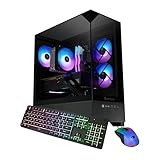
 iBUYPOWER Element Gaming PC Desktop Computer Intel Core20 x 9.1 x 17.4 inches36 PoundsCheck on Amazon
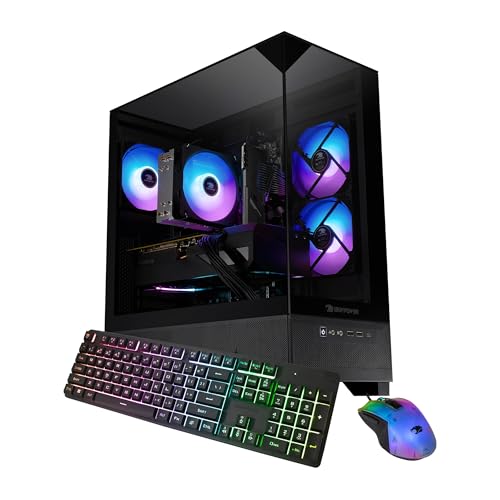 iBUYPOWER Element SE Gaming PC Desktop Computer Intel12.4019.4 x 8.3 x 17.3 inches38 poundsCheck on Amazon
 iBUYPOWER Element Gaming PC Desktop Computer AMD Ryzen20 x 9.1 x 17.4 inches36 PoundsCheck on Amazon


Top 3 picks at a glance
Quick Picks
| Product | Best for | Price |
|---|---|---|
| iBUYPOWER Element Ryzen 7 9800X3D / RTX 5070 | Highest overall performance in the lineup | Check on Amazon |
| iBUYPOWER Element Intel i7-14700F / RTX 5070 | Intel-platform buyers wanting current-gen GPU | Check on Amazon |
| iBUYPOWER Element SE Ryzen 5 5500 / RX 6500XT | Tightest budget, light gaming | Check on Amazon |
| iBUYPOWER Element Ryzen 9 7900X / RTX 5070 | Multitaskers and creators who also game | Check on Amazon |
| iBUYPOWER Element Ryzen 7 7800X3D / RTX 5060Ti 16GB | Competitive shooters and CPU-heavy games | Check on Amazon |
| iBUYPOWER Element SE Ryzen 5 8400F / RTX 3050 | Entry-level DDR5 with modern CPU | Check on Amazon |
| iBUYPOWER Element SE Ryzen 7 8700F / RTX 5060Ti 8GB | Mid-range sweet spot | Check on Amazon |
| iBUYPOWER Slate Ryzen 7 9700F / RX 9060 | AMD-platform value with newer GPU | Check on Amazon |
How We Compared
We filtered the Element Pulse X gaming PC lineup on four criteria: GPU architecture and VRAM capacity, since that determines which titles you can run at native resolutions; CPU platform generation, because older sockets limit future upgrade paths; memory standard and capacity, as DDR4 versus DDR5 creates a meaningful floor on system responsiveness; and total cost-to-performance ratio, which weighs published pricing against owner-reported experiences with thermals, fan noise, and software preload.
The 8 Best Ibuypower Element Pulse X Gaming Pc in 2026
1. iBUYPOWER Element Ryzen 7 9800X3D / RTX 5070 12GB / 32GB DDR5 / 2TB SSD
This is the top-tier configuration in the lineup, pairing AMD’s 3D V-Cache flagship with an RTX 5070 and doubling the storage to 2TB. It targets players who want maximum frame rates in CPU-sensitive titles without building a custom machine. The dual-storage advantage means you will not immediately need to manage drive space after installing a handful of large games.
- Pro: 3D V-Cache delivers a measurable advantage in simulation and strategy titles that stress the CPU.
- Pro: 2TB SSD capacity is uncommon at this price and removes near-term storage anxiety.
Skip this if you mainly play graphically demanding titles where the GPU is the bottleneck; the 5070 VRAM ceiling applies regardless of which CPU drives it.
2. iBUYPOWER Element Intel Core i7-14700F / RTX 5070 12GB / 32GB DDR5 / 1TB SSD
For buyers committed to the Intel ecosystem, this configuration matches the 5070 with a 14700F and 32GB of DDR5. The 14700F is a strong multi-threaded chip suited to streaming or background workloads alongside gaming. Storage drops to 1TB compared to the top pick, which is the primary trade-off.
- Pro: High core and thread count benefits content creators who game on the same machine.
- Pro: Intel platform compatibility with Thunderbolt-equipped peripherals and existing driver workflows.
- Con: The LGA 1700 socket is end-of-life, meaning no future CPU upgrade path on this board.
Skip this if you want long-term platform flexibility; AMD’s AM5 socket will outlast it.
3. iBUYPOWER Element SE Ryzen 5 5500 / RX 6500XT 4GB / 16GB DDR4 / 512GB SSD
It uses an aging AM4 CPU, a budget-class GPU with only 4GB VRAM, and DDR4 memory. This machine is for casual gaming at 1080p with moderate settings, or as a first desktop for younger players who will likely upgrade the GPU within a year.
- Pro: Price is nearly half of mid-tier options, making it accessible for tight budgets.
- Pro: Windows 11 Home and a keyboard-mouse bundle are included, so it is plug-and-play.
- Con: RX 6500XT with 4GB VRAM will struggle in modern AAA titles even at 1080p medium.
Skip this entirely if you plan to play new releases at high settings; the GPU is the hard ceiling here.
4. iBUYPOWER Element Ryzen 9 7900X / RTX 5070 12GB / 32GB DDR5 / 1TB SSD
This configuration places a 12-core Ryzen 9 7900X alongside the same RTX 5070 found in the top two picks. It is designed for users who run productivity software, compile code, or stream while gaming and need the extra threads.
- Pro: 12 cores and 24 threads handle heavy multitasking better than any other option here.
- Pro: AM5 platform gives you a clear upgrade path to future Ryzen processors.
- Con: The price premium over the 9800X3D configuration is not justified for pure gaming.
Skip this if gaming is your primary workload; the 9800X3D or 7800X3D will deliver higher frame rates at less cost.
5. iBUYPOWER Element Ryzen 7 7800X3D / RTX 5060Ti 16GB / 32GB DDR5 5200MHz / 1TB SSD
The extra 4GB of VRAM over a standard 5060Ti extends this machine’s relevance at 1440p. Owner feedback frequently praises its thermal performance relative to the 7900X.
- Pro: 16GB VRAM provides headroom for high-texture mods and future title requirements.
- Pro: 7800X3D runs cooler than the 9800X3D while still delivering excellent frame times.
- Con: The 5060Ti, even at 16GB, cannot match raw rasterization throughput of a 5070.
Skip this if you regularly play at 4K or use ray tracing at high settings; the GPU tier will limit you sooner.
6. iBUYPOWER Element SE Ryzen 5 8400F / RTX 3050 6GB / 16GB DDR5 / 1TB SSD
The logic is clear: a newer platform with an older GPU that can be swapped out immediately. Storage at 1TB is generous for this price bracket.
- Pro: AM5 socket and DDR5 foundation means a GPU swap brings this system current.
- Pro: 1TB NVMe storage is unusual at this price point in the SE tier.
- Con: The RTX 3050 6GB is significantly slower than any 50-series GPU in the lineup.
Skip this if you want a complete out-of-box experience; the GPU mismatch will frustrate you in demanding titles.
7. iBUYPOWER Element SE Ryzen 7 8700F / RTX 5060Ti 8GB / 32GB DDR5 RGB 5200MHz / 1TB SSD
The 8700F handles CPU-bound scenarios adequately, and the 5060Ti 8GB provides solid 1080p and entry-level 1440p performance. The RGB memory is aesthetic rather than functional, but the specs themselves are well-matched for the price.
- Pro: Strong CPU-GPU balance means neither component significantly bottlenecks the other at 1080p.
- Pro: 32GB DDR5 at 5200MHz supports demanding multitasking and future memory-intensive titles.
- Con: 8GB VRAM on the 5060Ti is the tightest constraint in this list for texture-heavy games.
Skip this if you plan to mod heavily or play titles with 12GB-plus texture packs; the VRAM ceiling will appear quickly.
8. iBUYPOWER Slate Ryzen 7 9700F / RX 9060 8GB / 16GB DDR5 / 1TB SSD
Technically branded as Slate rather than Element, this configuration appeared in searches for the Element Pulse X gaming PC and merits inclusion. The 16GB of DDR5 is the limiting factor for heavy multitaskers, but the platform is current and efficient.
- Pro: Zen 5 architecture delivers strong single-thread performance for gaming at this price.
- Pro: RX 9060 with 8GB VRAM handles 1080p high settings across most current titles.
- Con: 16GB RAM is the minimum comfortable amount in 2026 and may require an upgrade soon.
Skip this if you keep many browser tabs, Discord overlays, and recording software running simultaneously; 32GB is the safer target.
Buying Guide
GPU VRAM Determines Longevity
In the Element Pulse X lineup, the practical dividing line sits between 8GB and 16GB of graphics memory. Titles released in the last two years increasingly push beyond 8GB at high texture settings, especially with mods enabled. If you intend to keep a machine for three or more years without lowering texture quality, the 16GB RTX 5060Ti option or the 12GB RTX 5070 configurations will serve you far better than the 8GB or 4GB GPUs.
CPU Platform and Upgrade Path
AMD’s AM5 socket supports Ryzen 7000, 8000, and 9000 series processors, meaning a board purchased today accepts next-generation chips. Intel’s LGA 1700 platform does not have that future. If you want a desktop that will still accept a CPU upgrade in two or three years, restrict yourself to the AM5 configurations in this lineup.
Memory Generation and Capacity
DDR4 versus DDR5 is not just a marketing distinction; it affects bandwidth available to integrated graphics and system responsiveness under heavy load. All configurations in this roundup that carry 32GB DDR5 provide comfortable headroom for gaming, streaming, and light productivity. The single DDR4 option with 16GB is the clear outlier and will feel constrained within one upgrade cycle.
Our Verdict
It combines the strongest gaming CPU in the lineup with a current-generation GPU and the largest storage, making it the most future-proof option without building from scratch.
FAQ
Is the Element Pulse X a good gaming PC?
The Element Pulse X gaming PC configurations are solid prebuilt options, particularly the mid-to-upper tier models with RTX 5070 or 5060Ti GPUs. Build quality and thermal performance receive positive owner feedback across the lineup, though the premium over comparable DIY parts is modest.
How much storage do I need for gaming?
A single modern AAA title often occupies 80 to 150GB, so 1TB fills quickly with four or five installed games plus an operating system. The 2TB option eliminates that pressure for two to three years, while 512GB configurations will require aggressive library management from day one.
Can I upgrade an iBUYPOWER Element desktop myself?
Yes. Standard ATX or mATX cases accept any compatible GPU and cooler, and the AM5 models allow CPU swaps without a motherboard change. The primary limitation is PSU wattage, which may need replacement when moving to a higher-draw graphics card.
What is the difference between Element and Element SE?
SE models use lower-tier CPU-GPU combinations and often smaller storage capacities to hit lower price points. The SE line is aimed at first-time buyers or those with a strict budget, while standard Element configurations include current-generation GPUs and more memory.









