
A college student’s external drive lives a rougher life than most. It gets stuffed into a backpack next to a laptop charger, carried between a dorm room, a library, and a lab, and plugged into whatever machine happens to be nearby. Lecture recordings, thesis drafts, design projects, and a few game installs pile up fast, and a single dropped bag can end a semester’s worth of work if the files exist in only one place. The right drive for that routine is small, tolerant of knocks, and simple enough to use at midnight before a deadline.
This guide is for students and parents shopping for a portable backup or extra storage drive before the 2026 school year, and it leans on practical limits instead of headline numbers. It also assumes a student budget, so the picks lean toward modest outlays, with one solid state option for those who can stretch. Capacity is the first choice: a 500GB drive covers documents and coursework, while a 1TB drive gives room for video and a game library. Durability, encryption, and console compatibility fill out the rest. A 20TB desktop-class drive from the research set was left out because a heavy, wall-powered unit makes no sense for a dorm-to-library commute, and a duplicate listing of one 500GB model was folded into a single review.
Our Top Picks


Top 3 picks at a glance
Quick Picks
As an Amazon Associate we earn from qualifying purchases at no extra cost to you.



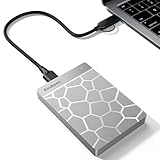

| Product | Best for | Key spec from the title |
|---|---|---|
| Kosbees 500GB External HDD | Light coursework backups | 500GB, ultra slim, PC/Mac/PS4/Xbox |
| GODBPNYMU 500GB External HDD | Newer laptops with USB-C | 500GB, USB 3.0 and USB-C |
| ADATA HD710 Pro 1TB | Rough backpack life | 1TB, shockproof, IP68 waterproof |
| WD My Passport SSD 1TB | Fast, secure project files | 1TB SSD, hardware encryption |
| AVIHAJ Portable HDD 1TB | Plug-and-play media storage | 1TB, 2.5 inch, USB 3.0 |
| Tianken 1TB Ultra Slim HDD | Slim carry with console use | 1TB, 2.5 inch, USB 3.0 |
How to Choose
Pick capacity by what you actually store
Text documents, slide decks, and spreadsheets barely register on a drive, so a 500GB model is plenty for a student whose work is mostly written. Photography, film, music production, architecture, and engineering projects fill drives quickly, and 1TB is the sensible starting point for those majors. If you plan to keep a game library on the drive for a console or a gaming laptop, 1TB is the realistic minimum, since single titles now commonly take tens of gigabytes. Buying more than you need rarely pays off in a drive that gets replaced every few years. A quick way to decide is to total up your current laptop’s used storage: if you are already past half of the internal drive, a 1TB external gives you a place to move older projects and keep the laptop running smoothly.
Choose between a spinning disk and a solid state drive
Most of the drives in this guide are 2.5-inch hard disk drives, which are inexpensive per gigabyte but contain moving parts that dislike drops while spinning. A portable solid state drive, like the WD My Passport SSD in this list, has no moving parts and is much faster for moving large folders, but it costs more per terabyte. If the drive travels daily in a bag, an SSD or a ruggedized disk is a safer bet than a plain slim disk. Even so, treat any hard disk gently while it is powered: let transfers finish, eject the drive properly, and avoid carrying it while it is still spinning, since most failures on student drives come from drops and rushed unplugging.
Check the connector and your laptop ports
Plain USB 3.0 drives use a standard-size connector that needs a USB-A port, and many thin laptops now offer only USB-C. Drives that list a USB-C option, or a USB-C cable in the box, solve that without a dongle. Whichever you choose, plug into a USB 3.0 or faster port, because an older USB 2.0 port will make a large backup crawl. Console owners should also confirm that the title mentions PS4, PS5, or Xbox if they plan to use the drive for games.
Look at protection, backup software, and brand reliability
Hardware encryption and a password feature, such as the one listed on the WD SSD, matter for a drive that carries personal data and could be left behind in a classroom. Shock and water resistance, like the IP68 rating listed on the ADATA drive, protect against spills and rain. Lesser-known brands often list no warranty terms in their titles, so read the product page carefully. Whatever you buy, keep a second copy of anything important, because no single portable drive is a backup strategy by itself.
The 6 Best Options
Kosbees 500GB Ultra Slim External HDD
This 500GB portable hard drive is described as ultra slim and compatible with Windows PCs, Macs, laptops, and the PS4 and Xbox One families. It targets a student who needs a modest, low-cost place to copy coursework and photos and has no plan to store a big media library. The slim profile makes it easy to slide into a laptop sleeve.
- Strength: ultra slim design fits a laptop sleeve or jacket pocket.
- Strength: listed compatibility spans PC, Mac, and consoles, so one drive covers several devices.
- Trade-off: 500GB runs out quickly if you record video or install games.
Skip it if your major involves large media files or you want shock or water protection in the design. It is best treated as a secondary copy of schoolwork rather than the only home for a project you cannot recreate.
GODBPNYMU 500GB Portable External HDD
This 500GB drive lists a compact build, plug-and-play setup, and both USB 3.0 and USB-C connectivity, with compatibility for PC, Mac laptops, and PS4 or PS5 consoles. The USB-C note stands out for students carrying recent thin laptops that have lost their USB-A ports. It is a basic backup pick rather than a performance one.
- Strength: USB-C support helps with modern laptops without a separate adapter.
- Strength: plug-and-play use means no software to install before a class deadline.
- Trade-off: the brand is little known and the title offers no durability or warranty details.
Skip it if you want a recognized brand name or more than 500GB of space. Because the title says little about build quality, read the full product page for warranty terms before relying on it for important files.
ADATA HD710 Pro 1TB
The title calls out a shockproof body and IP68 waterproof and dustproof protection, and it names gamers, students, and professionals as its audience. At 1TB, it gives room for coursework plus a respectable media or game collection. This is the drive for the student whose backpack sees rain, spilled drinks, and the occasional tumble down a stairwell.
- Strength: IP68 water and dust resistance is the strongest weather protection on this list.
- Strength: a shockproof build suits constant commuting.
- Trade-off: a rugged shell adds bulk compared with ultra slim drives.
Skip it if pocket-size thinness matters more to you than durability. The same protective shell that helps outdoors may be more than a student who only moves between a dorm desk and a quiet library table actually needs.
WD My Passport SSD 1TB
Western Digital’s portable solid state drive carries a 1TB capacity, password protection with hardware encryption, and a description of being sturdy and blazing fast. Students who edit video, move large project folders, or run applications from an external drive will feel the difference over a spinning disk. It is also the pick for anyone storing sensitive research or personal records.
- Strength: solid state storage with no moving parts handles bumps better than a disk.
- Strength: password protection with hardware encryption protects data if the drive goes missing.
- Trade-off: it costs notably more per gigabyte than the hard disk options.
Skip it if you only need a cheap place to dump rarely accessed files. For that job, a larger spinning disk gives more space for the same outlay, and the speed advantage of a solid state drive goes unused.
AVIHAJ Portable External Hard Drive 1TB
This 1TB, 2.5-inch USB 3.0 drive in a silver finish advertises plug-and-play use, high-speed transfer, and compatibility with PCs, laptops, and gaming consoles. It aims at students who want 1TB of storage for lecture videos, photos, and downloads at a modest cost. The simple feature set suits someone who just wants a drive that works.
- Strength: 1TB of capacity for general backups and media.
- Strength: plug-and-play setup works without extra software.
- Trade-off: the title lists no shock protection, encryption, or warranty information.
Skip it if you handle sensitive data or carry the drive in a crowded bag every day. Because it is a lesser-known brand with minimal detail in the title, treat it as an economical secondary copy and not as your only archive.
Tianken 1TB Ultra Slim Portable HDD
The Tianken drive is a 2.5-inch, USB 3.0 portable hard disk with 1TB of space, an ultra slim build, and listed support for Mac, PC, laptops, PS4, and Xbox One. It sits between the 500GB slim drives and the ruggedized options, giving more room than the smaller models. A student with a console in the dorm can use it for extra game storage.
- Strength: ultra slim profile with 1TB of capacity.
- Strength: console compatibility makes it flexible across devices.
- Trade-off: no water, shock, or encryption features are mentioned in the title.
Skip it if your bag takes a beating or you need password-protected storage. Roommates who share a console may also prefer a drive with a protective shell, since slim cases are easy to crush in a crowded dorm.
Which One Fits Your Situation
You carry your drive in a bag every day and live in a rainy climate
Go with the ADATA HD710 Pro 1TB, the only listing with a shockproof and IP68 waterproof build.
You edit video or work with large project files
The WD My Passport SSD 1TB moves big folders faster than the spinning disks and adds password protection for unfinished work.
You need a basic, low-cost backup for papers and slides
A Kosbees 500GB or GODBPNYMU 500GB is plenty. Choose the GODBPNYMU if your laptop has only USB-C ports.
You want game storage for a console in your room
The Tianken 1TB or AVIHAJ 1TB gives the space for a few installs, and both list console compatibility.
Common Mistakes
- Treating one external drive as the only copy of a thesis or portfolio instead of keeping a second backup.
- Buying a heavy desktop-class drive that needs wall power, then discovering it cannot travel to the library.
- Ignoring the port on the laptop and having to carry an adapter just to plug the drive in.
- Choosing a plain spinning disk for a bag that is thrown around daily when a rugged or solid state model would last longer.
- Skipping encryption on a drive that holds personal documents, then losing it in a lecture hall.
Related guides
- Noctua Nh-D15 Vs Thermalright Peerless Assassin 120
- Sustainable Gaming Pc Power Supply Efficiency Guide
- Thermal Paste Application Method For Lga1851
Frequently Asked Questions
How much storage does a college student really need?
Most coursework fits in 500GB with room to spare. Students in media, design, or engineering programs, or anyone adding a game library, should step up to 1TB.
Is a portable SSD worth the extra money for school?
If you move large files often or carry the drive every day, yes, because it is faster and has no moving parts. If the drive will mostly sit in a desk drawer as a backup, a hard disk is more economical.
Can these drives work with a game console?
Several titles list PS4, PS5, or Xbox One compatibility. Always confirm the exact console support on the product page and the console’s maker guidance before buying.
Do I need to format a new drive?
Many drives come ready for Windows. If you use a Mac, or both, you may need to reformat to a format both systems read, which erases the drive, so do it before storing files on it.









