
A budget cap of under 100 dollars forces a trade that every external drive shopper eventually faces: capacity or speed. Spinning portable hard drives deliver the most gigabytes per dollar, which is why 500GB and 1TB models from smaller brands crowd this price tier. Portable solid-state drives cost more per gigabyte but are dramatically faster and tougher, so at this cap you usually get a small solid-state drive or a larger hard drive, rarely both. Deciding which side of that trade matches your files is the whole exercise.
This guide is for gamers who want to move a game library off a crowded internal drive or a console, for students backing up coursework, and for anyone who needs a simple backup disk. Eight drives are listed, mixing hard drives and solid-state models. Prices shift constantly, so confirm any listing against your cap before checkout. Everything below comes from product titles, and the roundup reflects the 2026 lineup rather than any measured results.
Our Top Picks


Top 3 picks at a glance
Quick Picks
As an Amazon Associate we earn from qualifying purchases at no extra cost to you.

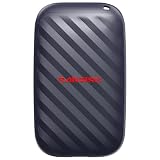


| Product | Best for | Key spec from the listing |
|---|---|---|
| Kosbees 500 GB Portable HDD | Light backups on a tight budget | 500GB, ultra slim, PC, Mac, PS4, Xbox |
| Sandisk 1TB Portable Drive | Fast mid-size storage | Up to 600MB/s read, up to 2M drop protection |
| Kosbees 1 TB Portable HDD | Bulk storage per dollar | 1TB, ultra slim, PC, Mac, PS4, Xbox |
| SANDISK 1TB Extreme Portable SSD | Rugged speed for game libraries | Up to 2000MB/s, IP65, up to 3M drops |
| SANDISK 4TB Extreme Portable SSD | Maximum capacity if the budget allows | 4TB, up to 2000MB/s, IP65 |
| GODBPNYMU 500GB Portable HDD | USB-C laptops and consoles | USB 3.0 and USB-C, plug-and-play, PS4/PS5 |
| Sandisk 500GB Portable Drive | Small, fast, simple | Up to 600MB/s read, drop protection |
| SSK Portable SSD 250GB | Phone and laptop transfers | USB-C, up to 1050MB/s, USB3.2 Gen2, OTG |
How to Choose
Decide between a hard drive and a solid-state drive
Portable hard drives such as the Kosbees and GODBPNYMU models rely on spinning platters. They are inexpensive for the capacity, but speeds are modest and they dislike being dropped while running. The SanDisk and SSK models use flash storage with no moving parts, and the titles quote read speeds of up to 600MB/s, up to 1050MB/s, and up to 2000MB/s. If you are storing photos, documents, or a backup you rarely open, a hard drive is fine. If you launch games or edit video from the drive, speed pays off quickly. A useful rule of thumb: the moment a drive becomes part of your daily workflow instead of a shelf backup, spend the savings on flash storage and accept a smaller capacity. Quoted speeds are best-case sequential figures, so real copy times with many small files will be slower on every drive in this list, hard drive or not.
Match capacity to what you actually store
A 250GB drive fills fast; a single modern game can be tens of gigabytes. A 500GB model suits documents and a few games, 1TB is the practical floor for a game library or a full laptop backup, and anything beyond that suits media collections. The 4TB SanDisk Extreme sits at the top of this list, and at that capacity the price is the thing to verify against your cap before you get attached to it. If it does not fit, the 1TB version carries the same design.
Interfaces, cables, and device compatibility
Look for USB 3.0 or faster, as the titles state, and check which connector your device offers. The GODBPNYMU lists both USB 3.0 and USB-C, and the SSK lists a USB 3.2 Gen2 cable with both A and C ends. Several hard drives name PS4, PS5, or Xbox One, which matters if you want to expand console storage, but console rules about which drives are supported for which games vary, so read the console maker’s guidance. Computers are rarely picky; consoles are. Also consider whether the drive needs an adapter: a USB-C laptop with no USB-A port will need a cable or dongle for the drives that ship with a USB-A connector, and that small detail turns a quick setup into a shopping errand. The SSK listing helps here by naming both A and C cable ends.
Durability claims and what to ignore
The SanDisk Extreme titles list IP65 water and dust resistance and drop protection up to 3 meters, and the standard SanDisk portable drive lists up to 2 meters. Those figures are manufacturer claims, but they are far more specific than the vague durable language on lesser-known brands. Ignore capacity labels in the product name that do not match the specification table, and ignore compatibility lists that name dozens of devices without describing the file system. Budget drives cut corners on shock protection, cables, and warranty length, so keep the receipt.
The 8 Best Options
Kosbees 500 GB Portable Hard Drive
This ultra-slim portable hard drive lists compatibility with Windows PCs, Macs, laptops, PS4, and Xbox consoles. It is aimed at users who need a simple, inexpensive place for documents, photos, and some game installs, such as a student backing up coursework or a family archiving vacation pictures. The wording points to everyday storage rather than anything demanding, which is the right expectation for a spinning drive in this tier.
- Strength: broad compatibility across computers and consoles.
- Strength: slim design for travel bags.
- Trade-off: a hard drive is slower and less shock-tolerant than the solid-state models.
Skip it if you plan to run games from the drive or move large files often.
Sandisk 1TB Portable Drive
The title cites read speeds up to 600MB/s, a claim of being four times faster than a portable hard drive, and drop protection up to 2 meters. That speed class suits a mid-size game library or work files that need to open quickly, for example a project folder you carry between a desktop and a laptop. At 1TB it also leaves room for a backup of the operating system alongside your documents.
- Strength: much faster than a spinning drive, per the listing.
- Strength: stated drop protection adds peace of mind for travel.
- Trade-off: it costs more per gigabyte than the hard drives.
Skip it if you only need cheap bulk storage for rarely used files.
Kosbees 1 TB Portable Hard Drive
The 1TB sibling of the 500GB model keeps the same ultra-slim body and broad compatibility with PCs, Macs, laptops, and consoles. It is the capacity-first choice in this group, useful when the goal is to park a large collection of photos, videos, or older game installs and open them only occasionally. The listing leans on compatibility rather than speed claims, so treat it as a storage shelf, not a workspace.
- Strength: double the space of the 500GB version at a modest premium.
- Strength: console and computer compatibility in one device.
- Trade-off: spinning-disk speeds and no ruggedness claims.
Skip it if the drive will be bumped around in a backpack daily.
SANDISK 1TB Extreme Portable SSD
The listing quotes up to 2000MB/s transfers, IP65 water and dust resistance, and drop protection up to 3 meters. It is the premium option for anyone who wants speed and durability in a pocketable drive, such as a creator who edits on location or a gamer who runs titles straight from external storage. The combination of fast transfers and a water and dust rating is rare in this price range.
- Strength: the fastest quoted speed on the list.
- Strength: IP65 resistance is unusual at this tier.
- Trade-off: it may sit at the edge of an under-100-dollar budget, so verify the listing.
Skip it if your cap is tight and you only need backups.
SANDISK 4TB Extreme Portable SSD
The same Extreme design in a 4TB capacity, with up to 2000MB/s transfers and IP65 protection. It is for users who want one drive for a very large library, such as an entire collection of games, footage, and archives that would otherwise be spread across several smaller disks. Having everything in one rugged enclosure simplifies backups and travel, provided the cost fits your plan.
- Strength: the largest capacity in the group.
- Strength: carries the same ruggedness claims as the 1TB model.
- Trade-off: capacity at this level is unlikely to fit a strict cap, so check the live listing.
Skip it if staying under the cap is non-negotiable.
GODBPNYMU 500GB Portable Hard Drive
A compact hard drive with USB 3.0 and USB-C connections, plug-and-play setup, and compatibility with laptops, PS4, PS5, and Xbox. It suits those with newer USB-C devices, particularly thin laptops that have dropped older ports, and it keeps a USB 3.0 option for desktops. The title also names consoles, which makes it a candidate for expanding game storage if the console supports external drives.
- Strength: USB-C support alongside USB 3.0.
- Strength: plug-and-play with consoles named in the title.
- Trade-off: it comes from a lesser-known brand with little warranty detail in the title.
Skip it if you want an established brand name.
Sandisk 500GB Portable Drive
The small-capacity version of the SanDisk portable line, with up to 600MB/s read speeds and drop protection. It is a good pick for those who value speed over space, such as someone who keeps work files and a handful of games on the move and archives the rest elsewhere. The drop protection claim in the title adds some confidence for a drive that lives in a bag.
- Strength: fast read speeds in a pocket-sized drive.
- Strength: established brand with durability claims.
- Trade-off: only 500GB, which fills quickly with games.
Skip it if you need room for a large library.
SSK Portable SSD 250GB
The SSK drive quotes up to 1050MB/s, a USB 3.2 Gen2 A-and-C cable set, SMART and TRIM support, an LED indicator, and OTG for phones. It targets people moving files between phone and laptop, such as photographers clearing a phone before a trip or students shuttling assignments between devices. The status light and cable pair make it easy to use from the first connection, and the small capacity keeps it affordable.
- Strength: fast quoted speed with both cable types included.
- Strength: OTG support helps with phone transfers.
- Trade-off: 250GB is the smallest capacity listed.
Skip it if you need space for games.
Which One Fits Your Situation
You want to expand game storage cheaply
The Kosbees 1 TB gives the most room for a modest outlay, though loading times will be slower. If you play on a console that supports external drives, confirm the console’s rules first.
You launch games straight from the drive
The Sandisk 1TB Portable Drive is the sensible middle ground, with a 600MB/s read claim at a size that fits a library.
You travel with your data
The SANDISK Extreme models are the toughest here, with IP65 resistance and drop protection up to 3 meters.
You move files between a phone and a laptop
The SSK 250GB with USB-C and OTG support is built for that, and the GODBPNYMU 500GB is a roomier alternative with USB-C. Photographers who offload memory cards in the field may prefer the faster SSK, since waiting on a slow disk while a battery drains is a frustration worth avoiding.
For a shelf backup you rarely touch, the Kosbees 500 GB or 1 TB models fit, as the lower cost per gigabyte matters more than speed when a drive sits in a drawer and only wakes for a monthly copy. Pair any single backup drive with a second copy elsewhere, because one disk is not a backup strategy.
Common Mistakes
- Buying a hard drive and expecting solid-state load times.
- Choosing the largest capacity without checking that the listing still fits under your cap.
- Skipping the connector check and ending up with the wrong cable for a USB-C device.
- Trusting a ruggedness claim from an unknown brand that gives no specific rating.
- Filling a drive to the brim, which slows performance and leaves no room for backups.
Related guides
- Sustainable Gaming Pc Power Supply Efficiency Guide
- Noctua Nh-D15 Vs Thermalright Peerless Assassin 120
- Thermal Paste Application Method For Lga1851
Frequently Asked Questions
Is a solid-state drive worth it under 100 dollars?
For small to mid-size capacities, yes, if speed and durability matter. For bulk storage, a hard drive offers more space at the same cap.
Will these drives work with a console?
The Kosbees and GODBPNYMU titles name PS4, PS5, or Xbox, but each console has its own rules about supported drives and games. Check the console maker’s guidance.
What does IP65 mean?
It indicates dust protection and resistance to water jets. It does not mean the drive can be submerged.
Do I need to format the drive?
Many drives arrive ready for one operating system. If you move between Windows and Mac, you may need to reformat or choose a compatible file system.









