
The best low profile graphics card for a Dell OptiPlex is the one that fits your slot height, takes all of its power from the motherboard slot and stays inside your power supply’s budget. In this set that points to the two GTX 1050 cards for light gaming, and the GT 1030 or RX 550 when you want less power draw. OptiPlex desktops are built for offices, so the limits are physical and electrical long before they are about speed. We compared eight low-profile listings using their titles, manufacturer documentation and buyer reviews. Two of them are display-output cards rather than gaming cards, and we say so plainly. Read the fit checklist first, because a card that does not fit is the classic return.
Our Top Picks
Eight low-profile cards at a glance

GeForce GT 610 2G DDR3 Low Profile Graphics Card, PCI Express 1.1 x16, HDMI/VGA, Entry Level GPU for PC, SFF and HTPC, Compatible with Win11


As an Amazon Associate we earn from qualifying purchases. Product prices and availability are accurate as of the date/time indicated.
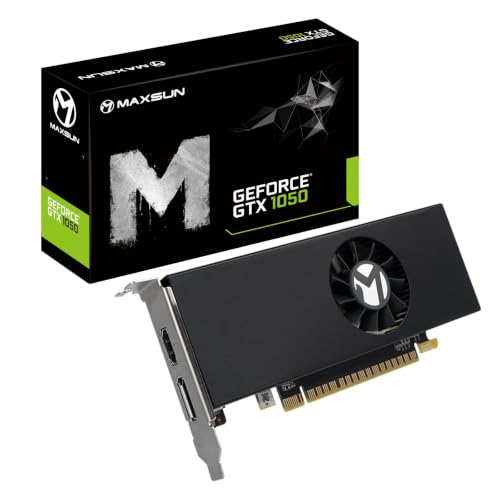
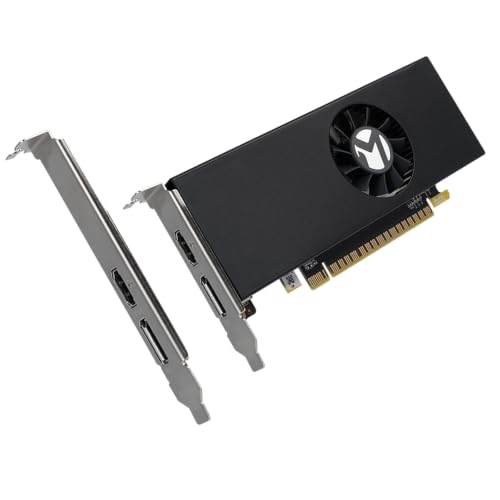
maxsun GEFORCE GTX 1050 4GB Low Profile Video Gaming Graphics Card for Computer Gaming PC GDDR5 128Bit Mini Slim Small Form Factor SSF Low Profile Design GPU, DisplayPort, HDMI



As an Amazon Associate we earn from qualifying purchases. Product prices and availability are accurate as of the date/time indicated.

msi Gaming GeForce GT 1030 4GB DDR4 64-bit HDCP Support DirectX 12 DP/HDMI Single Fan OC Graphics Card (GT 1030 4GD4 LP OC)


As an Amazon Associate we earn from qualifying purchases. Product prices and availability are accurate as of the date/time indicated.

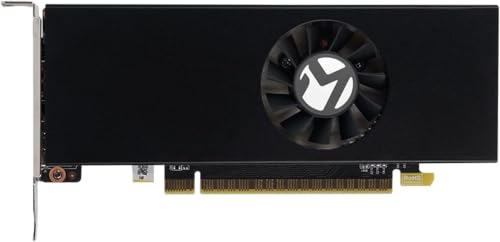
maxsun GEFORCE GTX 1050 Ti 4GB GDDR5 128 Bit Video Gaming Graphics Card for Gaming PC Mini Small Form Factor SSF Slim Low Profile Design GPU, DisplayPort, HDMI (Low Profile)


As an Amazon Associate we earn from qualifying purchases. Product prices and availability are accurate as of the date/time indicated.

SOYO GeForce GT 740 4GB DDR3 Low Profile Graphics Card, 128-Bit 384SP HDMI/VGA/DVI-D Port Triple Output, SFF Half-Height Video Card for Slim Desktop PCs, Supports Windows 11/10/8/7


As an Amazon Associate we earn from qualifying purchases. Product prices and availability are accurate as of the date/time indicated.

ARDIYES GT 740 4GB GDDR5 Low Profile GPU Graphics Card, 4X HDMI Ports for Quad Multi-Monitor Setup, PCI Express 3.0 x16, Silent Cooling, Ideal for Office and Home Theater


As an Amazon Associate we earn from qualifying purchases. Product prices and availability are accurate as of the date/time indicated.

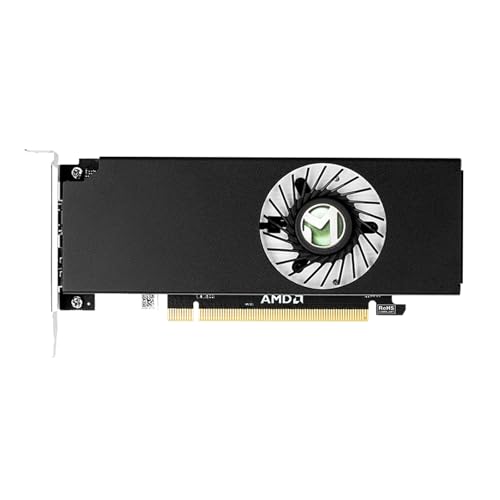
MAXSUN AMD Radeon RX 550 4GB Low Profile Small Form Factor Video Graphics Card for Gaming Computer PC GPU GDDR5 ITX SFF HDPC 128-Bit DirectX 12 PCI Express X16 3.0, HDMI, DisplayPort


As an Amazon Associate we earn from qualifying purchases. Product prices and availability are accurate as of the date/time indicated.
maxsun GEFORCE GT 710 2GB Low Profile Ready Small Form Factor Video Graphics Card GPU Support DirectX12 OpenGL4.5, Low Consumption, VGA, DVI-D, HDMI, HDCP, Fanless Cooling (2GB)


As an Amazon Associate we earn from qualifying purchases. Product prices and availability are accurate as of the date/time indicated.
| Model | Key point from title | Price tier | Best for |
|---|---|---|---|
| Glorto GT 610 2GB | DDR3, PCIe 1.1 x16, HDMI/VGA | Budget | Extra monitor output |
| maxsun GTX 1050 4GB | GDDR5, 128-bit, DisplayPort and HDMI | Premium | Light 1080p gaming |
| MSI GT 1030 4GB DDR4 | 64-bit, single fan, DP/HDMI, “LP” model | Mid-range | Esports-style titles, media |
| maxsun GTX 1050 Ti 4GB | GDDR5, 128-bit, DisplayPort and HDMI | Premium | Most gaming headroom here |
| SOYO GT 740 4GB | DDR3, HDMI/VGA/DVI-D, half-height | Budget | Older monitors |
| ARDIYES GT 740 4GB | GDDR5, four HDMI ports | Mid-range | Multi-monitor office desks |
| maxsun RX 550 4GB | GDDR5, 128-bit, HDMI and DisplayPort | Mid-range | AMD-based light gaming |
| maxsun GT 710 2GB | Fanless, VGA/DVI-D/HDMI | Budget | Silent display output |
The cards, one by one
Glorto GT 610 2GB
The title describes a 2GB DDR3 card on a PCI Express 1.1 x16 interface with HDMI and VGA, aimed at SFF and HTPC use. That interface generation and memory type mark it as an old, entry-level design. Treat it as a way to drive a display, not as a gaming upgrade. For a spreadsheet, browser and video-call machine that has lost its onboard output, that is plenty. Check the listing for the exact bracket types included before you order, since a half-height bracket is the whole point here.
Pros
- Lowest-cost way in this set to add a discrete output
- HDMI and VGA cover older monitors
Cons
- Not realistic for modern games
- Confirm in the listing that a low-profile bracket is included
Who it’s for: office machines that need a replacement or extra video output.
maxsun GTX 1050 4GB
This listing names a GTX 1050 with 4GB of GDDR5 on a 128-bit bus, a mini slim small-form-factor design, and DisplayPort plus HDMI outputs. It sits near the top of this group for gaming ability. Whether it needs an auxiliary power connector is not in the title, so check the listing; a card that does would not suit most OptiPlex supplies. Compare it with the Ti version below: the Ti is the faster of the pair and the plain card is the easier one on power.
Pros
- 4GB GDDR5 on a 128-bit bus
- DisplayPort and HDMI for modern monitors
Cons
- Highest power demand of the set apart from its Ti sibling
- Card thickness needs checking against your chassis
Who it’s for: someone who wants light 1080p gaming from an OptiPlex and has confirmed the power supply can handle it.
MSI GT 1030 4GB DDR4 (GT 1030 4GD4 LP OC)
The title gives a single-fan GT 1030 with 4GB of DDR4, a 64-bit interface and DP/HDMI outputs; “LP” in the model name signals the low-profile variant. DDR4 on a 64-bit bus is a more modest memory setup than the GDDR5 cards here, so expect it to trail them in games while drawing less power. That trade is exactly what many OptiPlex owners want: a visible step up from integrated graphics without leaning hard on a small supply. The model name ends in OC, so look at the listing for the stated clock and whether it needs extra power.
Pros
- Known brand, DP and HDMI outputs
- Lower power appetite than the GTX 1050 cards
Cons
- 64-bit DDR4 memory limits gaming speed
- Single fan adds a little noise in a small case
Who it’s for: OptiPlex owners who want a safe, modest upgrade for esports titles and video playback.
maxsun GTX 1050 Ti 4GB
The title lists a GTX 1050 Ti with 4GB GDDR5, a 128-bit bus, a slim low-profile design and DisplayPort plus HDMI. It is the most capable card in this roundup on paper, and the priciest tier. The same caution applies: confirm power connector and thickness in the listing before ordering. Being the most capable card here, it also asks the most of a small chassis, so check airflow.
Pros
- Most gaming headroom in this set
- Modern outputs
Cons
- Premium price for a low-profile card
- Heat in a cramped case is a real concern; confirm airflow
Who it’s for: buyers whose OptiPlex has a confirmed x16 slot and spare supply capacity, and who want the best performance a slim card offers.
SOYO GT 740 4GB DDR3
This GT 740 comes with 4GB of DDR3, a 128-bit interface and HDMI, VGA and DVI-D, billed as a half-height card for slim desktops. The triple output suits mixed monitors. DDR3 memory places it below the GDDR5 cards for graphics work. The title also lists Windows 7 through 11 support, which helps if the OptiPlex is an older refurbished unit running a previous Windows version.
Pros
- Three output types for older displays
- Budget price tier
Cons
- DDR3 memory
- An older architecture with limited modern game support
Who it’s for: users running several older monitors who care about connections more than frame rates.
ARDIYES GT 740 4GB GDDR5
The distinguishing feature is four HDMI ports for a quad-monitor setup, with GDDR5 memory, PCI Express 3.0 x16 and silent cooling, per the title. The listing itself calls it ideal for office and home theater, which is an honest description: this is a multi-display card, not a gaming pick. Its PCIe 3.0 x16 interface matches current slots, though a card this size will not use all of that bandwidth. Four screens also raise total system load slightly, so keep an eye on supply headroom.
Pros
- Four HDMI outputs on one low-profile card
- GDDR5 memory
Cons
- Not aimed at gaming
- Check the listing for bracket options
Who it’s for: a trading, dispatch or spreadsheet desk that wants four screens from a small PC.
maxsun RX 550 4GB
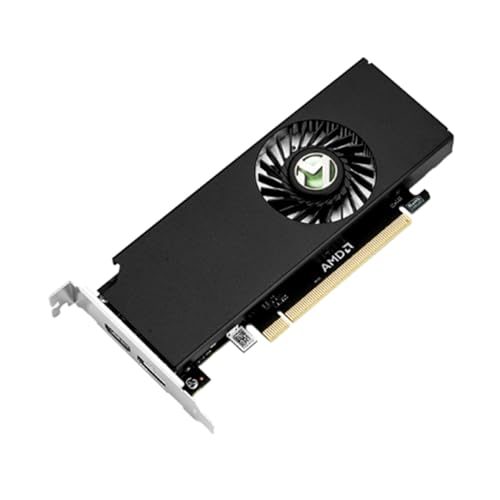
The only AMD card in the set, listed with 4GB GDDR5, a 128-bit bus, DirectX 12, PCIe x16 3.0 and HDMI plus DisplayPort, in a small-form-factor ITX/HTPC format. If you prefer AMD drivers or want a modest-power gaming card, this is the alternative to the GT 1030. Compared with a plain display card it can handle casual games, but the title does not state a power connector, so confirm that in the listing, and read driver support notes for your Windows version.
Pros
- GDDR5 on a 128-bit bus
- AMD option for light gaming
Cons
- Overall speed is closer to the GT 1030 than the GTX 1050 cards
- Verify the bracket fits your slot
Who it’s for: a light-gaming OptiPlex build where power draw matters more than top speed.
maxsun GT 710 2GB
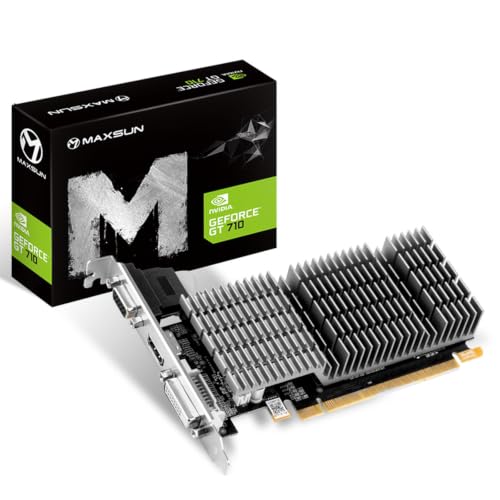
The title specifies a fanless 2GB card with VGA, DVI-D and HDMI, low consumption and DirectX 12 support. Without a fan it makes no noise, which is useful in a quiet office. Like the GT 610, it is an entry-level display card, not a gaming one. A passive heatsink can run warm in a closed small-form-factor case, so leave breathing room around it and keep the case’s own fan unobstructed.
Pros
- Fanless and silent
- Low power use
Cons
- 2GB entry-level hardware
- No DisplayPort output in the title
Who it’s for: a quiet reception or home-office PC that needs an extra screen.
How we picked these
We shortlisted cards whose listings mention low-profile, half-height or small-form-factor design, then read each title, the manufacturer documentation and buyer reviews. We sorted them by memory type, output mix and stated cooling, and we flagged listings that read as display cards instead of gaming cards. Nobody on the team used or measured these units. Performance statements here are relative and based on published specifications. Where a title was silent about power connectors or brackets, we told you to check the listing instead of guessing.
OptiPlex fit checklist before you buy
Confirm the slot
Open the service manual for your exact OptiPlex. Tower and small-form-factor models usually have PCIe slots; micro and ultra-small ones often do not. A graphics card needs a PCIe x16 connector, and some boards wire a physical x16 slot with fewer lanes, which still works but runs slower. Note whether the slot sits under a riser or cage, and whether a drive bay or cable bundle blocks the card’s path.
Measure bracket height and card thickness
Low-profile cards are typically around 69 mm tall, and their bracket is about 80 mm. Standard-height brackets will not fit a slim chassis, so look for a half-height bracket in the listing. Thickness matters too: a dual-slot-thick card can collide with a drive cage or the next slot.
Check power with a worked estimate
The slot can supply up to 75W. Suppose your supply is rated 240W (an assumption; read your label), the CPU peaks near 65W and the rest of the system adds about 40W. That leaves roughly 135W on paper. Subtract a 75W-class card and the margin is about 60W, which is workable but not generous, because the 12V rail rating matters more than the total. These are estimates only; check the real label.
Choose outputs for your monitors
Match the card’s HDMI, DisplayPort, DVI-D or VGA ports to your screens. Adapters add cost and sometimes limit resolution or refresh rate. If you plan on a 4K or high-refresh monitor, favor DisplayPort or HDMI and read the listing for the maximum supported mode.
Allow for heat and noise
A small fan spins faster in a small case. Fanless cards stay silent but only suit low-power parts. If you can, leave a gap around the card and keep dust filters clear.
Update the BIOS first
Update firmware before installing, and power the system down and unplug it before opening the case. Ground yourself to avoid static damage.
If you are also upgrading cooling in a slim chassis, our guides to single-slot low-profile graphics cards and low-profile CPU coolers for SFF builds cover the neighboring parts.
Mistakes buyers make
The most common error is buying a standard-height card and assuming a bracket swap fixes it; the card’s circuit board can still be too tall. The second is ignoring the power supply label and buying the fastest card on the page, which can trigger shutdowns under load. Third, buyers confuse display-output cards, such as the GT 610 and GT 710, with gaming cards because both carry a GeForce name. Fourth, people overlook that a 4GB GT 740 or GT 1030 DDR4 card is limited by its memory type, not its memory size. Finally, some skip the BIOS update and the case-opening safety steps: always unplug the machine before you touch internal parts.
Verdict
For the strongest gaming potential, the maxsun GTX 1050 Ti and GTX 1050 are the picks, provided your supply and slot allow them. For a balanced, lower-power upgrade, choose the MSI GT 1030 or the maxsun RX 550. For multiple screens, the ARDIYES four-HDMI card is the specialist. The Glorto GT 610 and maxsun GT 710 are display cards, and the SOYO GT 740 sits between them and the gaming set. Always confirm slot, bracket and power in the listing first.
Related guides
- Sustainable Gaming Pc Power Supply Efficiency Guide
- Thermal Paste Application Method For Lga1851
- Airflow Configuration For Mesh Front Cases
Frequently asked questions
Can I put a graphics card in a Dell OptiPlex small form factor?
Often yes, if the model has a PCIe x16 slot and you buy a half-height card with a low-profile bracket. Micro and some ultra-small OptiPlex units have no usable slot at all. Look up your exact model’s service manual, confirm slot type, bracket height, card thickness and the power supply rating, then match the card to those limits before ordering.
Do low profile graphics cards need a power cable?
Many do not, because a PCIe x16 slot is specified to supply up to 75W. Cards that stay within that figure run from the slot alone, which is what an OptiPlex power supply with no spare graphics connector needs. Check each listing for a power connector, and skip any card that has one unless your supply provides it.
Is a GTX 1050 Ti too much for an OptiPlex power supply?
It can be, depending on the model. Small-form-factor OptiPlex supplies are sized for an office CPU and a few drives, and the card’s slot draw is added on top. Find the wattage printed on your supply label and compare it against the worked estimate in this guide. If headroom looks thin, choose a lighter card such as the GT 1030 or RX 550.
Will a new graphics card work with the OptiPlex BIOS?
Usually, but it is worth checking. Update the BIOS before installing, set the primary display to the new card if the BIOS offers that option, and use the video outputs the card actually provides. Older firmware occasionally has trouble with newer cards, so read the card listing’s compatibility notes and your model’s support page first.
Are the GT 610 and GT 710 worth buying for gaming?
Not really. Both are entry-level display-output cards, useful for adding monitors or replacing a failed integrated output on an office PC. They are not aimed at modern games. For light gaming on an OptiPlex, the GTX 1050, GTX 1050 Ti, GT 1030 and RX 550 listings in this guide are the more realistic choices.









