For most gaming PC builds, the Creative Sound BlasterX AE-5 Plus is the best overall sound card in this group. It pairs a high-resolution DAC with a discrete headphone amplifier that Creative rates for headphones up to 600 ohms, adds Dolby Digital Live and DTS encoding, and gives you a 5.1 analog layout plus virtual 7.1. A sound card is a dedicated audio board that takes the job away from your motherboard codec, which can mean cleaner output and more headphone drive. If you only need a plug-in upgrade for a laptop or a small build, the USB options below are easier.
Our Top Picks
 Creative Sound Blaster Audigy Fx Pro Hi-Res PCIe4.13 inches6.93 x 5.59 x 1.57 inches0.1 PoundsCheck on Amazon





Top 3 picks at a glance
Quick List
- Sound Blaster Audigy Fx Pro – best for a 7.1 analog speaker layout in a PCIe slot
- Sound Blaster AE-X – best for stereo listening with a modern ESS DAC and digital I/O
- Sound BlasterX AE-5 Plus – best all-around gaming card with RGB, Xamp amp and DTS/Dolby encoding
- Sound Blaster Play! 3 – best for a simple USB upgrade over onboard audio
- Sound Blaster Z SE – best for a no-frills PCIe card with a 600 ohm-rated amp
- Cubilux 7.1 USB Sound Card – best for multi-channel analog output without opening the case
Which One Is Right for You?
| If you… | Choose |
|---|---|
| want one card that covers headphones, surround encoding and lighting | Sound BlasterX AE-5 Plus |
| run a 5.1 or 7.1 analog speaker system from a desktop | Audigy Fx Pro |
| listen to music on wired headphones and want optical and coaxial connections | Sound Blaster AE-X |
| do not want to open the case or use a free slot | Sound Blaster Play! 3 |
| want a proven PCIe design with ASIO and microphone tuning | Sound Blaster Z SE |
| need a USB box that exposes separate 7.1 analog outputs | Cubilux 7.1 USB |
Start with the connection type: PCIe cards need a free slot and a desktop case, while the two USB options work on anything with a USB-A port. Then match the output to what you actually plug in. Headphone users should care about the amplifier, while speaker users should count the analog jacks.
All 6 Picks in Detail
1. Sound Blaster Audigy Fx Pro – Best for 7.1 analog speaker setups
As an Amazon Associate we earn from qualifying purchases at no extra cost to you.

This is a newer entry in Creative’s Audigy line and, and published coverage notes the other current Audigy PCIe cards are limited to 5.1 channels. It suits builders who still run a multi-speaker analog system and want a straightforward upgrade over the motherboard jacks. The listing name describes it as a Hi-Res PCIe card with surround sound and clean audio.
Installation is simple: it is a low-profile-friendly board that can use the shorter bracket in small cases, and the front-panel header lets your case headphone jack run through the card as well. Think of it as a clear step up from basic motherboard jacks for speaker users, not a headphone-amp specialist. Creative’s own guidance is that it improves on typical onboard audio rather than serving extremely demanding headphones. Check that your speakers have the matching analog inputs for center, sub, rear and side channels before counting on all 7.1 channels.
- PCIe x1 card that fits any free x1 to x16 slot, with a half-height bracket in the box
- 7.1-channel output; stereo playback up to 32-bit/384 kHz per Creative
- Native DSD support on the stereo headphone and line output (DSD64 to DSD256)
- 120 dB signal-to-noise ratio as stated by the manufacturer
- Five jacks, including a combined mini-TOSLINK and 3.5 mm digital connector, plus a front-panel header
- Controlled through the Creative Nexus app on Windows 10 and 11
Pros
- True multi-jack 7.1 analog layout
- Low-profile friendly for small cases
Cons
- Not aimed at very high-impedance headphones
- Windows only
Compared with the AE-5 Plus, it offers more speaker outputs but fewer gaming extras such as lighting and a discrete headphone stage.
2. Sound Blaster AE-X – Best for stereo listening with digital I/O

The AE-X is built for people who plug in wired headphones or a stereo amplifier and care about the DAC. Its listing highlights 32-bit/384 kHz playback and desktop app support. It is a stereo-first design rather than a multi-jack surround card, so speaker users should look elsewhere. Because it is a newer design, check the listing for the exact bracket and cable contents.
In practice, this is the pick for a desk with wired headphones, an external amplifier, or a DAC-style listening chain. The coaxial output and optical input make it easier to link a console, receiver or other source, and the Windows app handles equalizer and headphone calibration presets. If you rely on true multi-channel analog output for speakers, the Audigy Fx Pro or Z SE is a better match.
- ESS ES9039Q2M DAC with direct DSD256 decoding per published launch coverage
- PCIe x1 interface; Windows 10 and 11 only
- Discrete headphone amplifier stated for 8 to 600 ohm headphones
- 3.5 mm headphone out, RCA line out and coaxial digital out
- Optical digital input and a front-panel audio header
- ASIO 2.3 for low-latency recording and monitoring
Pros
- Strong DAC specification for the category
- Useful digital connections for external gear
Cons
- No multi-channel analog outputs
- Surround features rely on software processing
Next to the Z SE, it trades a surround-focused layout for a newer DAC and RCA line outputs.
3. Sound BlasterX AE-5 Plus – Best all-around gaming card

The AE-5 Plus is the card most gamers picture when they think of a modern Sound Blaster. The listing name calls out a SABRE32-class DAC, 32-bit/384 kHz playback, Dolby Digital and DTS, and the Xamp discrete headphone amplifier. It suits anyone who wants lighting, encoding and a good amp on one board.
The practical appeal is that one card handles headphones, speakers and a receiver. Gaming profiles, a scout-style audio mode and microphone processing live in the software, and the encoding features help when you want a surround signal over a single optical cable. Be aware that the lane count is described differently across sources and the card has an LED strip header, so check the listing and your case layout before ordering.
- ESS SABRE-class DAC with up to 32-bit/384 kHz playback
- Dynamic range stated at up to 122 dB by the manufacturer
- Xamp bi-amplified headphone output for headphones up to 600 ohms
- Dolby Digital Live and DTS encoding, discrete 5.1 and virtual 7.1
- Three 3.5 mm line outputs, optical output, headphone out and mic or line in
- RGB lighting on the card plus an included LED strip, set up in Sound Blaster Command
Pros
- Best mix of headphone power and surround features here
- Optical output for AV receivers or soundbars
Cons
- Sources describe the slot as x1 or x4, so confirm clearance on the listing
- Lighting is irrelevant in a closed, windowless case
It is the natural upgrade from the Z SE if you want a newer DAC and RGB.
4. Sound Blaster Play! 3 – Best for a plug-and-play USB upgrade

The Play! 3 is a small USB adapter, not a gaming card in the traditional sense. It suits laptop users, small-form-factor builds with no free slot, and anyone whose onboard headphone jack hisses or has a loose connection. The listing describes it as a 24-bit/96 kHz USB DAC that is plug and play.
Setup takes seconds: plug it into a USB port, plug your headset into the two jacks, and select it as the default output in Windows. It is also handy as a travel adapter or a spare for a console controller setup. Do not expect it to drive hard-to-power studio headphones, and remember that it cannot output a multi-channel signal. For a laptop or a compact desktop it is the least fuss of anything in this list.
- USB-A, bus-powered, no external adapter needed
- 24-bit/96 kHz playback with 2.0-channel output
- One 3.5 mm headphone jack and one separate 3.5 mm microphone jack
- Signal-to-noise ratio of about 93 dB in published specifications
- Works with Windows and Mac without installing drivers for basic use
- Headphone amplifier limits vary by source, so confirm on the listing
Pros
- Cheapest way to bypass a noisy onboard codec
- Works on laptops and consoles with USB ports
Cons
- Stereo only
- Modest amp for demanding headphones
It is far simpler than the Cubilux, but offers only stereo output rather than separate surround jacks.
5. Sound Blaster Z SE – Best for a proven PCIe card with ASIO

The Z SE remains a sensible pick if you want a well-understood PCIe card. The listing states 24-bit/192 kHz playback, 116 dB SNR, ASIO and a 600 ohm-capable headphone amplifier, with discrete 5.1 and virtual 7.1 output. It fits users who want microphone EQ and gaming profiles but do not need RGB.
It is the card to look at if you want PCIe benefits, a headphone amp that can handle larger headphones, and encoding features, but you do not care about a fancy DAC upgrade or lighting. Microphone EQ presets help with voice chat, and the optical input and output are useful for connecting a receiver or capture device. Keep in mind that its top 192 kHz mode applies to stereo direct playback, not surround.
- PCIe x1 card using the Sound Core3D processor
- 24-bit/192 kHz stereo direct mode; 116 dB SNR per Creative
- Headphone amplifier rated for up to 600 ohms
- Three 3.5 mm speaker outputs, headphone out, mic or line in
- TOSLINK optical input and output
- Dolby Digital Live and DTS encoding
Pros
- Strong feature list without lighting
- ASIO for low-latency recording
Cons
- Older DAC design than the AE-X
- Resolution drops in surround modes
Compared with the AE-5 Plus, it gives up the newer DAC and lighting but keeps the core encoding and amp features.
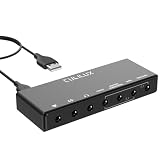
6. Cubilux 7.1 USB Surround Sound Card – Best for external 7.1 analog output

This aluminum-bodied USB box is the odd one out. It suits laptop users or builders who want separate analog outputs for a multi-channel speaker system without installing a card. The listing mentions a 48 kHz to 384 kHz sample range, aluminum alloy construction, and line-in plus stereo microphone input.
Because the headphone output and the multi-channel output run at different maximum rates, it makes the most sense for gaming and movies on multi-channel speakers or as a cleaner stereo headphone output for a laptop. It does not include a built-in amplifier for multi-channel speakers, so your speaker set must be powered and have analog inputs for each channel. Setup in the operating system’s sound control panel is required to enable 5.1 or 7.1, and you will need to check that each speaker channel is wired to the correct jack by color or label.
- USB-A connection, bus-powered, with a USB-A to USB-C cable in the box
- Headphone output up to 384 kHz at 24-bit; 5.1 and 7.1 output at 44.1 or 48 kHz
- Four 3.5 mm output ports for multi-channel analog
- Line input and a 3-pole TRS microphone input
- Works with Windows 10 or later and macOS
- Microphone jack does not accept 4-pole headset plugs directly
Pros
- Multi-channel analog without a PCIe slot
- Metal housing helps shield against interference
Cons
- No Dolby or DTS encoding
- Needs amplified speakers with multi-channel inputs
It plays the same external role as the Play! 3 but swaps simplicity for more jacks.
Specs Compared
| Model | Interface | Max stereo resolution | Surround layout | Headphone amp | Digital connections |
|---|---|---|---|---|---|
| Audigy Fx Pro | PCIe x1 | 32-bit/384 kHz | 7.1 analog | Confirm on listing | Mini-TOSLINK/3.5 mm out |
| AE-X | PCIe x1 | 32-bit/384 kHz | Stereo-focused, virtual surround | Rated 8 to 600 ohm | Coaxial out, optical in |
| AE-5 Plus | PCIe | 32-bit/384 kHz | 5.1 discrete, virtual 7.1 | Xamp, up to 600 ohm | Optical out |
| Play! 3 | USB-A | 24-bit/96 kHz | Stereo only | Confirm on listing | None |
| Z SE | PCIe x1 | 24-bit/192 kHz | 5.1 discrete, virtual 7.1 | Up to 600 ohm | Optical in and out |
| Cubilux 7.1 USB | USB-A | 24-bit/384 kHz (headphone) | 7.1 analog outputs | Confirm on listing | None |
How We Chose These
We built this list from the product set shown in current catalog listings, then checked each card against manufacturer specification pages and published coverage of the hardware. We looked for a clear connection type, a stated sample rate and bit depth, and an identifiable headphone or speaker use case. Where listing names and other sources disagreed, such as the slot lane count on one card or amplifier limits on a USB adapter, we flagged the item to confirm on the product page rather than guess. We did not run our own measurements, and every number here comes from manufacturer or published sources.
What to Look For
Do you need a sound card at all?
Many current motherboards ship with a capable codec, so a card is worth buying for specific reasons: a stronger headphone amplifier, a cleaner path away from the noisy interior of a PC case, ASIO for recording, or extra jacks. If you play on speakers through the motherboard and have no complaints, the improvement may be small. If you use high-impedance headphones, hear hiss at idle, or want Dolby Digital Live or DTS output for a receiver, a card makes more sense.
Choosing by use case
Match the card to the main thing you do. Competitive gamers using a wired headset mostly need a clean amplifier and a good microphone path, so the AE-5 Plus or Z SE fits. Music listeners with a stereo amplifier care about DAC quality and line outputs, which points to the AE-X. Home theater users who send 5.1 to a receiver need optical output with encoding. Portable users should simply choose USB.
PCIe versus USB
PCIe cards sit inside the case and draw power from the slot, so they avoid extra cables and desk clutter. USB devices work on laptops, are easy to move between machines, and keep the electronics outside the case. Bandwidth is not a concern for either: uncompressed stereo at 24-bit and 96 kHz is 96,000 x 24 x 2, or about 4.6 megabits per second, a tiny fraction of what USB 2.0 can carry. The practical difference is slot availability and where you want the jacks.
Headphone amplifier and impedance
Headphone impedance is measured in ohms, and common gaming headsets sit around 32 ohms while some studio headphones reach 250 to 600 ohms. A simple rule of thumb is that the amplifier’s output impedance should be no more than one eighth of the headphone impedance. For a 32 ohm headset, an output impedance of 4 ohms or less is fine. For a 300 ohm model, you also want enough voltage swing, which is where the cards rated up to 600 ohms are useful.
Software, drivers and the Windows question
Nearly every feature on these cards is switched on through manufacturer software. That means you should expect to install Creative’s app, pick the right output mode and then disable any duplicate enhancements in Windows. A common beginner mistake is leaving both onboard audio and the card active, so Windows keeps sending sound to the old output. After installation, set the new device as the default playback and communication device, and disable the motherboard audio in the BIOS only if you are sure you do not need it.
Sample rate, DAC and signal-to-noise ratio
Higher numbers such as 32-bit/384 kHz look impressive, but most games and streams are 16-bit or 24-bit at 44.1 or 48 kHz. A better DAC and a quieter output stage affect the sound more than the headline sample rate. Signal-to-noise ratio figures around 116 to 122 dB are published for the stronger cards; a figure around 93 dB for a USB adapter is still acceptable for gaming. Treat manufacturer ratings as a rough guide.
Surround, encoding and software
Analog 5.1 and 7.1 outputs only matter if you own speakers with matching multi-channel inputs. Dolby Digital Live and DTS encoding matter if you send a digital signal to a receiver. Most of these devices rely on Creative’s Windows software, so Mac and Linux users will mostly get basic stereo operation. Check the slot position on your motherboard too: a long card can sit directly under a large graphics card, and an x1 card is happy in any slot.
Questions
Is a sound card worth it with a modern motherboard?
It can be, but only if you have a specific need. Better headphone drive, lower noise at idle, ASIO, or Dolby and DTS encoding are the usual reasons. If your onboard audio already sounds clean, you may not hear a major difference.
Will a PCIe sound card work in any slot?
Cards like the Z SE and AE-X use a PCIe x1 connector, which fits physically and electrically in any x1 to x16 slot. Check that the neighboring graphics card does not block the slot. The AE-5 Plus is described with different lane counts across sources, so confirm on the listing.
Do these cards work on Mac or Linux?
The PCIe cards here are specified for Windows. The two USB devices are plug and play and the Play! 3 and Cubilux list Mac support, but full feature sets generally need Windows software.
What headphones need a card with a 600 ohm amplifier?
Studio headphones in the 150 to 600 ohm range benefit most. Typical gaming headsets with 32 ohm drivers work well from almost any source, so a high-impedance amplifier is not required for them.
Does a USB sound card replace a PCIe card?
For stereo headphones, often yes. For discrete multi-channel analog output, the Cubilux covers some of the same ground, but it lacks encoding features that the Sound Blaster PCIe cards add.
Can I use a sound card with a wireless headset?
Wireless headsets with their own USB dongle bypass the sound card entirely. A card is more useful with wired headphones, a microphone, or analog speakers.
Update History
- October 20, 2026 – Initial publication; product set drawn from current catalog listings.
- Check the product page for current specifications and availability before buying.
Sources
- Manufacturer product and specification pages for Creative Sound Blaster models
- Published hardware coverage of the Audigy Fx Pro, AE-X and AE-5 Plus launches
- Retailer listing titles and specification fields
- Product specification sheets for the Cubilux 7.1 USB sound card