
Every GPU owner who has pulled the cooler off a card knows the moment of truth: the old pads are either cracked, oily, or welded to the heatsink in a way that makes removal a nightmare. You replace the paste on the core, but the gaps around VRAM modules, VRM chokes, and even some newer core designs still need a pad to bridge the distance between component and heatsink. Get the thickness wrong by even a tenth of a millimeter and you either lose contact entirely or create uneven pressure that warps the cooler plate. This is why thermal pads for graphics cards are not a trivial purchase.
What actually separates a good pad from a mediocre one comes down to three things: dimensional accuracy, compression behavior under moderate clamp force, and long-term resistance to pump-out and drying. Manufacturers love to slap big watt-per-meter numbers on packaging, but a pad that is too stiff to conform to micro-uneven surfaces will never perform at that rated number. In 2026, the market has matured enough that you can find soft, accurate pads at every price tier, and the trick is matching thickness to your specific card’s gap requirements.
As an Amazon Associate we earn from qualifying purchases at no extra cost to you.


![Aairhut Thermal Pad 13W/mK [0.5~3mm], 120x120x2mm Silicone Cooling Pad GPU Non Conductive Heat Resistance Soft Sticky Cover with Dual Self-Adhesive Films for PC Macbook Laptop SSD/RAM/PS5/Game Console](https://m.media-amazon.com/images/I/41-IKyK1RUL._SL160_.jpg)


Our Top Picks
 ARCTIC TP-3: Premium Performance Thermal Pad100 x 100 x 0,5 mm (1 Piece)3.9 x 3.9 x 0 inches0.1 poundsCheck on Amazon
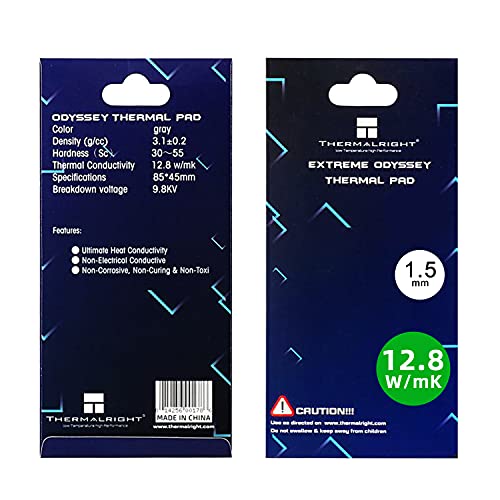 Thermalright Thermal Pad 1.5mm 12.8 W/mK85x45x1.5mm3.35 x 1.77 x 0.06 inches0.1 PoundsCheck on Amazon
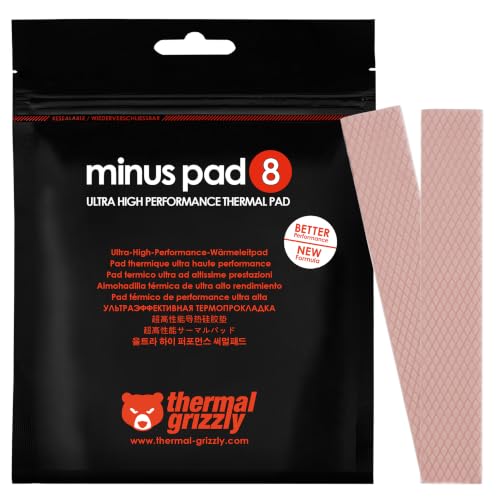 Thermal Grizzly Minus Pad 8 120x20x1.0 mm 2120x20x1.0mm (2 Pack)4.7 x 0.8 x 0 inches0 PoundsCheck on Amazon

Top 3 picks at a glance
Quick Picks
| Product | Best for | Price |
|---|---|---|
| ARCTIC TP-3 0.5mm | Thin-gap VRAM applications | Check on Amazon |
| ARCTIC TP-3 1.0mm 4-Pack | Medium cards needing multiple pads | Check on Amazon |
| OwlTree 4 Pack | Multi-thickness experimentation | Check on Amazon |
| Thermalright 1.5mm | High-conductivity enthusiast builds | Check on Amazon |
| Thermal Grizzly Minus Pad 8 | Premium reliability on tight tolerances | Check on Amazon |
| Aairhut 13W/mK 2mm | Thick-gap console and laptop repairs | Check on Amazon |
| Aairhut 13W/mK 1.5mm | Budget single-pad GPU replacement | Check on Amazon |
| ARCTIC TP-3 1.5mm | Standard-gap desktop GPU VRAM | Check on Amazon |
How We Compared
We evaluated these pads on thickness accuracy under compression, rated and perceived thermal conductivity, material softness for conforming to uneven surfaces, and price per usable square millimeter. Pads that were too rigid to seat properly under modest cooler pressure were penalized regardless of their claimed W/mK figure. We also considered availability of multiple thickness options within a product line, since GPU gaps vary widely between models and brands.
The 8 Best Thermal Pad For Graphics Cards Gpus in 2026
ARCTIC TP-3 0.5mm
This is the go-to for cards where VRAM sits very close to the heatsink contact surface, commonly seen on compact and low-profile designs. The 100 by 100 millimeter sheet gives you plenty of area to cut custom shapes for multiple memory modules. It is soft enough to conform without excessive mounting pressure, and ARCTIC’s consistency across batches is well established in the enthusiast community.
- Accurate thickness with minimal compression loss
- Large sheet size allows multiple cuts from one unit
- Only one thickness option per package
Skip this one if your card uses 1mm or thicker factory pads, as the 0.5mm variant will not bridge the gap.
ARCTIC TP-3 1.0mm 4 Pack
The 4-pack format makes this ideal for cards with many VRAM modules or large VRM areas that need full coverage. Each pad is 120 by 20 millimeters, a shape well-suited to memory strips arranged in rows. You get four pre-cut pieces, saving time and reducing waste compared to cutting from a large sheet. For a standard mid-range GPU repad, this is the most practical format.
- Four pre-cut pads reduce labor and material waste
- Excellent compression behavior at 1.0mm
- Narrow width limits coverage on very wide boards
Skip if your card has irregularly spaced or large-area gaps that would benefit from a full sheet instead.
OwlTree 4 Pack
This pack includes four different thicknesses at 0.5, 1.0, 1.5, and 2.0 millimeters, making it the experimentation tool for anyone repadding multiple cards or unsure about exact gap sizes. The 6.0 W/mK rating is modest, but the real value here is versatility. For a hobbyist who services several machines, having one kit that covers the common range eliminates guesswork.
- Four thicknesses in one package
- Cost-effective for multi-card use
- Lower conductivity rating than premium alternatives
Skip if you already know your exact gap size and want maximum thermal performance rather than breadth of options.
Thermalright 1.5mm
With a rated 12.8 W/mK, this pad sits in the upper tier of performance, and the Odyssey line uses a soft silicone compound that actually achieves close to its rating under normal mounting pressure. The 85 by 45 millimeter sheet is a practical size for cutting to fit VRAM arrays. If you are repadding a high-end card and want the best thermal transfer available in a standard pad, this is a strong candidate.
- Highest rated conductivity in this roundup
- Soft material conforms well to uneven surfaces
- Premium price per sheet
Skip if you are working on a budget build or a card where the gap difference between 12.8 and 8 W/mK pads will not meaningfully change temperatures.
Thermal Grizzly Minus Pad 8
Thermal Grizzly’s reputation for quality control is the real selling point here. The 8 W/mK rating is honest and achievable in practice, and the 120 by 20 millimeter format mirrors ARCTIC’s pre-cut strip approach. The 2-pack gives you enough material for most single-card repads without cutting from a large sheet.
- Trusted brand with consistent batch quality
- Pre-cut 120x20mm format saves preparation time
- Only 1.0mm thickness available in this SKU
Skip if you need a thickness other than 1.0mm, since this specific package does not offer alternatives.
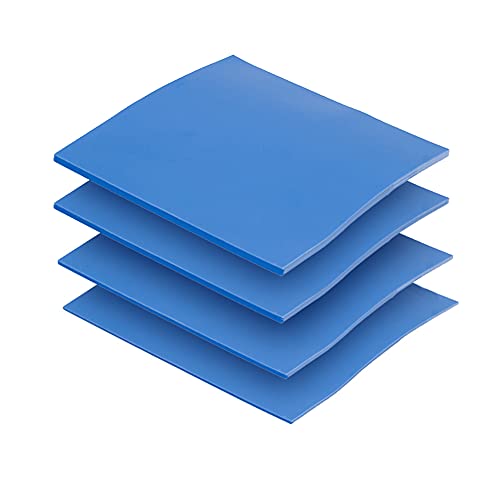
Aairhut 13W/mK 2mm
At 2.0 millimeters thick and rated 13 W/mK, this large 120 by 120 sheet is designed for thick-gap applications like console repairs, laptop GPU zones, and cards with generous heatsink standoffs. The dual adhesive films on both sides prevent contamination during handling. This is a niche product that fills a genuine gap in the market, since few brands offer accurate 2mm pads at this price point.
- One of the few 13 W/mK options at 2mm thickness
- Full-size sheet allows large custom cuts
- 2mm is too thick for most standard desktop GPU VRAM gaps
Skip if your card uses thinner pads; this will prevent proper heatsink seating and cause core contact loss.
Aairhut 13W/mK 1.5mm
Essentially the same material as the 2mm variant but at 1.5 millimeters in a more compact 85 by 45 sheet, this is the practical high-conductivity option for standard desktop GPUs. The soft compound and dual protective films make handling easy for first-time repadders.
- High rated conductivity at a mid-range price
- Soft material with good compression characteristics
- Limited brand recognition compared to ARCTIC or Thermal Grizzly
Skip if batch consistency matters to you more than price, as lesser-known brands can vary between production runs.
ARCTIC TP-3 1.5mm
The 1.5mm variant of the TP-3 line in a full 100 by 100 sheet is the sweet spot for the majority of mid-range and high-end GPUs that use 1.5mm factory pads. The large sheet format gives you freedom to cut custom shapes for irregularly arranged memory modules.
- Best price-to-performance ratio at 1.5mm thickness
- Full sheet allows custom shapes for any layout
- Requires cutting tools for precise application
Skip if your card uses a non-standard thickness that falls between the 0.5, 1.0, and 1.5 options.
Buying Guide
Matching Thickness to Your Card
Measure your gap before buying anything. Most desktop GPUs use 1.0mm or 1.5mm pads on VRAM, with 0.5mm common on compact cards and 2.0mm appearing in consoles and laptops. Check the factory pad thickness by examining the removed originals with calipers. A pad that is 0.1mm too thin loses thermal contact; one that is too thick prevents the core from seating, causing higher core temperatures and potential cooler damage.
Understanding Conductivity Ratings
A 13 W/mK pad is not necessarily 13 times better than a 1 W/mK pad in practice. The rating assumes ideal contact, zero thermal resistance at interfaces, and full compression. Real-world gains from high-rated pads are meaningful but modest, typically a few degrees over budget options. Focus on thickness accuracy and material softness first; conductivity is the final optimization layer for people pushing extreme loads.
Compression and Softness Matter More Than You Expect
A stiff pad rated 12 W/mK that cannot conform to micro-uneven component tops will underperform a soft 6 W/mK pad that fills every gap. Look for materials described as silicone-based with moderate Shore hardness. Pre-cut strips from reputable brands tend to have validated compression specs. If you are buying from a lesser-known seller, check reviews specifically mentioning how the pad behaves under a cooler mount, not just its raw numbers.
Our Verdict
The ARCTIC TP-3 1.5mm is our top pick for most GPU repads due to its combination of accurate thickness, proven batch consistency, large sheet flexibility, and a price that undercuts most competitors. If you are working on a console or a card with unusually thick factory pads, the Aairhut 2mm is one of the few options that balances high conductivity with the correct thickness.
FAQ
Can I reuse old thermal pads after repasting a GPU?
In most cases no. Thermal pads deform permanently once compressed by the cooler, and removing them stretches or tears the material. Reusing them results in uneven contact and reduced thermal transfer, which defeats the purpose of the repad process.
How do I cut thermal pads to size?
Use a sharp blade or a dedicated pad cutting tool against a cutting mat. Mark your measurements with a fine-tip marker, then cut in one clean pass rather than sawing back and forth. Pre-cut strips from brands like ARCTIC and Thermal Grizzly eliminate this step entirely.
Do thermal pads need to be replaced as often as paste?
No. Quality silicone pads last several years without significant degradation, whereas thermal paste can dry or pump out within a couple of years depending on operating temperatures. Replace pads only when they show visible cracking, oil leakage, or if you removed them during a cooler disassembly.
Is a thicker pad always worse for cooling?
Not inherently, but thicker pads introduce more thermal resistance because heat must travel through more material. The key is matching thickness to the actual gap. A correctly sized 2mm pad will always outperform a crushed or floating 1mm pad trying to fill the same space.









