
When a build needs more fans than the motherboard has headers, you reach for either a splitter or a powered hub. They look interchangeable on a product page, but they draw power differently and that difference decides whether your fans spin reliably or trip a header. Understanding the split is the fastest way to avoid stalled fans and confusing BIOS readings.
As an Amazon Associate we earn from qualifying purchases at no extra cost to you.



Our Top Picks
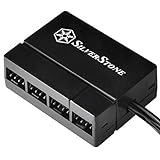
 SilverStone Technology 8-Port PWM Fan Hub/Splitter for 4-Pin2200µF2.13 x 0.75 x 1.57 inches0 poundsCheck on Amazon

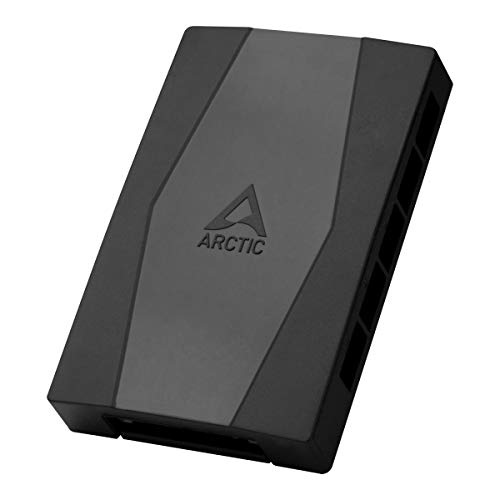
Top 3 picks at a glance
How each device is wired
Splitters pull from the header
A simple Y-splitter or daisy chain takes one motherboard header and branches it to two, three or more fans. All the power those fans consume flows through that single header. Motherboard fan headers are typically rated for 1 A, or about 12 W. A standard 120 mm fan draws 0.1–0.25 A, so three or four fans is usually safe, but six high-RPM fans can exceed the limit and stress the header.
Hubs pull from SATA or Molex
A powered hub connects to a SATA or Molex power lead directly from the PSU, so the motherboard header only sends the PWM control signal, not the current. That lets one header command eight, ten or more fans without any risk to the board. The header still reads RPM from one reference fan on the hub.
| Factor | Splitter | Powered hub |
|---|---|---|
| Power source | Motherboard header (~1 A limit) | SATA/Molex from PSU |
| Safe fan count | 2-4 | 6-10+ |
| RPM reported | One fan only | One reference fan |
| PWM control | Yes, shared | Yes, shared |
| Extra cabling | Minimal | SATA lead required |
Choosing for your build
For two to four fans on a single zone, a splitter is the cleaner, cheaper answer with no extra power cable to route. Once you pass four fans, or if you run high static pressure radiator fans that each pull 0.3 A or more, switch to a powered hub so you are not gambling with the header’s current rating. A hub is also the tidier solution for a big airflow case where six or more intake and exhaust fans should all follow one curve.
The RPM reading catch
Both devices report the speed of only one fan back to the motherboard, because a header can only read a single tachometer signal. If a non-reference fan fails, your monitoring software will not warn you, since the reference fan keeps reporting a healthy number. Plan to spot-check fans visually now and then, and connect your most critical fan as the reference where possible.
Wiring it up without surprises
Whichever route you choose, connect the reference fan, the one whose tachometer the board reads, to the port marked with the RPM or CPU_FAN label on the hub, so your monitoring reflects a fan you care about. On a splitter, only the first branch usually carries the tach wire back; the others have that pin blanked to avoid confusing the header with multiple conflicting signals. That is by design and not a defect.
For a powered hub, route the SATA lead before you tidy the rest of the build, because it is easy to forget and a hub with no power will leave every attached fan dead even though the PWM signal is present. Test at first boot by entering the BIOS fan menu and sweeping the curve from 0 to 100%; every fan on the device should respond together. If one fan lags or buzzes, it is often an incompatible mix of a 3-pin DC fan on a 4-pin PWM chain, so keep fan types consistent across a single hub or splitter for predictable behavior.
FAQ
Will a splitter make my fans spin slower?
No. A splitter passes the same 12V and PWM signal to every fan, so they all run at the commanded speed. It only becomes a problem if the combined current exceeds the header rating, at which point fans may stutter or the board may throttle output.
Do I lose individual fan control with a hub?
Yes. Every fan on one hub follows the same PWM curve from that header. If you want intake and exhaust fans to ramp differently, use separate hubs or splitters on different headers, one per zone.
Bottom line
Use a splitter for small groups of two to four low-draw fans, and a powered hub the moment you scale past that or run current-hungry radiator fans. The hub removes any load worry by pulling power from the PSU, while both share one PWM curve and report a single RPM. Match the device to your fan count and you will never trip a header again.









