
Every power supply spec sheet flashes an 80 Plus badge, and Bronze sits near the bottom of the ladder above white and standard. It is also the cheapest tier that most reputable brands still ship, which raises a fair question for budget builders: is Bronze actually good enough, or is paying up for Gold worth it? The honest answer is that Bronze is fine for most people, with a few clear exceptions.
As an Amazon Associate we earn from qualifying purchases at no extra cost to you.


Our Top Picks
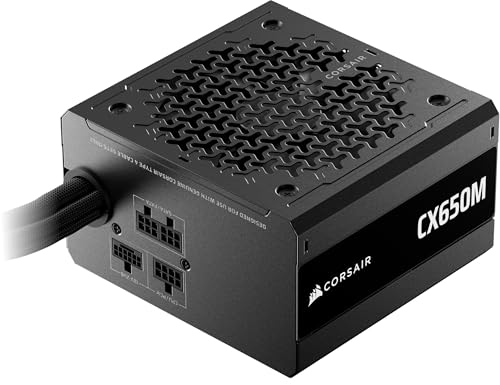
 CORSAIR CX750 80 Plus Bronze Non Modular Low-Noise750 Watts4.92 x 5.91 x 3.39 inches4.41 PoundsCheck on Amazon
What the 80 Plus tiers actually measure
The rating measures efficiency, meaning how much wall power reaches your components versus how much is wasted as heat. It says nothing directly about build quality, though higher tiers tend to come with better internals. Here is roughly how the tiers compare at a typical 50 percent load on a 115V system.
| Tier | Efficiency at 50% load | Typical price premium |
|---|---|---|
| 80+ White | ~82% | Baseline |
| 80+ Bronze | ~85% | Varies |
| 80+ Gold | ~90% | Varies |
| 80+ Platinum | ~92% | Varies |
What the difference means for your bill
The efficiency gap between Bronze and Gold is only about 5 percentage points. On a system that pulls 350W from the wall while gaming, that is roughly 20 extra watts of waste heat for Bronze. That means the price premium for Gold can take two to four years to pay back purely on power savings.
Where Bronze makes sense
For a mainstream 1080p or entry 1440p build using a mid-range GPU and a 550W to 650W unit, a quality Bronze supply from a trusted brand is a smart use of money. The savings are better spent on more RAM or a faster SSD.
Where you should step up
Choose Gold or better when the unit will run hard for long hours, when you live somewhere hot and want less waste heat, or when you are buying a high-wattage 850W-plus unit where the efficiency gap represents more absolute watts. Small form factor SFX builds also benefit, since less waste heat is easier to cool in a tight case.
Quality matters more than the badge
A well-built Bronze unit beats a cheap Gold one every time. Look at the warranty length, which often signals confidence: three to five years is reassuring, and premium units stretch to ten. Prioritise a reputable platform over chasing a shinier sticker.
How to decide for your specific build
Rather than agonising over the badge, run a quick mental checklist. First, estimate your peak system draw and pick a wattage that puts you near 50 to 60 percent load. Second, decide how many hours a day the machine runs hard. Third, factor in your climate and how much waste heat you want dumped into the room. If the hours are light and the wattage is modest, Bronze is the rational choice; if the machine runs long hours at high wattage in a warm space, Gold starts to pay for itself.
It is also worth remembering that the resale and longevity picture slightly favours higher tiers, since premium units tend to ship with longer warranties and better capacitors. A ten-year warranty on a Gold or Platinum unit signals a manufacturer confident it will outlast several builds, which has value beyond the raw efficiency math. Even so, that is a reason to buy a quality unit, not necessarily an expensive one, and plenty of Bronze models come from the same reputable platforms as their Gold siblings.
FAQ
Will a Bronze PSU run slower than a Gold one?
No. Efficiency has no effect on frame rates. Both deliver the same clean power to your components; the Gold unit simply wastes slightly less as heat while doing it.
Is Bronze safe for a high-end GPU?
It can be, provided the unit is a quality model with enough wattage and proper PCIe cabling. For the highest-end cards with big power spikes, an ATX 3.1 rating matters more than the efficiency tier.
Bottom line
For a typical mid-range gaming PC, 80 Plus Bronze from a reputable brand is genuinely good enough and frees up budget for parts that affect performance. Step up to Gold when wattage is high, run hours are long, or heat is a concern, but never treat the badge as a substitute for build quality.









