You have your tower cooler mounted, and now there is one question that trips up nearly every first-time builder: which way does the fan blow? Get it wrong and your CPU runs hotter for no reason, with the fan fighting your case airflow instead of helping it. The rule is simple once you understand how air should move through the case, and it takes ten seconds to check.
As an Amazon Associate we earn from qualifying purchases at no extra cost to you.

Our Top Picks
The basic rule: blow toward the exhaust
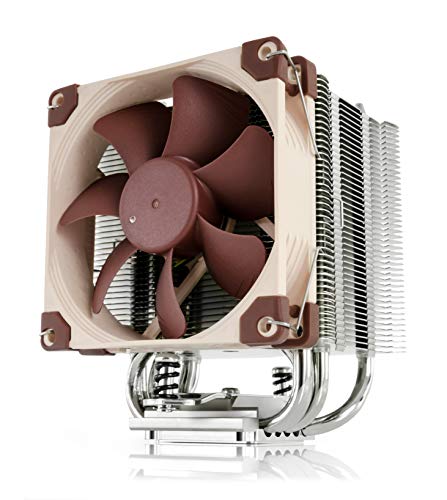
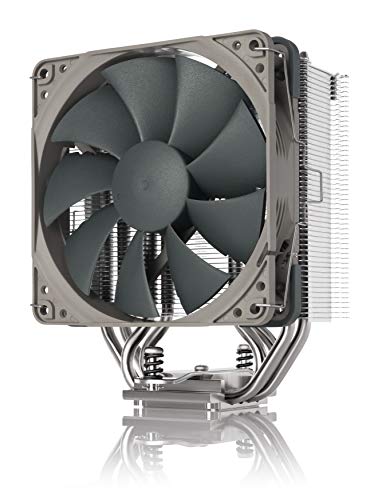
A CPU tower cooler’s fan should push air through the fin stack in the same direction your case moves air overall, which in a standard build is front-to-back. That means the fan sits on the front side of the heatsink and blows air toward the rear exhaust fan, so cool intake air passes through the fins and the heated air leaves the case immediately.
How to read the fan’s direction
Every fan moves air from the side with the smooth, open blades toward the side with the support struts and the frame’s arrow. The little arrows moulded into the fan frame tell you both airflow and rotation direction. Point the airflow arrow toward the back of the case, and you are set.
| Setup | Fan faces | Result |
|---|---|---|
| Standard tower | Front intake toward rear | Best, aligns with airflow |
| Reversed by mistake | Rear toward front | 2–5C hotter, fights airflow |
| Push-pull (2 fans) | Both front-to-back | ~1–3C better, louder |
| Top-exhaust case | Toward top vent | Fine if that is the exhaust |
Why direction changes temperatures
Working with airflow, not against it
Your case is a directed wind tunnel: intakes at the front pull cool air in, exhausts at the rear and top push warm air out. A CPU fan blowing front-to-back hands its heated air straight to the rear exhaust. A reversed fan blows hot air toward the front intakes, recirculating warmth back into the case and typically costing 2–5C on both the CPU and GPU.
When up-blowing makes sense
In some cases, especially those built around top exhaust with a bottom-heavy intake layout, orienting the cooler to blow upward toward the top vent can be correct. The principle never changes: blow toward wherever your case actually exhausts. For the overwhelming majority of builds that is the rear, so front-to-back is the answer.
Setting it up right
Mount the fan on the intake side of the heatsink with its airflow arrow pointing at the rear exhaust fan, and make sure the rear fan is set as exhaust. If you run a second fan in push-pull, both must point the same way so they cooperate rather than collide. Confirm the RAM clears the fan, and if you had to slide the fan up for tall memory, keep the direction identical. A quick hand behind the rear exhaust should feel warm air leaving; that tells you the whole chain is oriented correctly.
FAQ
Does reversing my CPU fan really make a difference?
Yes, usually 2–5C worse because the cooler ends up recirculating hot air toward the front intakes and working against the case’s airflow. It is one of the most common and easily fixed build mistakes, and correcting it costs nothing but two minutes.
Which way should the rear case fan blow relative to the cooler?
The rear case fan should be exhaust, blowing out, in the same direction the CPU cooler pushes air. That way the cooler hands its hot air directly to the exhaust, keeping the front-to-back flow clean and getting heat out of the case fast.
Bottom line
A CPU air cooler fan should blow through the heatsink toward your case’s exhaust, front-to-back in almost every build, so it works with your airflow instead of against it. Use the frame arrows to confirm direction, keep push-pull fans pointed the same way, and make sure the rear fan exhausts. Getting this right is free and reliably worth a few degrees on both CPU and GPU.