
Radiator length gets all the attention, but thickness is the quiet variable that decides whether a rad fits your case and how hard your fans have to work. A 30 mm slim radiator and a 45–60 mm thick one can share the same 360 mm footprint yet behave very differently. Here is what the extra millimeters buy and what they cost.
As an Amazon Associate we earn from qualifying purchases at no extra cost to you.

Our Top Picks

What thickness changes
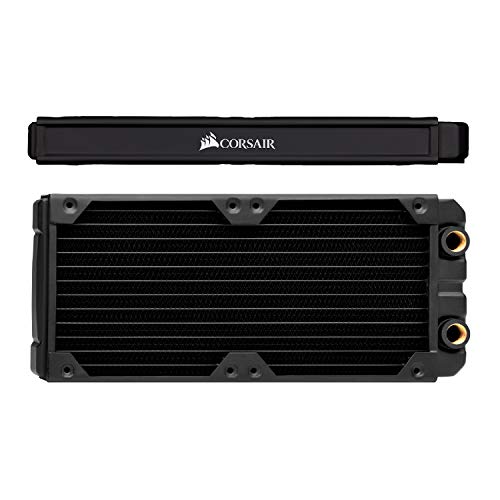
A thicker radiator packs more fins and coolant volume into the same area, giving more surface for heat exchange. That extra capacity mostly pays off at higher fan speeds, when there is enough air pressure to push through the denser core. At low RPM, a thick rad’s added restriction can cancel much of its advantage.
| Thickness | Class | Best fan type | Clearance need |
|---|---|---|---|
| 27-30 mm | Slim | Any fan | Easy, most cases |
| 38 mm | Standard | Balanced fans | Moderate |
| 45 mm | Thick | Static pressure | Check clearance |
| 54-60 mm | Extra thick | High static pressure | Often blocks RAM/GPU |
Slim versus thick in practice
Slim radiators
A 27–30 mm slim rad fits almost anywhere, including the front of tight cases and top mounts where RAM or VRM heatsinks would otherwise interfere. It performs well with ordinary fans at moderate speeds and is the safe choice when clearance is uncertain. The trade-off is a slightly lower ceiling for very hot components.
Thick radiators
A 45 mm+ thick rad extracts more heat when paired with strong static-pressure fans, making it worthwhile for high-wattage CPUs or push-pull setups. But it eats clearance fast: a thick front radiator plus fans can intrude on tall RAM or a long GPU, and a thick top rad may hit the motherboard’s top edge. Always measure before committing.
Fans matter as much as thickness
A thick radiator is only as good as the fans feeding it. Low static-pressure fans struggle to push air through a dense 45–60 mm core, wasting the extra capacity. If you go thick, budget for high static-pressure fans or a push-pull configuration to realize the benefit; otherwise a slim rad with the same fans often matches it.
Push-pull and where thickness really pays
Thick radiators come into their own in a push-pull configuration, where fans mount on both sides of the rad, one set pushing air in and the other pulling it through. The extra pressure forces air through the dense fin stack that a single fan would struggle to penetrate, unlocking the thick radiator’s full capacity. On a slim rad, push-pull adds far less because a single fan already moves air through the thin core easily, so the second set of fans mostly adds noise.
This is why thickness and fan strategy should be decided together, not separately. If you are cooling a hot CPU and have the clearance, a thick radiator in push-pull with strong static-pressure fans is a genuinely powerful setup. If you are space-constrained or want a quiet single-fan-per-slot build, a slim radiator gives you most of the performance with none of the clearance headaches. The worst outcome is a thick radiator choked by weak, low-pressure fans, which performs no better than a slim one while costing more and stealing precious space.
FAQ
Is a thicker radiator always better?
No. A thick radiator only outperforms a slim one when paired with strong static-pressure fans at higher RPM. At quiet, low fan speeds the added restriction limits airflow and the two perform similarly, while the thick rad costs you clearance.
Will a thick radiator fit in my case?
Check the case’s stated radiator clearance for that position, and remember to add fan thickness (usually 25 mm) to the radiator thickness. A 45 mm rad plus 25 mm fans needs 70 mm of clearance, which can conflict with tall RAM in a front mount or the board edge on top.
Bottom line
Slim 27–30 mm radiators fit nearly any case and cool mainstream parts quietly, making them the low-risk default. Thick 45 mm+ radiators reward high-wattage builds, but only with strong static-pressure fans and enough clearance to avoid RAM and GPU conflicts. Match thickness to your heat load and fans, and always measure total depth before buying.









