
A stripped screw head, a fan that rattles against the case wall, or a fastener that corrodes after a single season — these are the complaints that separate a reliable set of pc fan screws from a cheap plastic bag of mismatched hardware. Fans are among the most vibration-prone components in a build, and the screws holding them must withstand constant thermal cycling without loosening or stripping.
What actually matters in this category comes down to thread compatibility, material grade, and quantity relative to your build size. A 120mm case might need four screws per fan and eight or more fans total, while a compact ITX build gets by with a fraction of that. We compared published specs, pack sizes, and recurring owner feedback across the options below to identify which sets deliver consistent threads, which include the right mix of lengths, and which simply waste your money on fasteners that will never fit a fan mount.
As an Amazon Associate we earn from qualifying purchases at no extra cost to you.
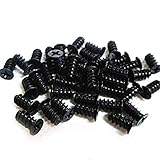



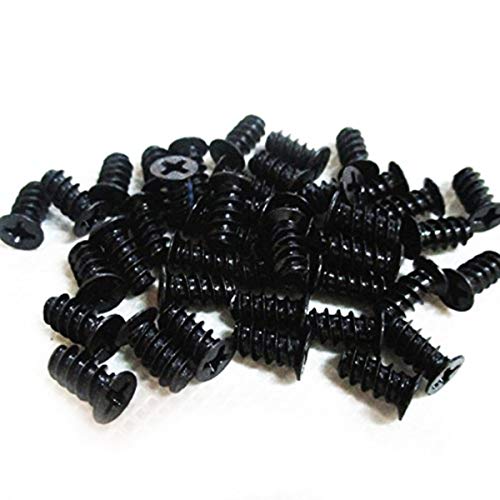
Quick answer: The best PC fan screws for mounting a fan to a case are short self-tapping screws about 10–12mm long, such as the Easycargo PC Case Fan Screws 50 Pack or the StarTech FANSCREW 50 Pack. Mounting fans to a radiator is a different job: you need 30mm machine screws in the radiator’s own thread, which is usually UNC 6-32, M3 or M4.
Top picks at a glance:
- Best for case fans: Easycargo PC Case Fan Screws (50 Pack Black)
- Best for 6-32 AIO radiators: 80Pcs PC Fan Screws (#6-32x30mm + M5x10mm)
- Best for M3 radiators: Alphacool Radiator Screw Kit M3x30mm/M3x5mm
- Best for M4 radiators: EKWB EK-Loop Phillips Head Screw Set M4x30mm
- Best for quiet builds: Noctua NA-SAV2 Anti-Vibration Mounts
- Best full-build kit: Kernmax 507Pcs Professional Screws Assortment Kit
Our Top Picks
 Kernmax 507Pcs Professional Computer Screws Assortment Kit#6-320.5 x 0.35 x 0.35 inchesCheck on Amazon
 30PCS Computer PC Fan Screws Kit for Computer6-32X30Mm, M5X10Mm0.28 x 0.65 x 0.85 inches0 PoundsCheck on Amazon
 Persberg 100pcs Computer Cooling Fan Mount ScrewsKB50.4 x 0.2 x 0.4 inches0.02 PoundsCheck on Amazon

Top 3 picks at a glance
Easycargo PC Case Fan Screws for 60mm, 70mm, 80mm, 90mm, 92mm, 120mm,...Check priceKernmax 507Pcs Professional Computer Screws Assortment Kit, Includes Motherboard Screws, Standoffs, PC...Check price30PCS Computer PC Fan Screws Kit for Computer Cooling Fan Mount with...Check priceQuick Picks
| Product | Best for | Price |
|---|---|---|
| Easycargo PC Case Fan Screws (50 Pack) | Multi-size fan support on a budget | Check price |
| Kernmax 507Pcs Screws Assortment Kit | Full system builds and repairs | Check price |
| 30PCS Computer PC Fan Screws Kit | Long and short screw combinations | Check price |
| Persberg 100pcs Cooling Fan Mount Screws | Bulk M5 mounts for 70-140mm fans | Check price |
| Computer Case Fan Screws (20 Pack) | Small case or single-fan replacement | Check price |
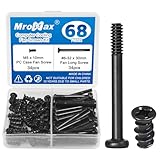
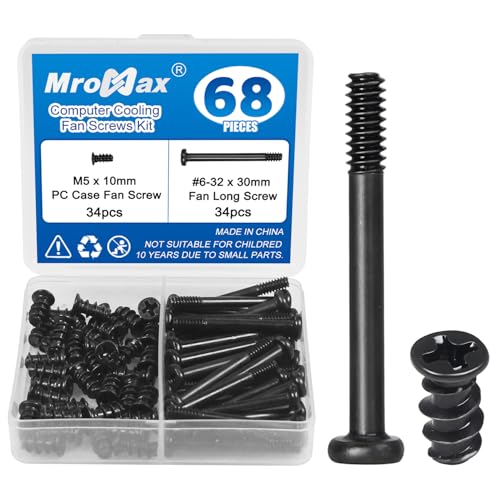
| MroMax 34 Sets Cooling Fan Screws Kit | Paired screw sets in a black tone | Check price |
| 400PCS Screws Motherboard Standoffs Kit | DIY builds needing universal hardware | Check price |
| 80Pcs PC Fan Screws | AIO coolers and standard case fans | Check price |
PC Fan Screws Compared: Thread, Length and Count
The table lists the thread, length and piece count each maker publishes. “Not listed” means the listing does not state it, so measure or ask the seller before buying for a radiator.
| Product | Type | Thread | Length | Count | Best for |
|---|---|---|---|---|---|
| Easycargo PC Case Fan Screws | Self-tapping | Not listed | Short (case fan) | 50 | 60–140mm case fans |
| StarTech FANSCREW | Self-tapping | Sold as standard fan screw | About 10–12mm | 50 | Plastic-framed case fans |
| Persberg 100pcs Fan Mount Screws | Fan screw | Listed as M5 | 10mm | 100 | Large multi-fan builds |
| Computer Case Fan Screws (20 Pack) | Fan screw | Not listed | Short (case fan) | 20 | One- or two-fan repairs |
| 30PCS Computer PC Fan Screws Kit | Mixed, stainless | #6-32 / M5 | 30mm / 10mm | 15 + 15 | One small AIO plus case fans |
| 80Pcs PC Fan Screws | Mixed | #6-32 / M5 | 30mm / 10mm | 30 + 50 | 360mm AIO plus case fans |
| Zmbroll 120Pcs Radiator Screws | Machine screw | UNC 6-32 | 30 / 32 / 35mm | 120 | Fine-tuning length on 6-32 radiators |
| CRJ 6-32 Extra Long Screws | Machine screw + washer | UNC 6-32 | 34mm | 20 + 20 washers | 30mm-thick fans |
| Alphacool Radiator Screw Kit | Machine screw | M3 | 30mm / 5mm | 12 + 12 | M3 radiators |
| EKWB EK-Loop Screw Set | Machine screw | M4 | 30mm | 20 | EK-Quantum Surface radiators |
| Noctua NA-SAV2 | Silicone mount | None (pull-through) | 61mm mount | 20 | Quiet case fans |
| MroMax 34 Sets Fan Screws Kit | Fan screw set | Not listed | Not listed | 68 | Black-themed builds |
| Kernmax 507Pcs Assortment Kit | Assortment | Mixed | Mixed | 507 | Full builds and repairs |
| 400PCS Screws Standoffs Kit | Assortment | Mixed | Mixed | 400 | Every fastener in a build |
PC Fan Screw Size Chart by Mounting Job
| Mounting job | Screw type | Typical length | Thread |
|---|---|---|---|
| 25mm fan to case panel | Self-tapping fan screw | 10–12mm | Cuts into fan plastic |
| 25mm fan directly on radiator | Machine screw | 30mm | Radiator’s thread (6-32, M3 or M4) |
| 25mm fan, case panel, then radiator | Machine screw | 32–35mm | Radiator’s thread |
| 30mm fan on radiator | Machine screw | 34–35mm | Radiator’s thread |
| Radiator to case without fans | Short machine screw | 5–6mm | Radiator’s thread |
| Fan to case, low noise | Silicone or rubber mount | Pull-through | None |
These are common starting points, not universal rules. Coolers with thick fan grilles, dust filters or recessed mounting rails change the stack height, so measure the full stack and check the cooler manual.
How we chose the added picks: the radiator kits and mounts above were selected from published maker specifications (thread, length, count) and cooler documentation from EKWB, Alphacool and Noctua, then matched to the mounting jobs in this chart. The picks are research-based and were not installed by us. Where a listing does not state a thread or length, the table says so rather than guessing.
How We Compared
We evaluated each option on four criteria: thread standard compatibility (does the kit cover both #6-32 and M5 mounts?), material quality (stainless steel versus low-grade plated steel that rusts or strips), quantity-to-price ratio relative to typical build needs, and consistency of owner feedback regarding thread accuracy and packaging. Kits that included only one thread type scored lower because they limit versatility across motherboard, drive, and fan positions within the same case.
The 8 Best Pc Fan Screws in 2026
Easycargo PC Case Fan Screws (50 Pack Black)
This set suits builders who need a single affordable package covering fan sizes from 60mm through 140mm without thinking about thread length compatibility across multiple vendors. The black finish matches modern case interiors, and fifty pieces handle a mid-tower with five or six fans comfortably.
- Covers seven distinct fan sizes in one package
- Lowest per-screw cost among the multi-size options here
- Some owners report inconsistent thread depth on select screws from the batch
Skip this if your case uses rubber grommets or anti-vibration mounts — these are standard tapping screws and will not pair with those accessories.
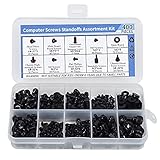
Kernmax 507Pcs Professional Screws Assortment Kit
Targeted at system integrators and repair technicians, this 507-piece kit includes motherboard standoffs, SSD screws, hard drive screws, and fan screws in a single organizer. It is overkill for someone who only needs to replace two case fans, but ideal for a shop or a builder assembling from scratch.
- Complete hardware solution eliminates multiple separate purchases
- Sorted case keeps small fasteners accessible during assembly
- Bulk packaging adds weight and cost you will not use if you only need fan screws
Skip this if you already have a well-stocked hardware drawer or need only a handful of fan screws for a single upgrade.
30PCS Computer PC Fan Screws Kit
Designed for builders who need both long tapping screws (#6-32x30mm) for motherboard-adjacent fan positions and short M5x10mm screws for direct case mounts, this fifteen-and-fifteen split covers the two most common mounting scenarios in a single purchase. Stainless steel construction resists corrosion in humid environments.
- Stainless steel threads resist rust and stripping better than plated alternatives
- Dual-length design matches both common fan screw specifications
- Thirty pieces is tight for a case with more than five fans
Skip this if your build uses rubber grommet mounts or if you need more than thirty fasteners for a large multi-fan configuration.
Persberg 100pcs Cooling Fan Mount Screws (M5x10 Black)
For builders standardizing on M5 threads across 70mm to 140mm fans, Persberg delivers one hundred identical screws in black — enough to mount twenty-five fans with spares for replacement. The uniformity means you never waste time sorting by length or thread.
- Generous count handles large builds and provides a supply for future replacements
- Consistent M5x10 spec removes guesswork during installation
- Does not include longer screws for fan positions that pass through drive bays or thick brackets
Skip this if any of your fans mount with #6-32 threads or if you need varying screw lengths in one package.
Computer Case Fan Screws (20 Pack)
The entry point for pc fan screws on this list, this twenty-pack targets someone who has lost or stripped a single fan mount and needs a quick replacement without buying a hundred-piece kit. It covers the common 70mm through 140mm fan range at the lowest absolute price here.
- Lowest total cost of any option on this list
- Appropriate count for a one- or two-fan repair
- Plated steel rather than stainless, making it less durable over long thermal cycles
Skip this if you are building from scratch or need fasteners for anything beyond a simple replacement.
MroMax 34 Sets Cooling Fan Screws Kit (Black)
Thirty-four sets means 68 pieces in total, two per set. The listing calls it a cooling fan screws kit in a black tone but does not say what the second piece in each set is, so confirm whether rubber anti-vibration parts are included before choosing it for a silent build.
- 34 paired sets (68 pieces) in one pack
- Black tone finish blends with dark case interiors without visible contrast
- Listing does not state the thread, the length or what the paired piece is
Skip this if you need a confirmed thread and length, or if you want proven anti-vibration mounts (see the Noctua options below).
400PCS Screws Motherboard Standoffs Assortment Kit
Similar in philosophy to the Kernmax kit but with a broader component spread, this four-hundred-piece set includes standoffs, HDD, SSD, fan, power supply, and graphics card screws. It is the right call when you want one box that handles every fastener position from the case panel to the GPU bracket.
- Covers more motherboard and drive positions than any dedicated fan-only kit
- Universal compatibility across standard ATX and micro-ATX layouts
- Only a portion of the contents are fan-specific, so dedicated buyers pay for hardware they will not use
Skip this if you only need fan screws and already own the other hardware types in your collection.
80Pcs PC Fan Screws (#6-32x30mm + M5x10mm)
This kit is built for AIO cooler installations, where the fan-to-radiator screws are typically #6-32x30mm and the case fans mount with M5x10mm hardware. Thirty long screws cover the 12 fan screws of a single 360mm AIO fan set, or up to 24 for a push-pull setup, while the fifty short ones handle case fans plus spares.
- Thread-and-length combination is pre-matched to common AIO mounting requirements
- Eighty pieces provides comfortable margin for multiple radiator positions
- Not optimized for builders who only mount standard case fans without a liquid loop
Skip this if your build is air-cooled and every fan uses the same thread specification.
More PC Fan Screws for Radiators and Quiet Builds
The eight picks above cover case fans and general kits. Radiators are where most fan-screw mistakes happen, because each radiator is tapped for one specific thread. The six picks below cover the three common radiator threads, thick fans and screw-free silicone mounts.
StarTech FANSCREW 50 Pack — Best Name-Brand Case Fan Screws
The StarTech FANSCREW is a plain pack of 50 self-tapping case fan screws from a long-running IT accessories brand. It is the replacement to keep in a parts drawer for standard plastic-framed fans.

Key specs: 50 self-tapping screws · Phillips head · about 10–12mm long · silver finish
- Made for standard plastic-framed case fans from 60mm to 140mm
- Self-tapping thread cuts its own path into the fan’s plastic mounting hole
- Enough for 12 fans at four screws each
- Retailer listings disagree on the thread label (M5 vs. 6-32), so treat it as a fan-frame screw only
Pros:
- Consistent, well-known brand for office and build-shop stock
- Correct length for a 25mm fan screwed through a typical case panel
- Large enough pack for a full build plus spares
Cons:
- Silver heads stand out in black interiors
- Not a machine screw, so it will not thread into a radiator
Skip it if… you are mounting fans to an AIO radiator. Choose a 30mm screw in the radiator’s thread instead.
Noctua NA-SAV2 Anti-Vibration Mounts — Best for Silent Case Fans
The Noctua NA-SAV2 replaces screws with soft silicone pull-through mounts. Because the fan never touches the case through metal, less motor vibration reaches the side panel, which is where humming and rattling usually come from.

Key specs: 20 silicone mounts · up to 5 fans · fits standard 4.3mm fan holes · 61mm mount length · 6-year warranty
- Works with most open-flange fans and all current 25mm Noctua fans
- Double-sided design makes pulling through easier in tight spots
- Also sold in chromax colors, including black, white, red and blue
- No tools needed
Pros:
- Decouples the fan from the case for lower vibration noise
- Faster than screws once you learn the pull-through method
- Color options match themed builds
Cons:
- Case-fan positions only; not for radiators
- Pulling the mount through takes firm effort
Skip it if… your fans have closed corners or are slimmer than 25mm. The Noctua NA-SAV4 handles those.
Alphacool Radiator Screw Kit M3x30mm/M3x5mm — Best for M3-Thread Radiators
The Alphacool Radiator Screw Kit gives you both screws a triple-fan radiator needs: long ones that pass through a fan into the radiator, and short ones that hold the radiator to the case.

Key specs: 12x M3x30mm fan screws · 12x M3x5mm radiator screws · M3 x 0.5 thread · black finish
- 30mm screws suit standard 25mm-thick fans mounted directly on the radiator
- 5mm screws go through the case panel straight into the radiator
- Covers one 360mm or 420mm radiator with three fans
- Machine thread, not self-tapping
Pros:
- Both lengths in one pack, so nothing is left unmatched
- Short radiator screws reduce the risk of piercing the core
- Low cost for a complete radiator set
Cons:
- Fits M3-tapped radiators only
- 30mm is too short for 30mm-thick fans
Skip it if… a test screw from your radiator’s box is UNC 6-32 or M4.
CRJ 6-32 UNC Extra Long Screws (34mm) — Best for 30mm-Thick Fans
Thick fans such as 30mm-deep performance models leave a standard 30mm screw with almost no thread engaged in the radiator. The CRJ set adds a few millimeters of length plus washers to spread the load.

Key specs: 20 screws · 20 washers · UNC 6-32 thread · 1-3/8 in (34mm) long
- Sold for 25mm and 30mm fans on 6-32 radiators
- Washers sit under the screw head and protect plastic fan frames
- Enough for five fans
Pros:
- Extra reach for thick fans or a fan plus thin case panel
- Washers reduce the chance of cracking a fan corner
- Covers a 360mm push setup with spares
Cons:
- With a 25mm fan and no panel, 34mm may reach too deep into the radiator
- 6-32 thread only
Skip it if… you run standard 25mm fans directly on the radiator. A 30mm screw is the safer length.
EKWB EK-Loop Phillips Head Screw Set M4x30mm — Best for EK and Other M4 Radiators
The EKWB EK-Loop screw set is the official spare for EK-Quantum Surface radiators, which are tapped for M4 rather than the 6-32 or M3 found on most AIOs.

Key specs: 20 screws · M4 thread · 30mm · Phillips head · black oxide steel
- Made for EK-Quantum Surface S, P and X series radiators
- Sized for 25–27mm-thick fans mounted directly or through a case fan mount
- Also useful when a thick case panel makes the supplied 5mm radiator screws too short
Pros:
- Correct M4 thread for EK custom-loop radiators
- 20 screws cover a 360mm push-pull setup with spares
- Black finish blends with dark radiators
Cons:
- Will not fit 6-32 or M3 radiators
- Too short for 30mm-thick fans
Skip it if… you have an AIO cooler. Check its manual first; most AIOs do not use M4.
Zmbroll 120Pcs #6-32 Radiator Screws (30/32/35mm) — Best Length Assortment for 6-32 Radiators
The Zmbroll set solves the “almost long enough” problem. With three lengths in one box, you can match the screw to a fan alone, a fan plus case panel, or a fan with a filter or bracket in between.

Key specs: 120 screws · UNC 6-32 thread · 30mm, 32mm and 35mm lengths
- Sold as long radiator mounting screws for 6-32 radiators
- Three lengths cover fan-only and fan-plus-panel stacks
- Large count suits push-pull setups and several builds
Pros:
- Lets you pick the shortest length that still engages fully
- Enough screws for multiple radiators
- Low cost per screw
Cons:
- 6-32 only
- Mixed lengths must be sorted before a build
Skip it if… you only need one radiator’s worth. The 80Pcs kit above already includes thirty 30mm 6-32 screws.
Also Consider
Noctua NA-SAV4 — Best Silicone Mounts for Slim and Closed-Corner Fans

Key specs: 16 silicone mounts · up to 4 fans · flush case-side head · fits open-corner and 10–25mm closed-corner fans
The Noctua NA-SAV4 sits flat against the outside of the case for a cleaner look than the NA-SAV2. Trade-off: you push each mount in from inside the case first, which is slower when swapping fans often.
Honbay 40PCS Rubber Anti-Vibration Fan Rivets — Best Budget Screw-Free Mounts
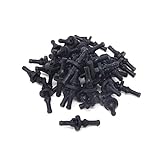
Key specs: 40 rubber pins · enough for 10 fans · black
The Honbay rivets give most of the vibration benefit of silicone mounts at a lower cost per fan. Trade-off: the rubber is generic, so fit in thick case panels varies more than with Noctua’s numbered pawls.
Easycargo 80pcs PC Fan Screw Kit with Nylon Patch — Best Anti-Loosening AIO Kit

Key specs: 30x UNC 6-32 30mm · 50x 10mm · blue nylon thread patch · black carbon steel
The nylon patch resists backing out from vibration, which suits radiators mounted in the top of a case. Trade-off: patched screws take more force to turn and lose some grip after repeated removal.
Buying Guide
Thread Standard: Self-Tapping Versus Machine Thread
Most case fans mount with self-tapping screws that cut their own thread into the fan’s plastic corner, so an exact thread match matters less there. Thread matters for radiators, which are pre-tapped for one specific machine thread, usually UNC 6-32, M3 or M4. These are not interchangeable, and a screw with the wrong thread will bind or damage the radiator’s threads. Check the cooler manual before buying. Multi-kit solutions that include more than one type in a single package remove some of the guesswork, especially for builders who mix fan brands across a single case.
Screw Length and Fan Position
Fan screws range from ten millimeters for a direct case-panel mount to thirty millimeters when the screw must pass through a drive cage, a thick bracket, or an AIO radiator. Using a screw that is too short leaves the fan unsupported at the far side; one that is too long can bottom out against the frame and crack plastic housings. Match length to the total material thickness at the mounting point, and buy kits that offer both options if your layout includes mixed positions.
Material and Finish
Stainless steel fasteners resist corrosion from internal humidity and do not gall or seize over repeated removal cycles. Plated carbon steel screws — common in the lowest-price options — can develop rust spots within months, especially in non-sealed case environments. For a one-time installation in a climate-controlled office, plated steel is acceptable. For gaming rigs, homelabs, or systems in coastal or high-humidity areas, the jump to stainless is worthwhile and only adds a marginal cost difference per screw.
Which PC Fan Screws Go Where: Case Fans, Radiators and Quiet Mounts
Fan screws are not one product. The right choice depends on what the fan is attached to, so start with the mounting job, then pick the thread and length.
Best fan screws for case fans
- Easycargo PC Case Fan Screws: self-tapping · 50 pack · black · 60–140mm fans
- StarTech FANSCREW: self-tapping · 50 pack · about 10–12mm · silver
- Persberg 100pcs Fan Mount Screws: listed M5 · 10mm · 100 pack · black
What to expect for case fans:
- The screw passes through the case panel and cuts its own thread into the fan’s plastic corner
- About 10–12mm is the right length for a 25mm fan on a normal steel panel
- Four screws per fan; a mid-tower with six fans needs 24
- Stop at snug: self-tapping screws strip plastic easily if overtightened
Best fan screws for AIO and custom-loop radiators
- 80Pcs PC Fan Screws: 30x 6-32 30mm · 50x 10mm · AIO plus case fans
- Alphacool Radiator Screw Kit: 12x M3x30mm · 12x M3x5mm · one triple-fan radiator
- EKWB EK-Loop Screw Set: 20x M4x30mm · EK-Quantum Surface radiators
- CRJ 6-32 Extra Long: 20x 34mm · washers · 30mm-thick fans
What to expect for radiators:
- Radiators are pre-tapped, so you need a machine screw in the exact thread: usually UNC 6-32, M3 or M4
- A 25mm fan mounted directly on the radiator takes a 30mm screw
- Add the case panel thickness when the radiator sits on one side of the panel and the fans on the other; 32–35mm is common
- Radiator-to-case screws are short, often 5–6mm, because anything longer can reach the core
Best fan mounts for quiet builds
- Noctua NA-SAV2: 20 silicone mounts · up to 5 fans · 4.3mm fan holes
- Noctua NA-SAV4: 16 flush mounts · up to 4 fans · slim and closed-corner fans
- Honbay 40PCS Rubber Rivets: 40 rubber pins · up to 10 fans · black
What to expect for quiet mounts:
- Silicone or rubber mounts replace screws in case positions only
- They cut vibration noise more than they cut airflow noise, so they help most with slow fans on thin panels
- Never use them to hold a radiator; they cannot support its weight
How to Identify the Thread on Your Radiator
Guessing the thread is the most common reason a radiator screw strips or refuses to start. Use this order of checks before you buy:
- Read the manual or spec sheet. Most coolers list the bundled screw size, such as “UNC 6-32 x 30mm” or “M3 x 30mm”.
- Compare with a bundled screw. Hold a spare original screw against the new one. 6-32 and M3 are close in diameter but not interchangeable, so match the thread pitch, not just the size.
- Test by hand. A correct machine screw turns several full rotations with finger pressure only. If it binds after one turn, stop: forcing it will damage the radiator’s threads.
- Know the brand patterns. EK-Quantum Surface radiators use M4, Alphacool radiators commonly use M3, and many AIO radiators use UNC 6-32. Treat these as starting points and confirm with your own model.
Fan Screw Mistakes That Damage Hardware
- Too-long radiator screws: a screw that passes the threaded mounting rail can touch the fins or puncture a water channel, causing a leak. Choose the shortest screw that engages at least a few full threads.
- Self-tapping screws in a radiator: they are not meant for pre-cut metal threads and can cross-thread the holes.
- Power drivers on plastic fans: a drill driver can crack fan corners in a second. Finish by hand.
- Mixing up the long and short screws: sort a radiator kit before you start, since 5mm and 30mm screws often look alike from the head.
- Skipping washers on thick panels: a washer spreads clamping force and protects fan frames when screws pass through filters or brackets.
Our Verdict
The Easycargo PC Case Fan Screws are the top overall pick for most builders because a single 50-pack covers 60mm to 140mm case fans. The Kernmax 507Pcs kit is the better buy only if you also need standoffs and drive screws for a full build. However, if your build is centered on an AIO liquid cooler, the 80Pcs PC Fan Screws kit wins outright because its 30mm long and 10mm short split matches radiator-and-fan mounting geometry precisely, making other options on this list a poor fit.
FAQ
What size screws are used for PC case fans?
Most case fans mount with self-tapping screws about 10-12mm long that cut their own thread into the fan’s plastic. Fans mounted on a radiator use 30mm or longer machine screws in the radiator’s own thread, usually UNC 6-32, M3 or M4. The correct size depends on your specific fan, case and radiator, not on the fan diameter alone.
Can I use any screw to mount a PC fan?
No. Using the wrong thread can damage a radiator’s threads or fail to engage properly, and an incorrect length can crack plastic housings or leave the fan inadequately secured. Always match the screw specification to the manufacturer’s documentation for your specific fan model.
Are fan screws different from other computer screws?
Case fan screws are usually self-tapping and about 10-12mm long, with a small head diameter that fits the recessed mounting holes on fan frames. Radiator screws are machine screws matched to the radiator’s thread. Both differ from motherboard screws, which are typically shorter and use a different head profile.
Do I need anti-vibration mounts with my fan screws?
Anti-vibration grommets or rubber washers reduce noise transfer from fan rotation into the case panel, which matters most in silence-oriented builds. They are optional for standard setups where fans operate at moderate RPM and case side panels already dampen some vibration.
What length screws do I need to mount a fan on a radiator?
Use 30mm screws for a standard 25mm-thick fan mounted directly on the radiator. If the case panel sits between the fan and the radiator, add the panel thickness and choose 32–35mm. For 30mm-thick fans, 34–35mm screws are usually needed. Always match the radiator’s thread.
Are PC fan screws M3 or 6-32?
Case fan screws are usually neither; they are self-tapping screws that cut into the fan’s plastic. Radiator screws are machine screws, most often UNC 6-32, M3 or M4, depending on the radiator maker. Check the cooler manual for the exact size.
Can a radiator screw that is too long damage my AIO?
Yes, a screw that is too long can puncture the radiator and cause a leak. Radiators have only a short threaded rail before the fins and coolant channels begin, so use the length the maker specifies and never force a screw that stops turning.
How many fan screws do I need for a build?
You need four screws per fan, so a six-fan case needs 24. A 360mm radiator adds 12 long fan screws plus 8 to 12 short radiator-to-case screws, depending on the case. Buying a pack with 20 to 30 percent spares covers drops and stripped screws.









