
Keeping a PC, ceiling fan, or HVAC intake running cool starts with clean dust filters — but nobody wants to unscrew fans and wrestle with cables or blade mounts every few weeks. The good news: for routine maintenance, you almost never have to. Cleaning filters in place takes five to ten minutes per unit and, done correctly, causes no damage to the fan or surrounding components.
Done badly, though, in-place cleaning causes real problems. Vacuuming with a stiff brush attachment can bend fan blades or snag exposed wires. Spraying liquid directly onto a filter can wick into motor bearings, causing whining, wobble, or premature failure. And blasting compressed air without holding the fan still can overspin the motor, generating voltage spikes that can damage electronics in the case of a PC. Below is a safe, repeatable method that avoids all three failure modes.
As an Amazon Associate we earn from qualifying purchases at no extra cost to you.

Our Top Picks
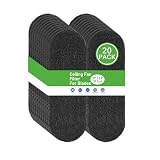
 10Pack Ceiling Fan Filters for Blades9.8 in ×3.5 in9.8 x 3.5 x 0.19 inches0.04 PoundsCheck on Amazon
What You Need
| Item | Why | Optional? |
|---|---|---|
| Soft-bristle brush (1–2 inch bristles) | Loosens surface dust without snagging wires or blades | No |
| Handheld vacuum with brush attachment (low suction setting) | Pulls loose dust away instead of pushing it deeper | No |
| Compressed air can (10–14 oz) or electric duster (rated 300–500 W) | Dislodges packed dust between mesh layers | Recommended |
| Microfiber cloths (2–3) | Catches falling dust and wipes the frame around the filter | No |
| Toothpick or plastic pick | Clears dust packed along filter edges and seams | Yes |
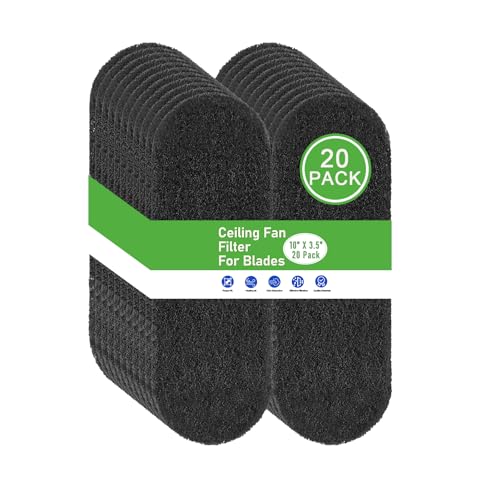
| Replacement adhesive filter pads (universal sizes, roughly $7–$20 per pack of 10–20) | Swap in fresh pads when cleaning is no longer enough; activated carbon versions also trap pollen and pet dander | Yes |
| Screwdriver (Phillips #2 or as needed) | Only for filters with swing-out or slide-out access panels | Yes |
Step-by-Step
1. Power Down and Let It Settle (2 minutes)
Turn off and unplug the device — the PC, the ceiling fan at the wall switch, or the HVAC system at the thermostat and breaker. For a PC, flip the PSU switch off and press the case power button for five seconds to discharge residual power. For a ceiling fan, wait until blades have fully stopped. Cleaning a running fan is how fingers, brushes, and filter pads get pulled into blades.
2. Locate and Open the Filter Access (2 minutes)
Most modern PC cases use magnetic or slide-out filters on the top, front, and bottom (under the PSU shroud) — pull them an inch and stop; do not fully remove if you want to keep this truly no-removal. For ceiling fans with adhesive blade filters, clean them in place on the blade. For intake grilles that are fixed, hold a microfiber cloth below the filter to catch debris.
3. Vacuum the Surface Layer (3–5 minutes)
With the vacuum on its lowest setting and brush attachment fitted, make light passes across the filter surface, working from the center outward. Keep the attachment a quarter-inch off the filter rather than pressing down — pressing can collapse fine mesh or, on a PC’s magnetic filters, pop them loose. For ceiling fan blade pads, use one short vacuum pass, then switch to brushing.
4. Brush Out Packed Dust (2–3 minutes)
Use the soft brush in short strokes parallel to the mesh, not against it. Dust that survives vacuuming usually sits in the first mesh layer; brushing lifts it so the next pass can capture it. Wipe the brush on your second microfiber cloth between passes.
5. Blow Out What Remains (2 minutes)
Hold the fan blades stationary with one hand (this is the critical step for any filter sitting directly in front of a fan) and blow short bursts — one to two seconds each — from the clean side of the filter toward the dirty side. This pushes dust out of the mesh instead of deeper in. Keep the can upright; tilting it sprays cold propellant that can leave moisture residue. If you’re using an electric duster, keep it at least six inches away from anything delicate.
6. Wipe, Inspect, and Re-Set (2 minutes)
Wipe the filter frame and surrounding housing with the microfiber cloth. Check the filter itself: if light no longer passes evenly through the mesh, or the material is greasy or discolored, cleaning has reached its limit. Magnetic PC filters can be rinsed under lukewarm water, dried fully for 24 hours, and re-seated — still no fan removal needed. Adhesive blade pads, however, cannot be washed; once saturated (typically 2–3 months), peel them off and press on fresh ones.
Mistakes to Avoid
Blowing air into an unsecured fan. Compressed air can spin a free fan to well past its rated speed, damaging bearings or, on PCs, generating a voltage back-feed. Always hold the blades still.
Spraying cleaners or water directly onto the filter in place. Liquid runs. Even a small amount reaching a motor, PCB, or ceiling fan’s wiring hub causes corrosion or shorts. Dampen a cloth instead — never the filter.
Using stiff brushes or paper towels. Abrasive materials stretch mesh and snag exposed wire strands near the fan hub.
Vacuuming at full suction against fine mesh. High suction can deform or tear filters under about 1 mm thick. Lowest setting, light contact, always.
Cleaning only the filter. Dust on the fan blades themselves rebalances the fan and adds noise. A wiped blade — even with the filter still on — extends the cleaning interval noticeably.
Skipping the dry time. A rinsed filter reinstalled damp traps moisture against the fan, encouraging rust and musty odors within weeks.
How Often
PC filters: every 2–4 weeks in dusty homes or homes with pets; every 2–3 months otherwise. Ceiling fan blade filters: vacuum/brush monthly; replace adhesive pads every 2–3 months, or monthly during heavy heating or cooling season when the fan runs daily. HVAC return filters near fans: check monthly and clean or replace per the filter’s MERV rating guidance.
A good rule: if you can see a gray film across the filter when light hits it at an angle, it’s due.
When to Call a Pro or Replace
Call an HVAC technician if a filter sits behind a sealed return-air assembly, if you notice dust streaking around register edges after cleaning (indicating duct leakage), or if the system pulls filter material into the housing — a sign of improper fit. For ceiling fans, call an electrician if the fan wobbles after cleaning, hums, or if you can’t reach the unit safely without leaning past a ladder’s guard rails; anything above about 10 feet warrants a pro.
Replace the filter itself when: the mesh is torn or permanently deformed; an adhesive pad is saturated with grease (kitchen fans especially); cleaning no longer restores airflow; or a washable filter still smells musty after drying.
FAQ
Can I clean dust filters without turning anything off?
Not safely. A running fan pulls loose dust deeper into the device and puts your fingers, brush, and cloth near spinning blades. Two minutes of shutdown time prevents the most common injuries and damage.
Is compressed air safe for magnetic mesh filters?
Yes, held 4–6 inches away with the fan blades secured. Very fine mesh (under 0.5 mm openings) can deform at close range, so keep bursts short and moving.
Do adhesive fan blade filters actually work?
They trap a meaningful amount of dust, pollen, and pet dander on the upward-facing blade surface, and activated carbon versions add odor reduction.
Can I wash a dust filter while it’s still installed?
No. Even a damp cloth is risky in place because liquid can wick toward the motor or circuitry. Only removable magnetic or slide-out filters should be rinsed, and they must dry fully — allow 24 hours — before going back.









