A 550W power supply is enough for most budget gaming PCs built around a mainstream processor and a mid-range graphics card, but only if the unit has a healthy 12V rail, the right connectors and a credible efficiency certification. The wattage printed on the box is the least interesting number on the label; what matters is how much of it is available on the 12V line, how clean that power is, and whether the unit is built to run at that load for years.
This guide is for builders putting together a first or second gaming rig where every part has to earn its place in the budget. The power supply is the component many people shortchange, because it adds no frame rate. It is also the part that feeds every other component, so a poor choice can show up later as random shutdowns, coil whine, or a graphics card that cannot get the connectors it needs. The sections below explain how to size a 550W unit to your parts list, which specifications to verify on the listing, and where cheap models quietly cut corners.
Is 550W Actually Enough for a Budget Gaming Build?
For many 2026 budget builds, yes. A typical entry-level gaming configuration pairs a six-core or eight-core processor with a graphics card whose total board power sits somewhere between a modest and a moderate figure. Add a single SSD, a couple of case fans and two memory sticks, and the whole system usually draws well below 550W even during a demanding game. The headroom is what keeps the power supply running in its comfortable range, where it is quieter and more efficient.
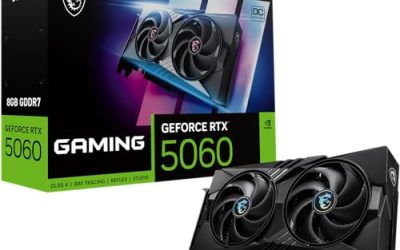
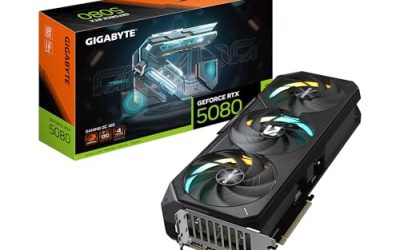
The place where 550W stops being enough is the upper end of the graphics market. Cards with high board power and large transient spikes, or processors that can pull a lot of power when overclocked, can leave a 550W unit with very little margin. If you plan to upgrade the graphics card within a year or two, look up the manufacturer’s listed system power for the card you might buy, and decide now whether 550W will still fit that plan or whether stepping up one tier saves you a second purchase later.
Add up the parts, then add margin
List the processor’s rated power, the graphics card’s total board power, and a modest allowance for the motherboard, memory, storage and fans. Compare the total with the power supply’s rating. A common rule among builders is to keep the expected sustained load well under the rated wattage so the unit is not working at its ceiling. Power supplies tend to run most efficiently around the middle of their load range, and a unit that is never pushed to its limit generally runs cooler and quieter.
Use the graphics card maker’s number
Graphics card manufacturers publish a listed minimum power supply wattage and the number and type of power connectors needed. Treat that figure as the starting point, not a suggestion to round down. If the listed figure is close to 550W, a quality unit will do the job, while a weak unit with the same label may not.
Specifications to Check on the Listing
A budget unit can look identical to a better one in a photograph. The differences are in the specification list and the manufacturer’s documentation. Here is what is worth reading before you buy.
12V rail capacity
Modern gaming PCs take almost all of their power from the 12V rail, because the processor and graphics card both draw from it. A 550W label tells you the combined output, but the 12V rating tells you what the CPU and GPU can actually pull. Look for a unit whose 12V output accounts for nearly all of its total rating. A unit that dedicates a large share to the old 3.3V and 5V lines is built for an older kind of PC and can leave you short where it counts.
Efficiency certification
The 80 Plus program rates efficiency at several load points, from the basic white level up through bronze, silver, gold, platinum and titanium. For a budget gaming PC, a bronze-rated unit is a sensible floor and a gold-rated unit is a reasonable upgrade if the listing shows it at a small premium. Higher efficiency means less wasted heat and, usually, a fan that spins slower. Be careful with listings that mention efficiency without naming a certification tier; the claim is only meaningful when it is tied to a recognized rating.
Connectors for your graphics card
Match the cables to the card before anything else. Count the PCIe power connectors the card needs and compare that with the number of PCIe cables the unit provides. Some newer graphics cards use a single high-power connector, and a power supply that follows the newer ATX 3.x standard may include a native cable for it, while an older unit would need an adapter. Also check that you have enough SATA and Molex connectors for any drives you plan to use, and that the CPU power cable is the right type for your motherboard.
Protections and build quality
Look for a listing that names the standard protection circuits: over-voltage, under-voltage, over-current, short-circuit, over-power and over-temperature protection. These are the features that help the unit shut down instead of passing a fault to your components. Also look at the warranty length, which is a useful signal of how much confidence the maker has in the design; longer terms are generally found on better-built units. A larger fan, often 120mm or 140mm, tends to move the same air at lower speed and lower noise than a small one.
Budget Power Supply Comparison Checklist
Use this table to compare any two 550W candidates side by side. It is qualitative on purpose, because the right answer depends on your parts list.
| Feature | What a stronger unit shows | What a weaker unit often shows |
|---|---|---|
| 12V output | Most of the total wattage is available on 12V | Large share reserved for 3.3V and 5V rails |
| Efficiency tier | Named 80 Plus level, bronze or better | Vague efficiency wording with no tier |
| Protection circuits | Full list of standard protections | Only a few protections, or none listed |
| Warranty | Multi-year coverage | Short or unclear coverage |
| Cabling | Right PCIe count, semi-modular or modular | Fixed cables, too few PCIe connectors |
| Fan | Larger fan, quiet at moderate load | Small fan that ramps up quickly |
| Standard | Current ATX standard named on the listing | Old standard, or no standard named |
Where Cheap Power Supplies Cut Corners
Because the power supply is hidden inside the case, it is the easiest place for a manufacturer to save money without the buyer noticing. The most common shortcuts are smaller or lower-grade capacitors, thinner wiring, fewer protection circuits and a small fan that has to spin fast to keep the unit cool. None of these show up in a headline wattage figure, which is why listings from lesser-known brands can look identical on paper to well-engineered units.
Another habit to watch for is inflated wattage labeling. A unit sold as 550W but rated for that output only at a low operating temperature, or only as a peak figure for a few seconds, will not behave like a true continuous 550W unit. Read the specification sheet for the continuous rating and the temperature at which it applies. If the sheet is not available on the listing, that absence is itself a piece of information.
You do not have to pay for the extras. Bronze efficiency, a clear warranty, a reasonable fan and a fully populated protection list are achievable at budget prices. The goal is to skip features that add cost without adding value, such as lighting or elaborate cable sleeving, and to spend that money on the fundamentals instead.
Before You Buy Checklist
- Write down your processor and graphics card, and find the graphics card maker’s listed minimum power supply wattage.
- Confirm the 550W unit’s 12V output is close to its total rating.
- Check for a named 80 Plus tier of bronze or better.
- Count the PCIe power connectors and match them to the graphics card.
- Confirm the form factor fits your case, whether standard ATX or a smaller size.
- Look for a full protection list and a multi-year warranty.
- Check cable length for your case, especially the CPU cable in a case with a rear-mounted power supply bay.
- Decide whether you want to leave room for a future graphics upgrade.
Frequently Asked Questions
Can a 550W power supply run a mid-range gaming graphics card?
In many builds it can, as long as the processor is not a high-power model and the graphics card is a mainstream one. Compare your card’s listed system power with 550W and confirm the unit provides the connectors the card needs. When the listed figure is higher than 550W, choose a larger unit instead.
Is a bronze 80 Plus rating necessary?
It is not required to run a PC, but it is a useful baseline. The rating shows the unit meets a defined efficiency standard at several loads, which usually means less heat and fan noise. Units without a clear certification are harder to evaluate.
Should I buy a modular power supply on a tight budget?
Modular and semi-modular cables make installation tidier and improve airflow, but they are not essential for performance. If budget forces a choice, prioritize 12V capacity, protections and warranty over cable type. A fixed-cable unit from a reputable design is a better buy than a modular unit with weak fundamentals.
Will 550W leave room for upgrades?
That depends on the upgrade. A modest processor or storage addition fits easily. Moving to a much more powerful graphics card may not, so check the listed figure for the card you are considering before you rely on 550W for the long term.
Related guides
More from Amazon
Programs that pair well with the guide above. Offers and eligibility are set by Amazon and may change.
Free shipping on eligible items, Prime Video and more. Eligible new members can start with a free trial.
Start a Prime free trialAd-free music streaming. Eligible new subscribers can start with a free trial.
Try Music Unlimited freeA Prime membership for ages 18-24 with a trial period. Eligibility is set by Amazon.
See Prime for Young AdultsAudiobooks and podcasts to listen to on the go. Eligible new members can start with a free trial.
Try Audible freeAs an Amazon Associate we earn from qualifying purchases.