
Most guides tell you to add fans, but the direction air travels through a case matters more than the raw fan count. The two dominant patterns are the classic front-to-back tunnel and the newer bottom-to-top chimney seen in fishbowl and dual-chamber cases. Each suits different hardware, and copying the wrong one leaves 5 to 10 C on the table.
As an Amazon Associate we earn from qualifying purchases at no extra cost to you.


Our Top Picks
 CORSAIR 7000D Airflow Full-Tower ATX PC Case7000 Series21.65 x 9.76 x 23.62 inches41.23 poundsCheck on Amazon


Top 3 picks at a glance
Front-to-back: the traditional tunnel
Cool air enters through front intakes, sweeps across the GPU and motherboard, and leaves through a rear and top exhaust. It is simple, predictable, and works with almost every tower on the market. Because the air rides horizontally, the GPU tends to breathe well while the CPU cooler catches slightly pre-warmed air after it passes the card.
When front-to-back shines
This layout is best for high-airflow mesh towers running a big air cooler or a front-mounted radiator. A typical setup of two or three 120 mm front intakes and one rear exhaust holds a 250 W GPU and a 150 W CPU comfortably in the low-to-mid 70s C under load.
Bottom-to-top: the chimney effect
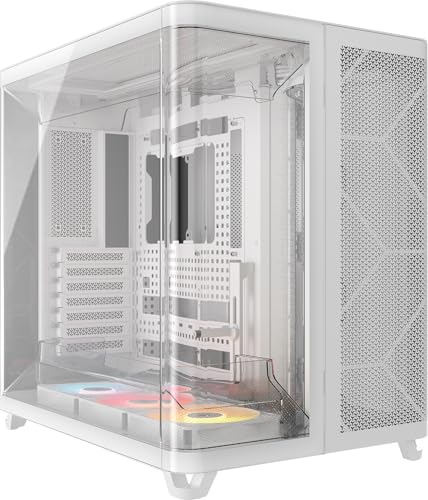
Dual-chamber and fishbowl cases pull cool air up from the floor, feed it straight into the GPU, and vent it out the top. This aligns the forced airflow with the natural rise of hot air, so the two do not fight each other. It also isolates the PSU and drives in a separate chamber, keeping their heat out of the main path.
| Layout | Best for | Typical GPU load temp | Weak point |
|---|---|---|---|
| Front-to-back | Air coolers, front rads | 68-74 C | CPU gets warmed air |
| Bottom-to-top | Hot GPUs, open builds | 64-70 C | Floor dust, carpet |
| Hybrid (front + bottom) | High-wattage dual load | 66-72 C | More fans, more noise |
The dust trade-off
Bottom intakes sit close to the floor, where dust and carpet fibers collect fastest. A chimney build needs a good bottom dust filter and a cleaning pass every 4 to 6 weeks, roughly twice as often as a front-intake tower placed on a desk. If your machine lives on carpet, front-to-back is the lower-maintenance choice.
Getting the pressure balance right
Whichever direction you pick, aim for slightly positive pressure by giving intake fans a small edge over exhaust, for example three intakes to two exhausts. Positive pressure pushes filtered air out through the gaps instead of sucking dusty air in through them, which keeps the interior clean regardless of layout.
FAQ
Can I mix both layouts in one case?
Yes, many modern cases support front intakes plus a bottom intake feeding the GPU directly. It is the strongest option for a hot dual-load build, but expect more fans, more wiring, and a few extra decibels of noise for the last few degrees.
Does the top exhaust really matter?
Heat rises, so a top exhaust removes the warmest air with the least effort. Skipping it traps a pocket of hot air under the lid that slowly raises VRM and RAM temperatures, especially in a sealed solid-panel case.
How panel type changes the math
The case’s front and side panels shape airflow as much as the fan layout. A solid or heavily restricted front panel starves front intakes no matter how many fans you bolt on, which is why mesh-front cases dominate airflow rankings. If you own a solid-front design and want the front-to-back tunnel to work, look for side or bottom intake paths, because pulling air through a closed front is like breathing through a straw.
Tempered-glass side panels look great but block any side intake, pushing you toward front or bottom air paths. This is one reason bottom-to-top chimney cases pair so naturally with glass showcases: the intake comes from the floor where a glass side does not get in the way. Plan the airflow direction and the panel choice together rather than treating them as separate decisions.
Where should I mount an AIO radiator in each layout?
In a front-to-back build, a front-mounted radiator as intake gives the coolest coolant but sends warmed air over the GPU, while a top-mounted radiator as exhaust keeps the GPU fed with fresh air at a slightly higher coolant temperature. In a bottom-to-top build, a top radiator aligns with the exhaust flow and is usually the cleanest choice.
Bottom line: match the airflow direction to your hardware. Front-to-back is the safe default for air coolers, while bottom-to-top rewards hot modern GPUs as long as you stay on top of floor dust.









