
Builders often pour their budget into a giant cooler and then wonder why temperatures are still high in a sealed, fan-starved case. Others buy an airflow monster of a chassis and skimp on the cooler. Both are half-solutions. Understanding how case airflow and the CPU cooler divide the work explains where your next upgrade dollar actually belongs.
As an Amazon Associate we earn from qualifying purchases at no extra cost to you.




Our Top Picks



Top 3 picks at a glance
Two jobs, one system
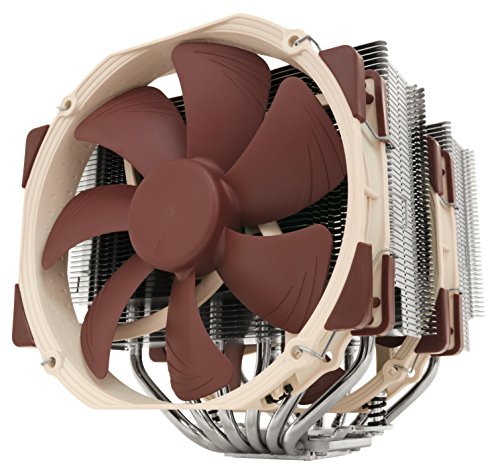
The CPU cooler moves heat from the processor into the air immediately around it. Case airflow then removes that warmed air from the chassis and replaces it with cooler outside air. Neither works well without the other. A powerful cooler dumping heat into a box with no ventilation just raises the internal temperature until everything runs hot; great case airflow feeding a weak cooler still leaves the CPU bottlenecked at the die.
The intake temperature link
Here is the key connection: a cooler can only be as effective as the air it is fed. If case airflow is poor and internal air sits at 45°C instead of 30°C, your cooler is working against a hotter baseline and the CPU rises accordingly. Improving case airflow effectively lowers the temperature of the air your cooler breathes, which benefits the CPU, GPU, VRMs, and drives all at once.
| Configuration | Typical result |
|---|---|
| Strong cooler, poor case airflow | Heat trapped; CPU and everything else run hot |
| Weak cooler, strong case airflow | Case stays cool but CPU throttles at the die |
| Balanced cooler and airflow | Lowest, most stable temps system-wide |
| Both weak | Throttling and noise under load |
Which to prioritize if money is tight
If you are starting from a genuinely bad case — solid front panel, one exhaust fan, cramped interior — fixing airflow usually gives the biggest whole-system improvement, because it helps every component and not just the CPU. If your case already has good mesh intake and two or three fans but you are running a stock or budget cooler on a hot chip, upgrading the cooler is the better move. Diagnose the weaker link rather than assuming the cooler is always the answer.
Simple airflow wins
Case airflow improvements are often cheap. Adding one or two intake fans, switching a restrictive solid front for a mesh case, balancing intake and exhaust for slight positive pressure, and cleaning dust filters can each shave several degrees. A tidy interior with cables routed behind the tray also lets air move freely. These changes cost little yet raise the ceiling for whatever cooler you run.
Getting the balance right
Aim for a case with clear front intake and rear or top exhaust, then pair it with a cooler matched to your CPU’s power draw. A mid-range chip is happy with a good single-tower air cooler in a well-ventilated case; a hot flagship wants a premium dual-tower cooler or a 360mm AIO and strong airflow to feed it. The two upgrades compound — do both proportionally and temperatures drop further than either alone.
Frequently asked questions
Will a better CPU cooler fix high temps in a poorly ventilated case?
Only partly. A stronger cooler moves more heat off the CPU, but if the case cannot exhaust that heat, internal air warms up and the cooler loses effectiveness. In a genuinely stuffy case, adding intake and exhaust fans often helps more than a cooler upgrade because it lowers the baseline air temperature everything shares.
Can good case airflow replace a good cooler?
No. Airflow controls the air around the cooler, but it cannot pull heat off the die faster than the cooler allows. A weak cooler on a hot CPU will throttle at the processor no matter how well the case breathes. You need an adequate cooler and adequate airflow; they solve different halves of the problem.
Bottom line
Case airflow and the CPU cooler are partners, not rivals. The cooler pulls heat off the chip; airflow clears it from the case and keeps intake air cool. Fix whichever is weaker first — cheap airflow upgrades usually win in a stuffy case, a cooler upgrade wins when ventilation is already good — and balance the two for the lowest, quietest temperatures across the whole system.









