
The AsiaHorse 16AWG Pro six-cable kit is the best sleeved PSU extension set in this group for most builds, because it includes a 24-pin, two EPS and three PCIe cables, which covers boards with dual CPU power and cards with several 8-pin plugs. If your build is simpler, one of the four-cable AsiaHorse kits or the EZDIY-FAB 18AWG set does the job. Sleeved extension cables plug into your power supply’s stock cables and add a braided, color-matched run with combs for tidy lines. All six listings sit in the 30cm class.
Our Top Picks


Top 3 picks at a glance
Quick List
- AsiaHorse 16AWG Two-Color Comb Kit – best for a four-cable set with a two-color comb look
- AsiaHorse 16AWG Pro Six-Cable Kit – best for dual-EPS boards and cards with multiple PCIe plugs
- AsiaHorse Upgraded 16AWG Four-Cable Kit – best for a standard single-CPU build with a custom color scheme
- EZDIY-FAB 18AWG Four-Cable Kit – best for a PET-sleeved, 30cm set for a plain black build
- AsiaHorse White-Connector Six-Cable Kit – best for white-themed builds with dual EPS
- AsiaHorse 16AWG Comb Kit (24P/8P) – best for a straightforward four-cable replacement kit
Which One Is Right for You?
Count your connectors first: one 24-pin, one or two CPU plugs, and the PCIe plugs on your graphics card. Then choose between a four-cable kit and a six-cable kit, and only then think about color.
| If you… | Choose |
|---|---|
| have a board with two CPU power sockets or a card with three PCIe plugs | AsiaHorse 16AWG Pro Six-Cable Kit |
| are building white and need the full six-cable set | AsiaHorse White-Connector Six-Cable Kit |
| prefer 18AWG PET sleeving and a plain look | EZDIY-FAB 18AWG Four-Cable Kit |
| want a two-color comb finish on a four-cable kit | AsiaHorse 16AWG Two-Color Comb Kit |
| need the basics for a single-CPU build | AsiaHorse Upgraded 16AWG Four-Cable Kit |
| want a simple four-cable replacement with combs | AsiaHorse 16AWG Comb Kit (24P/8P) |
Remember that these kits extend the cables your power supply already provides, so they do not shorten anything. In a small case, a 30cm extension may not be needed at all. In a mid-size case with a tall tray, it lets you run cables where you want them.
All 6 Picks in Detail
1. AsiaHorse 16AWG PSU Extension Kit with Two-Color Comb Set – Best for a four-cable set with a two-color comb look
As an Amazon Associate we earn from qualifying purchases at no extra cost to you.
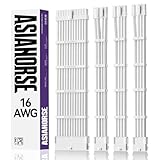
This AsiaHorse listing describes a 16AWG sleeved extension kit with soft braided cables and a two-color comb kit, built around a 24-pin and 8-pin to 6+2-pin layout. Related listings in the same series show a four-cable arrangement: one 24-pin ATX, one 4+4-pin EPS and two 6+2-pin PCIe cables, at 30cm. The title here is cut off, so verify the exact cable list and color on the product page.
Four cables are enough for most single-CPU builds with one or two PCIe plugs. The two-color comb kit is the visible styling feature: the combs hold the wires in neat parallel rows and add a contrast stripe. 16AWG wire is the heavier of the two common gauges, which gives some margin and a firmer feel. Seat each plug until it clicks, since extensions add one more junction to the path. If you want the contrast stripe to show, plan which side of the build faces the glass before you fit the combs, because they are awkward to slide once the cables are routed.
- Type: sleeved extension kit
- Wire: 16AWG per title
- Length: 30cm for the series, confirm on listing
- Styling: two-color comb kit
- Cable list: confirm on listing, typically 24-pin, EPS and two PCIe
Pros
- 16AWG gauge with a clean comb finish
- Four cables cover the basics
Cons
- Title is cut off, so confirm the cable count
- Not enough plugs for dual-EPS boards
It is nearly the same kit as the upgraded version below, and the choice mostly comes down to color and comb style.
2. AsiaHorse 16AWG Pro Six-Cable Kit – Best for dual-EPS boards and cards with multiple PCIe plugs

The Pro kit is the fullest set in this group. The title lists one 24-pin ATX cable, two 8-pin (4+4) EPS cables for the motherboard, and three 8-pin (6+2) PCIe cables, all in 16AWG with sleeving and combs. Related listings in the series show a 30cm length, but the title here is truncated, so confirm the exact length and color on the product page.
Six cables mean you can handle a board that needs two CPU power plugs, which is common on workstation and some enthusiast boards, and a graphics card that takes three 8-pin plugs. If your build only needs one CPU plug, the extra EPS cable is spare. This is the kit to buy when you want a matching set for the whole build with no mixing of brands, and the sleeving keeps the cable bundle consistent from the 24-pin to the GPU. Plan for the weight of six braided cables behind the tray as well, since a bulky bundle can stop a tight side panel from closing.
- Type: sleeved extension kit, six cables
- Contents: 1 x 24-pin, 2 x EPS (4+4), 3 x PCIe (6+2) per title
- Wire: 16AWG
- Length: 30cm per series listings, confirm
- Extras: combs included per title
Pros
- Covers dual-EPS boards and three PCIe plugs
- 16AWG throughout
Cons
- More cables than a basic build needs
- Truncated title, so check length and color
It has two more cables than the four-cable AsiaHorse kits, so it is the choice when your hardware has more power connectors.
3. AsiaHorse Upgraded 16AWG Four-Cable Kit – Best for a single-CPU build with a custom color scheme

The Upgraded kit is a four-cable 16AWG set with soft braided sleeving and a two-color comb kit, listed as 24P and 8P to 6+2P and 8P to 4+4P at 30cm. That means a 24-pin ATX cable, an EPS 4+4 cable and PCIe 6+2 cables, which suits the typical single-CPU build with one or two graphics plugs. It is the straightforward choice here, with a clear and complete title.
The 30cm length adds a modest amount of extra reach, enough to route cables along the edge of a tray or through a cutout where the stock cable would pull tight. Because it adds a connection point, do not stack it with other extensions or splitters. For a graphics card that draws near the 150W limit of each 8-pin plug, use one cable per plug rather than a daisy-chained pigtail. Check that the comb spacing matches your plug width, and slide the combs on before you connect the second end, because they cannot pass over a plug afterwards.
- Type: sleeved extension kit, four cables
- Layout: 24-pin, 4+4 EPS and 6+2 PCIe per title
- Wire: 16AWG
- Length: 30cm per title
- Styling: two-color comb kit
Pros
- Clear title with the length and layout stated
- 16AWG wire with a neat comb finish
Cons
- Only one EPS cable
- Adds a junction to each run
It is the better-labeled twin of the first AsiaHorse kit, and the Pro kit is the one to move up to if you need extra plugs.
4. EZDIY-FAB 18AWG Sleeved PSU Extension Kit – Best for a PET-sleeved 30cm set for a plain build

The EZDIY-FAB set is the only 18AWG kit in the group. The listing describes ATX, EPS and PCIe extensions at 30cm in black PET sleeving with cable combs, as a four-cable extension. PET sleeving is a woven plastic that is flexible and easy to bend around corners, and it keeps the cables looking uniform.
18AWG is the thinner of the two common gauges, but it is fully adequate for a single 8-pin PCIe connector rated for 150W, which draws roughly 4.2A per 12V pin. The thinner wire also bends more easily, which can help in a tight case. The title does not list the exact cable count by connector type, so confirm that the kit matches your plugs. If you need a high-power build with a heavy load, a 16AWG kit gives more margin. PET sleeving is also easier to cut and heat-seal at the ends, but you should leave a kit as supplied unless you have a real reason to change it.
- Type: PET-sleeved extension kit
- Wire: 18AWG per title
- Length: 30cm per title
- Contents: ATX, EPS and PCIe, four cables per title
- Combs: included per title
Pros
- Flexible and easy to route
- Plain black look that suits most builds
Cons
- Thinner gauge than the 16AWG kits
- Exact connector list not in the title
It trades the extra copper of the AsiaHorse 16AWG kits for flexibility, and it is the plainest-looking set of the six.
5. AsiaHorse White-Connector Six-Cable Kit – Best for white-themed builds with dual EPS

This kit is the six-cable AsiaHorse set with white connectors: a 24-pin, two 4+4 EPS and three 6+2 PCIe cables in 16AWG, at 30cm with combs. The white connectors are the point, because on a white build a black connector at the end of a white cable breaks the look. The listing states the full contents and length in the title, which makes it easy to verify.
Choose it for a white-themed build with a board that wants dual CPU power, or a card that uses three PCIe plugs. As with other six-cable kits, one of the EPS cables is spare on a standard board. White sleeving shows dust and fingerprints more than black, so handle it with clean hands and plan a tidy route. Use the supplied combs on straight runs, not on tight bends. If you are matching other parts, compare the shade of white against your fans and case, because white sleeving comes in slightly different tones between makers.
- Type: sleeved extension kit, six cables
- Contents: 1 x 24-pin, 2 x EPS (4+4), 3 x PCIe (6+2)
- Wire: 16AWG per title
- Length: 30cm per title
- Connectors: white, combs included
Pros
- White connectors match white builds
- Full six-cable set with complete title information
Cons
- White sleeving shows dirt
- Spare EPS cable on a standard board
It is the white edition of the Pro six-cable kit, so choose it over that kit only for the color.
6. AsiaHorse 16AWG Sleeved Extension Kit with Comb Set – Best for a simple four-cable replacement kit
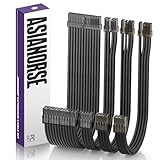
This AsiaHorse listing is a 16AWG sleeved extension kit with soft braided cables and a comb kit, in the same 24P/8P to 6+2P and 4+4P style as the other four-cable sets. The listing title is cut off after the connector layout, so confirm the exact length and color. The series is generally listed at 30cm.
It is a sensible choice if you want the AsiaHorse look without paying attention to the many near-identical listings. For most single-CPU builds with one or two graphics plugs, four cables are all you need. A tip when comparing similar kits: the differences usually lie in color, the comb style and the connector colors, not in the wire itself, so spend your time on the cable list rather than on the sleeve. Where you cannot confirm the exact contents from the title, read the product page’s cable list and package contents section before ordering, and compare the connector count against your motherboard and graphics card sockets.
- Type: sleeved extension kit
- Wire: 16AWG per title
- Length: 30cm for the series, confirm on listing
- Layout: 24-pin, 4+4 EPS and 6+2 PCIe, confirm count
- Extras: comb kit included per title
Pros
- Familiar AsiaHorse layout with 16AWG wire
- Four cables cover typical builds
Cons
- Title is cut off, so confirm details
- Looks and specs overlap with two other listings
It is almost interchangeable with the Upgraded four-cable kit, so pick whichever color and comb style suits your build.
Specs Compared
| Product | Cables | Wire | Length | Sleeving or styling | Notable |
|---|---|---|---|---|---|
| AsiaHorse Two-Color Comb Kit | Four (24-pin, EPS, PCIe), confirm | 16AWG | 30cm series, confirm | Soft braided, two-color combs | Title truncated |
| AsiaHorse 16AWG Pro Kit | Six (24-pin, 2 x EPS, 3 x PCIe) | 16AWG | 30cm series, confirm | Sleeved with combs | Dual EPS |
| AsiaHorse Upgraded Four-Cable Kit | Four (24-pin, EPS, PCIe) | 16AWG | 30cm | Soft braided, two-color combs | Clear title |
| EZDIY-FAB 18AWG Kit | Four, exact mix confirm on listing | 18AWG | 30cm | PET sleeved, combs | Black |
| AsiaHorse White-Connector Kit | Six (24-pin, 2 x EPS, 3 x PCIe) | 16AWG | 30cm | Combs, white connectors | Dual EPS |
| AsiaHorse 16AWG Comb Kit | Four, confirm on listing | 16AWG | 30cm series, confirm | Soft braided, comb kit | Title truncated |
How We Chose These
We compared the six listings on kit contents, wire gauge, length, sleeving and comb style, which are the details that decide whether an extension set fits a build. We read the catalog titles, published manufacturer pages and retailer specifications, and noted where several listings are near duplicates. Where the title is truncated, we state what the related listings show and ask you to confirm the details. We did not run any hardware, measure voltage drop or handle the connectors, so no measured results appear here. Because several listings are near duplicates, we ranked them by how fully the title states the contents rather than by brand preference.
What to Look For
Kit contents: four cables or six
A four-cable kit usually covers one 24-pin, one EPS 8-pin and two PCIe 8-pin cables. A six-cable kit adds a second EPS cable and a third PCIe cable. Count your plugs before you buy, using the manuals for the board and the card: boards with two CPU power sockets need two EPS cables, and a card with three 8-pin sockets needs three PCIe cables.
If a board has a single 8-pin CPU plug, a second EPS cable is optional and can be left unused. Some kits include 4+4 EPS and 6+2 PCIe cables, which split into smaller plugs for older components.
Wire gauge: 16AWG or 18AWG
A standard 8-pin PCIe connector is rated for 150W. At 12V that is 12.5A across three live pins, or about 4.2A per pin. Both 16AWG and 18AWG wire carry this easily, and the connector pins are usually the limit. 16AWG has slightly lower resistance and more margin, while 18AWG is more flexible.
Rule of thumb: for a single card at or below 300W using two 8-pin plugs, either gauge is fine. For a high-power build or a daisy-chained pigtail, prefer 16AWG. Avoid anything thinner than 18AWG on power connectors, and be wary of listings that claim a very high wattage without naming the gauge or the connector.
Length and routing
A 30cm extension adds about 12 inches of reach. That is enough to route a cable along the edge of the motherboard tray or through a cutout without strain. Example: if the stock 24-pin cable reaches the board with 5cm of slack, adding 30cm gives 35cm, which you will need to hide behind the tray.
In a small case this extra length can become clutter. Measure the route first and only add an extension where the stock cable truly falls short, or where you want a cleaner path. Also account for the position of the PSU: a bottom-mounted unit behind a shroud has a short, hidden route to the board, while a side-mounted unit may need the extra reach.
Sleeving, combs and heat
Sleeving is cosmetic, but its type changes how a cable behaves. Soft braided nylon is flexible and easy to bend, PET is a woven plastic that holds a tidy shape, and heat-shrink or paracord styles are bulkier. Whatever the material, the sleeve covers individual wires, so check that the ends are neat and that the sleeving is not so tight it stresses the crimps.
Combs keep wires parallel and give the look of a custom build. Fit them evenly, leave a gap before each connector so the wire can flex, and avoid forcing them around a corner. Leave enough airflow around the bundle: a thick cable block in front of a fan or graphics card intake can raise temperatures, so route it to the side of the case.
Safety and compatibility
Extension cables plug into the male and female ends of your stock cables, so they do not change the PSU-end pinout. Do not mix bare modular cables between power supply models. Seat every connector until the latch clicks, and avoid sharp bends right at the plug.
Turn off and unplug the power supply before changing cables. Each extension adds a junction with a little resistance, so avoid stacking several extensions in a row and avoid using them on connectors that you push near their rated limit, such as a card that draws close to the full 150W on every plug. If a plug feels warm after long use, power down and re-seat it.
Questions
Do sleeved extension cables improve performance?
No. They do not change how much power your system gets, apart from adding a small amount of resistance. The benefit is appearance and routing, since braided cables and combs can look tidy.
Will these kits work with any power supply?
They plug into the end of the stock cables, so they generally work across brands as long as the connector type matches. Check that your cables are standard 24-pin, 8-pin EPS and PCIe types.
Is 18AWG enough for an 8-pin PCIe connector?
Yes for a single 150W connector. 16AWG gives extra margin and is preferred for high-power builds, but the connector terminals usually set the real limit.
Do I need the dual EPS cable?
Only if your motherboard has two CPU power sockets. On a standard board with one 8-pin CPU plug the second EPS cable is spare.
Can I use these on a 12VHPWR or 12V-2×6 connector?
No. These kits cover the 24-pin, EPS and 8-pin PCIe plugs. Newer 16-pin graphics connectors need a cable made for them, so check the cable list before ordering.
How long are these extension cables?
The listings in this group are about 30cm, though some titles are cut off. Confirm the length on the product page before you plan your routing.
Update History
- October 14, 2026 – Initial publication; product set drawn from current catalog listings.
- Check the product page for current specifications and availability before buying.
Sources
- Retailer listing titles and specification fields for each product in this guide
- Manufacturer and brand store pages for AsiaHorse and EZDIY-FAB extension kits
- Published listings and forum discussions on extension cable gauge and PCIe connector current






