An all-in-one desktop under 500 dollars is a purchase made for tidiness as much as for speed. The screen, the computer, the webcam, and the speakers live in one chassis, so a kitchen counter, a student desk, or a front-office corner gets a working PC with a single power cable and nothing to hide under the table. The catch is the budget. At this level the market splits into two camps: new low-power machines with modest processors, and renewed business all-in-ones whose older Intel chips were once priced far higher.
That split is the decision this guide helps with. A fresh Lenovo or Fusion5 unit brings Wi-Fi 6 and a current warranty story, while a renewed ThinkCentre or ProOne trades age for a sturdier business build and often a bundled keyboard and mouse. Below are seven all-in-ones judged strictly on what each listing states, followed by buying advice for 2026 covering memory, storage, screen size, and the few spots where budget machines quietly cut corners. Nobody should expect gaming from these, but homework, bookkeeping, video calls, and streaming are all fair game.
Our Top Picks


Top 3 picks at a glance
Quick Picks
As an Amazon Associate we earn from qualifying purchases at no extra cost to you.


| Product | Best for | Key spec from the title |
|---|---|---|
| Lenovo IdeaCentre 24 inch (4-core) | Family room and homework basics | Intel 4-core, 8GB RAM, 512GB SSD, 24 inch FHD IPS, Wi-Fi 6 |
| Lenovo 24 inch AIO (Core i3-N305) | Home office with more threads | Core i3-N305, 8-core 8-thread, 8GB RAM, 512GB SSD |
| Fusion5 23.8 inch | Multitasking with extra memory | i3-1215U 6-core, 16GB RAM, 512GB SSD, Windows 11 |
| suevery 21.5 inch | Compact desk with webcam built in | Core i5, 16GB RAM, 512GB SSD, HD webcam, Wi-Fi 6 |
| Lenovo ThinkCentre M820z | Renewed business reliability, peripherals included | Core i5-8400, 8GB DDR4, 256GB SSD, 21.5 inch FHD |
| HP ProOne 600 G2 | Lowest-cost renewed workhorse | Core i5-6500, 8GB RAM, 256GB SSD, Windows 11 Pro |
| HP 27 inch touchscreen | Largest screen with touch | Ryzen 5 7520U, 8GB DDR5, 256GB SSD, FHD IPS |
The 7 Best Options
Lenovo IdeaCentre 24 inch with 4-Core Processor
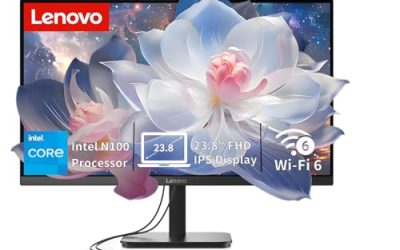
This IdeaCentre is the plain-vanilla choice for a household that wants a big, clean screen and few surprises. The title lists an Intel 4-core processor, 8GB of RAM, a 512GB SSD, a 24 inch full HD anti-glare IPS display, Wi-Fi 6, and Bluetooth 5.2. It is the kind of machine that fits a family kitchen or a guest room desk, where the main jobs are browsing, streaming, paperwork, and video calls.
- A 24 inch anti-glare IPS panel is a comfortable size for documents and wide viewing angles for shared use.
- Wi-Fi 6 and Bluetooth 5.2 are listed, so wireless peripherals and modern routers work without adapters.
- A 512GB SSD is double the capacity of the renewed business models further down the list.
- Eight gigabytes of RAM is the minimum for current Windows, and heavy tab users will feel it.
- The title names a 4-core chip without a model number, so confirm the exact processor before buying.
Skip it if you juggle many applications at once or want a sharper boost in multitasking. Compared with the next Lenovo, it has fewer processor threads, which is the main reason to look at the Core i3-N305 model if the work is more demanding.
It also suits shared households where several people sign in during the week. A larger SSD helps when each profile stores its own downloads, and a screen in the 24 inch class is easy to read from a few feet back, which matters when a parent is helping a child with an assignment.
Lenovo 24 inch AIO with Core i3-N305
The second Lenovo is aimed at home offices and students. The title names an Intel Core i3-N305, described as 8-core and 8-thread with speeds up to 3.8GHz, plus 8GB of RAM and a 512GB SSD in an IdeaCentre all-in-one. The standout is the thread count: eight threads are useful when an office suite, a browser full of tabs, and a video call all share the machine.
- Eight cores and eight threads give it more parallel capacity than the 4-core IdeaCentre.
- The same 512GB SSD size means quick starts and room for documents and media.
- The listing positions it for home offices and study, which matches its low-power character.
- Memory stays at 8GB, so the extra cores can be limited by a small RAM pool.
- The title is cut off, so check the ports and operating system details in the full listing.
Skip it if you want more memory out of the box, because the next pick doubles it. Against the Fusion5, this Lenovo offers more threads while the Fusion5 offers a different class of processor and twice the RAM.
One more point in its favor is clarity of purpose. The listing talks about home offices and students rather than gaming or creative work, which is an honest framing for a low-power eight-thread chip.
Fusion5 23.8 inch Full HD All-in-One
Fusion5 stands out on paper for memory and for a mobile-class processor with a higher boost clock. The title lists a 23.8 inch full HD display, 16GB of RAM, a 512GB SSD, an i3-1215U six-core processor with speeds up to 4.40GHz, Windows 11, HDMI, and USB 3.0. For an all-in-one under 500 dollars, 16GB of memory is a notable advantage.
- Sixteen gigabytes of RAM makes multitasking noticeably smoother than the 8GB machines.
- An i3-1215U with six cores and a high boost speed suits office suites and web apps.
- HDMI and USB 3.0 are named, which helps if you want to add a second display or fast external storage.
- It is a lesser-known brand, so check warranty terms and support options carefully.
- The title says nothing about a webcam or speakers, so verify those in the full listing.
Skip it if brand reputation and in-person service matter more than specs. Next to the suevery model, it has a larger screen and a different processor family, while the suevery packs in a webcam and a smaller footprint.
Buyers who already own a good webcam or headset lose nothing by choosing it, and those who work from a desk near a window may appreciate the 23.8 inch size, which is large enough to put two documents side by side without squinting.
suevery 21.5 inch Core i5 All-in-One
The suevery is the compact option in the new-machine group. The title lists a 21.5 inch 1080p display, a Core i5 processor, 16GB of RAM, a 512GB SSD, an HD webcam, and Wi-Fi 6, and it is described as a business all-in-one for home offices. The pairing of 16GB of RAM and a Core i5 puts it at the upper end of the memory and processor tier in this list.
- A Core i5 with 16GB of RAM suits spreadsheets, video meetings, and several browser windows.
- The HD webcam is part of the listing, which saves buying one.
- The 21.5 inch footprint fits smaller desks and shelves.
- The title does not state the processor model or generation, which makes comparisons hard.
- Another smaller-brand product, so verify return and support terms.
Skip it if you want the largest possible screen or a well-known service network. In contrast to the renewed ThinkCentre next, it is a newer machine with more memory, but it offers a less documented processor.
If the exact chip matters to you, send the seller a quick question before ordering. A Core i5 can mean several generations, and the difference between them is larger than the listing suggests.
Lenovo ThinkCentre M820z All-in-One 21.5 inch
The ThinkCentre M820z brings business-line pedigree. The title lists a 21.5 inch FHD display, a Core i5-8400 running up to 4.0GHz, 8GB of DDR4 RAM, a 256GB SSD, a mouse and keyboard, a USB Wi-Fi adapter, and Windows. It is the pick for a buyer who wants a workhorse with the input devices already in the box.
- The Core i5-8400 is a clear step up in processing power from entry-level low-power chips.
- The mouse, keyboard, and USB Wi-Fi are included, which removes small purchases.
- DDR4 memory is named, which makes later upgrades straightforward in principle.
- Storage is 256GB, so large photo or video libraries will fill it quickly.
- The Wi-Fi comes from a USB adapter rather than being built in, according to the title.
Skip it if you need lots of local storage or the latest wireless standard. Compared with the HP ProOne next, it has a newer-generation Core i5 and bundled peripherals, while both share a similar screen size and storage tier.
Because the M820z comes with a keyboard, mouse, and Wi-Fi adapter, it is the closest thing in this list to a plug-in-and-go package for a clerk or a student who does not own accessories.
HP ProOne 600 G2 21.5 inch (Renewed)
The ProOne 600 G2 is the oldest platform in this group, and the title is open about it: it is marked renewed, with a Core i5-6500 running 3.2GHz to 3.6GHz, 8GB of RAM, a 256GB SSD, Windows 11 Pro, and a 21.5 inch full HD display. Business all-in-ones of this vintage are often built to survive years of office use, which is why renewed examples remain popular for clerical work.
- Windows 11 Pro is listed, which adds business features such as device encryption controls.
- The full HD display and standard business chassis suit front-desk and clerical roles.
- Renewed hardware generally costs less than new, leaving budget for a better keyboard or an extended warranty.
- A Core i5-6500 is two generations older than the ThinkCentre’s chip, so it is the slowest in this list.
- Renewed condition means cosmetic wear is possible, so read the grading notes.
Skip it if you want long-term software support or heavy multitasking. Against the HP 27 inch touchscreen next, it is smaller, older, and cheaper to run in a back office, while the touchscreen model brings a larger display and a modern Ryzen processor.
It is best treated as a dependable appliance. Install updates, keep the drive tidy, and it will handle the same email, web, and document jobs for which business all-in-ones were purchased in volume.
HP 27 inch Touchscreen with Ryzen 5 7520U
The HP 27 inch is the most modern and the largest. The title lists a 27 inch touchscreen, an AMD Ryzen 5 7520U with 8 cores and speeds up to 4.3GHz, 8GB of DDR5 memory, a 256GB SSD, and an FHD IPS display; the title cuts off after the display details. The size alone changes how the machine fits into a room: this is a screen you can share with someone standing beside you.
- A 27 inch touch display is useful for family calendars, recipes, and casual shared viewing.
- DDR5 memory and a Ryzen 5 7520U are the newest platform named in this group.
- An IPS panel gives consistent colors from the side.
- Only 256GB of storage is listed, which will fill with large media files.
- Eight gigabytes of memory is thin for a screen this large, and the listing is cut off so confirm the details.
Skip it if you need space for photo libraries or want a webcam spec in the title. This last pick sits at the opposite end from the renewed ProOne, trading budget savings for screen size and a modern processor.
If a shared computer will sit in an open area, the size makes it feel more like a family display than a desk PC, and that can change how often it gets used. Just be sure the stand is stable on the surface where it will live, since a touch screen gets pushed and tapped more than a mouse-driven one.
Who Needs an All-in-One Desktop at This Budget
An all-in-one under 500 dollars works for people who value a tidy setup over upgrade potential. The trade-off is simple: you give up the ability to swap a graphics card or change a power supply, and you gain a machine that sets up in minutes and takes the footprint of a monitor.
It is equally fair to say who should look elsewhere. Anyone who edits video, plays current 3D games, or wants to swap parts every couple of years will be happier with a small tower and a separate monitor, even if the setup looks busier. The all-in-one earns its place on convenience, quiet operation, and a clean desk, and it should be judged on those terms rather than on raw power.
Households that want a shared family computer
A 24 inch or 27 inch all-in-one in a kitchen or living room works as a common computer for recipes, school forms, video chats with relatives, and streaming. The built-in screen and wireless connectivity mean nobody has to manage cables.
Small offices and front desks
A renewed ThinkCentre or ProOne suits a reception desk, a clinic, or a shop counter, where the tasks are email, a point-of-sale web page, and a printer. Business-line chassis are designed for daily use, and Windows 11 Pro on the ProOne adds management features.
Home businesses and freelancers
A freelancer who writes, invoices clients, and joins video calls does not need a tower. A single all-in-one with a webcam and decent memory handles the whole workflow, and the compact footprint keeps a spare-room office from feeling like a server closet.
Retirees and first-time computer owners
People who want a computer that is simple to set up and tidy to live with often prefer an all-in-one. A large, clear screen, built-in speakers, and one power cable reduce the number of things that can go wrong, and the lack of upgrade options is rarely a concern for email, photos, and video calls.
Students with limited desk space
A student in a dorm or a shared bedroom benefits from one device that handles lectures, essays, and entertainment. Choose 16GB of memory if the budget allows, since browser tabs and video calls use more than most expect.
How to Choose
Processor: match the chip to your workload
For web browsing, documents, and video calls, a low-power chip such as the Core i3-N305 or an i3-1215U is enough. If you work with large spreadsheets, photo editing, or many background apps, a Core i5 like the i5-8400 gives more headroom. Avoid assuming that a higher boost clock always means faster everyday performance, because sustained speed in a thin all-in-one depends on cooling. As a rough threshold, look for at least four cores for general use and six or more cores if you keep a video call, a browser, and an office suite open at the same time. Ignore generic claims about speed that do not name a processor model.
Memory: 8GB minimum, 16GB preferred
Eight gigabytes runs Windows 11 and a browser, but it leaves little room for a video call plus a spreadsheet. The Fusion5 and suevery both list 16GB, which is a clear advantage. Check whether the memory is upgradeable, since many all-in-ones have limited access. DDR5, as on the HP touchscreen, offers more bandwidth than DDR4, but a larger amount of DDR4 often serves an everyday user better than a smaller amount of DDR5.
Storage: SSD or nothing
Insist on an SSD. A 256GB drive handles Windows and office apps, while 512GB gives room for photos and downloads. Avoid listings with only a mechanical hard drive, which makes even a good processor feel slow. A drive of 256GB leaves about half of its space for your own files once the system is installed, so a buyer who keeps music, photos, or scanned documents should lean toward 512GB.
Display: size, resolution, and panel type
A 21.5 inch full HD screen suits a small desk, a 23.8 to 24 inch panel is comfortable for most users, and 27 inches suits shared viewing. IPS panels keep colors consistent from the side. Anti-glare coatings help in bright rooms, and touch is only worth having if you will use it. Full HD resolution is the standard at this budget, and a panel larger than 24 inches at that resolution looks slightly softer up close, so sit a little farther back from a 27 inch screen.
Connectivity and ports
Look for Wi-Fi 6 or built-in wireless, Bluetooth, at least a few USB ports, and HDMI if you want a second display. A USB Wi-Fi adapter, as on the ThinkCentre listing, works but takes up a port and can be easy to lose. Count the USB ports on the sides, because a printer, a webcam, and a flash drive can use them all quickly.
Condition and warranty
For renewed machines, read the grade, the seller’s return window, and the warranty length. Budget models cut corners on webcams, speakers, and stands that tilt or adjust, so check what is included. Ignore marketing phrases such as business class unless the listing names a real feature.
Another place budget machines cut corners is the stand. Some tilt only a few degrees and cannot adjust height, which pushes the screen too low for comfortable posture. If you plan to use the machine for several hours a day, think about a small riser or a separate arm, and check whether the back panel has a standard mounting pattern.
New Low-Power vs Renewed Business All-in-One
This is the choice almost every buyer in this budget band faces. The table summarizes the pattern across the seven products.
| Factor | New low-power models | Renewed business models |
|---|---|---|
| Processor | Core i3-N305, i3-1215U, Ryzen 5 7520U | Core i5-8400, Core i5-6500 |
| Memory | 8GB or 16GB | 8GB |
| Storage | 256GB or 512GB | 256GB |
| Wireless | Wi-Fi 6 on several listings | USB adapter or unspecified |
| Extras | Webcam on some | Keyboard and mouse bundled |
Neither side wins on every count, so the decision hinges on how long you want the machine to last and how much you value bundled accessories. A renewed unit usually offers a stronger processor for the same outlay, while a new unit offers fresher wireless and a longer support horizon.
When new makes more sense
New models bring newer wireless, more storage, and in some cases more memory. If you plan to keep the machine for several years and want a clear warranty, a new Lenovo or the Ryzen-based HP offers a longer runway.
When renewed makes more sense
Renewed business units suit offices that want sturdy chassis and bundled input devices at a lower outlay. The risk is age: older processors reach the end of vendor support sooner, so check Windows 11 compatibility, as the ProOne listing does. Also think about who services the machine: an office with an IT contact can handle a renewed unit easily, while a household that depends on a store counter for help may prefer a new one.
Setup, Compatibility and Upgrade Tips
What to check before buying
Confirm that the operating system is installed and activated, that Wi-Fi is built in or included, and that the stand tilts to a comfortable angle. Look at the port list on the back and side, especially if you plan to connect a printer, a card reader, or external storage. Check the return window and warranty length in the full listing. If a keyboard and mouse are not included, plan for them, since a wireless set costs little and improves comfort immediately.
What to upgrade first
If the machine ships with 8GB of RAM and the case allows access, adding memory is the highest-value upgrade. Otherwise, an external SSD can extend storage, and a decent wireless keyboard and mouse improve daily comfort. Do not expect to change the graphics hardware, since it is part of the board. Keeping Windows updated and removing unused startup programs also helps older processors feel quicker without spending anything.
Common compatibility traps
Memory type matters: the ThinkCentre uses DDR4, while the HP 27 inch uses DDR5, and neither can swap with the other. Some all-in-ones solder memory to the board, so a listing that says upgradable is worth more. Touch screens need driver support, and a USB Wi-Fi adapter may need a nearby port. Finally, check VESA mount support if you plan to mount the screen on a wall or an arm.
Plan the first hour as well. Run every pending Windows update, install a trusted security tool if you want one beyond the built-in protection, and move the machine’s power-saving settings to a balanced profile. Renewed units benefit from a quick look at the drive health and the installed software list, since previous owners sometimes leave trial programs behind. Set up a backup, whether a cloud folder or an external drive, before important files accumulate, because an all-in-one cannot simply have its drive pulled and slotted into another case the way a tower can. Keep the vents on the back clear of curtains and clutter, and the machine will run quieter and last longer.
Which One Fits Your Situation
A family kitchen or living room computer
The HP 27 inch touchscreen gives the biggest display and a modern Ryzen processor, which suits shared use and casual touch interaction.
A home office with spreadsheets and calls
The Fusion5 23.8 inch combines 16GB of RAM with an i3-1215U and a 512GB SSD, a sensible configuration for multitasking.
A reception desk or small shop
The Lenovo ThinkCentre M820z includes a keyboard, mouse, and Wi-Fi adapter, with a Core i5-8400 that handles clerical software comfortably. It is also easy to explain to staff, since everything they need is in the box.
A student with a small desk
The suevery 21.5 inch includes a webcam and 16GB of RAM in a compact body, covering lectures and study calls. Add a pair of headphones and a simple desk mat and the setup is complete.
Common Mistakes
- Buying a machine with 8GB of RAM and a small drive, then regretting it within a year.
- Assuming a renewed machine includes a long warranty without reading the terms.
- Ignoring that all-in-ones are hard to upgrade, which means the starting specs matter more.
- Forgetting to check whether a webcam, speakers, and Wi-Fi are built in.
- Choosing a large screen without checking resolution, since a big panel at 1080p looks softer.
- Overlooking the processor generation when comparing Core i5 models.
Related guides
- Noctua Nh-D15 Vs Thermalright Peerless Assassin 120
- Sustainable Gaming Pc Power Supply Efficiency Guide
- Thermal Paste Application Method For Lga1851
Frequently Asked Questions
Can an all-in-one under 500 dollars run Windows 11 well?
Yes, if it has at least 8GB of RAM and an SSD. The listings here all pair an SSD with Windows 11 or a Windows-ready processor, but 16GB gives a smoother feel when you use many tabs.
Is a renewed all-in-one a good idea?
It can be, especially for office use. Look for a clear grade, a return window, and a processor that supports Windows 11, as the ProOne listing states.
How much storage do I need?
A 256GB SSD is enough for Windows and office software, while 512GB is easier if you keep photos and downloads. External drives can add space later.
Can I game on these machines?
Light, casual games work, but none of the listings name a dedicated graphics card. Treat them as productivity and media machines.
Is a touchscreen worth it?
It helps for shared family use and simple tasks, but most desk work still relies on a keyboard and mouse. If you rarely touch the screen, a non-touch model with more memory may serve better.
Can I add more memory later?
Some all-in-ones allow it, but many make it difficult or impossible. Check the full listing or the manufacturer’s documentation before assuming an upgrade path.
Final Words
The best all-in-one under 500 dollars is the one whose weak points do not matter for your day. If memory matters most, the Fusion5 and suevery are the listings with 16GB. If screen size matters, the HP 27 inch leads. If a bundled keyboard, mouse, and business build matter, the renewed ThinkCentre and ProOne deliver. Whichever you choose, verify the exact processor, the storage type, and the return window before you commit.