
The best gaming PC under $1,000 in 2026 is a prebuilt with an RTX 5060 or Radeon RX 9060 XT-class graphics card, a 6-core to 8-core Ryzen 5 or Core i5 processor, 16GB of DDR5 (32GB if you can find it), and a 1TB NVMe SSD, which is enough for 1080p at high settings and many games at 1440p with upscaling. The catch this year is supply: graphics cards and memory cost more than they did at launch, so the same budget buys slightly less than it did in 2024, and the key skill is spotting which configurations spend the money on the GPU instead of on lighting and a fancy case.
This guide is a research roundup based on published specs and the way these product lines are commonly configured. Exact parts change by retailer and week, so treat the lines below as starting points and verify the final configuration before you buy.
As an Amazon Associate we earn from qualifying purchases at no extra cost to you.

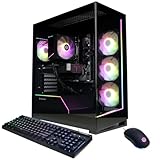


Top 3 picks at a glance
What $1,000 Buys in Late 2026
At this budget, the realistic target is smooth 1080p gaming and playable 1440p in less demanding games. NVIDIA’s RTX 50 series and AMD’s Radeon RX 9000 series are the current graphics generations, and the RTX 50 Super refresh that was rumored for this year has not shipped. The practical effect for budget buyers is that entry cards such as the RTX 5060 and RX 9060 XT remain the sweet spot, and older RTX 40 and RX 7000 cards sold in leftover prebuilts can still be reasonable if the system price reflects it.
| Component | Target at this budget | Acceptable compromise | Avoid |
|---|---|---|---|
| GPU | RTX 5060 8GB or RX 9060 XT (8GB or 16GB) | RTX 5050 or a last-generation RTX 4060-class card | Cards with 4GB VRAM or unnamed “gaming” GPUs |
| CPU | Ryzen 5 7600 or 9600X, Core i5 current generation | Ryzen 5 5600 or older 6-core on AM4 | Dual-core or 4-core processors |
| Memory | 32GB DDR5 (2x16GB) | 16GB DDR5 (2x8GB) | Single-stick memory, DDR4 below 3200MT/s |
| Storage | 1TB NVMe SSD | 500GB NVMe plus a spare slot | Hard-drive-only boot |
| Power supply | 550W to 650W from a named brand | 500W bronze for an RTX 5050 | Unbranded units with no certification listed |
The Seven Best Budget Gaming PC Lines to Compare
The lines below are real, currently sold families. Each sells in many configurations, so the model name alone does not guarantee the parts. Compare the exact GPU, memory and power supply on the order page.
1. HP Victus 15L: Best Mainstream Brand Pick
Spec line: mid-size tower, Ryzen 5 or Core i5 class CPU, RTX 5050 to RTX 5060-class graphics depending on configuration, 16GB to 32GB DDR5, 512GB to 1TB NVMe.
Best for: buyers who want a large manufacturer’s support network and a plain, unflashy case.
Skip if: you want to upgrade the power supply or motherboard later; large-brand desktops sometimes use non-standard parts.
- Pro: widely available at big retailers and often discounted during sales events.
- Pro: understated design that does not look like a gaming rig.
- Pro: manufacturer warranty and support infrastructure.
- Con: base configurations often ship with a single memory module or a small SSD.
- Con: limited expansion compared with a standard ATX build.
2. Acer Nitro 50: Best for Lowest Entry Price
Spec line: compact gaming tower, entry Ryzen or Core i5 CPUs, GeForce RTX 50-series entry cards or last-generation RTX 40 cards in some configurations.
Best for: buyers who want a name-brand machine at the lowest price tier and plan to play esports and mid-demand titles at 1080p.
Skip if: you want a flagship-level future upgrade path.
- Pro: entry price tier, with frequent retailer promotions.
- Pro: compact enough for a small desk.
- Pro: simple, plug-in-and-play setup.
- Con: lower-end power supplies limit GPU upgrades.
- Con: cooling is adequate rather than generous.
3. Skytech Gaming Shiva and Blaze Lines: Best for GPU-First Spec Sheets
Spec line: ATX towers with a glass side panel, a mid-range AMD Ryzen CPU, an RTX 5060-class or RX 9060 XT-class GPU, 16GB to 32GB DDR5, 1TB NVMe in typical configurations.
Best for: buyers who want the budget weighted toward graphics performance and a standard ATX layout that can be upgraded.
Skip if: you need on-site or in-person support.
- Pro: standard ATX parts make later upgrades simple.
- Pro: typically a stronger GPU per dollar than big-brand office-style towers.
- Pro: configuration lists usually name the memory speed and power supply wattage.
- Con: lower-cost components in some areas, such as the case fans and the power supply.
- Con: support is by phone or online rather than a large retail network.
4. CyberPowerPC Gamer Xtreme: Best for Configuration Choice
Spec line: large catalog of ATX towers, many configurations at this price tier with RTX 5060-class graphics and Ryzen 5 or Core i5 CPUs.
Best for: buyers who want to pick between several similar builds and choose the one with the best GPU and memory mix.
Skip if: you do not want to compare multiple listings.
- Pro: many variants, so you can find a build that matches a specific budget.
- Pro: standard parts in most configurations.
- Pro: frequent promotions through retailers.
- Con: variation between listings makes the name less meaningful; read the parts list.
- Con: some configurations pair modest memory or storage with a capable GPU.
5. iBUYPOWER Y40 and Trace Lines: Best for Showcase Cases at a Fair Price
Spec line: glass-front cases with RGB fans, Ryzen 5 or Core i5 CPUs, RTX 5060-class GPUs, 16GB to 32GB DDR5.
Best for: buyers who want a visible, lit-up case without moving to a premium price tier.
Skip if: you want the quietest possible machine; show cases with many fans can be louder.
- Pro: good looks at a value price.
- Pro: many configuration options through the company’s own customizer.
- Pro: standard parts in most lines, which helps with upgrades.
- Con: component brands vary between listings.
- Con: lighting and glass add cost that could have gone to the GPU in a tighter budget.
6. Lenovo Legion Tower 5: Best Build Quality in a Prebuilt
Spec line: tower with a mesh front, Ryzen or Intel CPUs, RTX 5060 and up in higher configurations, designed airflow.
Best for: buyers who want a well-ventilated, quieter case and a brand with in-house support.
Skip if: your budget is firmly at the bottom of the range; entry configurations can sit above $1,000 depending on the GPU.
- Pro: good thermal design and a professional look.
- Pro: sold in a wide range of configurations, so you can pick the tier that fits.
- Pro: brand support and warranty.
- Con: some listings name a lower-specced variant than the product title implies; read the specs.
- Con: proprietary parts in some configurations.
7. ASUS TUF Gaming Desktop: Best for Reliability-Focused Buyers
Spec line: durable, military-style TUF branding, Ryzen or Core CPUs, RTX 5050 to 5060-class GPUs in the entry range.
Best for: buyers who want a name-brand machine with a reputation for solid construction.
Skip if: you want to maximize frames per dollar; brand premium applies.
- Pro: solid case design and typically well-chosen internal components.
- Pro: manufacturer warranty.
- Pro: a good fit for mixed gaming and school or office use.
- Con: price per frame is typically worse than at GPU-first builders.
- Con: stock of specific configurations can be limited.
Prebuilt vs Building It Yourself at This Budget
When memory and graphics card prices are elevated, the old rule that building yourself is always cheaper no longer holds cleanly. Large system builders buy in volume, and prebuilt prices can sit close to the sum of the parts. A self-built machine still offers better parts selection and upgradeability, but only if you can find the GPU at a reasonable price.
| Factor | Budget prebuilt | Self-built |
|---|---|---|
| Parts price in a tight market | Often competitive because of volume purchasing | Can be higher if GPU or memory are scarce |
| Windows license and assembly | Included | Extra cost and time |
| Warranty | One contact for the whole system | Separate warranties per part |
| Upgrade freedom | Depends on the line; check PSU and motherboard | Highest |
| Quality of power supply and case | Varies; often the cost-cut area | You choose |
How to Choose: A Spend Priority Order
If you can only pay attention to a few things, go in this order, because it matches how much each part affects frame rates.
- Graphics card first. At 1080p, an RTX 5060-class card sits well above entry-level RTX 4050-class parts in published reviews, and it is the main driver of frame rate. Check the VRAM: 8GB is the minimum for modern titles at 1080p high, and 16GB gives more headroom at 1440p.
- Memory second. Two matched modules running in dual channel. A single 16GB stick costs measurable performance in many games, so look for “2x8GB” or “2x16GB”.
- Storage third. A 1TB NVMe drive is a sensible minimum since many current games are 80GB to 150GB each.
- CPU fourth. A 6-core modern processor is enough for 1080p at this tier. Do not trade GPU for a larger CPU.
- Power supply fifth. A named 550W to 650W unit gives headroom. A very cheap unit is a reliability risk.
- Case and lighting last. They affect looks and noise, not frame rates.
Worked Example: Power Budget for an RTX 5060 Build
A power supply must cover the sum of component draw plus headroom. For an RTX 5060-class card rated around 145W, a 6-core CPU peaking near 90W to 120W, and roughly 60W for the motherboard, memory, drive and fans, the total peak is about 300W to 330W. A 550W supply puts that at about 60% load, which is the efficient part of the curve and leaves room for transient spikes. A 450W unit would work on paper but leaves little headroom, and swapping to a higher-wattage GPU later would force a new power supply.
What Frame Rates to Expect
Frame rates vary widely with the game, settings, resolution, CPU and driver version, so treat the following as approximate ranges drawn from typical published reviews, not guarantees.
| Scenario | Typical range with an RTX 5060-class card | Notes |
|---|---|---|
| Esports titles at 1080p, competitive settings | 200 to 400+ fps | CPU becomes the limit |
| Modern AAA at 1080p, high settings | 70 to 120 fps | Varies by title and patch |
| Modern AAA at 1440p, medium to high, upscaling on | 55 to 90 fps | DLSS or FSR improves results |
| Demanding ray tracing at 1440p | 30 to 55 fps | Frame generation may be needed |
Red Flags in Budget Listings
- “Up to” language. A headline spec that says “up to 32GB” means some configurations have less.
- Missing power supply details. If the wattage and brand are not listed, treat it as a warning.
- Single-module memory. A 16GB single stick runs in single channel.
- Old-generation GPUs priced like new ones. Compare against current generation cards of the same tier.
- Proprietary motherboards or power supplies. They limit future upgrades.
- Bundled software discounts. A free trial of antivirus does not offset a weaker GPU.
When to Buy
Complete gaming PCs are usually at their cheapest around Black Friday and Cyber Monday, so late November is a natural window for a budget build. Because stock of entry GPUs can fluctuate, compare the final price on the configuration page rather than relying on a banner, and be wary of any deal that depends on a countdown timer. If you can wait for the sales cycle but your current machine is unusable, buying a decent budget system now and upgrading the GPU later through a standard power supply is a workable path.
Frequently Asked Questions
Can you get a good gaming PC for under $1,000 in 2026?
Yes, but the target is 1080p at high settings and 1440p with upscaling in many games. Expect an RTX 5060 or RX 9060 XT-class card, a 6-core CPU, and 16GB to 32GB of DDR5. Higher memory and graphics prices than a few years ago mean the same budget buys somewhat less than it used to.
Is it better to buy a prebuilt or build a gaming PC for 1000?
It depends on parts pricing and your time. When GPUs and memory are scarce, prebuilt prices from high-volume builders can match or beat a self-built parts list, and the system comes with a Windows license and a single warranty. Building yourself still gives better control over the power supply and case.
How much RAM do I need in a budget gaming PC?
16GB of DDR5 in two modules is the working minimum for gaming in 2026. 32GB is more comfortable if you multitask or play large open-world games, but do not trade GPU quality for it at this budget.
Is an RTX 5060 enough for 1440p?
For many games at medium to high settings with upscaling, yes, but expect lower frame rates in the heaviest titles. If 1440p is your main target, the 16GB RX 9060 XT variant or a step up to an RTX 5060 Ti-class card gives more headroom, at a higher system price.
Are budget prebuilts upgradeable?
Often yes, if they use standard ATX power supplies and motherboards. Compact tower lines from large brands sometimes use smaller or proprietary parts, so check the power supply wattage and form factor before assuming a GPU swap is possible.
Should I wait for Black Friday to buy?
If you can, the Black Friday and Cyber Monday window is typically the strongest sale period for complete systems. If your current PC does not work, buy now and avoid chasing a marginal discount, then compare final totals across at least two sellers.
Related guides
- Best High-End Prebuilt Gaming PCs in 2026: Flagship RTX 5090, 5080 and 9800X3D Builds: 4 Compared
- Best RTX 3080 Prebuilt Gaming PCs: Used and Refurbished Buying Guide for 2026: 4 Compared
- Best Prebuilt Gaming PCs for 2026: 7 Lines Worth Buying and How to Spot a Weak Config: 4 Compared
- 4 Best Prebuilt Gaming PCs for 1080p: Entry-Level and Esports Picks for 2026
More from Amazon
Programs that pair well with the guide above. Offers and eligibility are set by Amazon and may change.
Free shipping on eligible items, Prime Video and more. Eligible new members can start with a free trial.
Start a Prime free trialAd-free music streaming. Eligible new subscribers can start with a free trial.
Try Music Unlimited freeA Prime membership for ages 18-24 with a trial period. Eligibility is set by Amazon.
See Prime for Young AdultsAudiobooks and podcasts to listen to on the go. Eligible new members can start with a free trial.
Try Audible freeAs an Amazon Associate we earn from qualifying purchases.


