Your home office hums along fine until the evening, when you sit down to edit photos, join a call, or just watch something quietly — and your PC sounds like it’s preparing for takeoff. Stock case fans are the usual culprit: cheap sleeve-bearing units that whine, rattle, and slowly get louder as dust builds up. In 2026, the budget fan market is more competitive than ever, with genuine silent performers sitting comfortably under the $20 mark.
We rounded up eight fans that regularly sell for $20 or less (one five-pack sneaks just a hair over, and we’ll explain why it still earns a spot) and evaluated them on noise character, airflow, bearing type, PWM control, and overall build quality. Whether you’re building a new tower, quieting an old one, or trying to keep a router and console shelf from cooking itself, there’s a pick here for you.
As an Amazon Associate we earn from qualifying purchases at no extra cost to you.




Our Top Picks
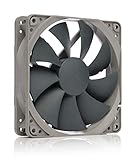
 be quiet! Pure Wings 3 120mm PWM High-Speed120mm PWM high-speed4.7 x 4.7 x 1 inches0.4 PoundsCheck on Amazon


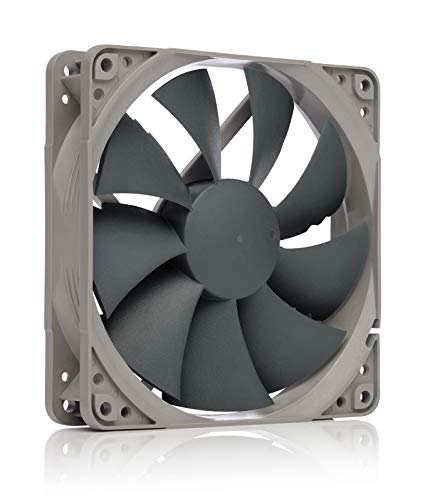
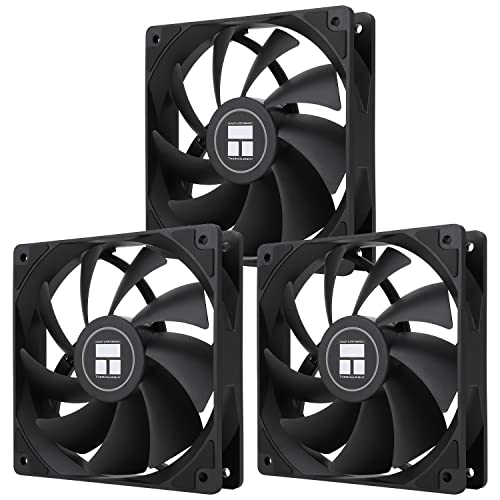

Top 3 picks at a glance
Quick Picks
| Product | Best for | Price |
|---|---|---|
| be quiet! Pure Wings 3 120mm Silent PWM | Best overall quiet fan | Check on Amazon |
| DARKROCK 3-Pack 120mm Black Case Fans | Best budget multi-pack | Check on Amazon |
| Noctua NF-P12 redux-1700 PWM | Best proven reliability | Check on Amazon |
| Thermalright TL-C12C-S X3 (3-Pack) | Best value ARGB trio | Check on Amazon |
| be quiet! Pure Wings 3 120mm PWM High-Speed | Best for radiators and dense heatsinks | Check on Amazon |
| Thermalright TL-C12C-S 5-Pack | Best for full builds and bulk replacement | Check on Amazon |
| GSCOLER X1 USB Cooling Fan | Best for routers, consoles, and AV gear | Check on Amazon |
| Kingwin 80mm Silent Fan | Best 80mm replacement and tight spaces | Check on Amazon |
How We Compared
Priority went to fluid-dynamic or long-life bearings over cheap sleeve bearings, four-pin PWM support where fan-speed control matters, and real-world reputations for low noise rather than inflated manufacturer decibel claims. We also weighted brand track record: be quiet!, Noctua, and Thermalright have all built their names on quiet cooling, and even their entry-level lines benefit from that engineering.
The 8 Best Picks
1. be quiet! Pure Wings 3 120mm Silent PWM — Best Overall
The Pure Wings 3 is the fan we’d put in our own machine. The “Silent” variant prioritizes low rpm and refined blade design, so it moves respectable air while staying genuinely unobtrusive — the kind of fan you stop noticing five minutes after a reboot. PWM support means your motherboard can dial it down further at idle, and be quiet!’s rifle-bearing construction gives it a longer service life than the sleeve-bearing stock fans it replaces. It’s the rare budget fan that doesn’t feel like a compromise.
- Four-pin PWM gives full motherboard speed control
- No lighting, so RGB-focused builders should look elsewhere
Skip it if you want addressable RGB in your build — the TL-C12C-S below covers that niche better.
2. DARKROCK 3-Pack 120mm Black Case Fans — Best Budget Multi-Pack
These are straightforward black-frame fans aimed at airflow rather than acoustics, and while they won’t match a Pure Wings 3 at low rpm, they’re a massive step up from dying stock fans that rattle and grind. They’re ideal for a first build, a family PC, or a case with empty fan mounts contributing to dust and heat problems.
- All-black, understated look suits any build
- Noise control is adequate rather than exceptional under load
Skip these if near-silence is your absolute top priority — spend more per fan instead.
3. Noctua NF-P12 redux-1700 PWM — Most Proven Design
Noctua’s redux line takes the company’s classic NF-P12 blade geometry — originally engineered for pressure-focused, quiet cooling — and strips away the premium packaging and accessories to hit a mid-budget price. The 1700rpm variant gives you headroom for radiators and restrictive heatsinks while staying composed at everyday speeds.
- Backed by Noctua’s six-year warranty and famously rigorous QA
- Pressure-optimized blades suit heatsinks and radiators
- Brown-and-gray redux color scheme divides opinion
Skip it if aesthetics matter — the all-black Thermalright fans look far cleaner in a windowed case.
4. Thermalright TL-C12C-S X3 (3-Pack) — Best ARGB Value
The S-FDB bearing is the same bearing architecture found in far pricier fans, and the 1550rpm ceiling keeps noise reasonable. If you want lighting in a budget build without paying the “gamer tax,” this trio is the obvious answer. Just plan your cable routing; each fan needs both a PWM connection and an ARGB header.
- S-FDB bearings at a price that shouldn’t exist
- ARGB lighting included across all three fans
- Requires an ARGB controller or motherboard header
Skip it if your board lacks a 3-pin ARGB header or you don’t care about lighting.
5. be quiet! Pure Wings 3 120mm PWM High-Speed — Best for Radiators
The High-Speed variant of the Pure Wings 3 spins faster than the Silent version, trading a bit of hush for meaningfully higher static pressure. That makes it the right choice when the fan has to push air through a radiator or a dense air cooler rather than an open case mount. It’s the versatile middle ground in this list.
- Higher static pressure suits radiators and heatsinks
- PWM lets it idle quietly when load is light
- Louder at full tilt than the Silent variant
Skip it for open case mounts where the Silent version does the job more quietly.
6. Thermalright TL-C12C-S 5-Pack — Best for Full Builds
If you’re building a mid-tower with front, top, and rear mounts to fill, buying individually adds up fast; this pack covers a whole case for the price of one premium fan. Same 1550rpm ceiling and PWM support as the three-pack.
- Consistent lighting and performance across all five units
- Exceeds $20 unless you need at least four fans
Skip it if you only need one or two fans — the three-pack or a single Pure Wings 3 makes more sense.
7. GSCOLER X1 USB Cooling Fan — Best for Consoles and AV Gear
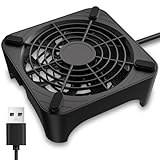
Not every hot device lives inside a PC case. The GSCOLER X1 is a standalone 120mm USB-powered fan rated at just 18dB, with a built-in cable and a slim profile designed to sit on top of or beside a router, AV receiver, DVR, PlayStation, Xbox, or amplifier. Plug it into any USB port and it runs — no software, no mounts, no fuss.
- 18dB rating makes it suitable for living rooms and bedrooms
- USB power means it works with anything that has a port
- No speed control, so it runs at a fixed speed
Skip it if your problem is internal PC cooling — a case fan is the right tool there.
8. Kingwin 80mm Silent Fan — Best for Older Systems and Tight Spots
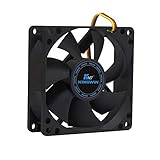
Plenty of older towers, HTPC cases, and mining rigs still use 80mm mounts, and finding a quiet replacement at a sane price is harder than it should be. It won’t move the volume of air a modern 120mm fan can, but for its size class it’s a sensible, quiet, budget-friendly swap for a whining legacy fan.
- Long-life bearing outlasts typical old sleeve-bearing units
- 80mm format moves far less air than 120mm options
Skip it if your case supports 120mm or 140mm fans — larger fans are quieter for the same airflow.
Buying Guide
Size Matters More Than Anything
Before anything else, measure your existing fans or check your case specs. 120mm is today’s standard and offers the best balance of airflow and noise, since a larger fan can spin slower to move the same air. 80mm fans like the Kingwin are for legacy cases and cramped enclosures only. Also confirm mount spacing: 120mm fans use a 105mm hole pattern, and forcing a mismatched size into a mount is a common beginner mistake.
Bearings Determine Lifespan and Noise Over Time
The bearing is where cheap fans fail. Sleeve bearings are quiet when new but dry out within a couple of years, developing the telltale grinding whine. Fluid-dynamic bearings (S-FDB, as on the Thermalright units) and rifle bearings (used in the Pure Wings 3) cost little more and last dramatically longer — often 40,000 to 60,000 hours or more. For any fan you plan to live with for years, insist on FDB-class or rifle bearing construction.
PWM, Airflow, and the Decibel Game
A four-pin PWM fan lets your motherboard adjust speed based on CPU and case temperature, which means quiet idling and only spinning up when needed — the single biggest factor in perceived noise. Three-pin DC fans run at fixed or voltage-controlled speeds and offer less finesse. Be skeptical of extreme decibel claims in either direction; manufacturer dBA figures are measured under ideal lab conditions. As a rule of thumb, look for fans in the 15–25 dBA range at moderate speeds, and remember that two quiet fans in a case can still add up to noticeable noise.
Our Verdict
For most people, the be quiet! Whichever route you take, replacing even one tired stock fan is the cheapest silence you’ll ever buy.
FAQ
Are cheap PC fans actually quiet?
The good ones, yes. Brands like be quiet!, Noctua, and Thermalright engineer their budget lines with the same acoustic principles as their premium fans — better blade geometry and superior bearings — just with fewer accessories and no fancy packaging. A fan like the Pure Wings 3 Silent performs close to fans costing twice as much. The genuinely loud cheap fans tend to be no-name sleeve-bearing units, which also fail faster.
Is a $20 fan good enough for gaming?
Absolutely, with caveats. Modern GPUs and CPUs are cooled primarily by their own coolers; case fans mainly move heat out of the chassis. The exception is radiator duty on a high-end liquid loop, where a higher-static-pressure option like the Pure Wings 3 High-Speed is the smarter sub-$20 choice.
How many case fans do I actually need?
For a typical mid-tower with a normal air cooler, two or three 120mm fans — one or two front intakes and one rear exhaust — is the sweet spot. More fans add noise and diminishing returns.
How often should PC fans be replaced?
Quality fans with fluid-dynamic or rifle bearings commonly last five years or more of daily use. Sleeve-bearing stock fans often develop noise within two to three years. Replace a fan when it gets audibly louder, produces a grinding or clicking sound, or wobbles visibly — don’t wait for it to fail completely, since a stalled fan means lost cooling. Dust your fans every few months with compressed air to extend their life.