
Building a high-end PC in a full tower case is one of the most satisfying projects a hardware enthusiast can undertake. Massive chassis options like the Antec Performance 1 FT or the panoramic darkFlash DY470 offer unparalleled room for thick radiators, giant graphics cards, and complex custom cooling loops. However, many builders run into a frustrating roadblock during assembly: the power supply unit (PSU) cables are simply too short to reach their destinations.
The most common mistake builders make is assuming that a premium power supply automatically comes with long cables. Standard PSU manufacturers bundle cables designed to fit the average mid-tower case. When you attempt to route these standard 550mm to 600mm cables through the generous routing channels of a 500mm-tall full tower, you quickly run out of slack. You are then forced to run cables diagonally across the front of the motherboard—ruining the clean aesthetic of your dual tempered-glass panels—or worse, you subject your motherboard headers to extreme, damaging tension. Choosing the correct cable length requires understanding your case’s routing paths, your components’ power demands, and the physical limits of wire flexibility.
As an Amazon Associate we earn from qualifying purchases at no extra cost to you.

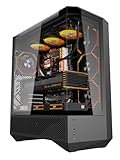


Our Top Picks
 MUSETEX ATX PC Case 7 PWM ARGB Fans16.73"D x 8.35"W x 18.5"H16.73 x 8.35 x 18.5 inches15 PoundsCheck on Amazon
 darkFlash DY470 Full-Tower ATX Gaming PC Case with18.66''L x 11.77''W x 19.6''H18.66 x 11.77 x 19.6 Inches22 PoundsCheck on Amazon
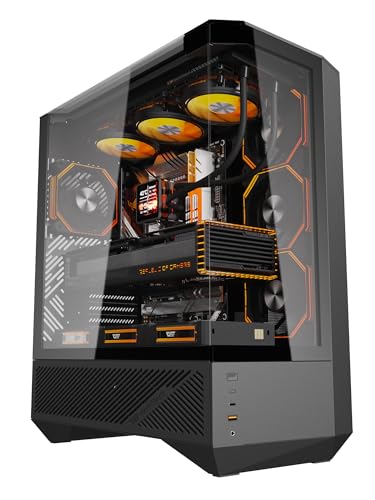
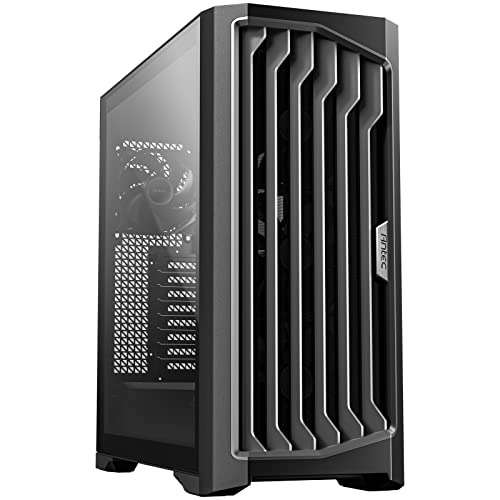
Top 3 picks at a glance
Decide These 3 Things First
Before you purchase aftermarket cables, custom sleeves, or even your power supply, you must establish three baseline parameters for your build:
- Your Case’s Internal Topography: Is your full tower a traditional vertical chimney design or a dual-chamber fishbowl? Traditional cases like the Antec Performance 1 FT mount the PSU in a bottom shroud, requiring a long vertical run up to the top-left EPS (CPU) connectors. Dual-chamber cases like the darkFlash DY460 place the PSU behind the motherboard tray, which shortens the horizontal run but demands tighter bends and precise slack management.
- Extensions vs. Direct Replacement Cables: Cable extensions plug into the ends of your existing PSU cables. They are highly affordable and universal, but they add roughly 300mm of extra length that you must hide inside the chassis. Direct replacement cables plug directly into a modular PSU’s interface. They require exact brand compatibility but eliminate excess bulk entirely.
- Your Cable Routing Route (Aesthetics vs. Utility): Running a cable straight from the basement to the motherboard header uses the shortest path but looks incredibly messy. Routing cables through rear channels, around grommets, and down to the basement adds between 150mm and 250mm of required length to every single cable run.
Cable Reach and Case Dimensions (Size)
Full tower cases typically stand between 520mm and 600mm tall, with depths ranging from 500mm to 550mm. In contrast, standard modular PSU cables are surprisingly short. A typical out-of-the-box 24-pin ATX cable measures 600mm, while EPS (CPU) cables generally measure 650mm.
To calculate the minimum required length for your CPU power cable in a traditional full tower, you must account for the vertical height of the case plus the horizontal width of the motherboard. If your case is 520mm tall and you route the cable from a bottom-mounted PSU up the back of the motherboard tray, through the top routing grommet, and down into the EPS port, the physical path is often 700mm or longer. Attempting this with a stock 650mm cable will fail. For full towers, you should target an EPS cable length of 750mm to 800mm and a 24-pin ATX cable length of 650mm to 700mm to ensure clean routing without tension.
Cable Materials and Sleeving Types (Material)
The material used to sleeve your cables directly impacts how easily they bend around the sharp corners of a full tower chassis. There are three primary material types available on the market:
PET (Polyethylene Terephthalate) Plastic: This is the stiffest sleeving material. While PET sleeves hold their shape beautifully—making them excellent for clean, parallel cable runs using plastic combs—their stiffness increases the minimum bending radius. You will need an extra 30mm to 40mm of clearance at the plug ends to allow these cables to curve safely into routing holes.
Paracord (Nylon): Highly flexible and soft to the touch, paracord behaves like thick thread. It curves easily around tight corners and can be packed tightly into the rear channels of dual-chamber cases. However, paracord can snag on sharp metal edges inside the case during installation, and it tends to collect dust over time.
Unsleeved Flat Ribbon Silicone: Often bundled with compact or budget PSUs, these cables are highly flexible and take up minimal space. However, they lack the premium, structured look expected in a high-end full tower build and can be difficult to train into neat runs.
Wire Gauge and Connector Integrity (Construction)
As we look ahead to the hardware demands of 2026, high-wattage graphics cards and motherboards demand clean, unimpeded power delivery. The thickness of the copper wire inside your cables—measured in American Wire Gauge (AWG)—is a critical safety and performance factor.
Most standard PSU cables use 18 AWG wire. While acceptable for short runs in small builds, 18 AWG wire experiences a noticeable voltage drop when extended to the 750mm or 800mm lengths required in a full tower. For long cable runs, look for 16 AWG wire. The thicker copper core reduces electrical resistance, lowers heat generation, and ensures stable voltage delivery to power-hungry components. This is especially vital for the 12V-2×6 and 12VHPWR PCIe 5.0 graphics card cables, which can carry up to 600 Watts of power through a single connector. Thicker 16 AWG cables are structurally stiffer, meaning you must plan for slightly wider routing bends behind the motherboard tray.
Cable Management Space and Thermal Performance (Comfort/Performance)
Choosing the correct cable length is not just about aesthetics; it directly impacts the thermal performance of your system. In a full tower case, airflow is king. Front-intake and bottom-intake fans push cool air across your GPU and CPU heatsinks before exhausting it out the top and back.
If your PSU cables are too long (which often happens when combining standard cables with 300mm extensions), you will end up with a massive bird’s nest of wires shoved into the PSU basement shroud. This bunched-up copper and plastic blocks the airflow path of bottom-mounted intake fans, which are common in high-airflow cases like the darkFlash DY460. Conversely, if your cables are too short, you will be forced to stretch them tightly across the front of your components, disrupting the clean laminar airflow generated by your system fans. Aim for an optimal “slack budget” of 50mm to 75mm. This allows you to tuck excess cable neatly into designated routing channels without creating airflow-blocking obstructions.
Price Tiers and Custom Customization (Price Tiers)
How much should you spend to get the perfect cable length for your full tower? The market is divided into three distinct price tiers:
The Budget Tier: At this price point, you are looking at universal cable extensions. Brands like Asiahorse or EZDIY-FAB offer sleeved extension kits that add 300mm of length to your existing cables. This is an affordable way to get the reach and look you want, but you must ensure your full tower has a spacious PSU shroud (at least 200mm of clearance) to hide the bulky original connectors.
The Mid-Range Tier: This tier includes pre-configured, direct-replacement cable kits from brands like Corsair, Seasonic, or CableMod. These kits replace your stock cables entirely. They typically feature lengths optimized for larger mid-towers and standard full towers (e.g., 700mm EPS cables). They offer excellent build quality and eliminate extra connector bulk.
The Premium Tier: This is the realm of fully bespoke, custom-measured cables. Using configuration tools from specialty shops, you specify your exact PSU model, your specific full tower case (such as the Antec Performance 1 FT), and your preferred routing path. The cables are cut to the exact millimeter, sleeved in your choice of colors, and delivered with pre-installed premium metal cable combs. This option offers the cleanest possible look with zero wasted space.
Warranty, Safety Standards, and Compatibility (Warranty/Safety)
When dealing with custom or aftermarket power cables, safety must be your top priority. The most critical rule of PC building is this: modular PSU cables are not interchangeable between different power supply models. Even if a cable plug physically fits into the back of your PSU, the internal pinout layout on the PSU side is not standardized. Plugging a cable designed for a Seasonic PSU into a Corsair PSU can instantly destroy your motherboard, graphics card, and storage drives.
When buying direct replacement cables, verify that the manufacturer explicitly lists your exact PSU model on their compatibility matrix. Look for cables constructed with UL-listed wire (Underwriters Laboratories) and flame-retardant sleeving. Premium cable manufacturers should offer at least a 2-year warranty that guarantees electrical compatibility and physical build quality. Avoid anonymous, unbranded cable kits sold on online marketplaces that lack clear safety certifications.
Spec Checklist
Use this quick-reference table to determine which cable specifications match your budget and system requirements for a full tower build:
| Specification | Budget Tier | Mid-Range Tier | Premium Tier |
|---|---|---|---|
| Cable Type | Universal Extensions | Pre-configured Direct Replacements | Bespoke Custom-Cut Replacements |
| Target EPS (CPU) Length | 300mm (Extension) + 650mm (Stock) | 700mm to 750mm | Measured to exact mm (up to 850mm) |
| Target 24-Pin ATX Length | 300mm (Extension) + 600mm (Stock) | 650mm to 700mm | Measured to exact mm (up to 750mm) |
| Wire Gauge (AWG) | 18 AWG | 18 AWG or 16 AWG mixed | Full 16 AWG (Highly Recommended) |
| Sleeving Material | Standard Nylon or PET | High-density PET or Paracord | Premium ModFlex (Paracord) or ModMesh (PET) |
| Average Price Range | Check on Amazon | Check on Amazon | Varies |
Red Flags
Keep an eye out for these critical warning signs when selecting and installing PSU cables in your full tower case:
- No PSU Compatibility List: If an online listing for direct replacement cables does not explicitly name your PSU model, do not buy it. “Universal modular cables” do not exist.
- 18 AWG Wire on 12VHPWR/12V-2×6 Cables: High-draw graphics cards (like the RTX 4090 or future equivalent series) pulling up to 600W require robust wiring. Avoid any high-power GPU cable that uses thin 18 AWG wire over a long distance, as this increases the risk of connector melting.
- Extremely Stiff Sleeving with Zero Bend Radius: If a cable cannot bend within 35mm of the connector plug, do not force it. Forcing a stiff cable to bend immediately after it plugs into your GPU puts uneven pressure on the internal terminals, which can cause poor contact and thermal failure.
- Insufficient Cable Management Clearance: If your chosen full tower case has less than 25mm of clearance behind the motherboard tray, avoid using thick PET-sleeved extensions. You will not be able to close the rear side panel without putting extreme pressure on your cables and motherboard.
FAQ
Can I use standard mid-tower PSU cables in a full-tower case?
In most cases, standard 600mm ATX and 650mm EPS cables will be too short to route cleanly behind the motherboard tray of a full tower. While they might reach if pulled diagonally across the front of your components, this ruins your system’s aesthetics and can block airflow. For a clean, safe installation, you will need extensions or longer replacement cables.
Are cable extensions safe to use in high-end, large PC builds?
Yes, high-quality cable extensions are perfectly safe as long as they use 18 AWG or 16 AWG wire and are plugged securely into your PSU’s stock cables. However, they add an extra physical connection point and roughly 300mm of extra wire. You must ensure your full tower’s basement shroud has enough physical space to house this extra bulk without blocking intake fans.
How do I measure the exact cable length I need before ordering?
The easiest way to measure is by using a flexible piece of string or wire. Route the string from your PSU mounting location, through your case’s rear cable management channels, out the appropriate grommet, and directly to the component header. Mark the string, lay it flat against a tape measure, and add 50mm to 75mm of “slack budget” to ensure you can plug it in without tension.
What happens if my PSU cables are too long?
If your cables are too long, you will have to bunch the excess length into your case’s basement shroud or rear management channels. While this does not present an immediate electrical hazard, a massive bundle of cables can severely restrict airflow from bottom-mounted intake fans and make it incredibly difficult to slide your case’s side panels back into place.









