
When you are setting up a dedicated home office, building a custom media center, or maintaining a high-end gaming desk, device acoustics and heat management are just as critical to your room’s ambiance as lighting or ergonomic furniture. Nothing ruins the focus of a beautifully designed workspace or the immersion of a living room home theater quite like the high-pitched, jet-engine whine of a struggling cooling fan.
To keep your systems quiet and running efficiently, you need high-quality thermal paste. This humble compound sits between your processor (CPU or GPU) and its metal heatsink, filling microscopic air gaps to ensure smooth heat transfer. However, many homeowners and DIY builders fall into costly traps when shopping for this essential maintenance material.
As an Amazon Associate we earn from qualifying purchases at no extra cost to you.


The most common mistake is chasing the highest thermal conductivity rating—measured in Watts per meter-Kelvin (W/mK)—under the assumption that a higher number always equals a cooler, quieter room. This leads people to purchase expensive, highly volatile liquid metal compounds that can permanently short-circuit their expensive motherboards. Others overbuy in volume, purchasing massive 45-gram tubes that dry out and separate on a shelf long before they can be used. Conversely, some buy the absolute cheapest unbranded paste available, only to find their home theater PC throttling and screaming under load within six months because the compound pumped out or dried up. To get the quiet, reliable performance your home tech needs, you must understand what thermal conductivity rating actually matters for your specific setup.
Our Top Picks


Top 3 picks at a glance
Decide These 3 Things First
Before comparing technical datasheets and filling your cart, you must define the scope of your hardware project. Answering these three questions will instantly narrow your search and protect your electronics:
- What is your system’s Thermal Design Power (TDP)? A low-power home office mini-PC or home-theater streaming box operating under 65W has vastly different cooling needs than a 150W gaming console (like a PS5 or Xbox Series X) or a 250W+ overclocked workstation CPU. High-TDP systems require premium heat transfer capabilities, whereas low-TDP systems can run silently on basic compounds.
- How often do you want to open your device? Some ultra-high-performance pastes are designed for competitive overclockers who do not mind taking their computers apart every 12 months. For a home office or living room setup, you likely want a “set-and-forget” compound that can sit undisturbed for 5 to 8 years without losing its heat-transfer properties.
Size and Volume: How Much Paste Do You Actually Need?
Thermal paste is sold by weight, typically in small syringes ranging from 1 gram to over 10 grams. Because you only need a tiny, pea-sized drop (approximately 0.1 to 0.2 grams) for a standard desktop CPU, a little goes an incredibly long way.
A 1-gram syringe is the perfect size for a single home office build or a one-time console refresh, offering about 3 to 5 applications. If you are managing a household with multiple laptops, a gaming console, and a desktop PC, a 4-gram syringe is the sweet spot, providing 12 to 15 applications. Avoid buying 8-gram or larger tubes unless you are running a home-based tech repair business; once opened, the oils inside the syringe can separate over a couple of years, rendering the remaining paste useless.
Material and Composition: Carbon vs. Metal vs. Silicon
The material base of your thermal paste dictates its safety, price, and performance ceiling. Understanding these material categories is essential for protecting your home devices:
- Carbon/Organic-Based (Non-Conductive): These are the most popular and safest pastes on the market. Using carbon micro-particles, they offer excellent heat transfer without conducting electricity. If you accidentally apply too much and it squeezes out onto the sides of the processor, your system remains completely safe.
- Metal-Based (Silver/Aluminum): These formulas use microscopic metal particles to boost heat transfer. While highly effective, they carry a slight risk of capacitive or electrical conductivity if they migrate onto delicate motherboard traces.
- Liquid Metal: Made of gallium alloys, liquid metal offers extreme thermal performance but is highly conductive and corrosive to aluminum heatsinks. It is incredibly difficult to apply safely and should be avoided by anyone building a standard home office or living room setup.
Viscosity and Ease of Application
Viscosity refers to how thick or runny the paste is, usually measured in Pascal-seconds (Pa·s). This physical characteristic directly impacts how easy the paste is to apply for a DIYer.
Thick, high-viscosity pastes (ranging from 600 to 850 Pa·s) can be incredibly stubborn to spread. If they are applied cold, they can roll up into clumps or leave tiny, microscopic air pockets that trap heat. Thinner, butter-like pastes (around 100 to 400 Pa·s) spread effortlessly under the natural clamping pressure of your heatsink. If you are new to maintaining your own home tech, look for a compound known for smooth, forgiving application to ensure a perfect, bubble-free thermal seal.
Performance and Thermal Conductivity (W/mK)
This brings us to the core metric: the thermal conductivity rating, expressed in Watts per meter-Kelvin (W/mK). This rating measures how efficiently heat moves through the paste from the hot processor to the cold heatsink.
Standard home office computers, smart-home hubs, and media streaming PCs running under 100W TDP require very little thermal assistance. For these devices, a thermal conductivity rating of 3 to 5 W/mK is perfectly adequate. For mid-range gaming setups, modern home theater PCs, and gaming consoles running between 100W and 200W, look for a rating of 5 to 9 W/mK. High-end workstations, heavy rendering rigs, and overclocked gaming systems running above 200W benefit from premium compounds rated at 12 to 15 W/mK.
It is important to keep these numbers in perspective. Moving from a mid-range 8 W/mK paste to a premium 14.3 W/mK paste usually only results in a temperature drop of 2°C to 4°C. While that difference is crucial for competitive hardware enthusiasts, it will not make a noticeable difference in the fan noise or performance of a standard home office computer.
Price Tiers and Value Proposition
Thermal paste is one of the most affordable components in home tech maintenance, but the price-per-gram varies wildly between budget and premium tiers:
Longevity, Cure Time, and Shelf Life
When maintaining home electronics, convenience is king. You do not want a thermal paste that requires you to disassemble your living room entertainment center every year just to reapply it.
Premium, high-conductivity pastes designed for competitive overclocking sometimes suffer from “pump-out”—a phenomenon where thermal expansion and contraction push the paste out from between the CPU and heatsink over time. These formulas can dry out and lose efficiency within 12 to 24 months. For a home user, durability is far more valuable than a 1°C temperature advantage. High-durability pastes are specifically engineered to remain viscous and stable for 5 to 8 years. Additionally, modern formulations require zero “cure time,” meaning they deliver their maximum cooling performance the exact second you turn the machine on.
Included Accessories and Application Kits
Before you can apply fresh thermal paste to an older home office computer or console, you must thoroughly clean off the old, dried-out factory compound. Doing this incorrectly can damage your processor or leave microscopic residue that ruins your new paste’s thermal connection.
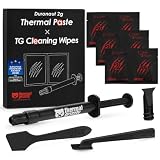
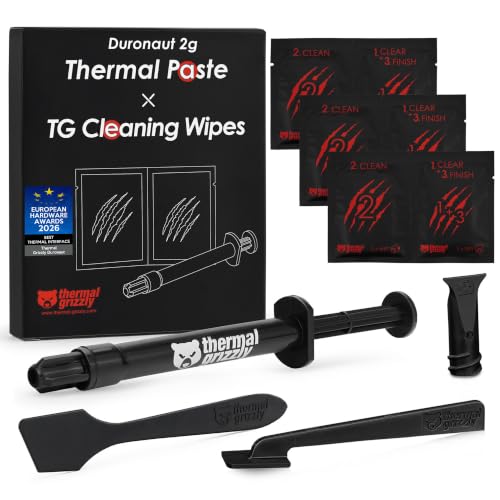
Look for products that include comprehensive application kits. Premium options often bundle specialized cleaning wipes (such as 6 wet wipes saturated with high-purity isopropyl alcohol and 6 dry, lint-free microfiber wipes) to safely dissolve and wipe away old gunk. Some kits also include custom plastic spatulas or spreading nozzles. Having these accessories included in your purchase saves you a separate trip to the drugstore and ensures a clean, professional application.
Spec Checklist
Use this quick-reference table to match your specific home hardware needs with the appropriate thermal paste specifications:
| Specification | Budget (Home Office / Media PC) | Mid-Range (Gaming / Consoles) | Premium (Workstations / Overclocking) |
|---|---|---|---|
| Thermal Conductivity | 3 to 5 W/mK | 5 to 9 W/mK | 12 to 15+ W/mK |
| Electrical Conductivity | Strictly Non-Conductive | Non-Conductive | Non-Conductive (Highly Recommended) |
| Viscosity Profile | Low (Easy, self-spreading) | Medium (Forgiving application) | High (Requires manual spreading) |
| Expected Lifespan | 5 to 8 Years | 5 to 8 Years | 1 to 3 Years |
| Price Range | Varies | Varies | Varies |
| Target Volume | 4g to 8g (Multi-device value) | 2g to 4g (Optimal balance) | 1g to 2g (High-performance precision) |
Red Flags
When shopping for thermal paste online, avoid products that exhibit these warning signs:
- Unlabeled Conductivity Ratings: If a manufacturer refuses to list the W/mK rating on the packaging or in the product description, they are likely hiding a sub-par, low-performance formula.
- Outrageous Temperature Claims: Any brand claiming their paste will “drop your CPU temperatures by 30°C” is using deceptive marketing. Even the best paste in the world will only drop temperatures by 3°C to 8°C compared to decent stock paste.
- No Mention of Electrical Conductivity: If a metal-based paste does not explicitly state whether it is electrically conductive or capacitive, do not risk putting it near your expensive motherboard circuitry.
FAQ
Does a higher thermal conductivity rating always mean my home office will be quieter?
Not necessarily. While a higher W/mK rating allows your heatsink to pull heat away from the processor more efficiently, your computer’s actual noise level is determined by your motherboard’s fan curves. If your fans are programmed to run at 100% speed regardless of temperature, a premium paste won’t make the system quieter. However, by lowering the baseline operating temperature of your CPU, a high-quality paste gives your system the thermal headroom it needs to keep the fans spinning at a whisper-quiet, low-RPM idle.
Can I use liquid metal on my standard aluminum laptop heatsink?
Absolutely not. Liquid metal compounds contain gallium, which reacts chemically with aluminum in a process called wet-metal embrittlement. This reaction physically destroys the structure of the aluminum, turning your sturdy heatsink into a brittle, crumbly powder and permanently ruining your laptop. Liquid metal should only ever be paired with copper or nickel-plated copper cooling blocks, and even then, only by experienced builders.
How often should I replace the thermal paste in my home devices?
For a standard home office computer, smart TV box, or gaming console, you should replace the thermal paste every 3 to 5 years. As we look ahead to the hardware demands of 2026, processors are only getting denser and hotter, making efficient thermal transfer more critical than ever. If you notice your device’s fans ramping up to maximum volume during basic tasks like web browsing or streaming, or if your system starts stuttering under heavy workloads, it is a clear sign that the original thermal paste has dried out and needs to be replaced.
Does thermal paste dry out in the syringe if I don’t use it all?
If you tightly seal the syringe with its original plastic cap and store it in a cool, dark place (like a drawer in your home office desk), a high-quality carbon-based thermal paste can easily last 2 to 3 years in storage. However, over time, the liquid silicone or synthetic oils inside the tube can slowly separate from the heavier thermal particles. If you squeeze the syringe and a clear, watery liquid comes out instead of a thick, uniform gray paste, the compound has separated and should be discarded.









