
Modern desktop design has evolved far beyond hiding a beige box under your desk. Today, a custom-built computer is a centerpiece of the home office, acting as both a high-performance workstation and a visual statement. As graphic cards have grown larger, more powerful, and visually striking, standard horizontal mounting has become a missed design opportunity. Standard mounting hides the intricate fan shrouds and custom lighting of high-end GPUs while putting unnecessary structural stress on your motherboard’s PCIe slot. Vertical mounting solves this aesthetic problem, turning your graphics card into the visual anchor of your setup.
However, choosing the best pc case for vertical gpu mounting clearance presents a major functional challenge: thermal choke. If a thick graphics card is positioned too close to the tempered glass side panel, its intake fans cannot draw in enough cool air. This leads to loud fan noise, thermal throttling, and a degraded computing environment in your workspace. To help you achieve a quiet, high-performance, and visually stunning workspace, we have compared and analyzed the leading PC cases and aftermarket mounting kits on the market, focusing on clearance, structural integrity, and ease of installation.
As an Amazon Associate we earn from qualifying purchases at no extra cost to you.


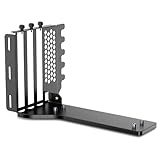


Our Top Picks
 LIAN LI 4 Slots Vertical GPU Kit6.61 x 5.81 x 9.25 inches6.61 x 5.81 x 9.25 inches2.36 PoundsCheck on Amazon
 darkFlash DY470 Full-Tower ATX Gaming PC Case with18.66''L x 11.77''W x 19.6''H18.66 x 11.77 x 19.6 Inches22 PoundsCheck on Amazon

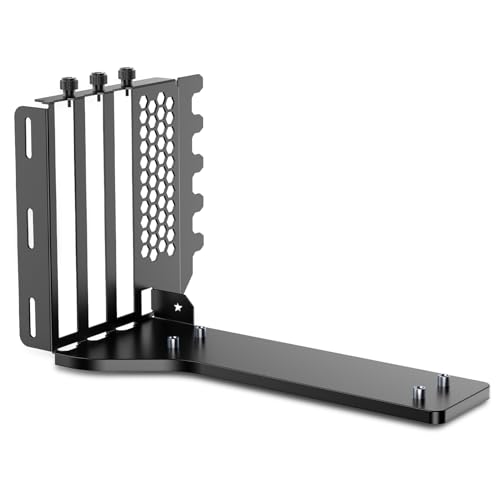


Top 3 picks at a glance
Quick Picks
| Product | Best For | Price |
|---|---|---|
| MUSETEX PC Case (GR3) | Best Budget Panoramic Case | Check on Amazon |
| LIAN LI 4 Slots Vertical GPU Kit (VG4v4) | Best Premium High-Bandwidth Kit | Check on Amazon |
| JEYI Vertical GPU Mount 3 Slot | Best Ultra-Budget Multi-Slot Mount | Check on Amazon |
| darkFlash DY470 Full-Tower Case | Best High-End Airflow Case | Check on Amazon |
| NZXT Vertical GPU Mounting Kit | Best Minimalist Sturdy Bracket | Check on Amazon |
| JEYI Vertical GPU 2-Slot Mount Bracket | Best Budget 2-Slot Solution | Check on Amazon |
| Cooler Master Vertical GPU Holder Kit V3 | Best Adjustable Modular Bracket | Check on Amazon |
| XRIKUI Vertical GPU Mount | Best Active-Cooling Bracket | Check on Amazon |
How We Compared
To determine the best options for displaying your hardware safely and efficiently, we evaluated each product against a strict set of physical and mechanical standards. Our research protocol focused heavily on the physical clearance distance between the graphics card fans and the side panel of the chassis. For standalone mounting brackets, we evaluated their adjustment ranges, checking if they allow the user to slide the graphics card inward toward the motherboard to maximize breathing room.
We also analyzed structural stability. Heavy graphics cards weighing over 4 pounds (1.8 kg) can easily droop or twist weak mounts, causing unsightly sag and potentially damaging internal connections. We compared the rigidity of SGCC steel, aluminum, and modular bracket designs under heavy load. Finally, we examined the performance of the included riser cables, ensuring that PCIe 4.0 and PCIe 5.0 standards were met without signal degradation or system instability, which is crucial for maintaining top-tier performance as we move into 2026.
The 8 Best Picks
MUSETEX PC Case, Vertical GPU Mounting Design (GR3)
The MUSETEX GR3 is an exceptional entry-level mid-tower case designed for users who want a striking, panoramic view of their hardware without spending a fortune. Featuring a dual-chamber aesthetic with 270-degree full-view tempered glass, this case puts your vertical graphics card front and center. It comes equipped with five pre-installed 120 mm PWM ARGB fans to ensure robust airflow, and it supports up to a 360 mm radiator on top for water cooling. The chassis provides dedicated vertical expansion slots, allowing you to showcase your GPU with plenty of structural breathing room.
- Beautiful 270-degree dual-panel tempered glass offers an uninterrupted view of internal components.
- Includes five pre-installed PWM ARGB fans, saving you significant extra expense on cooling.
When to skip: Skip this case if you already own a high-end chassis and only require an aftermarket bracket to mount your GPU vertically.
LIAN LI 4 Slots Vertical GPU Kit (VG4v4)
For builders who own massive, top-tier graphics cards like the NVIDIA RTX 4090, the LIAN LI VG4v4 provides the ultimate heavy-duty mounting solution. This premium kit features a robust 4-slot bracket design constructed from thick, high-quality steel that completely eliminates structural sag. It includes a premium PCIe 5.0 riser cable, ensuring maximum data transfer speeds and future-proof compatibility with next-generation motherboards. The white finish is perfect for clean, minimalist, or all-white office aesthetics, integrating seamlessly into high-end modern workspaces.
- True 4-slot structural design easily supports the heaviest, thickest graphics cards on the market.
- Includes a high-speed PCIe 5.0 riser cable for uncompromised system bandwidth.
When to skip: Avoid this kit if you are building a budget-oriented system or using a slim, 2-slot GPU that does not require PCIe 5.0 speeds.
JEYI Vertical GPU Mount 3 Slot
If you want to mount a modern triple-slot graphics card vertically without breaking the bank, the JEYI 3-Slot Mount is an incredibly cost-effective choice. Despite its low price point, it offers adjustable mounting holes to help you position your card away from the side panel, preventing thermal throttling in standard mid-tower configurations.
- Supports up to 3-slot thick graphics cards for broad hardware compatibility.
When to skip: Skip this if you are mounting a very heavy flagship card and prefer a premium, ultra-thick steel bracket to prevent minor flex.
darkFlash DY470 Full-Tower ATX Gaming PC Case
The darkFlash DY470 is a spacious, premium full-tower chassis designed for hardware enthusiasts who demand maximum clearance and airflow. Built with a stunning three-sided panoramic glass layout, it showcases your vertical GPU like a museum piece. The case includes four pre-installed PWM ARGB fans and offers immense internal volume, meaning even the thickest 4-slot graphics cards will have several inches of clearance from the side glass. This generous spacing ensures your GPU fans have unrestricted access to fresh air, keeping your workstation whisper-quiet.
- Spacious full-tower interior offers unmatched clearance for optimal GPU thermals.
- Striking panoramic glass design provides an elegant, modern aesthetic for home offices.
When to skip: Skip this model if you have a compact desk, as its large full-tower footprint requires significant physical space.
NZXT Vertical GPU Mounting Kit
NZXT is renowned for clean lines and minimalist design, and their official Vertical GPU Mounting Kit lives up to that reputation. Constructed from sturdy, powder-coated black steel, this bracket mounts securely to your case’s PCIe slots, offering a rigid platform that prevents sag. It includes a high-quality 175 mm PCIe 4.0 x16 riser cable that ensures stable signal transmission. The bracket is designed to position the graphics card further back toward the motherboard, maximizing clearance between the GPU fans and the glass panel.
- Premium, heavy-duty steel construction ensures zero drooping or sagging over time.
- The 175 mm PCIe 4.0 riser cable offers excellent flexibility and reliable high-speed performance.
When to skip: Skip this kit if you are looking for PCIe 5.0 support or need a highly adjustable modular bracket for custom offsets.
JEYI Vertical GPU 2-Slot Mount Bracket
Designed specifically for slim or standard-sized graphics cards, the JEYI 2-Slot Mount Bracket is a lightweight and straightforward mounting solution. This bracket is ideal for dual-slot GPUs, keeping the installation footprint small and tidy. It is made from lightweight steel and offers a clean, low-profile look that doesn’t distract from your system’s overall design.
- Low-profile design is perfect for smaller, standard 2-slot graphics cards.
When to skip: Skip this bracket if you own a thick 3-slot or 4-slot graphics card, as it will not physically fit this mount.
Cooler Master Vertical GPU Holder Kit V3
The Cooler Master Holder Kit V3 is the most versatile bracket on the market, thanks to its highly adjustable, modular design. Made from thick SGCC steel, this bracket can be adjusted both horizontally and vertically. This allows you to slide your graphics card closer to the motherboard or further out, giving you complete control over your clearance from the side glass panel. It includes a 165 mm PCIe 4.0 riser cable and is compatible with all standard ATX, E-ATX, and micro-ATX chassis.
- Highly adjustable modular design allows you to customize both depth and height clearances.
- Thick SGCC steel construction provides elite structural support for heavy graphics cards.
When to skip: Skip this product if you prefer a simple, tool-free installation, as the modular adjustments require more assembly time.
XRIKUI Vertical GPU Mount
The XRIKUI Vertical GPU Mount is an innovative, aluminum-alloy bracket designed for users who want to maximize their system’s cooling efficiency. Unlike standard brackets, this mount features integrated mounting points for additional cooling fans directly beneath the graphics card. This unique design allows you to force fresh air upward into your GPU shroud, dramatically improving thermal performance even in cases with tight clearance. The lightweight aluminum construction provides a clean, modern look while maintaining excellent durability.
- Aluminum-alloy construction is lightweight, durable, and resistant to corrosion.
- Supports mounting auxiliary cooling fans directly under the GPU to boost airflow.
When to skip: Skip this mount if you do not want to purchase a separate PCIe riser cable, as one is not included in the package.
Buying Guide
Understanding GPU Thickness and Slot Clearance
When planning a vertical GPU setup, the thickness of your graphics card is the most critical variable. Graphics cards are measured by the number of expansion slots they occupy, typically ranging from slim 2-slot designs up to massive 4-slot models. A standard mid-tower PC case with built-in vertical slots usually positions the card very close to the side glass. If you install a 3-slot or 4-slot card in these built-in slots, the fans will sit less than an inch from the glass, choking the airflow. For thick cards, look for cases with a total width of at least 230 mm, or use an adjustable aftermarket bracket like the Cooler Master V3 to slide the card inward toward the motherboard.
PCIe Riser Cable Generations and Lengths
The PCIe riser cable is the bridge that connects your vertically mounted graphics card to the motherboard’s PCIe slot. It is vital to match the cable’s generation with your hardware. If you have a PCIe 4.0 motherboard and GPU, using a cheaper PCIe 3.0 riser cable can cause boot failures or system crashes unless you manually force your motherboard BIOS to run at PCIe 3.0 speeds. For high-end workstations, a PCIe 4.0 or PCIe 5.0 cable is highly recommended to ensure full bandwidth. Additionally, pay attention to the cable length; a 165 mm to 175 mm cable is generally the sweet spot for standard mid-towers, providing enough flexibility to bend without creating excessive slack that blocks internal airflow.
Structural Materials and Sag Prevention
Modern high-end graphics cards feature massive heatsinks and triple-fan coolers, often weighing between 3 and 5 pounds. If your vertical bracket is made of thin, low-grade metal, the weight of the GPU will cause the bracket to flex downward. This “GPU sag” is not only visually unappealing but can also cause strain on the riser cable connection. Look for brackets constructed from thick SGCC (Galvanized Cold-rolled Steel) or structural aluminum alloys. Premium kits feature reinforced baseplates and locking screws that secure the bracket firmly to the rear expansion slots of your PC case, ensuring your card remains perfectly level and stable over years of use.
Our Verdict
If you are building a brand-new system from scratch and want a panoramic, high-airflow showpiece, the darkFlash DY470 Full-Tower Case offers the best overall clearance and interior volume to keep heavy GPUs running cool. For budget-conscious builders, the MUSETEX PC Case GR3 provides a beautiful 270-degree glass aesthetic and five pre-installed fans at an unbeatable price point.
If you already have a case and simply need a mounting kit, the Cooler Master Vertical GPU Holder Kit V3 is our top recommendation due to its robust SGCC steel construction and highly adjustable slide mechanism. For those running cutting-edge PCIe 5.0 systems with massive 4-slot graphics cards, the LIAN LI VG4v4 is the ultimate premium bracket, while the JEYI 3-Slot Mount remains the champion for ultra-budget setups.
FAQ
Will vertical mounting hurt my GPU temperatures?
Vertical mounting will only hurt your temperatures if the graphics card fans are positioned too close to the side panel glass. If there is less than two inches of clearance, the fans cannot pull in enough cold air, causing temperatures to rise by 5 to 10 degrees Celsius. Using an adjustable bracket to push the GPU further back toward the motherboard resolves this issue entirely.
Do I need a PCIe 4.0 or 5.0 riser cable?
You should match your riser cable to the highest standard supported by your graphics card and motherboard. While a PCIe 4.0 cable is perfectly adequate for almost all modern GPUs, a PCIe 5.0 cable provides maximum future-proofing and ensures zero signal degradation for next-generation hardware platforms.
Can I install a vertical GPU bracket in any ATX case?
Most universal vertical GPU brackets require a case with an open PCIe slot design (meaning there are no metal bars between the individual expansion slots on the back of the case). If your case has closed slots with dividing bars, you may need to cut those bars out with metal shears, or choose a modular bracket like the Cooler Master V3 which can sit deeper inside the chassis.
How do I prevent my heavy graphics card from sagging vertically?
To prevent vertical sag, ensure you choose a bracket made of thick SGCC steel or rigid aluminum, such as the NZXT or Lian Li kits. Avoid cheap, thin metal brackets. Additionally, make sure all mounting screws securing the bracket to the rear of your PC case are tightened firmly, and check that the riser cable base is bolted securely to the bracket’s floor.









