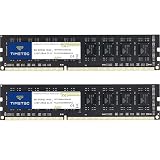
Sixteen gigabytes of DDR5 is where a lot of memory shopping lands in 2026: enough for most current games when a browser and a chat app run alongside, small enough to keep a budget build honest, and easy to double later if the motherboard has spare slots. The tricky part is that “16GB DDR5” describes at least four different products. It might be a pair of 8GB sticks that run in dual channel, a single 16GB stick, a desktop module, or a laptop SODIMM. Buying the wrong shape is the most common way to waste money in this category.
The six listings below cover those shapes on purpose, so you can see how the titles differ. Two are desktop 2x8GB kits at 6000, one is a desktop single 16GB stick at 6000 with tighter timings, and three are SODIMM modules for laptops and compact PCs. Everything is judged from the listing titles only: capacity, speed, timing, voltage, and form factor. Sustained stability, heat, and real-world frame rates are not in the titles, so check your motherboard memory list before ordering.
Our Top Picks
 A-Tech 16GB DDR5 5600MHz PC5-44800 CL46 SODIMM 1.1V16GB (1 x 16GB)2.74 x 1.18 x 0.15 inchesCheck on Amazon
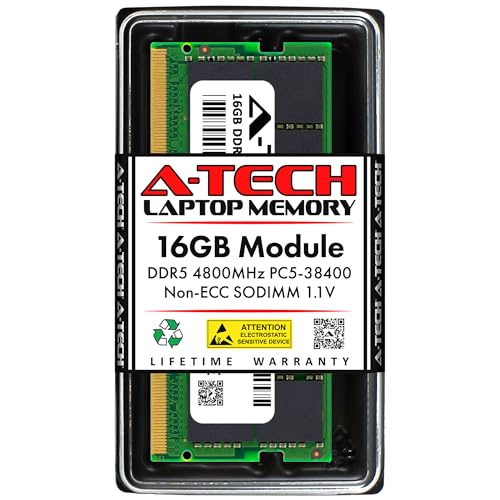 A-Tech 16GB DDR5 4800MHz PC5-38400 CL40 SODIMM 1.1V16GB (1 x 16GB)2.74 x 1.18 x 0.15 inches0 PoundsCheck on Amazon


Top 3 picks at a glance
Quick Picks
As an Amazon Associate we earn from qualifying purchases at no extra cost to you.


| Product | Best for | Key spec from the title |
|---|---|---|
| Patriot Viper Venom 16GB (2x8GB) | Desktop gamers wanting dual channel | 6000MT/s, CL36, 1.35v, XMP and EXPO |
| Corsair Vengeance SODIMM 16GB (1x16GB) | Compact PCs and laptops using SODIMM slots | Up to 5600MHz, CL48, Intel XMP 3.0 |
| Samsung 16GB SODIMM M425R2GA3BB0-CWM | Laptop upgrades from a known memory maker | 5600MHz, PC5-44800, CL46, 1.1V, single rank |
| Corsair Vengeance RGB RS 16GB (2x8GB) | Lit-up desktop builds | Up to 6000MHz, CL36, EXPO and XMP 3.0 |
| A-Tech 16GB SODIMM 5600MHz | Laptop upgrade modules with standard timings | PC5-44800, CL46, 1.1V, non-ECC unbuffered |
| Patriot Viper Elite 5 16GB (1x16GB) | Single-stick desktop builds with tight timing | 6000MT/s, CL30, 1.35v, XMP and EXPO |
The 6 Best Options
Patriot Viper Venom 16GB (2x8GB) 6000MT/s
This is the straightforward desktop kit for an AM5 or recent Intel build. The title lists 16GB as two 8GB sticks, 6000MT/s, CL36, 1.35v, support for Intel XMP and AMD EXPO, and a UDIMM module type. Two sticks mean dual channel from day one, which is the configuration most desktop platforms prefer for gaming. The shared XMP and EXPO support also means the kit can serve either brand of processor.
It is the kind of listing that rewards a quick read of the motherboard manual, because 6000MT/s with these timings works best on boards that list that speed as supported. The 1.35v figure is typical for desktop kits running a listed profile, and it is one of the few voltage details given in this group.
Another practical point is that Patriot labels this kit as UDIMM, which is the standard desktop form. That label matters because several listings in this group use the same DDR5 and 16GB wording for modules that look nothing alike. When the module type is spelled out, you can match it to your motherboard with almost no guesswork, and the 8GB sticks are easy to resell or reuse if you later move to 32GB.
Compared with the Elite 5 at the end of this list, the Venom trades a looser CL36 for a ready-made pair, which is the more convenient purchase for someone who wants to install it and forget about it. If you care about squeezing latency, the other Patriot line is the one to look at, but you will need to add a second stick to match the bandwidth this kit offers on day one.
- A 2x8GB layout gives dual channel, which keeps memory bandwidth up for gaming and general use.
- Both XMP and EXPO are named, so the kit pairs with Intel or AMD boards.
- 6000MT/s with CL36 is a commonly targeted pairing for current desktop platforms.
- Two 8GB sticks leave only a path to 32GB by adding another pair, which many boards handle less gracefully.
- The title does not describe a heat spreader style or height.
Skip it if you want to start with a single stick and expand later, or if you are buying for a laptop. Against the Corsair SODIMM next, this is the desktop dual-channel option, while that listing is a compact single-module part.
Corsair Vengeance SODIMM 16GB (1x16GB) 5600MHz
This listing shows how easy it is to misread DDR5 titles. The product is a Corsair Vengeance SODIMM, a 16GB single module with speeds up to 5600MHz, CL48, and Intel XMP 3.0 support, in black. The title also says Desktop Computer Memory, but SODIMM is the laptop and small-form-factor module shape, so it will not fit a standard desktop slot. It is intended for systems with SODIMM sockets, such as compact PCs and some mini builds.
The XMP 3.0 mention is the part that tempts buyers, but it only helps if the host platform can use it. Many laptops lock memory to standard speeds regardless of the profile, so you may end up running this module at the same speed as a plain one. For a mini PC with unlocked memory settings, the profile can be a real convenience, so check the product page for your specific machine before counting on it.
- A single 16GB module is a simple upgrade for a SODIMM system with a free slot.
- Intel XMP 3.0 is named, which suits supported Intel platforms.
- The Corsair name gives a familiar brand and part number to look up.
- CL48 at 5600MHz is looser than the desktop kits in this list.
- SODIMM does not fit standard desktop slots, which the Desktop wording in the title may obscure.
Skip it if you have a regular desktop tower, because the physical module will not seat. Compared with the Samsung SODIMM that follows, the Corsair adds an XMP profile and a fuller brand story, while the Samsung is a plain standard-spec module.
One more detail from this listing is the part number in parentheses at the end. When a title includes a manufacturer code, you can search that code on the maker page to confirm the speed, the voltage, and whether the module is a retail part. Use that habit with every SODIMM you consider, because laptop memory has stricter limits than desktop memory and a mismatch can leave a machine unable to boot.
Samsung 16GB DDR5 5600MHz SODIMM (M425R2GA3BB0-CWM)
The Samsung listing is as plain as a title can be, and that is its appeal. It lists 16GB DDR5 at 5600MHz, PC5-44800, CL46, SODIMM 1Rx8 single rank, 1.1V, and 262 pins for laptop use, with a model number at the end. Single rank and standard voltage point to a conventional laptop upgrade module made by a major memory maker.
Single rank 1Rx8 is the most common arrangement for 16GB laptop modules, and it keeps electrical load on the memory controller modest. That tends to make single rank modules easy to pair with the widest range of notebooks. The title carries no marketing language about gaming or lighting, so what you see is the memory itself. For a buyer who simply wants an 8GB laptop to behave like a 16GB laptop, that quiet approach is a feature.
- The model number is listed, which makes it easy to look up exact compatibility.
- 1.1V and single rank describe a standard laptop-oriented module.
- PC5-44800 and CL46 are clearly stated, so you know the speed grade.
- No XMP or gaming profile is mentioned, so it will run at standard speeds.
- It is a laptop module only and will not fit a desktop slot.
Skip it if you want a branded gaming kit with a tuning profile. Against the A-Tech module next, both are standard laptop upgrades at 5600, with Samsung as the original maker name and A-Tech as a third-party upgrade brand.
Corsair Vengeance RGB RS 16GB (2x8GB)
The Vengeance RGB RS is the desktop kit with lighting. The title lists DDR5, 16GB as 2 x 8GB, speeds up to 6000MHz, AMD EXPO and Intel XMP 3.0 compatibility, CL36, and grey as the color. It is designed for desktop gaming memory and mirrors the Patriot Viper Venom on speed and latency, so the decision often comes down to looks and brand preference.
In practice, two kits with the same speed and CL number are close cousins on paper, and a buyer will usually settle the choice on case fit and styling. The RS name sits in the RGB line, which suggests lighting is a selling point alongside performance. If your cooler is a large tower, measure the gap between the first memory slot and the cooler before ordering, because lit modules tend to be taller than plain ones. The grey color named in the title also suits a neutral build with silver or gunmetal parts.
- A 2 x 8GB layout provides dual channel on desktop boards.
- AMD EXPO and Intel XMP 3.0 are both listed, so it fits either platform.
- RGB lighting is part of the name, which suits builds with a window panel.
- Lighting adds nothing to performance, so the feature only matters for looks.
- Taller modules with lighting can collide with large air coolers, so check clearance.
Skip it if your case has no window or you dislike lighting, since the Patriot offers similar numbers. Compared with the A-Tech SODIMM next, this is a desktop-only part and is not interchangeable with laptop memory.
A-Tech 16GB DDR5 5600MHz SODIMM
A-Tech sells third-party upgrade modules, and this listing is a 16GB DDR5 SODIMM at 5600MHz, PC5-44800, CL46, 1.1V, non-ECC unbuffered, 262-pin, for laptop computers. The wording reads as an upgrade part for a specific class of notebook, not a gaming kit, and the title is a clear checklist of what the module is and is not.
Buyers of third-party upgrade modules often value the paperwork more than the speed: a clear spec string, a documented warranty, and a return window in case the module does not suit the laptop. Read the seller page for a compatibility checker or a list of supported systems. If your machine appears there, the module is likely to work. If it does not, treat the purchase as a gamble and weigh the return terms.
- Non-ECC unbuffered 262-pin is stated, covering the form factor details.
- PC5-44800 and CL46 match the standard 5600 speed grade.
- It is positioned as a laptop upgrade, so there is little ambiguity about use.
- It is a third-party brand, so check the warranty and return terms.
- No overclocking profile is named, so the module runs at standard speed.
Skip it if you want a name-brand gaming profile. The A-Tech listing has a sibling at a slower speed that was left out of this list as a speed variant, and this review covers the 5600MHz one. Against the final Patriot Viper Elite 5, it is the low-key laptop choice, while the Elite 5 is a tight-timing desktop stick.
Patriot Viper Elite 5 16GB (1x16GB) 6000MT/s CL30
The Viper Elite 5 is the one listing here with a lower CL number at 6000MT/s. The title lists DDR5, 16GB as 1x16GB, 6000MT/s, CL30, 1.35v, Intel XMP and AMD EXPO support, and a UDIMM module type for desktop. CL30 timing at 6000MT/s means a shorter wait for the first data word than CL36 at the same speed, which gamers who care about latency often seek.
Single stick builds have a quiet advantage that spec sheets do not highlight. With one module in a two-slot or four-slot board, the memory controller has less to balance, and some boards reach their listed profile more easily. That makes this listing an interesting option for a builder who wants a high-speed profile to boot without drama and plans to add a matched second module only after confirming stability. The module type is UDIMM, so it fits standard desktop slots.
- CL30 at 6000MT/s is tighter than the CL36 kits in this list.
- XMP and EXPO support let it pair with either platform.
- A single 16GB stick leaves a free slot for a later second module.
- A single stick runs in single channel unless you add a matching second one.
- Tighter timing can need a BIOS update or a manual profile on some boards.
Skip it if you want dual channel from the start. A single stick can be a good starting point, but gamers who want bandwidth should plan to add a second identical module, or choose a 2x8GB kit from the list above.
Who Needs 16GB of DDR5
Gamers on a balanced budget
Sixteen gigabytes covers most games today when you close other heavy programs. For a first DDR5 build where the money should go to the graphics card, 16GB is a defensible starting point, with room to expand later. If your platform has four slots, plan to buy a matching pair or keep slots free for growth.
A related question is what 16GB means for the graphics card you pair it with. Games that stream large textures benefit from enough system memory to keep assets cached, and 16GB is enough for most titles at common settings. Memory-hungry simulation games, large open worlds with mods, and apps like video editors will use more, and those buyers should consider 32GB from the beginning rather than buying twice.
Laptop and mini PC upgraders
If your machine uses SODIMM slots, three of these listings fit. A 16GB module doubles an 8GB laptop and can bring an older notebook back to usability. Always check the maker’s compatibility list and the speed your processor supports, because the module will run at the lowest common speed.
Check before buying that the machine takes DDR5 at all. Many laptops from a few years ago use DDR4 SODIMMs, and DDR5 modules will not fit those sockets. Also check whether the laptop has two slots or one, whether one is soldered, and the maximum capacity per slot. A short look at the service manual saves a return.
Builders replacing slow DDR4 systems
Moving from DDR4 to DDR5 means a new motherboard and processor as well as new memory. When that jump happens, 16GB is often enough to start, and the kits with EXPO or XMP profiles let you reach listed speeds with a single BIOS setting.
How to Choose
Form factor: UDIMM versus SODIMM
Desktop boards use UDIMM modules, which are longer. Laptops and compact PCs use SODIMM modules, which are shorter and have 262 pins. They are not interchangeable. Read the title closely, because some listings use the words desktop and SODIMM in the same line.
A quick check is the pin count and length: a 262-pin module is a SODIMM, while desktop DDR5 modules carry 288 pins. If you cannot tell from the listing, look at the product photo and compare the module length with your current memory before ordering.
Kit layout: two sticks or one
Two matched 8GB sticks run in dual channel and generally give more bandwidth than one 16GB stick. A single stick keeps a slot free for future expansion. If you game on an integrated graphics processor, dual channel matters even more. For a discrete graphics card, the gap is smaller but still present.
If you already own a single 16GB stick and want more bandwidth, the cleanest fix is to buy a second identical stick, ideally from the same product line. Mixing different brands often forces both modules to the slowest shared timing, which defeats the purpose of upgrading.
Speed and latency
DDR5 at 6000MT/s is the common target for current desktop platforms. Lower CL numbers at the same speed mean tighter timing. Do not chase extreme speeds your processor and board cannot run. A reliable 6000MT/s kit with a supported profile is better than a faster kit that needs manual tuning.
As a rule, 5600MT/s and 6000MT/s are the two speeds that most listings here sit around, and the real-world gap between them is small for gaming on a discrete graphics card. Chase stability and compatibility first, then speed. If a platform runs a kit at its listed speed with the profile enabled, that is a good outcome.
Profile support: XMP and EXPO
XMP is the Intel profile standard and EXPO is the AMD one. A kit listing both works on either platform. Without a matching profile, memory runs at the standard slow speed until you enable the profile in the BIOS.
Some motherboards enable the profile with a single toggle, while others hide it in an advanced memory menu. After enabling, restart and confirm the speed in the BIOS or a system information tool. If the speed does not match the label, the board or processor may cap it, and the memory is still working as designed.
Voltage, rank, and heat spreaders
Desktop gaming kits often run at 1.35v with an enabled profile, while laptop modules run at 1.1V. Single rank is common on 16GB modules, and it is generally easier on the memory controller. Tall heat spreaders can block large air coolers, so measure clearance if you use one.
Rank affects capacity per module and how hard the memory controller works. Dual rank modules can offer slightly better performance in some workloads but are harder to run at top speed. On 16GB modules, single rank is the more common and the easier choice for a tuned gaming build.
What to ignore and where budget modules cut corners
Ignore lighting claims when comparing performance, and ignore very high speeds your board does not list. Budget modules can skip heat spreaders, limit profile support, or use looser timing. Third-party laptop modules may carry shorter warranties, so confirm the terms before you buy.
2x8GB Kit or a Single 16GB Stick
| Factor | 2x8GB kit | 1x16GB stick |
|---|---|---|
| Memory channels | Dual channel | Single channel until a second stick is added |
| Upgrade path | Add another pair or replace | Add a matching stick |
| Free slots on a two-slot board | None | One |
| Tuning simplicity | Pre-matched pair | One stick, simple |
| Best fit | Gamers wanting bandwidth now | Builders planning to expand later |
Why a pair usually wins for gaming
A matched pair of 8GB sticks gives dual-channel bandwidth immediately. That helps on any platform, and it matters most when integrated graphics share system memory. The Patriot Viper Venom and the Corsair Vengeance RGB RS are both sold this way. If you do not plan to upgrade, this is the layout to favor.
Why a single stick can still make sense
A single 16GB stick such as the Viper Elite 5 leaves room to add a second module later and reach 32GB in dual channel. It can also be simpler to run at a high speed, since fewer modules put less strain on the memory controller. If you buy this way, plan to match the second module closely.
Setup, Compatibility and Upgrade Tips
What to check before buying
Confirm DDR5 support, the number of slots, and the supported speeds in your motherboard manual. If you are buying for a laptop, check the maximum memory per slot and whether the memory is soldered. Verify that the form factor in the title matches your machine.
What to upgrade first
If your system has 8GB, moving to 16GB is a meaningful jump. If it already has 16GB in a single channel, adding a second matching module may help more than raising the speed. After memory, storage and graphics are the next upgrades to consider.
Common compatibility traps
Do not mix SODIMM and UDIMM. Do not assume a kit’s listed speed will run without enabling its profile in the BIOS. Do not mix kits with different timings. Update the BIOS before installing DDR5 on a new board, and boot with the profile disabled first to confirm stability.
Run a memory test pass after enabling the profile, ideally an overnight run with a free utility, and watch for crashes during normal use in the first week. If you see random restarts or blue screens, step the speed down one notch or raise the voltage slightly within the limits the maker lists. Never exceed the voltage on the module label unless you understand the risk.
Which One Fits Your Situation
First DDR5 desktop build
The Patriot Viper Venom 2x8GB kit gives dual channel, 6000MT/s, and both profile types, which makes it the safe starting point for most new desktops.
It also suits anyone building on a board that lists 6000MT/s as a supported speed, since the profile is likely to apply cleanly. The same plan works for a desktop used mostly for esports titles and everyday work, where 16GB is comfortable and the budget is better spent elsewhere.
Desktop with a window panel
The Corsair Vengeance RGB RS 2x8GB adds lighting to a similar speed and timing, which suits a build that shows its internals.
Latency-focused gamer who may add memory later
The Patriot Viper Elite 5 1x16GB at CL30 offers tight timing and a free slot for a second stick, which suits a builder who wants a path to 32GB.
The key is to buy the second stick from the same line, and to do it before the first one is a year old, so product revisions do not change the chips. Keep the original box and note the part number now.
Laptop owner upgrading an 8GB machine
The Samsung 16GB SODIMM is a plain, standard-spec module with a model number to verify against your laptop’s compatibility list.
If you would rather pick a third-party brand, the A-Tech 5600MHz module is the alternative, with the same speed grade and timings listed. The choice then comes down to warranty terms and which seller offers the easier return process.
Common Mistakes
- Buying SODIMM for a desktop tower or UDIMM for a laptop.
- Forgetting to enable XMP or EXPO and running at the slow default speed.
- Mixing two different kits and expecting the listed profile to work.
- Chasing high speeds the processor and board do not support.
- Ignoring cooler clearance when buying tall lit modules.
- Paying for lighting when the budget would be better spent on capacity.
Related guides
- Noctua Nh-D15 Vs Thermalright Peerless Assassin 120
- Sustainable Gaming Pc Power Supply Efficiency Guide
- Thermal Paste Application Method For Lga1851
Frequently Asked Questions
Is 16GB of DDR5 enough for gaming?
For most games today, yes. Heavy multitasking, streaming, or large modded games may benefit from 32GB. Starting with 16GB and adding a matching pair later is a common path.
Is 2x8GB or 1x16GB the better layout?
Two sticks give dual channel at once, which helps bandwidth. One stick leaves room for expansion. Pick the layout that matches your upgrade plan.
What is the difference between XMP and EXPO?
XMP is the Intel profile format and EXPO is the AMD one. A kit that lists both works on either platform, though you still need to enable the profile in the BIOS.
Does CL30 beat CL36 at the same speed?
A lower CL means a shorter wait for the first piece of data, so CL30 is tighter than CL36 at 6000MT/s. The real-world gain depends on the workload.
Does a SODIMM fit a desktop?
Not in a standard desktop slot. SODIMM modules are shorter and designed for laptops and compact PCs. Desktop boards need UDIMM modules.
Why does installed memory run slower than the label?
Without enabling XMP or EXPO, the memory runs at a standard speed. Turn on the profile in the BIOS and confirm that your board and processor support the listed speed.
Final Words
Sixteen gigabytes of DDR5 is simple to buy once you pick the right shape. For a desktop, the Patriot Viper Venom and Corsair Vengeance RGB RS offer dual-channel 6000 kits, while the Viper Elite 5 offers a tighter CL30 single stick with room to grow. For a laptop, the Samsung and A-Tech modules are standard-spec upgrades. Read the form factor first, check your board or laptop compatibility list, enable the profile, and revisit capacity when your workload outgrows 16GB.