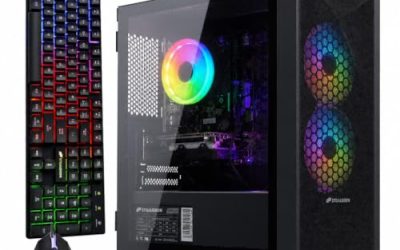
Choosing an AMD Ryzen gaming PC is less about picking a brand and more about picking a tier of the Ryzen lineup and pairing it with the right graphics card. The same keyword covers everything from a Ryzen 5 5500 tower built around an older GeForce card to a Ryzen 7 9850X3D system with a 360 radiator, and the gap between them in both capability and cost is wide. Ryzen buyers also face a platform question that Intel buyers rarely do: the older AM4 generation still ships with cheap DDR4 memory, while the newer chips move to DDR5 and a fresh motherboard line.
This guide is for shoppers who have already decided on AMD and want to see how the listed prebuilts differ. Seven systems are compared, spanning a budget-minded Ryzen 5 build, mid-range Ryzen 7 and Ryzen 9 towers, and premium X3D machines with large SSDs, 850W supplies, and liquid cooling. Each assessment sticks to what the listing’s title states, then adds buying thresholds so you can judge any other Ryzen prebuilt you meet in 2026, whether it appears here or not.
Our Top Picks
 iBUYPOWER Element Gaming PC Desktop Computer AMD Ryzen20 x 9.1 x 17.4 inches36 PoundsCheck on Amazon



Top 3 picks at a glance
Quick Picks
As an Amazon Associate we earn from qualifying purchases at no extra cost to you.






| Product | Best for | Key spec from the title |
|---|---|---|
| CyberPowerPC Gamer Master | Mid-range 1080p and 1440p play | Ryzen 7 8700F, RTX 5060 Ti 8GB, 16GB DDR5, 1TB PCIe 4.0 SSD |
| YAWYORE Ryzen 7 5700X | Value pick with big memory | Ryzen 7 5700X, RTX 5060, 32GB DDR4, 1TB NVMe |
| iBUYPOWER Element | Gaming plus heavy multitasking | Ryzen 9 7900X, RTX 5070 12GB, 32GB DDR5, 1TB NVMe |
| Skytech Ryzen 7 9800X3D | High-refresh gaming with a strong power supply | 9800X3D, RTX 5070 Ti, 32GB, 2TB SSD, 850W GOLD, 360 AIO |
| STORMCRAFT Phantom | Top-tier graphics with a bundled keyboard | RTX 5080, Ryzen 7 9800X3D, 32GB DDR5, 2TB SSD, B850 |
| Olialia RTX 3060 Ti | Entry Ryzen build for 1080p | Ryzen 5 5500, RTX 3060 Ti, 16GB, 512GB SSD, 600W |
| Skytech Ryzen 7 9850X3D with RX 9070 XT | All-AMD build for a premium budget | 9850X3D, RX 9070 XT, 32GB, 2TB SSD, 850W GOLD, 360 AIO |
The 7 Best Options
CyberPowerPC Gamer Master with Ryzen 7 8700F
The Gamer Master is the middle-of-the-road Ryzen system in this group. The title lists a Ryzen 7 8700F, a GeForce RTX 5060 Ti with 8GB of video memory, 16GB of DDR5, a 1TB PCIe 4.0 SSD, Wi-Fi readiness, and Windows 11 Home. The model number is shown in the title, which makes it easy to verify against the manufacturer’s configuration page.
- DDR5 memory and a PCIe 4.0 SSD put it on the newer platform rather than the older AM4 generation.
- A 1TB drive provides practical room for a mix of large games.
- A Ryzen 7 is a sensible match for an RTX 5060 Ti, since neither part is likely to hold the other back badly at 1080p and 1440p.
- Sixteen gigabytes of memory is the lowest allowed for a new gaming build, and it leaves little spare capacity for background apps.
- The graphics card carries 8GB of video memory, which is tight for the most demanding texture settings.
Skip it if you plan to stream while playing or want 4K gaming. Compared with the YAWYORE next, it brings newer memory and a newer processor generation, while the YAWYORE brings twice the system memory.
The practical way to read this listing is as a balanced 1440p-ready tower rather than a bargain. The processor, graphics card, and drive are all current-generation parts, so there is no obvious weak link except the memory capacity, and that is the cheapest component to fix later. A buyer who adds a second kit gets a machine that stays comfortable for years without touching anything else.
YAWYORE Ryzen 7 5700X with RTX 5060
YAWYORE is the value-oriented build. The title lists a Ryzen 7 5700X, a GeForce RTX 5060, 32GB of DDR4, a 1TB M.2 NVMe SSD, ARGB fans, and Wi-Fi with Bluetooth. The 5700X belongs to the older AM4 generation, so the platform is mature, widely supported, and easy to find replacement parts for.
- Thirty-two gigabytes of RAM is rare at this tier and helps with streaming and multitasking.
- Wi-Fi and Bluetooth are listed, so no adapter is needed.
- A Ryzen 7 with a current-generation graphics card is a sound pairing for 1080p and 1440p play.
- DDR4 and AM4 are an older platform, which limits future processor upgrades.
- The title does not mention a power supply wattage or cooler type.
Skip it if you want the newest platform or the longest upgrade path. Against the iBUYPOWER that follows, it is the more affordable option with more memory but a weaker processor and graphics card.
The pairing deserves a closer look because it shows how Ryzen buyers can spend smartly. Putting a current RTX 5060 next to a Ryzen 7 5700X keeps the graphics side modern while saving money on the platform. That is a defensible trade for a player on a 1080p or 1440p monitor, though anyone who expects to swap in a new processor in three years should look at the AM5 systems instead.
iBUYPOWER Element with Ryzen 9 7900X
The Element moves the processor into the Ryzen 9 range. The title lists a Ryzen 9 7900X, an NVIDIA GeForce RTX 5070 with 12GB, 32GB of DDR5, a 1TB NVMe SSD, and Windows 11 Home. A Ryzen 9 brings many cores, which is attractive to buyers who game and also render video, run virtual machines, or compile code.
- The Ryzen 9 tier is the highest non-X3D processor class in this list, aimed at heavy multitasking.
- Twelve gigabytes of video memory on the RTX 5070 is more comfortable for high-resolution textures than the 8GB cards.
- Thirty-two gigabytes of DDR5 is a good capacity for multitasking.
- The 7900X is not an X3D chip, so it lacks the large cache that some pure gamers want.
- The title does not state the power supply or cooling, so verify them.
Skip it if your priority is the highest frame rates in games alone. Compared with the Skytech 9800X3D system next, it gives up the gaming-focused cache design in exchange for more cores for creative work.
The Element is the logical step for someone whose PC is also a workstation. Between gaming sessions it can export video, compile projects, or run several applications side by side, and the 12GB graphics card gives the creative side of the workload some breathing room as well. Because the title is silent on cooling, ask what cooler the processor ships with, as Ryzen 9 chips benefit from a stronger solution than a stock heatsink.
Skytech Ryzen 7 9800X3D with RTX 5070 Ti
Skytech sells this as a high-end gaming tower. The title lists a Ryzen 7 9800X3D, a GeForce RTX 5070 Ti, 32GB of RAM, a 2TB SSD, Windows 11, a Gen4 NVMe drive, DDR5 at 6000, an 850W Gold ATX 3 power supply, and a 360 ARGB all-in-one liquid cooler. That is an unusually complete set of named parts, which makes it easy to judge.
- The X3D processor line is built with gaming in mind, and the title pairs it with fast DDR5 6000 memory.
- An 850W Gold ATX 3 supply leaves headroom for upgrades to the graphics card.
- A 360 radiator suits a processor that runs warm under load, and 2TB of storage fits a large library.
- It sits in the premium tier, so it is more machine than a 1080p player needs.
- The title is truncated, so confirm the case and Wi-Fi details in the full listing.
Skip it if your monitor tops out at 1080p and 60Hz. Against the STORMCRAFT next, it uses a lower graphics tier but states more about the power supply and cooling.
The completeness of the listing is itself a feature. When a seller names the supply wattage, efficiency rating, memory speed, and radiator size, a buyer can check every part and compare it with other offers. Vague listings that say high performance and nothing else make that comparison impossible, and this one gives you the numbers.
STORMCRAFT Phantom with RTX 5080
The Phantom is the heavy hitter among the NVIDIA builds. The title lists an RTX 5080, a Ryzen 7 9800X3D at 5.2GHz, 32GB of DDR5 at 6000MHz, a 2TB SSD, a B850 chipset, an 850W PSU, a 360mm AIO, and an RGB keyboard. It is aimed at 1440p high-refresh and 4K play, where the graphics card matters most.
- The RTX 5080 is the strongest graphics card named in the list.
- The B850 chipset is a current-generation platform that supports modern memory and storage.
- A 360mm AIO and an 850W supply are listed, and an RGB keyboard is bundled.
- It is the most expensive tier among these seven, so it only suits buyers who truly use the graphics power.
- A smaller brand means checking warranty and support terms before committing.
Skip it if you play esports titles at modest settings, since a mid-range card would serve equally well. Compared with the Olialia that follows, the contrast is enormous: this is the premium end, and the next listing is the entry tier.
One consideration worth raising is the monitor. An RTX 5080 shines on a 1440p ultrawide or a 4K panel with a high refresh rate, and it is wasted on a basic 1080p display. Buyers who do not yet own such a monitor should budget for one, or choose a lower graphics tier and spend the difference on the screen.
Olialia Ryzen 5 5500 with RTX 3060 Ti
The Olialia is the budget Ryzen option. The title lists a Ryzen 5 5500, a GeForce RTX 3060 Ti, 16GB of RAM, a 512GB SSD, RGB lighting, Wi-Fi 6, a 600W power supply, Windows 11, and a panoramic tower. It uses an older graphics generation but remains a capable 1080p card.
- It is the lowest-priced configuration here, and the RTX 3060 Ti is well matched to a 1080p monitor.
- Wi-Fi 6 and a 600W power supply are named.
- The panoramic case shows the build to anyone who looks.
- The Ryzen 5 5500 is from the older AM4 generation, with limited upgrade options.
- A 512GB SSD fills quickly with today’s large games.
Skip it if you want newer graphics features or a long runway. Next to the final Skytech, it is the opposite end of the Ryzen range: an older graphics card and processor versus a flagship-tier AMD build.
It remains a respectable choice for a first PC, with the clear caveat that storage should be expanded early. Many buyers in this tier add a second SSD within a few months, and the Wi-Fi 6 and 600W supply listed in the title give a basic platform for modest upgrades.
Skytech Ryzen 7 9850X3D with Radeon RX 9070 XT
This Skytech is the all-AMD pick. The title lists a Ryzen 7 9850X3D, a Radeon RX 9070 XT, 32GB of RAM, a 2TB SSD, Windows 11, a Gen4 NVMe drive, DDR5 at 5600, an 850W Gold ATX 3 power supply, a 360 ARGB AIO, and Wi-Fi. Pairing an AMD processor with an AMD graphics card suits buyers who prefer a single ecosystem.
- The 9850X3D is the newest processor named in the list.
- The RX 9070 XT is a high-tier AMD graphics card paired with a 2TB drive.
- The 850W Gold ATX 3 supply and 360 AIO are named, as in the other Skytech.
- Memory runs at 5600, slower than the 6000 listed on the other Skytech and the STORMCRAFT.
- Radeon cards differ from GeForce in software features, so check that the games you play support what you want.
Skip it if you depend on NVIDIA-specific tools for streaming or creative work. This pick sits at the top of the Ryzen range with the RX 9070 XT rather than a GeForce card, which makes it a useful alternative to the Skytech 9800X3D system earlier on the list.
The decision between the two Skytech machines comes down to graphics preference and memory speed. The 9800X3D system names DDR5 6000 and a GeForce RTX 5070 Ti, while this one names DDR5 5600 and a Radeon RX 9070 XT. A player who values NVIDIA’s software ecosystem will lean toward the first, and one who prefers an all-AMD setup will lean toward the second.
Who Needs an AMD Ryzen Gaming PC
Ryzen has become a default choice for gamers because the lineup spans every tier, and the X3D chips are widely sought for frame-rate focused play. The question is which tier of the lineup fits your habits.
Esports and 1080p players
Players on a 1080p monitor, particularly those who chase high frame rates in competitive shooters, can do well with the Ryzen 5 and Ryzen 7 systems here. The Olialia and YAWYORE meet this need without paying for graphics power the screen cannot show.
High-refresh 1440p and 4K players
If you own a 1440p high-refresh monitor or a 4K display, the iBUYPOWER, Skytech, and STORMCRAFT systems provide the graphics tier and the cooling to sustain it. An X3D processor is the standard choice for frame-rate-focused gamers.
Streamers and content creators
A player who streams while gaming asks more of the system than one who only plays. Extra memory, more processor cores, and a graphics card with hardware encoding all help, so the 32GB builds with Ryzen 7 or Ryzen 9 chips fit this role better than the 16GB entry systems.
Creators who also game
If video editing, 3D work, or streaming sits beside gaming, the Ryzen 9 7900X and 32GB of memory on the iBUYPOWER give extra headroom. In that case, the extra cores matter more than gaming-specific cache.
How to Choose
Ryzen tier: 5, 7, or 9
A Ryzen 5 is enough for 1080p gaming. A Ryzen 7 is the sweet spot for most players, particularly the X3D versions. A Ryzen 9 matters when you stream, render, or run virtual machines. Treat the model suffix as meaningful: X3D means extra cache aimed at gaming, F means no integrated graphics, and X means a higher clock.
What to ignore at this stage: peak boost clocks quoted in a headline, such as the 5.2GHz in the STORMCRAFT title, say little on their own, because real gaming speed depends on cooling, memory, and the game itself. Use clocks to compare chips within the same family, and use the model name to compare across families.
Graphics: match the card to the monitor
For 1080p, an RTX 3060 Ti or RTX 5060 is enough. For 1440p, look at the RTX 5060 Ti, RTX 5070, or RX 9070 XT. For 4K or maximum settings, aim for an RTX 5070 Ti or RTX 5080. Pay attention to video memory: 8GB is the minimum today, and 12GB or more is safer for newer titles.
Memory: DDR4 or DDR5, and how much
Sixteen gigabytes is the floor, 32GB is the target for a premium build. DDR5 is standard on the AM5 platform, while DDR4 appears on older AM4 chips like the 5700X and 5500. Memory speed matters on AM5, where DDR5 6000 is commonly considered a sweet spot, so be wary of lower speeds on a premium build. Also check how many sticks are installed: two sticks give the processor a dual-channel arrangement, which is the preferred setup for gaming.
Storage: size and interface
A 1TB NVMe drive is a practical minimum for modern games, and 2TB is more comfortable. Look for a PCIe 4.0 or Gen4 label rather than an unnamed M.2 drive. Avoid configurations that include only a 512GB drive unless you plan to add storage.
Power supply and cooling
A 600W unit suits mid-range cards, 750W to 850W suits high-end cards, and an 80 Plus Gold label signals better efficiency. An ATX 3 supply is useful for newer graphics cards. For cooling, a 240mm or 360mm all-in-one suits the X3D and Ryzen 9 chips, while a quality air cooler is enough for mid-range processors. Make sure the case has front intake fans and a clear exhaust path, since a handsome glass panel with poor airflow raises temperatures.
Warranty, ports, and what budget builders skip
Check the warranty length and support terms, the number of front USB ports, and whether Wi-Fi is built in. Budget builds often cut corners on the power supply, the motherboard, and the case airflow, so look for a stated chipset such as B850 and a named supply. Ignore lighting claims and focus on the parts underneath. A good rule is to compare the listing against a short checklist: processor model, graphics model with video memory, memory type and capacity, drive size and interface, power supply wattage and rating, cooler type, and warranty. If more than two of those items are missing from a listing, treat it with suspicion.
AM4 and DDR4 vs AM5 and DDR5
The platform divide is the most important Ryzen-specific choice. The table summarizes how the seven systems split.
| Factor | AM4 and DDR4 builds | AM5 and DDR5 builds |
|---|---|---|
| Examples | Ryzen 7 5700X, Ryzen 5 5500 | 8700F, 7900X, 9800X3D, 9850X3D |
| Memory type | DDR4 | DDR5 |
| Upgrade path | Mostly at its end | Newer chips supported |
| Typical position | Entry to value | Mid-range to premium |
Why AM4 still makes sense
A mature platform keeps the outlay down, and as the YAWYORE shows, it can still carry a strong graphics card and 32GB of memory. For 1080p and many 1440p games, the gap to a newer processor is small compared with the graphics card’s influence. Savings from the platform can also go toward a larger drive or a better monitor, which many players notice more than a small processor gap.
Why AM5 is the safer long-term pick
AM5 supports DDR5 and newer processors, which gives a clearer upgrade path. If you plan to keep the PC for five years or more, starting with a platform that still has future chips available is the wiser choice. The premium tower you buy today can then take a faster processor later, and the money saved on a full rebuild can go into a better monitor.
One more factor is resale and longevity. A system built on a platform that is still receiving new processors tends to hold its usefulness longer, while an end-of-line platform becomes harder to upgrade each year. That does not make the older systems poor purchases, only purchases that should be priced accordingly and expected to run as they are for their lifetime.
Setup, Compatibility and Upgrade Tips
What to check before buying
Confirm the chipset, the power supply wattage, and the case’s support for a 360 radiator if you want liquid cooling. Check that the monitor matches the card, and that the listing includes Wi-Fi if the router is far away. Review the return policy and the warranty period, since prebuilt systems occasionally arrive with a loose cable or a bent fan. On arrival, open the side panel, confirm that the graphics card is seated and plugged into the power supply directly, and plug the monitor into the card rather than the motherboard.
What to upgrade first
On a 16GB build such as the 8700F system, doubling the memory is the easiest improvement. The next step is extra storage, then a better graphics card if the power supply allows. For AM5 systems, a later processor swap can extend life without replacing the motherboard.
Common compatibility traps
DDR4 and DDR5 are not interchangeable, and AM4 processors do not fit AM5 boards. An 8700F lacks integrated graphics, so it needs the discrete card to display anything. Some compact cases limit radiator size, and a smaller power supply can restrict card upgrades. Finally, make sure the BIOS is current if you add a newer processor. Memory profiles also deserve attention: DDR5 kits sometimes run below their rated speed until the profile is enabled in the BIOS, so confirm that the 6000 or 5600 figure in the listing is actually active after setup.
Before the first long session, install the graphics driver from the manufacturer, update the chipset driver, and check temperatures with a free monitoring tool during a demanding game. Idle temperatures that look reasonable but climb quickly under load can point to a cooler that is not seated correctly, which is easy to fix early and harder to diagnose later. Liquid-cooled systems like the Skytech and STORMCRAFT builds should have their pump and radiator fans verified, and every system should have the plastic shipping film and any foam blocks removed from inside the case.
Which One Fits Your Situation
A 1080p player on a tighter outlay
The Olialia Ryzen 5 5500 with RTX 3060 Ti is the sensible entry, provided you plan to add storage later. Treat it as a good first Ryzen machine rather than a permanent one.
A player who wants value and memory
The YAWYORE Ryzen 7 5700X pairs an RTX 5060 with 32GB of RAM and a 1TB drive, which suits streaming and multitasking. It is also the easiest of the mid-range options to explain to a friend, since every important part is named in the title.
A competitive player on a high-refresh monitor
The Skytech Ryzen 7 9800X3D with RTX 5070 Ti names an 850W Gold supply and 360 AIO and is built for sustained play. Pair it with a high-refresh monitor and the whole system has a coherent purpose.
A creator who also games
The iBUYPOWER Element with Ryzen 9 7900X and 32GB of DDR5 gives the most cores for rendering and editing between sessions.
Common Mistakes
- Buying a flagship graphics card for a 1080p, 60Hz monitor.
- Ignoring video memory, then running out of it in newer games.
- Forgetting that DDR4 and DDR5 cannot be mixed or swapped.
- Skipping the power supply details, which is where budget builders cut corners.
- Assuming every Ryzen model has integrated graphics, when the F series does not.
- Paying for lighting and a bundled keyboard instead of faster storage or memory.
Related guides
- Noctua Nh-D15 Vs Thermalright Peerless Assassin 120
- Sustainable Gaming Pc Power Supply Efficiency Guide
- Thermal Paste Application Method For Lga1851
Frequently Asked Questions
Are X3D processors worth it for gaming?
For frame-rate focused players, X3D chips are widely sought because of their extra cache. If you split time between gaming and heavy creative work, a Ryzen 9 may serve better.
Is 16GB of RAM enough?
It works for most current games, but 32GB gives breathing room for streaming and background apps. A 16GB build leaves memory as an easy later upgrade.
Should I choose AMD or NVIDIA graphics?
Both are strong. NVIDIA cards, such as those in most of these listings, are known for streaming tools, while AMD Radeon cards like the RX 9070 XT offer strong rasterization for the tier. Check the features you actually use. Software such as game recording, upscaling, and capture tools differs between the two brands, so list the tools you rely on before choosing.
Does the Ryzen 7 8700F need a graphics card?
Yes, the F series has no integrated graphics. The Gamer Master includes an RTX 5060 Ti, so it works out of the box. Just make sure the monitor cable goes into the graphics card rather than the motherboard.
Is an AM4 system still worth buying?
For 1080p and light 1440p play, yes, especially at a lower tier. The drawback is a shorter upgrade path than AM5 systems, so buy one only if you plan to run it as it is for a few years.
How much power supply do I need?
A 600W unit suits mid-range cards, while 850W suits premium builds such as the Skytech and STORMCRAFT systems.
Final Words
The best AMD Ryzen gaming PC depends on your monitor and your habits. The Olialia and YAWYORE cover entry and value play, the CyberPowerPC and iBUYPOWER fill the middle, and the Skytech and STORMCRAFT systems serve premium buyers who want X3D processors, 2TB of storage, and strong cooling. Match the graphics card to your screen, favor AM5 if you want a long runway, and verify the power supply before you pay for any lighting.