A quiet PC is built from the bottom up, and the processor cooler is the loudest part you can still fix cheaply. The trick with a budget silent build is that noise rarely comes from a cooler working hard; it comes from a cooler that is too small for the chip, so its fan has to spin fast to keep up. A bigger heatsink with more heat pipes lets a fan run slowly, and a slow 120mm fan is far quieter than a small fan racing. That is why this shortlist leans toward tower coolers, including two dual-tower designs, and why the cheapest option is not always the quietest one.
This guide covers six air coolers as of 2026, judged on the facts in their titles: tower layout, heat pipe count, fan size and type, height, listed TDP or noise figures, and socket support. It is written for people who want a hushed desktop on a sensible budget, whether that is a home office tower, a media PC in a living room or a bedroom gaming rig. Verify the exact socket list and the clearance for your case and memory modules on the manufacturer’s page before you order.
Our Top Picks
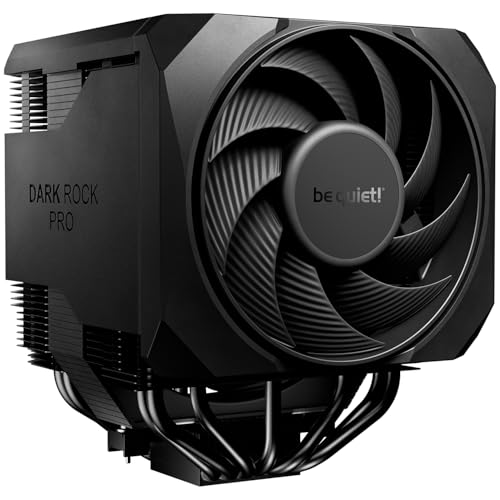
 Cooler Master Hyper 212 Black CPU Air Cooler4 Heat Pipes4.7 x 3.1 x 6.3 inches1.54 PoundsCheck on Amazon



Top 3 picks at a glance
Quick Picks
As an Amazon Associate we earn from qualifying purchases at no extra cost to you.




| Product | Best for | Key spec from the title |
|---|---|---|
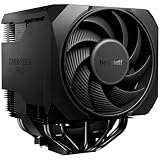
| be quiet! Pure Rock Pro 3 | Quiet-first mainstream builds | 250W TDP, double tower, 2 silent 120mm PWM fans |
| Thermalright Peerless Assassin 120 SE | Strong dual-tower performance on a budget | 6 heat pipes, dual towers, dual PWM fans |
| Cooler Master Hyper 212 Halo | Looks with a familiar design | 4 heat pipes, MF120 Halo2 ARGB fan |
| Cooler Master Hyper 212 Black | Simple, current-socket value | 4 heat pipes, PWM fan, AM5/AM4 and LGA1851/1700 |
| JONSBO CR1400 EVO | Small cases and low-profile builds | 130mm height, 92mm fan, 4 copper heat pipes |
| ID-COOLING FROZN A620 PRO SE | Highest listed cooling headroom | 260W, 157mm, 6 heat pipes, 27.2dB(A) max |
The 6 Best Options
be quiet! Pure Rock Pro 3
Quiet is in the brand name, and the title backs it up with the details that matter. It is described as an AMD and Intel air cooler with a 250W TDP, a double-tower compact design, two silent 120mm PWM fans and six 6mm heat pipes. The 250W figure is the manufacturer’s claimed capacity, which suggests plenty of headroom for a mainstream processor and makes a slow fan curve possible. The listing is for the black version; a silver version is sold separately and is only a color change.
- A double-tower layout with two fans spreads the heat load, so each fan can turn slowly for a given job.
- PWM control lets the motherboard lower the fan speed at light loads, which is where silent builds spend most of their time.
- Support for both AMD and Intel sockets is stated, but confirm your exact socket in the manual.
- A double tower is wide and tall, so memory clearance and case width need checking before you order.
- It is not the cheapest option in the roundup, since the quiet brand positioning and dual-fan design add to the bill.
The appeal here is predictability: a cooler designed around low noise, with a capacity claim well above what a typical Core i5 or Ryzen 5 draws, spends most of its life at low fan speed. Pair it with a case that has two slow intake fans and the whole system can sit near the noise floor of a quiet room. The compact in the title refers to the footprint relative to larger coolers in the same class, so still measure the case before you order. It is a natural match for a living-room or bedroom PC where fan noise is the one thing the owner will notice. Who should skip it: anyone with tall memory modules and a narrow case, or a buyer who wants the lowest possible spend. Compared with the Peerless Assassin that follows, it leans harder on the quiet reputation, while the Thermalright leans on raw value for its heat pipe count.
Thermalright Peerless Assassin 120 SE
The Peerless Assassin is the cooler that made dual-tower budget cooling popular, and the SE version in black keeps the formula. The title lists six heat pipes, dual towers and dual PWM fans, with socket support for AMD AM4 and more (the list is cut off in the title, so verify the full set for your processor). On paper, it is the most heat-pipe-rich option here relative to what a buyer typically pays.
- Six heat pipes with dual towers give a large surface area for a modest budget.
- Dual PWM fans allow the speed to follow temperature automatically.
- The black finish suits dark cases without lighting.
- The title does not state a noise figure or TDP rating, so the quiet claim rests on the design.
- Dual-tower coolers are wide, and tall memory can collide with the front fan.
Dual towers like this also work well with a slow, steady fan curve: the heatsink soaks up short bursts of heat, so the fans do not ramp every time a browser tab loads. That behavior is what makes a bigger cooler feel quieter in daily use even if the maximum fan speed is the same as a smaller model. It suits a Ryzen or Core i5 or i7 build where the buyer wants high-end air cooling without a high-end bill, and who is willing to set a gentle fan curve in the BIOS. Who should skip it: small case owners and anyone who wants a brand with a quiet-first identity on the box. Compared with the be quiet! model before it, it likely wins on spend and performs similarly in capacity; compared with the Hyper 212 Halo after it, it is a larger and more serious cooler.
Cooler Master Hyper 212 Halo
The Hyper 212 has been a default choice for years, and this Halo version adds lighting. The title lists a black aluminum finish, four continuous direct-contact heat pipes and an MF120 Halo2 ARGB fan. It is a single-tower design, which keeps it narrower than the dual-tower entries and easier to fit in a typical mid-tower case.
- Four direct-contact heat pipes are a proven layout for mainstream processors.
- The single-tower design leaves more room around the memory slots than a dual tower.
- The ARGB fan appeals to builds with a lit theme and a motherboard that controls it.
- The title does not mention PWM in the visible text, so check the fan connector and speed control.
- A lit fan is a visual feature, not a noise-reduction feature, and adds cabling.
A familiar footprint is a quiet advantage too: the Hyper 212 shape has been fitted in so many cases that clearance questions have well-known answers, and guides for the mounting hardware are easy to find. The lighting is a separate feature, controlled from the motherboard or a controller, so decide before you buy whether you want another set of cables to route. It is the pick for someone building a case-window PC that must look good and run quietly at light loads, with a modest processor. Who should skip it: buyers who want a plain black cooler with no lighting or those wanting the most thermal headroom. Compared with the Hyper 212 Black next, the Halo adds ARGB lighting at the expense of simplicity; the two are siblings, so the choice is lighting against a cleaner look.
Cooler Master Hyper 212 Black
This is the no-lights sibling. The title lists a black air cooler with four heat pipes, a 120mm PWM fan and explicit support for AMD AM5 and AM4 along with Intel LGA1851 and LGA1700. That socket list is the most complete and current of any entry in the roundup, which matters for anyone building on a recent platform.
- A clear socket list covers current AMD and Intel platforms, reducing the risk of a mismatch.
- PWM speed control is stated, which is key to a quiet fan curve.
- The single-tower, 120mm fan layout fits the widest range of cases.
- Four heat pipes and one fan give less headroom than the dual-tower coolers for hot processors.
- The fan is a single unit, so a very high load will push its speed up and with it the noise.
The socket line in the title is the practical advantage, because a cooler that clearly names AM5 and LGA1851 is less likely to leave you hunting for a bracket after a motherboard change. With one 120mm PWM fan the installation is quick and the cable count stays low, which also helps airflow in a small case. Choose this for a Ryzen 5 or Core i5 office or home build where the processor draws moderate power and quiet is the goal. Who should skip it: owners of power-hungry processors who need maximum cooling margin. Compared with the Halo before it, there is no lighting to configure; compared with the JONSBO after it, it is the larger cooler with a standard 120mm fan.
JONSBO CR1400 EVO
The JONSBO is the compact specialist. The title describes an ARGB mute-series air cooler with a 130mm height, a 92mm fan, a mini CPU cooler layout and four copper heat pipes. The 130mm height is the key number: it fits cases where taller coolers will not, including some small-form-factor builds.
- A 130mm height opens the door to compact cases with limited clearance.
- Four copper heat pipes give a respectable thermal base for its size.
- The “mute” labeling signals a focus on low noise for light-duty systems.
- A 92mm fan has to spin faster than a 120mm fan to move the same air, which can raise noise under load.
- The title lists no TDP figure, so it is best matched to efficient processors.
The title calls it a mini cooler, which tells you it is meant to sit where bigger towers cannot, such as under a narrow side panel or in a compact tower. In those cases the airflow is often restricted anyway, so a quiet cooler is less about the heatsink and more about keeping the fan from ramping under constant load. Pick an efficient, low-power processor, and you can keep the fan slow. It is built for a small case holding an efficient processor, such as a compact office machine or a streaming box. Who should skip it: owners of hot processors and anyone with room for a full-size tower. Compared with the ID-COOLING after it, this cooler gives up capacity for height savings, which is the reason to pick it.
ID-COOLING FROZN A620 PRO SE
The FROZN A620 PRO SE is the cooler with the most numbers in its title. It is a dual-tower, low-noise design, 157mm tall, listed at 260W with six heat pipes and dual 120mm quiet fans at 27.2dB(A) maximum, with support for Intel LGA1851 and other sockets (the list is cut off in the title). A stated noise ceiling is rare on a budget cooler, and it makes the silent claim easier to check than on the others. Keep in mind that a figure like that is measured by the maker at the fan’s top speed, so a fan curve that stays below full speed should sound better still.
- A listed 27.2dB(A) maximum noise level gives a concrete number for a quiet build.
- A 260W rating is the highest in the roundup, suggesting plenty of thermal headroom.
- Six heat pipes and dual 120mm fans put it in the same class as the best dual-tower options.
- At 157mm tall it will not fit in slim cases, so check the maximum cooler height of your chassis.
- The noise figure is a maximum under the manufacturer’s conditions; real-room noise depends on case and fan curve.
A cooler of this size is also a good partner for a later processor upgrade. Buying headroom now means you can move from a mainstream chip to a stronger one without replacing the cooler, which keeps total spend lower over the life of the build. The SE name signals a trimmed version of a larger line, so expect fewer extras in the box than the top model. It is the best fit for a buyer with a hot processor who still wants a quiet desktop, such as a Core i7 or a multi-core Ryzen. Who should skip it: small-case owners and anyone who wants a compact, simple installation. Compared with the Pure Rock Pro 3 at the top of the list, this one posts a lower stated noise level and a higher power rating, which makes it the headline performer of the six.
Why Choose a Quiet Air Cooler
Noise Is Mostly a Fan Speed Problem
The sound a cooler makes is mainly set by fan speed, and fan speed is set by how hard the heatsink has to work. A larger heatsink with more heat pipes can shed the same heat with a slower fan, which is the engineering reason behind every dual-tower design in this list. If silence matters, aim to cool the processor with a fan well below its maximum speed. Many people judge a cooler by its idle behavior, but the sound that annoys is the sudden ramp when a game loads or a file compresses, and a large heatsink smooths those spikes.
Why Air Beats a Cheap Liquid Cooler for Silence
Entry-level liquid coolers add a pump that makes a constant hum, and they bring leak and failure considerations. A good air cooler has no pump, no coolant to age and one or two fans to control. For a quiet budget build, air is both simpler and usually quieter at the same spend.
Matching the Cooler to the Processor
A frugal cooler with a processor that runs hot ends up loud. Check the processor’s rated power and choose a cooler with a margin, so the fan can idle most of the time. The more headroom between the cooler’s capacity and the processor’s draw, the quieter the machine becomes. Case fans count too: two slow 120mm fans moving air through the case do more for noise than one fast cooler fan fighting trapped heat.
How to Choose a Budget Silent Air Cooler
Tower Layout and Heat Pipe Count
Single-tower coolers with four heat pipes handle mainstream processors up to roughly the Core i5 and Ryzen 5 class under typical loads. Dual-tower designs with six heat pipes target stronger processors and long sessions. More heat pipes mean more surface carrying heat away, which lets the fan slow down. Listed counts here are four on the single towers and six on the dual towers, so the pattern is easy to read. Do not be fooled by a high heat pipe count on a very small heatsink, because the fin area still sets how much heat the fans can carry away.
Fan Size, Type and Noise Ratings
A 120mm fan moves more air at a lower speed than a 92mm fan, so it is generally quieter for the same cooling. Look for PWM fans so the motherboard can slow them at idle. A noise rating in dB(A), as on the ID-COOLING listing, is useful as a ceiling, and quiet builds pair it with a gentle fan curve in the BIOS. Fan bearing type and blade shape affect how a fan sounds at the same speed, and 92mm fans like the one on the JONSBO need more rotations to move the same air as a 120mm fan, which is why they tend to sound higher pitched under load.
TDP Ratings and Real Headroom
A cooler’s TDP rating, such as 250W or 260W, is a manufacturer’s capacity claim. Treat it as a comparison point, not a promise. Choose a cooler rated at least a third higher than the processor’s sustained power draw to leave room for quiet operation. Remember that TDP on a processor is not the same as its short-term peak power, and that unlocked chips can pull well beyond their base rating when boosting; a cooler capacity claim of 250W or more covers most mainstream processors with comfortable margin.
Height, Width and Memory Clearance
Measure the maximum cooler height in your case manual: roughly 155mm to 160mm is common for mid-towers, which is why the 157mm ID-COOLING needs a check. Dual-tower coolers can sit over the first memory slot, and low-profile modules avoid the problem entirely; check the clearance for tall heat spreaders, and plan to raise the front fan if needed. Most dual-tower mounts allow sliding the front fan upward to clear the memory, at a small cost in cooling. Also check that the rear tower does not touch the top of the case or an exhaust fan at the back.
Socket Support and Mounting
Confirm the exact socket list: AM5, AM4, LGA1700 and LGA1851 are the common ones. Titles that cut off the list, as two do here, require a visit to the manufacturer’s page. Check for a backplate and that the mounting kit matches your board. Mounting pressure is the hidden spec: an unevenly tightened cooler leaves a gap and runs hotter than the heatsink promises. Tighten in a cross pattern a little at a time, and avoid overtightening.
Where Budget Coolers Cut Corners
Budget models often ship with a basic fan, less thermal paste than premium kits, and a plain mounting system. Ignore flashy lighting if quiet is the goal, as it adds nothing to cooling. A solid mounting and decent paste matter more than extras. Another corner often cut is the fan header splitter, so check that the box includes a cable to run two fans from one motherboard header.
Single Tower or Dual Tower for a Silent Build
| Factor | Single tower | Dual tower |
|---|---|---|
| Examples here | Hyper 212 Halo, Hyper 212 Black, JONSBO CR1400 EVO | Pure Rock Pro 3, Peerless Assassin 120 SE, FROZN A620 PRO SE |
| Heat pipes listed | 4 | 6 |
| Fans | One (92mm or 120mm) | Two 120mm |
| Fit | Easier in tight cases and around memory | Needs width, height and memory clearance |
| Best for | Efficient processors | Hot processors and quiet fan curves |
When a Single Tower Is Enough
If the processor draws modest power and the case is compact, a single tower is simple to fit and quiet at idle. The Hyper 212 models fit this role, and the JONSBO suits cases with tight height limits. A single tower is also easier to install, since the mounting screws are more accessible and the cooler leaves room for the memory and the top-of-board connectors.
When a Dual Tower Is Worth the Space
For stronger processors or when the goal is the lowest possible fan speed, a dual tower gives a larger heat-shedding area. The three dual-tower coolers here suit mid-tower cases with room to spare. They also tolerate a lower fan curve, which helps the noise floor, and they hold up better if you upgrade to a stronger processor later. The price of that is bulk, so plan the case and memory first.
Setup, Compatibility and Upgrade Tips
What to Check Before Buying
Check the socket on your motherboard (it is printed near the processor area or listed in the manual), the maximum cooler height of the case, the clearance over the memory slots, and whether the first PCIe slot would be blocked. Confirm that the fan header on the motherboard supports PWM control and that you have a spare header for dual-fan models.
What to Do on Day One
Apply paste according to the cooler’s instructions, mount the backplate carefully and tighten the screws in a cross pattern. In the BIOS, set a fan curve that keeps the fan low at idle and ramps gradually, which keeps the system quiet during normal use. Update the BIOS if your board needs it for the processor. Before closing the case, spin each fan by hand to confirm nothing touches the blades, and check that the cooler does not flex the motherboard.
Common Compatibility Traps
The common traps are tall memory colliding with a dual-tower fan, a cooler too tall for the case panel, and a mounting kit that does not match the socket. Another trap is a fan that is not PWM, leaving it at full speed, or a second fan plugged into a header that does not follow the processor temperature. Finally, remember that case airflow matters as much as the cooler for noise. A clean intake path, dust filters that are cleaned occasionally and cables tied away from the fans will keep the cooler quiet for years. If the build becomes loud later, dust on the fins is the first thing to check.
Which One Fits Your Situation
A Hushed Bedroom or Living-Room PC
The be quiet! Pure Rock Pro 3 is the quiet-first pick for a mid-tower with room for a dual tower, especially if the bedroom is where the PC lives and any fan noise is obvious at night.
Strong Cooling on a Careful Budget
The Thermalright Peerless Assassin 120 SE gives six heat pipes and dual fans without stretching the plan, which suits a student or home-office build.
A Small Case with Limited Height
The JONSBO CR1400 EVO, at 130mm tall, is the compact choice, while the Cooler Master Hyper 212 Black is the simple option with a clear list of current sockets.
A Hot Processor That Still Needs to Stay Quiet
The ID-COOLING FROZN A620 PRO SE posts the highest rating and a stated maximum noise level, and the Hyper 212 Halo suits a lit case build with a modest processor.
Common Mistakes
- Choosing a small cooler for a hot processor and ending up with a loud fan.
- Ignoring memory clearance on a dual-tower cooler.
- Measuring the cooler height without checking the case panel clearance.
- Paying for lighting when quiet is the goal.
- Leaving the fan curve at defaults instead of tuning it in the BIOS.
- Forgetting to confirm the socket list when the title is cut off.
Related guides
- Sustainable Gaming Pc Power Supply Efficiency Guide
- Noctua Nh-D15 Vs Thermalright Peerless Assassin 120
- Thermal Paste Application Method For Lga1851
Frequently Asked Questions
Is a bigger cooler always quieter?
Usually, because a larger heatsink lets the fan run slower for the same cooling. The caveat is fan quality and case airflow, which also affect noise. A large cooler in a closed case with no intake can still sound strained, because the air around it heats up.
Do I need PWM fans for a silent build?
Yes, PWM lets the motherboard slow the fan when the processor is cool. Fans without PWM run at a fixed speed and may be louder at idle. Check the connector on the fan cable: four pins means PWM control, three pins means voltage control, which is cruder but still usable.
Will a dual-tower cooler fit my case?
Check the maximum cooler height in the case manual and the clearance over the memory slots. Models like the ID-COOLING at 157mm need a roomy mid-tower.
Is thermal paste included?
Most coolers include a small amount, but check the listing. A quality paste can help, though the mounting pressure matters more, and a pea-sized dot in the center is the usual method for a single-die processor.
Are air coolers still a good choice today?
Yes, especially for quiet and budget builds. They have no pump to fail and perform well for mainstream processors.
Can a single-tower cooler handle a Core i7 or Ryzen 7?
It can for moderate workloads, but under sustained heavy loads the fan will speed up. For a quiet result with these processors, a dual tower leaves more margin.
Final Words
A silent PC comes from matching the cooler to the processor with room to spare, not from the cheapest part or the loudest marketing. Choose a dual tower such as the Pure Rock Pro 3, Peerless Assassin or FROZN A620 for stronger processors, and a single tower such as the Hyper 212 or JONSBO CR1400 EVO for efficient chips and tight cases. Measure the clearances, set a gentle fan curve, and the machine will stay quiet. When two coolers look equal, favor the one with the clearer specification in its title, since that clarity usually means fewer surprises at installation.