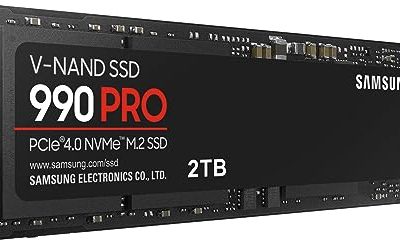
A PlayStation 4 is an older console with a particular set of storage rules, and those rules shape every purchase. The console uses a 2.5-inch SATA bay for its internal drive and accepts external USB drives for extra game storage. Fast NVMe sticks built for PCs and newer consoles do not fit that bay, so the keyword really asks two questions: should the new drive go inside the console or hang off a USB port, and how much capacity does the library need?
This guide is for owners of a PS4 who want to cut loading times or add room, and for people who also want the drive to work with a PC or a PS5 later. Six drives are covered: two internal SATA drives and four external drives from Seagate and Buffalo. Capacity-only duplicates of the same Buffalo models were skipped so each entry is a distinct product line. Everything below comes from the specifications in each listing, and buyers should confirm console software compatibility before purchase in 2026.
Our Top Picks


Top 3 picks at a glance
Quick Picks
As an Amazon Associate we earn from qualifying purchases at no extra cost to you.




| Product | Best for | Key spec from the title |
|---|---|---|
| Seagate Game Drive 2TB | Plug-in storage with lighting | 2TB external SSD, USB 3.0, blue LED lighting |
| Addlink S20 1TB | Internal swap for a laptop-style drive | SATA III 2.5-inch, up to 500MB/s, 3D NAND |
| Buffalo External SSD 1TB (PG) | PS4, PS5, and PC sharing | USB-C and USB-A, USB 3.2 |
| Buffalo External SSD 2TB (licensed stick) | Compact licensed storage | USB 3.2 Gen 2 Type A stick, officially licensed |
| Buffalo External SSD 1TB stick | Fast portable stick | Up to 600MB/s, USB 3.2 Gen 2 |
| Gigastone 2TB SATA SSD | Large internal upgrade | 2.5-inch SATA III, 530MB/s |
How to Choose
Decide between internal and external
An internal 2.5-inch SATA SSD replaces the console’s hard drive, which means opening the drive bay, installing the system software again, and downloading or restoring games. The payoff is a faster internal drive without a cable on the desk. An external USB drive is simpler, since it plugs in and adds storage for games, but it generally cannot hold everything the console needs to boot. Pick internal if you want the cleanest setup and don’t mind the swap; pick external if you value speed of installation and portability.
Match capacity to your library
Capacities in this list run from 1TB to 2TB. Big modern titles with patches can take a large slice of a terabyte, so a 1TB drive can fill faster than buyers expect. If your library is large or you buy digital games, 2TB is the more comfortable tier. If you mostly play a handful of titles and keep disc games, 1TB can be enough.
Read the speed number correctly
The stated speeds here are modest: up to 500MB/s for the Addlink, 530MB/s for the Gigastone, and up to 600MB/s for one Buffalo stick. The PS4 uses a SATA interface and USB 3.0-class ports, so those speeds are in the useful range. Paying extra for a much faster drive can leave most of that speed unused on this console, though the same drive could still help a PC later.
What to ignore and where budget models cut corners
Ignore lighting such as the blue LED on the Seagate if it plays no part in your decision, because it does not change performance. Cheaper drives tend to cut corners on sustained write speed, controller quality, and warranty clarity. For external drives, look for explicit PS4 and PS5 compatibility wording, which several of the Buffalo listings include. An officially licensed label is another sign that the manufacturer has checked the drive against PlayStation hardware.
One last check involves ports. Make sure the console has a free USB port, and use the cable that ships with the drive rather than a long extension. A flaky cable is a common reason a good drive appears to misbehave, and a loose connector can interrupt a download mid-way.
Think about backups as well. An internal drive swap is a good moment to confirm that saved data is synced to the cloud or copied elsewhere, since replacing the console’s storage means working with its system software. An external drive avoids that risk because the internal drive stays untouched, and it can be unplugged and used on another console in the household. Families with more than one PlayStation often find that portability alone tips the decision toward a stick-style external SSD.
Finally, consider how long you plan to keep the console. If a PS5 purchase is likely within a year or two, an external drive that lists PS5 compatibility keeps its value, while an internal SATA drive stays tied to the old console or to a spare PC. That single factor often outweighs a small difference in capacity or stated speed. Likewise, a drive that also works on Windows or Mac gives you a fallback use if the console is retired, so the purchase never sits in a drawer.
The 6 Best Options
Seagate Game Drive 2TB
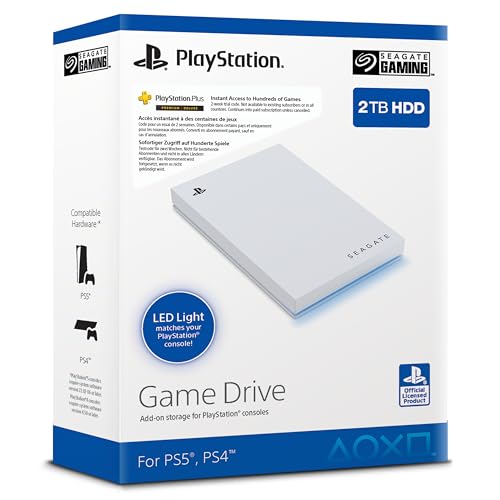
This external SSD is sold for PS4 and PS5, with 2TB capacity in a 2.5-inch format, a USB 3.0 connection, and blue LED lighting. It appears with a model code and a Dutch-language title, so buyers should confirm the regional version and warranty terms. It is a simple option for someone who wants a big external drive with console branding.
- Strength: 2TB capacity offers plenty of room for a large game library.
- Strength: explicitly aimed at PS4 and PS5, which reduces compatibility doubt.
- Trade-off: the LED lighting adds nothing to performance, and the listing is partly in another language.
Skip it if you want a stick-style drive that fits in a pocket.
Addlink S20 1TB
The S20 is a 1TB SATA III 2.5-inch internal SSD with 3D NAND and SLC caching, rated up to 500MB/s. It is described as an HDD replacement upgrade for laptops and desktops, which also fits a console with a 2.5-inch SATA bay. It suits anyone who wants to replace the stock drive and speed up game loading.
- Strength: SATA III 2.5-inch format fits the console’s internal drive bay.
- Strength: SLC caching and 3D NAND are stated technology features.
- Trade-off: 1TB may fill quickly, and the listing does not mention console branding.
Skip it if you do not want to open the console or reinstall system software, or if you would rather have a drive that can move between devices without any tools.
Buffalo External SSD 1TB (PG)
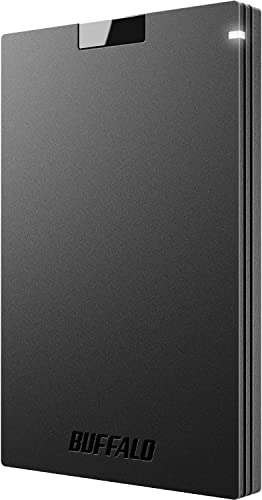
This Buffalo model is a 1TB external SSD that lists compatibility with PS4, PS5, Windows, and Mac. It offers both USB-C and USB-A connections on a USB 3.2 interface, so it adapts to many devices. That flexibility suits households where the drive might move from the console to a laptop.
- Strength: works with PS4, PS5, Windows, and Mac according to the listing.
- Strength: both USB-C and USB-A connections add flexibility.
- Trade-off: 1TB is the smaller capacity tier for a growing library.
Skip it if you need 2TB or an officially licensed product label.
Buffalo External SSD 2TB (Licensed Stick)
This one is an officially licensed 2TB external SSD for PS5 and PS4 consoles, in a compact USB 3.2 Gen 2 Type A stick design. The licensed label and large capacity make it a natural choice for a console-first buyer who wants a small, tidy drive.
- Strength: officially licensed for PS5 and PS4 consoles.
- Strength: 2TB in a compact stick keeps the desk tidy.
- Trade-off: a Type A connection only, so a USB-C-only device would need an adapter.
Skip it if you need USB-C connectivity or want the lowest capacity tier.
Buffalo External SSD 1TB Stick
This Buffalo stick is a 1TB external SSD rated up to 600MB/s over USB 3.2 Gen 2, with USB-C and USB-A support and PS4, PS5, Windows, and Mac compatibility. It is the fastest stated speed in the group, aimed at buyers who also use the drive on a computer.
- Strength: up to 600MB/s is the highest stated speed here.
- Strength: USB-C and USB-A connections support many devices.
- Trade-off: the faster rating gains little on a PS4 whose own interface is slower.
Skip it if you only own a PS4 and want to save on features you cannot use.
Gigastone 2TB SATA SSD
The Gigastone is a 2TB SATA III 2.5-inch internal SSD rated at 530MB/s, marketed for laptop and PC upgrades and as a PS4 hard drive replacement. It pairs a large capacity with the internal format, which makes it the pick for owners who want a single big drive inside the console.
- Strength: 2TB internal capacity gives the most space inside the console.
- Strength: the title names PS4 hard drive replacement as a use.
- Trade-off: it needs a swap and a system software reinstall.
Skip it if you prefer a plug-and-play external drive.
Which One Fits Your Situation
You want the biggest internal upgrade
The Gigastone 2TB SATA SSD is the internal choice with the most capacity, and its listing names PS4 hard drive replacement directly.
You want plug-and-play storage
The Buffalo External SSD 2TB licensed stick is the simplest route, since it is officially licensed and needs no console disassembly.
You share the drive with a PC or PS5
The Buffalo External SSD 1TB (PG) lists PS4, PS5, Windows, and Mac compatibility, which makes it a strong shared drive. For faster computer transfers, the Buffalo 1TB stick adds the 600MB/s rating.
You want to speed up the existing console
The Addlink S20 1TB replaces the stock drive with a SATA SSD, so it suits owners who want faster loading and are comfortable doing the swap.
Common Mistakes
- Buying an NVMe drive for a console that only has a 2.5-inch SATA bay.
- Overpaying for speed the PS4 interface cannot use.
- Choosing 1TB when a growing digital library will need 2TB.
- Forgetting that an internal swap requires reinstalling the system software.
- Using a long, low-quality cable with an external drive.
Related guides
- Sustainable Gaming Pc Power Supply Efficiency Guide
- Noctua Nh-D15 Vs Thermalright Peerless Assassin 120
- Thermal Paste Application Method For Lga1851
Frequently Asked Questions
Can I use any SSD in a PS4?
Not any. Internally, the console uses a 2.5-inch SATA drive, so SATA SSDs fit but NVMe sticks do not. Externally, drives that connect by USB 3.0-class ports are the usual choice.
Is an external SSD better than an internal one?
Neither is better in every case. External drives are quicker to set up, while internal drives keep the desk cleaner and replace the existing drive.
Will these drives work with a PS5 later?
Several of the Buffalo listings state PS5 compatibility, and the Seagate Game Drive is named for both consoles. Internal SATA drives like the Addlink and Gigastone are PS4-oriented and would not serve as a PS5 internal upgrade.
How much capacity do I need?
One terabyte suits a small library or disc-based play, while 2TB suits digital libraries. If you buy many large games, lean toward the larger size, because moving games on and off a full drive wastes more time than the extra capacity ever costs.