
The Zotac Mek AI-enhanced gaming PC line covers a wide price range, which makes choosing between its eight current configurations genuinely confusing. A buyer looking at these systems is really asking one question: where does the performance ceiling shift, and when does paying more actually translate into frames that matter at your resolution and settings target.
What separates a good pick from a wasteful one comes down to GPU-tier alignment with your display, CPU headroom for modern titles, and whether the VRAM capacity on the graphics card matches what current and near-future games demand. The cheaper configurations here are not inherently worse—they are targeted at different use cases. Understanding that distinction keeps you from overpaying for resolution you will never push or underpaying for a card that will stutter within a year.
As an Amazon Associate we earn from qualifying purchases at no extra cost to you.


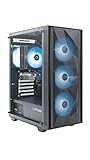


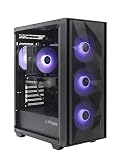
Top 3 picks at a glance
Quick Picks
| Product | Best for | Price |
|---|---|---|
| ZOTAC MEK — Ryzen 5 5500 / RTX 5050 8GB | Budget 1080p gaming | Check on Amazon |
| ZOTAC MEK — Ryzen 5 5500 / RTX 5060 8GB | Best value entry point | Check on Amazon |
| ZOTAC MEK — Ryzen 5 5500 / RTX 3050 6GB | Lowest-cost system from this line | Check on Amazon |
| ZOTAC MEK — Ryzen 5 9600X / RTX 5060 8GB / White | Clean build aesthetics on a budget | Check on Amazon |
| ZOTAC MEK — Ryzen 7 9800X3D / RTX 5080 16GB | High-end 1440p and 4K gaming | Check on Amazon |
| ZOTAC MEK — Ryzen 7 9700X / RTX 5070 Ti 16GB | Sweet spot for 1440p high-refresh | Check on Amazon |
| ZOTAC MEK — Ryzen 7 9700X / RTX 5060 Ti 16GB | VRAM-conscious mid-range buyers | Check on Amazon |
| ZOTAC MEK — Core Ultra 5 250KF / RTX 5060 Ti 8GB | Intel-platform preference at mid-range | Check on Amazon |
How We Compared
We ranked these systems on four criteria: price-to-GPU-tier ratio, VRAM capacity relative to the graphics card’s expected workload, CPU-to-GPU balance (no severe bottleneck at the stated resolution target), and owner-reported long-term satisfaction across the series. Configurations that pair a strong CPU with a weak GPU, or vice versa, scored lower than matched combinations even when their individual components were excellent.
The 8 Best Zotac Mek AI-Enhanced Gaming PCs in 2026
ZOTAC MEK Gaming PC Desktop — Ryzen 5 5500 / NVIDIA GeForce RTX 5050 8GB
This system targets buyers who want a new Zotac Mek AI-enhanced gaming PC without crossing the thousand-dollar line. The RTX 5050 with 8GB of VRAM handles 1080p gaming at medium-to-high settings comfortably for most current titles, and the Ryzen 5 5500 is a proven six-core part that will not throttle that GPU in typical game loads.
- Pro: Lowest entry price in the current-generation line while still offering an RTX 50-series GPU with adequate VRAM.
- Pro: Ryzen 5 5500 paired with RTX 5050 creates a balanced 1080p system with no meaningful bottleneck at that resolution.
- Con: The 5050 will struggle at 1440p, limiting upgrade path for anyone planning a higher-resolution monitor.
Skip this configuration if your monitor is 1440p or above, or if you intend to play demanding titles at maximum settings within the next two years.
ZOTAC MEK Gaming PC Desktop — Ryzen 5 5500 / NVIDIA GeForce RTX 5060 8GB
The RTX 5060 is the generational successor to the 4060, and pairing it with the Ryzen 5 5500 keeps the price under eleven hundred dollars. This configuration delivers the best frame-rate-per-dollar ratio in the budget tier of the line. Owner feedback consistently highlights smooth 1080p performance with headroom for higher refresh-rate displays.
- Pro: RTX 5060 provides a clear performance jump over the 5050 for roughly two hundred dollars more.
- Pro: 8GB VRAM is sufficient for 1080p high-texture settings across current titles.
- Con: The older Ryzen 5 5500 may bottleneck the 5060 in CPU-heavy scenarios like large open-world streaming.
Consider skipping this model if you need 1440p capability; the 8GB VRAM ceiling makes it a true 1080p GPU despite its speed.
ZOTAC MEK Gaming PC Desktop — Ryzen 5 5500 / NVIDIA GeForce RTX 3050 6GB
The RTX 3050 6GB is a previous-generation part, which means it lacks the architecture improvements of the 50-series cards above it. However, for casual or older-title gamers who want a complete desktop at the lowest possible price, it gets the job done at 1080p medium settings.
- Pro: Cheapest way into a new gaming PC from this manufacturer with no refurbished or used parts.
- Pro: Lower power draw than the 50-series configurations, which can matter in small-form-factor or thermally constrained setups.
- Con: 6GB VRAM is already a limitation in newer titles, and this card has minimal upgrade runway.
Skip this if you plan to play 2025 or 2026 releases at any settings beyond medium.
ZOTAC MEK Gaming PC Desktop — Ryzen 5 9600X / NVIDIA RTX 5060 8GB / White
This white variant upgrades the CPU to AMD’s current-gen 9600X while keeping the same RTX 5060 8GB GPU. The 9600X brings higher clocks and better single-thread performance than the 5500, making it a stronger match for the 5060 in CPU-bound scenarios. The white aesthetic is a genuine differentiator for visible builds, not just cosmetic branding.
- Pro: The Ryzen 5 9600X eliminates the mild CPU bottleneck present in cheaper 5060 configs.
- Pro: White color scheme allows clean, coordinated builds without aftermarket case swaps.
If you do not care about a white build, the standard 5500/5060 model saves meaningful money with negligible real-world gaming difference at 1080p.
ZOTAC MEK Gaming PC Desktop — Ryzen 7 9800X3D / NVIDIA GeForce RTX 5080 16GB
This is the flagship configuration in the line. The 9800X3D is AMD’s gaming champion with 3D V-Cache, and the RTX 5080 16GB handles 4K or maximum 1440p without compromise. Owner reviews consistently call this the “buy once” option for high-end desktop gamers who want zero compromises for years.
- Pro: 16GB VRAM on the RTX 5080 future-proofs this system for high-texture 4K gaming well into the next hardware cycle.
- Pro: The 9800X3D is currently the fastest gaming CPU available, fully unleashing the 5080 at any resolution.
Skip this tier if your monitor is 1080p or 60Hz 1440p; you are paying for performance that your display cannot show.
ZOTAC MEK Gaming PC Desktop — Ryzen 7 9700X / NVIDIA GeForce RTX 5070 Ti 16GB
The RTX 5070 Ti 16GB sits between the 5080 and 5060 in the lineup, and this pairing with the Ryzen 7 9700X represents the practical high-end. Sixteen gigabytes of VRAM makes this genuinely capable at 1440p ultra and 4K high settings without VRAM pressure.
- Pro: 16GB VRAM matches the 5080’s capacity, meaning texture quality in demanding titles is identical at supported resolutions.
- Pro: Six hundred dollars less than the 5080 flagship for a small performance delta.
- Con: The Ryzen 7 9700X is strong but does not have 3D V-Cache, so CPU-bound game scenarios will trail the 9800X3D.
Consider the 5080 variant instead if your budget stretches and you play CPU-intensive titles like large open-world or simulation games.
ZOTAC MEK Gaming PC Desktop — Ryzen 7 9700X / NVIDIA GeForce RTX 5060 Ti 16GB
This configuration is notable because it pairs a 16GB RTX 5060 Ti with a strong eight-core CPU. The extra VRAM over the standard 5060 Ti 8GB variant addresses the main criticism of mid-tier cards—texture streaming issues in memory-heavy titles. Owner feedback highlights smooth 1440p medium-high settings with long VRAM headroom.
- Pro: 16GB VRAM on a 5060 Ti eliminates the texture-quality ceiling that plagues 8GB mid-range cards.
- Pro: Ryzen 7 9700X keeps CPU utilization balanced for this GPU tier in demanding scenarios.
- Con: The price approaches 5070 Ti territory, narrowing the value gap with the next tier up.
If you can stretch to the 5070 Ti configuration, the raw GPU performance jump justifies the additional cost for 1440p high-refresh gaming.
ZOTAC MEK Gaming PC Desktop — Core Ultra 5 250KF / NVIDIA RTX 5060 Ti 8GB
The only Intel-based option in this roundup, built around the Core Ultra 5 250KF. It pairs with an 8GB RTX 5060 Ti at a mid-range price. The 250KF offers strong single-thread performance suitable for gaming, and the “F” designation means no integrated graphics—irrelevant for a discrete-GPU system.
- Pro: Intel platform option for buyers who prefer that ecosystem or already own Intel-compatible accessories and software workflows.
- Pro: The 5060 Ti 8GB is a capable 1080p-to-entry-1440p GPU with good power efficiency.
- Con: 8GB VRAM on the 5060 Ti limits texture settings in newer titles compared to the 16GB variant at only modest premium.
Skip this if VRAM capacity is your priority; the Ryzen 7 9700X / 5060 Ti 16GB model addresses that limitation directly.
Buying Guide
Match Your GPU VRAM to Your Display Resolution
Eight gigabytes is the functional minimum for 1080p high-texture gaming in current titles, but it is already tight. If you play at 1440p or use a 4K monitor, twelve to sixteen gigabytes is where you should focus. The 16GB variants in this line—5070 Ti and 5060 Ti 16GB—offer the most headroom at mid-to-high price points.
Don’t Pair a Flagship CPU with a Budget GPU
A Ryzen 7 9700X or 9800X3D is wasted on an RTX 5050. These processors excel when a game engine demands high frame rates or handles complex AI and physics at the CPU level. Budget-tier GPUs cannot push enough frames to stress those CPUs. Keep the CPU tier proportional to what the GPU can actually deliver.
Consider Upgrade Path Before Buying
Pre-built systems limit GPU and CPU replacement flexibility compared to custom builds. If you plan to swap the GPU within two years, prioritize configurations where the rest of the system (power supply headroom, case clearance, motherboard socket generation) will not constrain your next upgrade. The 5060-class systems are the most likely to be GPU-upgraded later.
Our Verdict
It delivers the best performance per dollar in the entire line and represents the floor at which modern gaming is comfortable without compromise at 1080p.
FAQ
Do I need 16GB of VRAM for gaming in 2026?
Not universally. At 1080p, 8GB remains sufficient for most current titles at high settings. At 1440p or above, 16GB increasingly prevents texture streaming artifacts in open-world and simulation genres. Evaluate based on your resolution, not just the spec sheet.
Is the Ryzen 5 5500 still a good gaming CPU?
Yes, for 1080p gaming paired with GPUs up to the RTX 5060 class. It becomes a limiting factor when the GPU is capable of pushing very high frame rates in CPU-bound titles, which is why premium configurations here use the 9600X, 9700X, or 9800X3D.
Can I upgrade the GPU later in a Zotac MEK system?
It depends on the specific chassis dimensions and power supply wattage, which are not disclosed in all configurations. Mid-range systems in this line generally support a one-tier GPU upgrade without case modification, but moving to flagship cards may require checking clearance and PSU capacity first.
What does “AI-enhanced” mean for these gaming PCs?
In this product family, the AI-enhanced designation refers to system-level features that assist with workload management, thermal tuning, and game optimization through bundled software—rather than a discrete NPU or dedicated AI accelerator. The primary gaming performance comes from the standard CPU and GPU combination.









