
The best quiet PC case for most silent builds on this list is the Phanteks XT Pro Silent: a mid-tower with solid, sound-dampened front, left and right panels, three included 120 mm fans, room for a 415 mm graphics card and a 360 mm radiator at the top. A “silent” case is one that trades open ventilation for sealed, lined panels so fan and component noise stays inside. If you want the most insulation and the most space, the Fractal Design Define 7 XL is the heavyweight pick, while the be quiet! Pure Base cases suit smaller, simpler builds. One listing in this set is not a case at all, and we say so below.
Our Top Picks


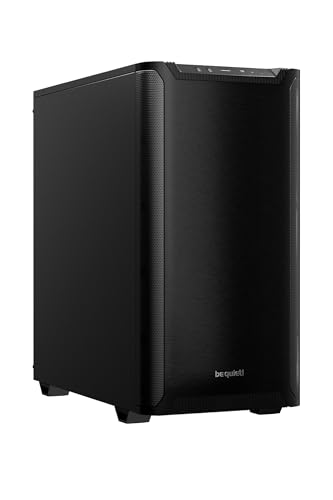

Top 3 picks at a glance
Quick List
- be quiet! Pure Base 600 – best for a compact, insulated ATX build with an adjustable top cover
- be quiet! Pure Base 501 Airflow – best for builders who want quiet fans without a fully sealed front
- be quiet! Pure Base 501 – best for a plain, solid-front tower with two PWM fans
- HONKID Poron keyboard foam – best for quieting a mechanical keyboard (not a PC case)
- Fractal Design Define 7 XL – best for large E-ATX builds with lots of drives
- Phanteks XT Pro Silent – best overall for a mainstream silent gaming PC
Which One Is Right for You?
| If you… | Choose |
|---|---|
| want one balanced silent case for a gaming ATX build | Phanteks XT Pro Silent |
| need E-ATX support, many hard drives or a custom loop | Fractal Design Define 7 XL |
| want a smaller insulated tower and accept limited ventilation | be quiet! Pure Base 600 |
| want some intake area and a USB-C front port in a compact case | be quiet! Pure Base 501 Airflow |
| prefer a plain closed front and two included PWM fans | be quiet! Pure Base 501 |
| are really trying to quiet a mechanical keyboard on your desk | HONKID Poron keyboard foam (accessory, not a case) |
Silence is a trade. Closed panels hold noise in, but they also hold heat in, so pair any of these cases with a modest CPU, an efficient graphics card and slow, large fans. If your parts run hot, choose the airflow-leaning option rather than the most sealed one.
All 6 Picks in Detail
1. be quiet! Pure Base 600 – Best for a compact insulated ATX build
As an Amazon Associate we earn from qualifying purchases at no extra cost to you.

The Pure Base 600 is the older, quieter-by-design member of be quiet!’s Pure Base family. It suits a builder who wants a mid-size ATX tower, a mainstream CPU and a mid-range graphics card, and who values low noise above everything else. Third-party reviewers such as GamersNexus described its ventilation as deliberately restricted, with intake limited to two filtered slits in the front panel, which is exactly why it stays quiet and also why it is not for hot, overclocked parts.
- Form factors: ATX, Micro-ATX and Mini-ITX boards, seven expansion slots
- Fans: two Pure Wings-series fans (a 140 mm front and a 120 mm rear, per published reviews); the listing says two pre-installed fans
- Top cover: adjustable, so you can close it for silence or lift it for more exhaust
- Storage: repositionable drive cage; the card-length limit shrinks when the cage is installed
- Dust filters at the front and bottom; confirm exact clearances on the listing
Pros
- Lined panels and rubber grommets aimed at noise
- Flexible top panel for balancing noise and heat
- Simple, uncluttered layout that is easy to build in
Cons
- Limited airflow with the cover closed
- Older design, so no modern front USB-C port on this model as far as we can confirm
- Changing the top cover position means opening the case
It also rewards a gentle approach to installation. Mount the drive cage only if you really need hard drives, because removing it frees room for a longer card, and keep the top cover closed while idling or browsing, then open it a notch if a long gaming session pushes temperatures up.
Compared with the Pure Base 501 Airflow, the 600 is the quieter choice on paper but runs components warmer, so pick it only if your parts are modest. If you need more room or more cooling headroom, step up to the Phanteks XT Pro Silent.
2. be quiet! Pure Base 501 Airflow – Best for quiet fans with some intake area

The Pure Base 501 Airflow is the modern take on the same idea: a compact ATX mid-tower with two pre-installed 140 mm PWM fans, a front intake that is less restricted than the older 600, and a front USB-C port. It suits a first-time builder putting together a quiet midrange gaming PC who does not want the heat penalty of a fully closed front. The “Airflow” in the name is the signal: this is the case in the family that compromises on silence a little to keep components cooler.
- Fans: two 140 mm PWM fans included, one front and one rear (the Pure Wings 3 type, per retailer and reviewer descriptions)
- Radiators: up to 360 mm at the front and 240 mm at the top, per published listings
- Clearances: graphics cards up to about 368 mm, CPU coolers up to about 178 mm and power supplies up to about 180 mm
- Front I/O: USB-C plus USB-A ports; seven expansion slots
- Vertical GPU mounting is possible, but a riser cable is sold separately
Pros
- PWM fans can be lowered smoothly in your motherboard fan curve
- Better cooling potential than the sealed Pure Base 600
- Radiator support is generous for a compact case
Cons
- Less sound insulation than the full Silent-style cases here
- Compact interior limits very long cards and tall coolers
- Reviewers disagree on a few dimensions, so check the product page
Next to the plain Pure Base 501 in this list, the Airflow model is the better pick for gaming parts that produce real heat. If you care more about a muted front panel than temperature, the standard 501 below is the alternative.
3. be quiet! Pure Base 501 – Best for a plain closed-front tower
This listing is the standard Pure Base 501, a different model from the Airflow version rather than a color variant. It uses a plain, solid front design and two pre-installed 140 mm PWM fans, and it suits builders who want an understated, quiet-leaning case without glass or mesh. Sources describe its clearances as the same as the Airflow model, but they disagree on how much sound-dampening material the standard model includes, so treat insulation as something to confirm on the listing before you buy.
- Form factors: ATX, Micro-ATX and Mini-ITX
- Fans: two 140 mm PWM fans (one front, one rear)
- Radiators: front up to 360 mm, top up to 240 mm, per published specifications
- Clearances: graphics cards up to about 368 mm, power supplies up to about 180 mm
- Drive bays: two 3.5-inch and five 2.5-inch positions, per retailer listings
Pros
- Clean, simple look that fits office and living-room desks
- Same compact footprint and radiator options as its sibling
- Two PWM fans out of the box
Cons
- The listing is sparse, so insulation details need verifying
- A closed front can raise component temperatures
- Not suited to very hot GPUs or overclocked CPUs
In practice this is a case for a calm, low-power machine: a mainstream CPU with a tower cooler, a single mid-range graphics card and an SSD. Install the two fans, set a gentle curve in your BIOS, and the result should be a modest hum rather than a roar, although the lack of a clear insulation statement means you should not assume it matches the Silent-style cases. Choose it over the Airflow version only when appearance and a closed front matter more to you than cooling headroom; otherwise the Airflow model is the safer all-round purchase.
4. HONKID Poron Keyboard Foam (2 mm) – Best for quieting a mechanical keyboard, not a PC case
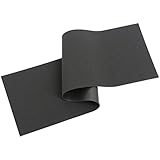
This listing does not match the topic of the page. It is a sheet of sound-dampening Poron foam sold to line the inside of a mechanical keyboard, not a PC case, and it will do nothing for the fan or drive noise in your computer. We include it only as a runner-up because it appears in the product set, and because a quiet desk often means a quieter keyboard too. If you are choosing a case for a silent build, skip straight to the other five picks.
- Material: LE-20 Poron foam, black, 2 mm thick, per the listing and seller description
- Purpose: reduces the hollow sound in the gap between the keyboard PCB and its bottom case
- Sheet size: roughly 50 cm by 15 cm, and you cut it to fit your board
- Fit: layout compatibility varies, so confirm that your keyboard has room for 2 mm of foam
- Installation requires opening the keyboard and may void a warranty
Pros
- Can noticeably soften keyboard “ping” and echo
- A simple way to tune a hobbyist keyboard
- Easy to cut with scissors
Cons
- Not a PC case and unrelated to computer noise
- Requires disassembly and some patience
- Fit depends on your specific keyboard
If you do go ahead, work on a clean surface, photograph the board before you remove anything, and cut the foam slightly undersized so it does not press on the stabilizer wires or the USB daughterboard. Be realistic about the benefit: foam changes the tone of a keyboard, not the loudness of the keys themselves, and a lubricated switch or a softer keycap will matter just as much.
It has no real counterpart on this list; compare the other five picks when your goal is a quiet tower.
5. Fractal Design Define 7 XL – Best for large E-ATX builds with many drives

The Define 7 XL is the biggest and best-insulated case here, a full tower with a solid, high-density-dampened construction. It suits builders with an E-ATX motherboard, a custom loop, a large array of hard drives for storage or a NAS-style PC, and enough desk or floor space to hold a 77-liter chassis. The listing describes the solid-panel version in black, which maximizes noise containment compared with the glass-sided variants.
- Motherboards: E-ATX, ATX, Micro-ATX and Mini-ITX, plus larger SSI formats per Fractal’s product page
- Fans: three 140 mm Dynamic X2 GP-14 fans included (two front, one rear), with a fan hub
- Radiators: up to 480 mm at the front and top, per Fractal’s product page
- Clearances: graphics cards up to about 530 mm, CPU coolers up to 185 mm
- Storage: six combined mounts, two dedicated 2.5-inch mounts and two 5.25-inch bays; dimensions about 604 x 240 x 566 mm
Pros
- Strong insulation with plenty of room for slow, large fans
- Excellent radiator and drive capacity
- Modular interior you can configure for storage or airflow
Cons
- Large and heavy, so it needs real desk space
- Overkill for a simple single-GPU gaming PC
- Solid panels mean you rely on fans for cooling
Think of it as a build platform rather than just a box. The size means long graphics cards, thick radiators and big tower coolers all fit without arguing, and the fan hub lets you run all three fans from a single header with a sensible curve. The trade-off is footprint and weight, so confirm that your desk or floor space and your lifting ability suit a case of this scale.
Compared with the Phanteks XT Pro Silent, the Define 7 XL offers more room and storage but takes more desk space; choose the XT Pro Silent if you do not need E-ATX or a drive farm.
6. Phanteks XT Pro Silent – Best overall for a mainstream silent gaming PC

The XT Pro Silent is the middle path that most readers want. It is a mid-tower with closed, sound-dampened front, left and right panels, three M25-120 fans included, and generous room for a modern graphics card. It suits someone building a gaming PC that will sit on or beside a desk and should not be heard over a game’s audio. It is also one of the few cases here that supports a 360 mm radiator while remaining sealed on the outside.
- Motherboards: E-ATX (up to 280 mm wide), ATX, Micro-ATX and Mini-ITX, seven expansion slots
- Fans: three M25-120 black fans included
- Radiators: 360 mm at the top and 120 mm at the rear
- Clearances: graphics cards up to 415 mm and CPU coolers up to 184 mm
- Dimensions about 450 x 230 x 500 mm; front I/O includes USB-C (the listing says 3.2 Gen2; Phanteks’ page lists USB-C 3.0, so confirm)
Pros
- Sealed, dampened panels with a good feature set for the size
- Three fans included and room for a 360 mm radiator
- Supports zero-cable motherboard designs, per Phanteks
Cons
- Closed front restricts intake, so keep parts efficient
- Larger than the Pure Base cases
- Limited drive-bay count compared with the Define 7 XL
A practical build plan looks like this: an efficient tower cooler or a 240 mm to 360 mm liquid cooler at the top, the three included fans set to a low, flat curve, and a graphics card with a zero-rpm idle mode. With that mix the case spends most of its time close to silent, and you only hear it when a heavy game loads the graphics card.
It sits between the compact Pure Base cases and the giant Define 7 XL, which is why it earns the best-overall slot for most silent gaming builds.
Specs Compared
| Product | Type | Motherboards | Included fans | Max GPU length | Max CPU cooler height | Radiator support |
|---|---|---|---|---|---|---|
| be quiet! Pure Base 600 | ATX mid-tower | ATX, Micro-ATX, Mini-ITX | Two (120 mm and 140 mm) | Confirm on listing | Confirm on listing | Confirm on listing |
| be quiet! Pure Base 501 Airflow | ATX mid-tower | ATX, Micro-ATX, Mini-ITX | Two 140 mm PWM | About 368 mm | About 178 mm | Front 360 mm, top 240 mm |
| be quiet! Pure Base 501 | ATX mid-tower | ATX, Micro-ATX, Mini-ITX | Two 140 mm PWM | About 368 mm | Confirm on listing | Front 360 mm, top 240 mm |
| HONKID Poron keyboard foam | Keyboard accessory, not a case | Not applicable | Not applicable | Not applicable | Not applicable | Not applicable |
| Fractal Design Define 7 XL | E-ATX full tower | E-ATX and smaller, larger SSI formats | Three 140 mm | Up to about 530 mm | 185 mm | Front and top up to 480 mm |
| Phanteks XT Pro Silent | E-ATX mid-tower | E-ATX (to 280 mm wide), ATX, Micro-ATX, Mini-ITX | Three M25-120 | 415 mm | 184 mm | Top 360 mm, rear 120 mm |
How We Chose These
This guide is research-based. We started from the listed products, compared their titles and descriptions with manufacturer specification pages and published independent case reviews, and weighed each one on four criteria: how much of the shell is sealed and sound-lined, what fans are included and whether they are PWM-controlled, how much room there is for a modern graphics card and tall cooler, and whether the case leaves a route for heat. This guide compares specifications and published reviews, so it makes no noise measurements of its own. Where sources disagreed, we say so and ask you to confirm on the product page.
What to Look For
Panels and dampening: where the quiet actually comes from
A quiet case blocks sound in three ways: mass, absorption and sealing. Mass comes from thick steel panels, which stop vibrating at low frequencies. Absorption comes from foam or bitumen-style lining on the inside of the panels, which soaks up mid and high frequencies such as fan whine. Sealing means closed front and top panels without open mesh, so the sound has no direct path to your ears. Cases like the Phanteks XT Pro Silent and the Fractal Define 7 XL do all three. The Pure Base 600 relies on foam and a closable top cover, while the 501 Airflow keeps a more open intake and therefore blocks less. Check whether the listing says the lining covers the front, side and top, or only one panel.
The airflow trade-off and the heat budget
Every sealed panel removes a path for cool air. A sensible rule of thumb is that a closed-front case has less airflow headroom than a mesh case, so the practical answer is to build lower-power rather than expecting the same temperatures. A 65 W CPU and a 150 W to 200 W graphics card will usually live happily in a sealed case with a few large fans at low speed. A 250 W graphics card and a 150 W CPU will push those fans hard, and the noise advantage disappears. Use the total heat your parts produce as your guide, and favor efficiency over raw performance for a truly silent machine.
Fans: size, speed and controllers
Fan noise depends mainly on speed. Engineers often approximate sound power as rising with roughly the fifth power of rotational speed, which is why a 140 mm fan at 800 rpm can be barely audible while the same fan at 1,400 rpm is obvious. Large fans move the same air at lower rpm than small ones, so 140 mm fans are the quiet default. PWM fans, such as the pair in the Pure Base 501 cases, let your motherboard slow them smoothly. A fan without PWM control runs from a simple voltage controller or fixed speed, which is less flexible. Whatever you buy, plan to set your own fan curve rather than leave the defaults.
Clearances: check before you commit
Silent cases often have tight interiors because of the foam and drive cages. Measure your graphics card length, your CPU cooler height and your power supply length, then compare them with the case’s stated limits. Remember that some limits shrink when you install a drive cage or a front fan, as on the Pure Base 600. As a worked example, a 330 mm graphics card with a 160 mm tower cooler fits all of the cases here that publish limits. A 360 mm card with a 175 mm cooler already rules out a Pure Base 501 on cooler height, which leaves the Phanteks and Fractal cases. Doing this arithmetic first prevents the most common silent-build mistake, which is buying a beautiful case that physically cannot hold the parts you already own.
A quick buying checklist
Before you choose, write down four numbers: your graphics card length in millimeters, your CPU cooler height, your power supply length, and the radiator size if you plan on liquid cooling. Add a margin of 10 to 15 mm to the card and cooler so cables and filters do not rub. Then decide how much ventilation your parts need: low-power parts can use the most sealed cases, while hotter parts should go into the Airflow-style front. Finally, confirm which panels carry the sound lining on the exact product page, because that is the detail listings most often leave out.
Drives, vibration and the rest of the desk
Hard drives create both vibration and seek noise. Cases with rubber-mounted trays, such as the Define 7 XL, reduce vibration, but a drive spinning at 7,200 rpm still ticks audibly. If silence is your goal, boot from an NVMe or SATA SSD and keep any hard drives for storage only. Also remember what is outside the case: a quiet cooler, a power supply with a semi-fanless mode, and a graphics card that stops its fans at idle will matter more than any single panel. This is also where a keyboard accessory like the HONKID foam fits in: it helps the desk, not the tower.
Questions
Does a quiet case make a PC silent by itself?
No. A quiet case reduces noise that your fans, drives and coil whine already produce, but it cannot remove it. The biggest gains usually come from slow, large fans, an efficient CPU and graphics card, and a power supply that keeps its fan off at low load.
Will a sound-dampened case overheat my parts?
It can if the parts are power hungry. Sealed panels reduce the amount of cool air entering the case, so components run warmer than in a mesh case. Mainstream CPUs and mid-range graphics cards are generally fine, but check your temperatures after building and open a vent or raise fan speed if needed.
Which of these cases is best for a high-end graphics card?
The Phanteks XT Pro Silent and the Fractal Define 7 XL have the most room, with stated limits of 415 mm and about 530 mm respectively. The Pure Base 501 cases list roughly 368 mm, so measure carefully before buying.
Is the HONKID foam a PC component?
No. It is keyboard dampening foam. It will not change how loud your computer is, and it is only relevant if you are modifying a mechanical keyboard.
Can I add a radiator to a quiet case?
Yes, on most of these. The Define 7 XL supports up to 480 mm at the front, the XT Pro Silent supports a 360 mm radiator at the top, and the Pure Base 501 cases list a 360 mm front radiator. Check cooler and fan thickness against the clearance for your motherboard.
Should I choose the Airflow or the standard Pure Base 501?
Choose the Airflow version if your parts produce a lot of heat or you plan to overclock. Choose the standard 501 if you value a solid front and have lower-power parts. Both list the same fans and the same general clearances, so the decision comes down to the front panel.
Update History
- October 14, 2026 – Initial publication; product set drawn from current catalog listings.
- Check the product page for current specifications and availability before buying.
Sources
- Manufacturer product and specification pages for Phanteks and Fractal Design
- Published independent case reviews, including GamersNexus, for the Pure Base 600 and 501 cases
- Retailer listing titles and specification fields









