
The HYPEREV AX3000 Gaming WiFi Booster is the best overall pick here for console players who cannot run a cable to their TV stand: it is a dual-band WiFi 6 unit whose listing is aimed squarely at PS5, PC and console use and quotes a 2402Mbps 5GHz rate. A WiFi extender for a console simply repeats your router’s signal so a distant PlayStation, Xbox or Switch can stay connected. Budget-minded players with an older console can look at the TP-Link RE105, while anyone planning a wired link should pick whichever unit lists an Ethernet port.
Every extender below is judged on one question: will it give a console a steadier connection than the router alone does at that spot?
Our Top Picks
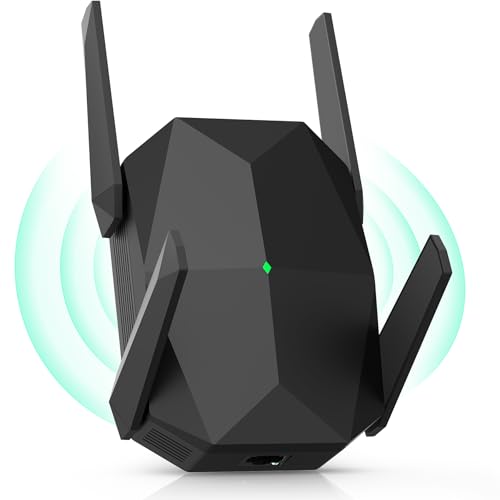


Top 3 picks at a glance
Quick List
- HYPEREV AX3000 Gaming Booster – best for PS5 and Xbox players who want a gaming-focused dual-band WiFi 6 unit
- AX3000 Multi-Link Extender – best for households that want WiFi 6 headroom for a console plus phones and laptops
- AX1800 WiFi 6 Extender – best for a mid-speed WiFi 6 upgrade in a bedroom or den
- 1200Mbps Dual-Band 4-Antenna Extender – best for older consoles that only speak WiFi 5
- TP-Link N300 (RE105) – best for a basic, brand-backed unit with a wired Ethernet port
- C.Crane CC Vector – best for pulling a faraway signal into a garage, dorm or outbuilding
Which One Is Right for You?
| If you… | Choose |
|---|---|
| Play on a PS5 or Xbox Series console and want WiFi 6 hardware aimed at gaming | HYPEREV AX3000 Gaming Booster |
| Share the connection with many phones, laptops and streaming sticks | AX3000 Multi-Link Extender |
| Want WiFi 6 without paying for the top speed class | AX1800 WiFi 6 Extender |
| Own a console or PC with a WiFi 5 adapter and a dual-band router | 1200Mbps Dual-Band 4-Antenna Extender |
| Only need to stretch a 2.4GHz signal and want a cable to the console | TP-Link N300 (RE105) |
| Need to catch a signal from another building or a long way off | C.Crane CC Vector |
If your console sits within reach of a cable, an Ethernet run beats every extender on this page. When it does not, pick the newest WiFi generation your console supports and place the extender roughly halfway between the router and the console. A unit sitting at the edge of a weak signal can only repeat a weak signal.
All 6 Picks in Detail
1. AX3000 Multi-Link Extender – Best for busy households
As an Amazon Associate we earn from qualifying purchases at no extra cost to you.
The listing describes a 2026 AX3000 WiFi 6 signal booster with multi-link connectivity and dual-band long-range repeating. Multi-link wording usually refers to using more than one band at once, though the exact behavior depends on the firmware, so confirm on the product page. It fits homes where one console competes with several streaming devices and a couple of laptops for the same wireless capacity.
- Class: AX3000 dual-band WiFi 6
- Feature headline: multi-link connectivity
- Bands: 2.4GHz and 5GHz
- Ethernet port: confirm on listing
- Setup method: confirm on listing (WPS button or app)
Pros
- WiFi 6 radio class gives headroom for many devices
- Dual-band design lets you keep the console on 5GHz
Cons
- Generic brand naming makes support harder to verify
- Multi-link behavior is not described in detail
Where it fits: this suits a family setup where a console, two or three phones, a streaming box and a work laptop all share one extender. WiFi 6 handles many simultaneous clients more gracefully than WiFi 5, which matters more here than raw speed. Check the product page for the setup method and whether it can broadcast under your existing network name, since a unified name makes roaming simpler for phones.
Choose the HYPEREV unit instead if you only care about the console and want the more gaming-specific description.
2. 1200Mbps Dual-Band 4-Antenna Extender – Best for WiFi 5 consoles

This is a 1200Mbps dual-band unit (a 5GHz plus 2.4GHz combined figure) with four antennas, and its listing claims up to 10,000 square feet and 50 devices. It is a WiFi 5 class design, which matches consoles that stop at 802.11ac. Because the 5GHz radio handles both receiving and rebroadcasting on one band in a basic repeater, expect a real-world drop in throughput compared with the router alone.
- Class: dual-band, 1200Mbps combined (WiFi 5 class)
- Antennas: 4 external
- Bands: 2.4GHz and 5GHz
- Listing claims: 10,000 sq ft, 50 devices
- Ethernet port: confirm on listing
Pros
- Four antennas for directional coverage
- Fits WiFi 5 consoles and routers
Cons
- Not WiFi 6, so less efficient with many devices
- Coverage claims are generous
Where it fits: if your console, such as an Xbox Series or older PlayStation, tops out at WiFi 5, the radio class here matches what the console can use. Four antennas help with signal direction, but the real limit is a single repeating hop. Treat it as a way to turn a poor connection into a usable one for online play and downloads rather than a way to reach top speeds.
The AX1800 extender above is the nearest upgrade, adding WiFi 6 for a modest step up in capability.
3. C.Crane CC Vector – Best for distant signals (runner-up for console use)

The CC Vector is not a typical plug-in extender. A separate external USB antenna captures a faraway WiFi signal and the main unit rebroadcasts it to your devices, which makes it useful for an RV spot, workshop or dorm room far from the source. C.Crane describes it as a 2.4GHz-focused system, so it is a poor fit for modern fast game downloads and sits last on this list for consoles.
- Type: long-range receiver and repeater system with external USB antenna
- Main band: 2.4GHz for reach
- Works with: consoles, computers, phones and smart TVs
- Variant details: confirm on listing, as the brand sells several versions
- Expected speed: reduced, because the signal is repeated
Pros
- Antenna can be placed where reception is best
- Works with any device that has WiFi
Cons
- Not designed for low-latency gaming
- Setup is more involved than a wall-plug unit
Where it fits: this is a specialist tool for people whose nearest usable WiFi is far away, such as a detached garage setup, a boat slip or a campsite. A consoles-in-a-living-room household will get better results from any of the other five. Look at the exact version on the product page, since the brand offers home, RV and extended-range kits with different antennas.
Compared with the TP-Link RE105, it reaches much farther but is no faster in practice.
4. TP-Link N300 (RE105) – Best for a basic wired-port extender
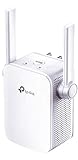
The RE105 is a 2.4GHz-only, wall-plug extender from an established networking brand. TP-Link’s specifications list 300Mbps on 2.4GHz, two external antennas, one 10/100Mbps Ethernet port and both range extender and access point modes. That Ethernet port is the interesting part for gamers: plugged into a console, it takes the console’s own WiFi radio out of the equation, although the 2.4GHz backhaul remains the limit.
- Class: N300, single band (2.4GHz only)
- Standard: 802.11n/g/b
- Ethernet: one 10/100Mbps port
- Modes: range extender or access point
- Antennas: 2 external with MIMO
Pros
- Trusted brand and clear published specifications
- Wired port plus access point mode
Cons
- 2.4GHz only, so crowded and slower than 5GHz
- Poor match for fast downloads or WiFi 6 consoles
Where it fits: for a Switch or older console that mostly plays games with small data needs, the RE105 can be enough, especially with a cable into its Ethernet port. The access point mode lets you run it from a wired source to create a new local WiFi zone. Keep expectations low for large game downloads, because the 2.4GHz band and 100Mbps port set the ceiling.
Pick this over the 1200Mbps extender only if a wired port and a familiar brand matter more than speed.
5. HYPEREV AX3000 Gaming Booster – Best for PS5 and Xbox players

This is the only listing in the set written specifically for consoles: the name calls out PS5, PC and consoles, describes a dual-band WiFi 6 game accelerator and quotes 2402Mbps. That figure is the theoretical 5GHz link rate of the radio, not what a game download will reach, because a repeater has to receive and resend traffic. It suits players whose console is two rooms from the router and who want current-generation WiFi on both ends of the hop.
- Class: AX3000 dual-band WiFi 6
- Quoted 5GHz link rate: 2402Mbps
- Positioning: gaming booster for PS5, PC and consoles
- Ethernet port count: confirm on listing
- Latency features: the listing mentions lag reduction, but no extender removes the added hop
Pros
- Newest WiFi generation in the set with a console-focused description
- High quoted 5GHz rate leaves room for the repeating hop
Cons
- Speed claims are theoretical link rates
- Brand is less established than TP-Link, so check warranty terms
Where it fits: think of a console in a spare room or basement den that sits just past the reach of the router. Place the booster in the hallway, connect the console to its 5GHz network or to its Ethernet port if the listing confirms one, and run a few online matches to see whether the connection stays steady. If the router already supports WiFi 6, the pairing gets the most from the radio; with an older router, the link back to the router becomes the limit.
Compared with the AX3000 Multi-Link Extender, this one trades broad household features for console-focused marketing; the two share a speed class.
6. AX1800 WiFi 6 Extender – Best for a mid-speed WiFi 6 upgrade

An AX1800 unit sits one tier below AX3000: still WiFi 6, but with a lower combined rate across two bands. The listing claims coverage up to 10,000 square feet and 55 devices, which are best read as open-space maximums rather than what a typical house with walls will deliver. For a single console in a bedroom, the radio class is more than enough.
- Class: AX1800 dual-band WiFi 6
- Listing claims: coverage up to 10,000 sq ft, 55 devices
- Function: range extender and repeater
- Wired port: the listing mentions a wired option, confirm count and speed on the product page
- Bands: 2.4GHz and 5GHz
Pros
- WiFi 6 at a lower speed class
- Dual-band so the console can use 5GHz
Cons
- Lower ceiling than the AX3000 models
- Coverage claims are optimistic for homes with walls
Where it fits: a typical home internet plan in the few hundred Mbps range does not need an AX3000 radio, and the AX1800 class covers it without strain. It works well for a bedroom console with a router one floor away. If you later upgrade your router and plan, the extender stays useful because the WiFi 6 radio is not the bottleneck at that speed.
It is the sensible step down from the AX3000 Multi-Link Extender when your internet plan is under the gigabit class.
Specs Compared
| Product | Class | Bands | Quoted speed | Ethernet | Best match |
|---|---|---|---|---|---|
| HYPEREV AX3000 Gaming Booster | WiFi 6 (AX3000) | Dual band | 2402Mbps on 5GHz | Confirm on listing | PS5, Xbox Series |
| AX3000 Multi-Link Extender | WiFi 6 (AX3000) | Dual band | Confirm on listing | Confirm on listing | Busy households |
| AX1800 WiFi 6 Extender | WiFi 6 (AX1800) | Dual band | Confirm on listing | Confirm on listing | Mid-speed plans |
| 1200Mbps Dual-Band 4-Antenna | WiFi 5 class | Dual band | 1200Mbps combined | Confirm on listing | WiFi 5 consoles |
| TP-Link N300 (RE105) | WiFi 4 (N300) | 2.4GHz only | 300Mbps | One 10/100 | Basic wired use |
| C.Crane CC Vector | Long-range repeater system | 2.4GHz focus | Confirm on listing | Confirm on listing | Distant signals |
How We Chose These
These six come from a fixed product set drawn from current catalog listings, and we judged each on information that is published rather than on lab work. We read listing titles and the manufacturer specification pages that exist, then compared each unit on four criteria: the WiFi generation relative to what current consoles support, whether the listing states a bandwidth class and band count, whether an Ethernet port is mentioned, and how clearly the brand publishes its specifications. Where a listing does not state a value, the specs table says to confirm it on the product page rather than guessing. Speed figures are quoted as theoretical link rates from the listings and should not be read as download speeds.
What to Look For
Match the WiFi generation to your console
The PS5 supports WiFi 6 (802.11ax), while Xbox Series consoles use WiFi 5 (802.11ac), and older consoles may be limited to 802.11n. An extender only helps if its radio is at least as new as the console’s. Buying WiFi 6 for a WiFi 5 console is not wasted, since the extender can still talk WiFi 6 to the router, but it will not raise the console’s own ceiling.
Why the hop costs speed
A basic single-radio repeater receives a packet and then retransmits it on the same channel, which can cut throughput roughly in half in the worst case. Dual-band extenders reduce the penalty when they can talk to the router on one band and the console on the other. Tri-band designs and mesh systems with a dedicated backhaul band do better still. Extra latency from a repeater is usually small, but spikes from a weak backhaul link are the real cause of game lag.
Placement rule of thumb
Put the extender where the router signal is still strong, not where it is already fading. A good rule: if your phone shows at least half of its signal bars at the extender’s outlet and the console is closer to the extender than to the router, you are in the right spot. Example: a router in the living room and a console in a back bedroom 40 feet away through two walls works best with the extender in the hallway between them. If the hallway outlet is already at the edge of the router’s range, move the extender one room closer to the router and accept a shorter hop to the console; a strong first link beats a short second one. Re-run your console’s connection test after each move so you can compare results, and change only one thing at a time.
Ethernet is the console’s best friend
Consoles have wired ports, and a short cable from the extender to the console removes one wireless link and gives a steadier path. If the extender lists a Gigabit port, you get the most from it. A 10/100 port, like the one on the RE105, caps wired speed at 100Mbps, which still covers most game download plans but not a fast fiber plan.
Check setup and console network settings
After pairing, run your console’s built-in connection test and look at the reported NAT type, download speed and packet loss. Most extenders bridge the connection and leave NAT type unchanged, but an extender that creates its own router-style network can cause a double-NAT warning. If that happens, switch it to access point or bridge mode if it offers one. Keep the extender firmware current and use WPA2 or WPA3 security.
Pick 5GHz and a clean channel
The 2.4GHz band reaches farther but is crowded with neighbors, microwaves and Bluetooth, while 5GHz is faster and cleaner at shorter range. For consoles, leave the 2.4GHz network for smart-home gadgets and connect the console to 5GHz where possible. Also give the extender its own network name during setup if your console has trouble switching between access points.
When a mesh or access point is better
If you can run Ethernet to the far room, an access point is better than an extender because it needs no wireless backhaul at all. If you cannot, a mesh kit with a dedicated backhaul band is the next step up. The extenders here are the budget option and suit a single problem room.
Questions
Do WiFi extenders add lag for gaming?
They add some latency because traffic takes an extra hop, and a weak link to the router can cause spikes. A well-placed dual-band extender usually adds a small amount, but a wired connection to the router will always be steadier.
Should I get a WiFi 6 extender for a PS5?
The PS5 supports WiFi 6, so a WiFi 6 extender lets both the router link and the console link use the newer standard when your router also supports it. If your router is older, the benefit shrinks.
Can I connect a console to an extender with a cable?
Yes, if the extender has an Ethernet port. The RE105 has one 10/100Mbps port, and for the other models you should confirm the port count and speed on the product page.
Is a WiFi extender better than a mesh system?
A mesh system with a dedicated backhaul generally holds speed better in larger homes. An extender costs less and is fine for one room that needs a stronger signal.
Where should I plug in the extender?
Plug it in about halfway between the router and the console, in a spot that still gets a solid signal. Avoid placing it behind metal, near a microwave or inside a cabinet.
Does the 10,000 square foot claim mean it covers my whole house?
No, coverage numbers on listings assume open space with no walls. Walls, floors and appliances shorten real range, so treat the figure as a ceiling rather than a promise.
Update History
- October 20, 2026 – Initial publication; product set drawn from current catalog listings.
- Check the product page for current specifications and availability before buying.
Sources
- Manufacturer product and specification pages for TP-Link and C.Crane
- Retailer listing titles and specification fields for each product named above






