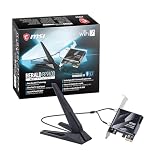
The MSI Herald-BE WiFi 7 MAX is the pick for most builders who want a Wi-Fi 7 card in a desktop today. Retailer listings name a Qualcomm NCM865 module, a magnetic external antenna, Bluetooth 5.4 and 320 MHz channel support, which is the full Wi-Fi 7 feature set at two streams. Wi-Fi 7, or 802.11be, is the newest wireless generation: it widens the 6 GHz channel to 320 MHz, adds 4096-QAM and lets one device use several bands at once through Multi-Link Operation. You only see those gains with a Wi-Fi 7 router and Windows 11. One listing here is actually Wi-Fi 6, and we mark it as a runner-up.
Our Top Picks



Top 3 picks at a glance
Quick List
- MSI Herald WiFi 7 BE9400 – best for a brand-name tri-band card with a 5.8 Gbps top link rate
- GIGABYTE GC-WIFI7 – best for matching a Gigabyte or Aorus build with 4K-QAM and tri-band support
- MSI Herald-BE WiFi 7 MAX – best overall for the full 320 MHz feature set and Bluetooth 5.4
- TP-Link AX3000 WiFi 6 Card – runner-up only; it is Wi-Fi 6 and not a Wi-Fi 7 card
- FENVI BE6500 WiFi 7 Card – best for a tri-band Wi-Fi 7 option with MLO and Bluetooth 5.4
- Ubit Wi-Fi 7 6338Mbps Card – best for shoppers drawn to a high combined rating, with a 160 MHz channel stated
Which One Is Right for You?
| If you… | Choose |
|---|---|
| want the most complete Wi-Fi 7 feature list and Bluetooth 5.4 | MSI Herald-BE WiFi 7 MAX |
| prefer a motherboard maker’s card to pair with your Gigabyte board | GIGABYTE GC-WIFI7 |
| want the MSI Herald name with a stated 5.8 Gbps top rate | MSI Herald WiFi 7 BE9400 |
| want a lesser-known Wi-Fi 7 card with MLO and low-latency claims | FENVI BE6500 WiFi 7 Card |
| read the headline rate first and will confirm the channel width on the page | Ubit Wi-Fi 7 6338Mbps Card |
| only have a Wi-Fi 6 router and want a simple step up from onboard Wi-Fi | TP-Link AX3000 WiFi 6 Card (not Wi-Fi 7) |
Whichever you choose, the biggest factor is the router at the other end. A Wi-Fi 7 card on a Wi-Fi 6 router behaves like a Wi-Fi 6 card, and a 320 MHz channel needs a router that offers it. If your router is older, upgrading it first often delivers more than swapping the PC card.
All 6 Picks in Detail
1. MSI Herald WiFi 7 BE9400 – Best for a Branded Tri-Band Card
As an Amazon Associate we earn from qualifying purchases at no extra cost to you.

The MSI Herald is a Wi-Fi 7 PCIe card for desktops described as BE9400 tri-band, with Bluetooth 5.4, 6 GHz support, Multi-Link Operation, 320 MHz channels and a 5.8 Gbps top figure. The BE9400 label is a combined rating across the bands, and the 5.8 Gbps number is the best single link rate on 6 GHz with two streams. The listing does not name the wireless chip, so confirm it on the product page if your operating system or driver preference matters. It is a good match for builders who like MSI hardware and want a well-known name.
- Standard: Wi-Fi 7 (802.11be), tri-band with 6 GHz
- Rating: BE9400, with a 5.8 Gbps top link rate
- Channel width: up to 320 MHz, per the listing name
- Bluetooth: 5.4
- Wi-Fi chip and antenna details: confirm on listing
Pros
- Full Wi-Fi 7 feature set including MLO and 320 MHz
- Bluetooth 5.4 on the same card
- Established brand with a motherboard and graphics card ecosystem
Cons
- Wi-Fi chip is not in the listing name
- Needs a Wi-Fi 7 router to show a difference
It is very close to the Herald-BE MAX, and the MAX is the one with the clearer published module and antenna information.
2. GIGABYTE GC-WIFI7 – Best for a Gigabyte-Matched Build

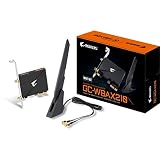
The Gigabyte GC-WIFI7 is a tri-band Wi-Fi 7 PCIe expansion card with Bluetooth 5.3 and 4K-QAM, according to the listing name. Retailer and third-party sources give rates of 573 Mbps on 2.4 GHz, 2402 Mbps on 5 GHz and 5764 Mbps on 6 GHz, with Multi-Link Operation and 320 MHz channels, and a magnetic-base antenna. Gigabyte’s own pages do not name the wireless module, and third-party databases point to a Qualcomm part, so confirm before relying on that detail. It carries Bluetooth 5.3 rather than the 5.4 on the MSI cards. Builders who pair it with a Gigabyte board may also find a single warranty and support path convenient.
- Standard: Wi-Fi 7 tri-band
- Modulation: 4K-QAM
- Reported rates: 573, 2402 and 5764 Mbps across the three bands
- Bluetooth: 5.3
- Chipset: reported as Qualcomm by third parties; confirm on listing
Pros
- Matching brand for Gigabyte and Aorus builds
- Full tri-band Wi-Fi 7 including 6 GHz
- Magnetic-base antenna aids placement
Cons
- Bluetooth 5.3 trails the 5.4 cards
- Operating system notes point to Windows 11 only
Compared with the MSI Herald, it is the better choice if your motherboard is a Gigabyte model, and the MSI is better if you want Bluetooth 5.4.
3. MSI Herald-BE WiFi 7 MAX – Best Overall for the Full Feature Set

The Herald-BE WiFi 7 MAX is listed with Wi-Fi 7 (802.11be), Bluetooth 5.4, PCIe, Multi-Link Operation and an external antenna. Retailer pages describe a Qualcomm NCM865 module with 320 MHz bandwidth and 4096-QAM, and report top rates of 5764 Mbps on 6 GHz, 2882 Mbps on 5 GHz and 688 Mbps on 2.4 GHz. The package includes a high-gain magnetic-base antenna and a USB 2.0 header cable for Bluetooth. It uses a PCIe x1 connection, and Wi-Fi 7 needs Windows 11. With clear information and the full feature list, it is the easiest card here to recommend.
- Standard: Wi-Fi 7 (802.11be), 2.4, 5 and 6 GHz
- Reported peak rates: 5764 Mbps on 6 GHz, 2882 Mbps on 5 GHz, 688 Mbps on 2.4 GHz
- Bluetooth: 5.4, via a USB 2.0 header cable
- Module: Qualcomm NCM865, according to retailers
- Antenna: external high-gain with a magnetic base
Pros
- Complete Wi-Fi 7 features: MLO, 320 MHz and 4096-QAM
- Bluetooth 5.4
- Compact card with a movable antenna
Cons
- One external antenna may be limiting for placement in some cases
- Wi-Fi 7 router needed to benefit
It differs from the Herald BE9400 mainly in how much the listing publishes about the module.
4. TP-Link AX3000 WiFi 6 Card – Runner-Up, Not a Wi-Fi 7 Card

This TP-Link listing is for a WiFi 6 PCIe card for desktop PCs: AX3000 dual band, Bluetooth 5.2, WPA3, 2.4 and 5 GHz and MU-MIMO. It is not a Wi-Fi 7 card and has no 6 GHz band, so it does not meet the topic of this page. It appears here only so shoppers can see the difference. The card is a sound choice for people with a Wi-Fi 6 router who want to move from an older adapter, but anyone looking for Wi-Fi 7 should skip it. Confirm bracket and antenna details on the product page.
- Standard: Wi-Fi 6 (802.11ax), dual band 2.4 and 5 GHz
- Rating: AX3000
- Bluetooth: 5.2
- Security and efficiency: WPA3, MU-MIMO
- 6 GHz and MLO support: none
Pros
- Fine for a Wi-Fi 6 network on a modest connection
- Recognizable brand with a simple design
Cons
- Not Wi-Fi 7 and not tri-band
- No 6 GHz access
Next to the FENVI card, the difference is a whole generation of wireless standards. If your router is Wi-Fi 6, this card can still make sense as a plain upgrade, but then it belongs on a different shopping list than this one.
5. FENVI BE6500 WiFi 7 Card – Best for a Tri-Band Alternative

The FENVI card is listed as a BE6500 Wi-Fi 7 PCIe network card for desktop PCs with Bluetooth 5.4, 802.11be, tri-band 2.4, 5 and 6 GHz operation and MLO for low latency. BE6500 is a combined rating that sits below the BE9400 class, which suggests narrower 6 GHz channels than the 320 MHz cards, so confirm the stated channel width, because a narrower 6 GHz channel lowers the ceiling for each link. The catalog name is cut off, so the chipset, antenna count and bracket set also need confirmation. It is worth considering if you want Wi-Fi 7 features from a smaller brand and you are comfortable checking the details yourself. Read the product page for the antenna count, the supported operating systems and the return terms before you commit.
- Standard: Wi-Fi 7 (802.11be) tri-band
- Rating: BE6500
- Bluetooth: 5.4
- Feature: Multi-Link Operation for lower latency, per the listing
- Chipset, channel width and antennas: confirm on listing
Pros
- Wi-Fi 7 with MLO and Bluetooth 5.4
- Tri-band support including 6 GHz
Cons
- Brand has less documentation than MSI or Gigabyte
- Channel width not shown in the visible name
It sits below the MSI cards in published detail, which makes the Herald-BE MAX the safer pick.
6. Ubit Wi-Fi 7 6338Mbps Card – Best for Shoppers Who Read the Headline Rate

The Ubit is listed as a Wi-Fi 7 card with a 6338 Mbps rating across 6 GHz, 5 GHz and 2.4 GHz, Bluetooth 5.4, 160 MHz bandwidth, 802.11be and 4K-QAM on a tri-band PCIe adapter for PCs. The 160 MHz figure is worth attention: Wi-Fi 7 cards that use 320 MHz on 6 GHz reach about 5764 Mbps on a single link with two streams, while 160 MHz is limited to about half of that. The 6338 Mbps number looks like a combined total, so confirm the per-band rates on the product page.
- Standard: Wi-Fi 7 (802.11be), tri-band
- Rating: 6338 Mbps, as stated in the listing
- Channel width: 160 MHz stated in the listing name
- Bluetooth: 5.4, with 4K-QAM
- Per-band rates, chipset and antennas: confirm on listing
Pros
- Wi-Fi 7 and Bluetooth 5.4 features at a glance
- Tri-band with 6 GHz
Cons
- 160 MHz may limit peak rates compared with 320 MHz cards
- Details beyond the headline are not shown
Compared with the MSI Herald, it advertises a bigger combined number but a narrower channel. That is a good reminder to read the channel width and the per-band rates, not only the number in the title, since a larger total does not always mean a faster single connection.
Specs Compared
| Product | Wi-Fi generation | Rating or top rate stated | Channel width stated | Bluetooth | Chipset |
|---|---|---|---|---|---|
| MSI Herald WiFi 7 BE9400 | Wi-Fi 7 tri-band | BE9400, 5.8 Gbps top | 320 MHz | 5.4 | Confirm on listing |
| GIGABYTE GC-WIFI7 | Wi-Fi 7 tri-band | 573 / 2402 / 5764 Mbps (third-party) | Confirm on listing | 5.3 | Reported Qualcomm; confirm |
| MSI Herald-BE WiFi 7 MAX | Wi-Fi 7 tri-band | 688 / 2882 / 5764 Mbps (retailers) | 320 MHz | 5.4 | Qualcomm NCM865 (retailers) |
| TP-Link AX3000 WiFi 6 Card | Wi-Fi 6 dual band | AX3000 | Not stated | 5.2 | Confirm on listing |
| FENVI BE6500 WiFi 7 Card | Wi-Fi 7 tri-band | BE6500 | Confirm on listing | 5.4 | Confirm on listing |
| Ubit Wi-Fi 7 6338Mbps Card | Wi-Fi 7 tri-band | 6338 Mbps | 160 MHz | 5.4 | Confirm on listing |
How We Chose These
We built this list from research on the Wi-Fi 7 PCIe cards currently offered in this category. For each product we compared the Wi-Fi generation, band count, rating, stated channel width, Bluetooth version and chip information, using retailer listing fields, third-party specification summaries and press coverage. Cards that publish more of that information ranked higher, because it makes a purchase easier to verify. We separated cards with a stated 320 MHz channel from those with a narrower channel or no stated width. One listing turned out to be Wi-Fi 6, so it is marked as a runner-up and does not count toward the Wi-Fi 7 recommendation.
What to Look For
What Wi-Fi 7 changes
Wi-Fi 7 adds three headline features. Channel width doubles from 160 MHz to 320 MHz on the 6 GHz band, which doubles the top link rate for a given number of streams. 4096-QAM packs 20 percent more data into each symbol than the 1024-QAM used by Wi-Fi 6. Multi-Link Operation lets a device connect on two bands at once and use whichever is clearer, which lowers delay and avoids drops. For a two-stream desktop card, that works out to a 5764 Mbps ceiling on 6 GHz with 320 MHz, against 2882 Mbps with 160 MHz.
The router matters more than the card
A Wi-Fi 7 card only unlocks its features on a Wi-Fi 7 router. With a Wi-Fi 6E router you get 6 GHz but not 320 MHz or MLO, and with a Wi-Fi 6 router you are limited to 5 GHz and 2.4 GHz. Check your router’s specification page and confirm that the 6 GHz band is turned on and that the region settings allow wide channels. If you do not plan a router upgrade, a Wi-Fi 6E card may serve you equally well. Look at the router’s spec page for the phrases 320 MHz, MLO and 4K-QAM; if they are missing, the router is not offering the full feature set. Mesh systems add another wrinkle, because the link between mesh nodes can use the same bands and reduce what reaches your desktop, so a wired backhaul helps.
Reading the speed rating
BE9400, BE6500 and 6338 Mbps are marketing totals that add the maximum rate of each band. A single connection uses one band, or two with MLO, so real speeds are lower. Worked example: 5764 Mbps divided by eight is about 720 megabytes per second, but file transfers over Wi-Fi usually reach only a share of that because of overhead, distance and interference. If your internet connection is 1 or 2.5 gigabit, even a modest link rate is enough, and wired Ethernet remains faster and steadier for a desktop that sits near the router.
Operating system, drivers and Bluetooth cable
Wi-Fi 7 works best on current Windows 11 releases with up-to-date drivers, and Linux support depends on the kernel and firmware for the specific chip. Check the manufacturer’s driver page for your chip before buying, especially for lesser-known brands. Bluetooth runs over a USB header cable to the motherboard, usually a USB 2.0 nine-pin connector, which the MSI card includes in the box. Without a free header, Wi-Fi still works but Bluetooth does not.
Antennas, slot and case fit
All of these use PCIe x1, though they will also fit in longer slots. Pick a slot away from a hot graphics card. Wi-Fi 7 also uses the 6 GHz band, which loses strength quickly through walls, so a position with a clear path to the router matters more than it did on 2.4 GHz. A magnetic base antenna lets you move the signal source off the back of the case, which can make a large difference in a case with a metal panel or a PC under a desk. Where the listing only says “external antenna”, confirm the number and connector type, since some cards use two small antennas and some use a single larger one.
If you buy now, think about how long you will keep the PC. Wi-Fi 7 cards are a sensible buy if you expect to replace your router within a couple of years, since the card will be ready when you do. Choose a card that states 320 MHz, MLO and Bluetooth 5.4, keep the antenna in a clear spot, and register the card’s driver page in your bookmarks so you can update it when new releases appear. Early Wi-Fi 7 drivers have changed fairly often, and a quick update is often the cheapest fix for odd disconnects.
Questions
Is Wi-Fi 7 worth it for a desktop PC?
It is worth it if you already have, or plan to buy, a Wi-Fi 7 router and your desktop sits far from it. Gains are larger in crowded areas and for low-latency tasks. If you can run Ethernet, a cable remains the simplest choice.
Do I need Windows 11 for these cards?
For Wi-Fi 7 features, yes; listings and retailer notes point to Windows 11. Older Windows versions may not give full Wi-Fi 7 or 6 GHz functionality. Confirm driver support on the card maker’s page.
What is the difference between 160 MHz and 320 MHz channels?
A 320 MHz channel is twice as wide as 160 MHz, so with the same number of streams it can carry about twice the data. It exists only on the 6 GHz band and needs a router that supports it. Many homes will use narrower channels in practice.
Will a Wi-Fi 7 card work with my current router?
Yes, it will connect using the best standard your router supports. You will not see 320 MHz channels or MLO unless the router supports them too. A Wi-Fi 6E router still gives access to 6 GHz.
Why is a Wi-Fi 6 card in this list?
One of the listings found for this category is a Wi-Fi 6 AX3000 card without a 6 GHz band. We kept it visible and labeled it as a runner-up so that buyers who want Wi-Fi 7 can avoid it.
Do these cards need a Bluetooth cable?
Yes, PCIe Wi-Fi cards generally send Bluetooth through a USB header cable that connects to the motherboard. Check that you have a free internal USB 2.0 header before buying.
Update History
- October 20, 2026 – Initial publication; product set drawn from current catalog listings.
- Check the product page for current specifications and availability before buying.
Sources
- Retailer listing titles and specification fields for each product above
- Press coverage and third-party specification databases for the Gigabyte and MSI cards