The ASUS ROG Strix GS-BE12000 is the best all-round pick for a low-ping gaming setup: it is a tri-band Wi-Fi 7 router with eight 2.5G Ethernet ports, a quad-core processor and a Game Boost feature, so it handles wired and wireless players without stepping up to a 10G platform. If you want the most headroom, the ROG Rapture GT-BE98 Pro adds dual 10G ports and a quad-band radio. Low ping here means low and steady latency between your PC and the game server, which depends on wiring, queue management and routing as much as on raw Wi-Fi speed.
Below you will find all six routers, a decision table, detailed notes on each model, and a short buyer’s guide to the settings and specs that really affect ping.
Our Top Picks
 ASUS ROG Rapture GT-BE98 Pro WiFi 7 GamingQuad-Band13.7 x 8.6 x 13.7 inches4.4 PoundsCheck on Amazon
 ASUS ROG Strix GS-BE12000 WiFi 7 Gaming RouterTri-Band8.9 x 3.5 x 8.9 inches2.04 poundsCheck on Amazon


Top 3 picks at a glance
Quick List
- HyperEV AX3000 – best for adding a game-route accelerator to a router you already own
- ASUS ROG Rapture GT-BE98 Pro – best for maximum wired and wireless headroom
- MSI Radix AXE6600 – best for a Wi-Fi 6E gaming router with AI QoS and a 2.5G port
- NETGEAR Nighthawk Pro Gaming XR500 – best for DumaOS traffic control on a mostly wired desk
- ASUS ROG Strix GS-BE12000 – best overall for a Wi-Fi 7 gaming network with many 2.5G ports
- HyperEV PRO – best for a bundled booster plugin and two included network cables
Which One Is Right for You?
| If you… | Choose |
|---|---|
| want one router that covers wired PCs, consoles and a NAS with plenty of 2.5G ports | ASUS ROG Strix GS-BE12000 |
| run a multi-gig fiber line or a 10G workstation and want the biggest platform | ASUS ROG Rapture GT-BE98 Pro |
| already have a router you like and only want a ping-reduction layer for a console or PC | HyperEV AX3000 |
| want the same booster idea with a longer bundled membership and extra cables | HyperEV PRO |
| want 6 GHz Wi-Fi and per-app QoS but only need one fast wired port | MSI Radix AXE6600 |
| game almost entirely over Ethernet and like a router dashboard that shows ping per device | NETGEAR Nighthawk Pro Gaming XR500 |
Think about the whole household, too. A router that serves one gamer can be modest, but a home with several streamers, remote workers and consoles benefits from more bands, more wired ports and a processor with room for QoS. Start with how your PC connects. If it can be wired, any router here will deliver a stable link and your decision comes down to port speeds and traffic management. If it must use Wi-Fi, favor the Wi-Fi 7 and Wi-Fi 6E models, because the 6 GHz band is less crowded than 2.4 and 5 GHz.
All 6 Picks in Detail
1. HyperEV AX3000 – Best for adding a game accelerator to your current network
As an Amazon Associate we earn from qualifying purchases at no extra cost to you.

The HyperEV AX3000 is not a whole-home replacement. It is a dual-band Wi-Fi 6 router sold as a “game accelerator” that works with the GearUP Booster service, which routes game traffic over optimized paths instead of your internet provider’s default route. That approach can help when the delay comes from a congested route rather than from your home network, but it cannot fix a weak Wi-Fi signal or a slow processor in your PC.
- Dual-band Wi-Fi 6 (2.4 GHz and 5 GHz), listed at 2402 Mbps on the 5 GHz band
- Marketed for PC, PS5 and other consoles
- Works with the GearUP Booster app for route selection
- Designed to plug into your existing network; confirm on the listing how it connects
- Bundled booster membership term varies by listing; confirm on the product page
Set it up near your main router and use its app to choose the game you want to boost; if the service does not help for your provider, you lose little by turning it off.
Pros
- Easy way to try route-based latency reduction without replacing your main router
- Useful for console players who cannot install software
Cons
- Full boosting depends on a subscription after the bundled period
- Limited number of devices can be accelerated at once; confirm on listing
- Lower Wi-Fi capacity than the Wi-Fi 7 models in this list
Compared with the HyperEV PRO, the AX3000 is the one to pick if the listed AX3000 speed rating matters more to you than the extra bundled cables.
2. ASUS ROG Rapture GT-BE98 Pro – Best for maximum wired and wireless headroom

This is the flagship of the list: a quad-band Wi-Fi 7 router with two 10G ports and four 2.5G ports, aimed at households where several people game, stream and move large files at once. Having two separate 6 GHz radios helps because heavy traffic from a laptop or phone is less likely to share airtime with your gaming rig. It is overkill for a single desktop on a gigabit line, but it future-proofs a multi-gig network.
- Quad-band Wi-Fi 7, rated at about 30 Gbps combined
- Two 10G ports and four 2.5G ports
- Mesh support with coverage up to 3,500 sq ft according to the listing
- Game Boost and traffic prioritization from the ROG firmware
- Quad-core processor and 2 GB of memory per ASUS specifications
Who it suits: a household with a multi-gig connection, a workstation or NAS that can use a 10G link, and several gamers on Wi-Fi at the same time. Who should skip it: a single player on a gigabit line, who will not use most of the ports. Update the firmware before you configure it, and keep a wired connection for your main PC.
Pros
- 10G LAN lets a workstation or NAS connect without a separate switch
- Large radio capacity keeps busy homes from crowding each other
Cons
- Large footprint, and the feature set takes time to tune
- Most of its strengths go unused on a basic gigabit connection
It sits above the GS-BE12000 in capability, so choose the GS-BE12000 unless you will actually use a 10G port.
3. MSI Radix AXE6600 – Best for a Wi-Fi 6E router with AI QoS

The Radix AXE6600 is a tri-band Wi-Fi 6E gaming router with a quad-core 1.8 GHz processor, 8-stream design and an AI-based quality-of-service tool for sorting game traffic ahead of downloads. Wi-Fi 6E opens the 6 GHz band, which is a clean lane for a gaming laptop or PC with a 6E adapter. Its wired side is more modest than the ASUS models: MSI lists one 2.5G port and four gigabit ports.
- Tri-band Wi-Fi 6E, AXE6600 class
- 1.8 GHz quad-core processor
- AI QoS and MU-MIMO
- One 2.5G port and four gigabit LAN ports per MSI specifications
- RGB lighting on the antennas and body
Who it suits: a player with a Wi-Fi 6E laptop or PC adapter who wants a dedicated 6 GHz lane and simple per-app traffic priority. Who should skip it: anyone with several multi-gig wired devices. Set the QoS bandwidth just under your line speed, and put the router where the antennas have a clear line of sight to your gaming area.
Pros
- 6 GHz band for uncluttered wireless gaming
- Quality-of-service controls in a gamer-friendly interface
Cons
- Only one 2.5G port, so a multi-gig PC and NAS combination needs a switch
- Wi-Fi 6E is a generation behind Wi-Fi 7 if you plan to keep it for years
Next to the XR500, the Radix is the better choice for wireless play, while the XR500 suits a wired desk better.
4. NETGEAR Nighthawk Pro Gaming XR500 – Best for DumaOS control on a wired desk
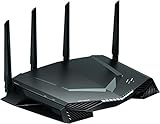
The XR500 is an older AC2600-class design, which means Wi-Fi 5, but its DumaOS interface remains popular with players who want to see ping and bandwidth by device. It includes a Geo Filter that limits the distance to game servers, mostly helpful on consoles where you cannot pick a server. For a PC connected by cable, the router works as a capable gigabit gateway with strong QoS controls. For new Wi-Fi gaming laptops it is the weakest wireless choice here.
- AC2600 dual-band Wi-Fi 5, up to 2.6 Gbps combined
- Four Ethernet LAN ports, per the listing
- DumaOS with QoS, Geo Filter and a live ping dashboard
- Dual-core processor class; confirm clock speed on the listing
- Optimized for low ping according to the listing
Who it suits: a wired player who values a live dashboard of ping and bandwidth by device, and who has a gigabit or slower internet line. Who should skip it: buyers who need Wi-Fi 6 or newer for their phones and laptops. Confirm current firmware support and the processor clock on the listing before relying on it for years.
Pros
- Clear per-device traffic view
- Four wired ports for a console, PC and more
Cons
- No Wi-Fi 6, 6E or 7, and no multi-gig ports
- Older platform; check current firmware support before buying
It is the runner-up among the group for new builds: choose it over the Radix only if DumaOS matters more than newer Wi-Fi.
5. ASUS ROG Strix GS-BE12000 – Best overall for a Wi-Fi 7 gaming network

The GS-BE12000 strikes the best balance in this list. It is a tri-band Wi-Fi 7 router with eight 2.5G ports, so a gaming PC, console, NAS and access point can all run wired at 2.5 Gbps. ASUS pairs it with Game Boost, a feature that prioritizes gaming traffic, plus AiMesh support so you can extend coverage later. It lacks a 10G port, so it will not suit a 10G workstation.
- Tri-band Wi-Fi 7, rated at 12 Gbps combined
- Eight 2.5G ports
- Mesh coverage up to 3,300 sq ft per the listing
- Game Boost for low-latency prioritization
- Quad-core CPU and 2 GB of memory according to ASUS
Who it suits: a gamer with a PC, console and NAS who wants everything on 2.5G cables plus a modern Wi-Fi 7 network for the rest of the home. Who should skip it: anyone who needs a 10G port for a workstation. Use one 2.5G port for your main PC and enable the gaming priority option in the app.
Pros
- Plenty of 2.5G ports for wired gaming gear
- Wi-Fi 7 with 6 GHz support for future adapters
Cons
- No 10G or SFP+ port
- You need a Wi-Fi 7 adapter to use the newest wireless features
Choose it over the GT-BE98 Pro unless your network genuinely needs 10G ports and a fourth radio.
6. HyperEV PRO – Best for a bundled booster plugin and spare cables

The HyperEV PRO is a Wi-Fi 6 gaming router that ships with the GearUP Booster plugin and a one-year booster VIP membership, according to its listing, plus two network cables. Like its AX3000 sibling, it is a route-optimization product first and a Wi-Fi platform second. The listing describes 5 GHz and 2.4 GHz operation, which means no 6 GHz band. Treat any claim about percentage ping reduction as marketing, because results depend on your provider, game and server.
- Wi-Fi 6 with 5 GHz and 2.4 GHz bands
- GearUP Booster plugin with a one-year VIP membership per the listing
- Two network cables included
- Aimed at reducing ping and packet loss for consoles and PCs
- Wi-Fi speed rating not stated in the listing name; confirm on the product page
Who it suits: a console or PC player who wants a plug-in route booster with a longer bundled membership and ready-to-use cables. Who should skip it: households that want a single router to cover a large home. Try the service on your favorite game first, and compare ping and packet loss with the booster on and off.
Pros
- Longer bundled membership than the shorter trials some similar products include
- Cables in the box make initial wiring easy
Cons
- Value depends on continuing the booster service after the membership ends
- Limited wired port and radio details in the listing
Pick it over the AX3000 when the longer bundled membership matters more than the stated AX3000 rating.
Specs Compared
| Router | Wi-Fi standard | Bands | Wired ports | Processor | Gaming feature |
|---|---|---|---|---|---|
| HyperEV AX3000 | Wi-Fi 6 (AX3000) | Dual-band | confirm on listing | confirm on listing | GearUP Booster |
| ASUS ROG Rapture GT-BE98 Pro | Wi-Fi 7 | Quad-band | 2 x 10G, 4 x 2.5G | Quad-core | Game Boost, Game Acceleration |
| MSI Radix AXE6600 | Wi-Fi 6E | Tri-band | 1 x 2.5G plus gigabit ports | 1.8 GHz quad-core | AI QoS |
| NETGEAR Nighthawk Pro Gaming XR500 | Wi-Fi 5 (AC2600) | Dual-band | 4 x Ethernet LAN | Dual-core | DumaOS, Geo Filter |
| ASUS ROG Strix GS-BE12000 | Wi-Fi 7 | Tri-band | 8 x 2.5G | Quad-core | Game Boost |
| HyperEV PRO | Wi-Fi 6 | Dual-band | confirm on listing | confirm on listing | GearUP Booster plugin |
How We Chose These
We built this list from the routers in the current catalog that are marketed for gaming and low latency. For each one we read the manufacturer specification pages and the retailer listing fields, then compared Wi-Fi generation, band count, wired port speeds, processor class and the traffic-management features the maker documents. We favored models with 2.5G or faster wired ports and a clear quality-of-service feature, and we flagged products whose listings rely on a subscription service or leave key details unstated. This is a research-based comparison drawn from published specifications and documented features. We also weighed how much of each router’s value comes from hardware you can verify, such as port speeds and radios, versus services that depend on a subscription, and we noted where the listing leaves details open.
What to Look For
Wired first, wireless second
The single biggest improvement for ping is running Ethernet to your PC. A wired link on a home network normally adds well under a millisecond, while Wi-Fi adds variable delay because it shares air with every neighbor and device. Even the best Wi-Fi 7 router cannot match the consistency of a cable, so use the cable where you can and keep the wireless for phones and laptops. If running a cable across the room is difficult, powerline or MoCA adapters or a wired mesh backhaul are worth considering.
Wi-Fi generation and the 6 GHz band
Wi-Fi 6 adds scheduling features that cut delay when many devices talk at once. Wi-Fi 6E and Wi-Fi 7 add the 6 GHz band, which is much emptier than 2.4 GHz and 5 GHz in most homes. Wi-Fi 7 also adds Multi-Link Operation, which lets a device use several bands together, and 320 MHz channels in 6 GHz. These help latency indirectly: a quiet channel means fewer retransmissions. Your PC needs a matching adapter, so check whether your motherboard or add-in card supports 6 GHz before paying for it.
Queue management and QoS
Most lag spikes come from bufferbloat: when someone starts a large upload, the router’s queue fills and your game packets wait behind it. Good quality-of-service tools, including fq_codel and CAKE style smart queue management where the firmware offers them, keep the queue short. Look for routers that let you set a bandwidth limit slightly below your real line speed, since the queue then forms inside the router where it can be managed. As a rule of thumb, set the limit to roughly 90 to 95 percent of your measured speed and run a bufferbloat check before and after.
Port speeds and processor
Match wired ports to your devices. If your internet line is gigabit or below and your devices are gigabit, 2.5G ports are a bonus rather than a requirement. If you have a multi-gig line or a NAS, a 2.5G or 10G WAN port avoids a bottleneck. A quad-core processor with 1 GB or more of memory matters because QoS and security features run on the router CPU. Worked example: on a 1 Gbps line with a console, a PC and a laptop, a router with a 2.5G WAN port and several gigabit LAN ports is plenty; a 10G model only pays off if you add a 10G device.
Route optimizers versus routers
Products such as the HyperEV models use a service to choose a different path to the game server. That is different from local latency. If your home network already has low and steady ping to your own gateway but a high ping to the server, a route optimizer may help. If the problem is Wi-Fi, a router upgrade is the fix. Read the subscription terms before you buy, and measure your ping to the game server with and without the service so you know whether it works for your provider.
Placement, antennas and channel choice. Where the router sits matters almost as much as which one you buy. Put it high, in the open and near the middle of the area where you play, away from microwave ovens, metal shelves and thick masonry. On 5 GHz, pick a channel that neighbors are not using; on 6 GHz you rarely need to, because few homes use it yet. If your router offers a dedicated gaming port, plug your main PC or console into it so the firmware can prioritize it automatically.
Questions
Does a better router lower my ping to the game server?
Only partly. A better router removes local delay from Wi-Fi congestion and bufferbloat, but it cannot shorten the route between your provider and the game server. If your base ping is already steady, expect small gains from the router and larger gains from switching to Ethernet.
Is Wi-Fi 7 worth it for gaming?
It is worth it if your PC has a Wi-Fi 7 adapter and you are stuck on wireless, because the 6 GHz band and Multi-Link Operation reduce interference. If you play wired, Wi-Fi 7 mostly benefits your other devices, and a Wi-Fi 6E or even Wi-Fi 6 router will suit your PC just as well.
What is QoS and should I turn it on?
Quality of service lets the router prioritize some traffic, such as gaming, over bulk downloads. Turn it on if your connection gets laggy when others stream or upload. Set the limits slightly below your real speed, otherwise the feature has little effect.
Do I need a 2.5G or 10G port?
You need one only if your internet line, NAS or PC is faster than gigabit. Game traffic itself uses very little bandwidth, so multi-gig ports are about large file transfers and future upgrades, not about ping.
Can I use a gaming router with my provider’s modem-router?
Yes. Put the provider’s gateway in bridge or IP passthrough mode if it offers it, or place the gaming router behind it and accept double NAT. Bridge mode avoids the double NAT problems that can affect party chat and matchmaking on consoles.
Are route booster subscriptions worth paying for?
It depends on your provider and game. They help most when the default route to a server is poor, and they do nothing for local Wi-Fi problems. Use any free trial period to compare your ping with and without the service before paying.
Update History
- October 20, 2026 – Initial publication; product set drawn from current catalog listings.
- Check the product page for current specifications and availability before buying.
Sources
- Manufacturer product and specification pages for ASUS ROG, MSI and NETGEAR
- Product pages and published descriptions for the HyperEV and GearUP Booster service
- Retailer listing titles and specification fields
- Independent router reviews and spec summaries used to cross-check port counts and processor details