
A modular case lets you move drive cages, PSU shrouds, fan mounts and radiator brackets so one chassis can host several different builds. Compatibility means every part you plan to buy, from the motherboard and graphics card to the power supply and CPU cooler, fits inside the clearances and mounting points the case maker publishes. Miss one of those numbers and the problem shows up at the worst moment, when the card will not seat or a front radiator presses against the GPU.
This guide covers the measurements that matter most, explains how each removable module changes clearance, and ends with a checklist to run before you order. The figures below are typical ranges and worked examples. Where a number is an estimate, we say so, and the maker’s diagram for your exact model always takes priority.
As an Amazon Associate we earn from qualifying purchases at no extra cost to you.
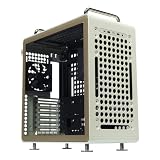

What “modular” actually changes in a case
Modular is a layout promise, not a size promise. A case that advertises modularity usually offers some combination of a removable front drive cage, a bottom PSU shroud that can be unbolted, relocatable fan and radiator brackets, and a motherboard tray with several standoff positions. Each module trades one kind of space for another. Pulling the drive cage opens room for a longer graphics card. Moving the shroud can free space for a deeper radiator. None of these changes adds volume to the chassis, so the total space inside stays fixed.
That fixed volume is why the spec sheet matters more than the marketing page. Look for three numbers in each configuration: maximum GPU length, maximum CPU cooler height, and maximum radiator thickness for each mount. Many makers publish these figures as a table with the module state listed beside each value. A figure given with the drive cage installed and the same figure with the cage removed can differ by 50 mm or more, so read the footnotes before you trust a headline number.
The table below maps each common module to the number you should read and the mistake buyers make most often with it.
| Module | What to measure | Common mistake |
|---|---|---|
| Front drive cage | GPU length with and without the cage | Assuming the stated maximum applies with the cage installed |
| PSU shroud | Maximum PSU length and shroud height | Ignoring cable clearance behind the shroud |
| Top radiator mount | Radiator thickness plus fan thickness | Forgetting RAM height and memory heatsinks |
| Front radiator mount | Distance from radiator to GPU and front panel | Mounting thick radiators against a long card |
| Motherboard tray | Supported board sizes and standoff positions | Buying E-ATX when the tray lists only ATX |
Motherboard size and standoff positions
The motherboard tray decides which board sizes fit. Most modular mid-towers support ATX, Micro-ATX and Mini-ITX, and a smaller number also list E-ATX. A standard ATX board measures about 305 x 244 mm, Micro-ATX is 244 x 244 mm, Mini-ITX is 170 x 170 mm, and E-ATX runs roughly 305 x 330 mm. A case that lists ATX support will take a Micro-ATX board, but the board sits on the standoffs for the ATX positions, so confirm the mounting holes line up with the tray before you buy. If you are weighing a smaller chassis, our guide to mid-tower cases worth a closer look covers the size classes in more detail.
Standoff positions also control how much room you have behind the board. A tray with deep cable cutouts and a wide rear gap gives you more space to route the wiring. Count how many cables leave the board on the back side. A board with a 24-pin connector, two 8-pin CPU plugs and several fan headers on the rear edge needs more room than one with the same connectors on the front. Rear clearance on well designed cases is commonly 20 to 25 mm, and that space shrinks quickly once thick SATA cables and M.2 heatsinks are added.
E-ATX is the most common surprise. The extra length adds roughly 85 mm to the board’s dimension that runs toward the top of most towers, which is why E-ATX boards can meet the top radiator or fan position. Many modular mid-towers cannot take E-ATX without moving the top mount or dropping the front drive cage. If you need E-ATX for a workstation-style gaming build, confirm the listed support first, then check whether the board’s top heatsink clears the top fan or radiator.
GPU length with the drive cage in and out
Graphics card length is usually the first limit a modular case hits. Many flagship cards now run 320 to 350 mm, and some large open-air models exceed that figure. The case spec may state one maximum with the front drive cage installed and a larger maximum with it removed. The gain varies by chassis, but an estimated 50 to 100 mm is a common range, enough to move a card from a tight fit to a comfortable one.
Measure the card itself, not the box. Take the length from the PCIe bracket to the longest point of the cooler shroud, then add margin for the power plug. Cards with a 12V-2×6 connector need room for the cable to bend cleanly, and a common rule of thumb puts that allowance at an estimated 10 to 20 mm. A card that fits the stated figure can still press against a cable or a front radiator mounted in the same space, so treat the stated maximum as the outer limit rather than the target.
If the drive cage stays installed, use the GPU figure published for that configuration and ignore any number from a review that removed the cage. Some builders leave the cage out and mount two drives on the back of the motherboard tray instead. That keeps storage available while freeing front space. It works well for one or two 2.5-inch SSDs, but it becomes crowded with more drives or with a thick cable bundle.
CPU cooler height and top radiator room
Air coolers have a height limit that depends on the case’s top clearance and the RAM you plan to use. Tower coolers commonly measure 150 to 165 mm tall, and dual-tower designs can exceed that. The tower must clear the side panel with some margin. Side panels on modular cases often include a fan mount, so verify that the panel still closes once the cooler is installed.
Liquid cooling introduces a different limit. A top mount for a 240 mm or 280 mm radiator is common in modular mid-towers, but thickness matters more than most buyers expect. A standard radiator is around 27 mm thick, while performance models reach 38 to 60 mm once the fans are added. A 280 mm radiator with thin fans may clear tall RAM. The same radiator with thick fans can require a RAM height below roughly 35 mm to avoid contact, which rules out many premium memory kits.
When planning a top radiator, add the radiator thickness, the fan thickness and the distance from the top panel to the motherboard, then compare the total with the case’s stated top clearance. If the remaining gap is under about 10 mm, expect to shorten the RAM choice or switch to a thinner radiator. Our guide to 240 mm AIO coolers includes radiator thickness figures for several popular designs.
PSU length, shroud height and cable room
Power supplies vary more than many buyers expect. A standard ATX unit measures roughly 140 to 160 mm long, while high-wattage models with large fans often run 180 to 200 mm. Modular cases usually include a bottom shroud or a PSU compartment with a stated maximum length. A unit longer than that limit may still fit if you remove the shroud, but it can block the front drive cage mount or push cables into the path of the fans.
Shroud height matters for cable routing. A low shroud leaves little room for the power cable bundle to bend. Cable routing also depends on whether the PSU is fully modular, because a fully modular unit lets you omit cables you do not use. For the cleanest result, decide which cables run behind the board and which enter the PSU compartment before you commit to a case. Our guide to planning cable management walks through the routing order step by step.
Check PSU wattage against your full parts list as well. A case cannot correct an undersized supply, and a long high-wattage unit can take space the graphics card needs. If you have not calculated total draw yet, a PSU wattage calculator guide is the right place to start before you measure chassis clearances.
Storage bays and M.2 clearance
Storage is where modular cases earn their keep, because drive cages can be rearranged to hold 2.5-inch SSDs, 3.5-inch hard drives or both. Count the bays you need against the case spec. Many cases list two 3.5-inch positions plus several 2.5-inch mounts, but some of those mounts share space with fan positions. Installing a drive can block a front radiator screw or a cable path, so inspect the cage with the hardware in place before you commit.
M.2 clearance is a separate issue. A drive under a motherboard heatsink needs room for the heatsink and for the board’s rear side. A cage mounted directly behind the tray can obstruct a rear-facing M.2 slot on some boards. If you plan to run several M.2 drives with large heatsinks, pick a case with a generous tray opening or check the board for a second slot on the back.
For a balanced build, keep at least one bay free for future expansion.
A checklist before you order parts
Run this checklist with the maker’s clearance diagram open beside you. Record the GPU length in each module state, the maximum cooler height, the radiator and fan thickness for each mount, the PSU maximum length, and the supported board sizes. Then compare each number against the exact parts on your list. A generic size from a retailer listing is not enough, because the exact model decides the fit.
- Confirm the GPU fits with the drive cage in and out, with room for the power cable bend included.
- Confirm the CPU cooler height and RAM height against the side panel and the top mount.
- Confirm the radiator and fan thickness for each mount, plus the gap to the motherboard.
- Confirm the PSU length against the shroud maximum and the drive cage position.
- Confirm the standoff pattern matches the tray and that the rear clearance suits your cable count.
- Confirm the number of drive bays and whether they conflict with any fan or radiator mount.
If one number sits close to its limit, treat it as a conflict. Clearances near the maximum leave no room for cable bends, thermal pads or manufacturing tolerance, and that margin is what keeps a build from becoming a return.
Troubleshooting: What to do if a part does not fit
Stop before forcing any part. A bent radiator fin, a cracked shroud or a pinched cable costs far more than the time spent rechecking dimensions. Start by removing the parts that conflict, then dry fit the rest with the side panel off. Note exactly which component touches which, because the fix depends on the contact point.
If the graphics card touches the front radiator, move the radiator to a different bracket position, use a thinner fan, or remove the front drive cage to gain room. If the CPU cooler touches the top panel, consider a shorter tower or a lower-profile memory kit. If the PSU hits the drive cage, check whether the cage can slide back or whether a shorter power supply of the same wattage class fits the shroud.
When the case allows none of these changes, the reliable option is to return the part you are least committed to, or to choose a different case. Check the seller’s return window before opening the box, and keep the packaging until the fit is confirmed. A few minutes on a dry fit saves more time than any cable tuck.
Frequently asked questions
Does a modular case automatically fit any gaming PC part?
No. Modular only means parts can be moved or removed; it does not add clearance you do not already have. A case with a removable front drive cage can fit a longer graphics card, but only up to the GPU length the maker lists with that cage out. Every component still has to clear the case’s stated limits for motherboard size, GPU length, CPU cooler height, radiator thickness and PSU length. Check the manufacturer’s clearance chart before buying parts.
Do I need to remove the front drive cage to fit a long GPU?
Not always. Many cases with a removable cage gain an estimated 50 to 100 mm of GPU length once it is out, but a card over 330 mm can still conflict with a front radiator, a fan or the PSU shroud. Measure the card from the PCIe bracket to its longest point, including any protruding fan shroud, and compare that figure with the case spec under each module configuration. Keep the cage out only if you do not need its drive bays.
Can a 280 mm radiator fit in the top of any mid-tower case?
Usually a 280 mm radiator fits a top mount in a mid-tower that lists 280 mm top support, but thickness matters more than most buyers expect. A 27 mm radiator with thin fans leaves far more room than a 45 mm unit with thick fans, and that difference can decide whether a tall memory heatsink clears. Check the radiator thickness, the fan thickness and the gap from the top panel to the motherboard before you commit.
What PSU length should I plan around in a modular case?
Standard ATX power supplies run about 140 to 160 mm long, while many high-wattage units with larger fans reach 180 to 200 mm. Modular cases often mount the PSU in a bottom shroud with a stated maximum length. A unit longer than that limit may force the drive cage or the front panel out of position. Find the maximum PSU length in the spec sheet, then compare it with the physical length printed on the power supply box.
Is a modular case worth paying extra for?
It depends on how often you change parts. If you build once and keep the system for years, a fixed-layout case with good airflow is often better value. If you expect to upgrade the GPU, add a second drive, or switch between air and liquid cooling, modular mounting points can save money and reduce the chance of buying a second case. Judge the premium against the parts you expect to replace in the next two or three years.









