Our Top Picks


Top 3 picks at a glance
Best Electronic Drum Pads for Practice: Quick Picks
The best electronic drum pad for practice depends on what you need to work on: the Roland SPD-SX PRO is the most capable choice for a full-featured sampling pad, the Yamaha DTX-MULTI 12 offers a broad built-in percussion palette, and the Roland SPD::ONE WAV PAD suits drummers who want a compact, simple way to play along with audio. For basic stick control, a quiet single-pad practice pad is still the most affordable and portable option—but it cannot provide headphones, a metronome, or electronic sounds on its own.
For home practice, compare more than the number of sounds. Pad rebound and surface area affect technique; headphone output makes quiet sessions possible; and the kick or pedal setup can be louder than the pad itself. The picks below are electronic instruments, not acoustic-style rubber practice pads.
As an Amazon Associate we earn from qualifying purchases at no extra cost to you.


![EX [3-IN-1] Portable Digital Electronic Drum Pad, with [Metronome, Speed Detection & Tap Counting] 10″ TPR Practice Pad, Green](https://m.media-amazon.com/images/I/41dqWp0kAGL._SL160_.jpg)

At a Glance
| Model or class | Best fit | Practice strengths | Home-use trade-off |
|---|---|---|---|
| Roland SPD-SX PRO | Drummers who need extensive sampling and control | Multiple pads, sample playback, headphone monitoring, metronome and practice functions | Large, feature-rich, and generally more expensive than a basic practice setup |
| Yamaha DTX-MULTI 12 | Percussionists who want many built-in sounds | 12 playing zones, onboard kits and songs, headphone practice | More compact than a full kit, but the playing surface is divided into small zones |
| Roland SPD::ONE WAV PAD | Simple audio playback and a small footprint | Play-along audio, headphone output, battery operation | Limited pad area and fewer controls than a full multi-pad instrument |
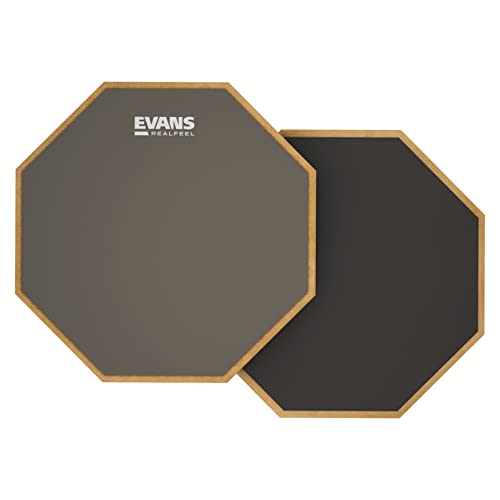
| Basic single-pad practice pad | Quiet stick-control drills on a tight budget | Portable, straightforward, no power required | No headphone output, sounds, or built-in timing tools |
How to Choose for Your Kind of Practice
| Your situation | What to prioritize | Good starting point |
|---|---|---|
| Late-night sticking and rudiments | Low mechanical noise, stable mounting, comfortable rebound | A single rubber practice pad; add an electronic pad only if you need audio or timing features |
| Playing along with songs | Easy audio input, independent volume adjustment, headphone output | A compact WAV playback pad or a multi-pad with reliable audio playback |
| Practicing percussion parts and transitions | Several responsive zones and assignable sounds | Yamaha DTX-MULTI 12 or Roland SPD-SX PRO |
| Building a portable performance-and-practice rig | Sample control, outputs, mounting options, and manageable setup | Roland SPD-SX PRO, if its features justify the extra bulk and cost |
Before buying, check whether the unit includes the power supply, mounting hardware, and any required pedal. A headphone jack is not the same as a headphone set, and some functions may require separately purchased accessories. Also confirm the output type: a pad with a headphone jack is simpler for solo practice, while stereo line outputs are useful for connecting to a mixer or recording interface.
What Matters Most at Home
Pad feel and spacing
For technique practice, a surface should have a predictable rebound and enough usable area for the strokes you are learning. Multi-zone instruments save space, but several small playing zones are not equivalent to a full snare pad: crossovers and wide hand movements can feel cramped. If possible, inspect the pad diameter and layout, not just the total number of zones. A compact sound module can be excellent for percussion patterns yet less comfortable for long snare-focused rudiment sessions.
Headphones, metronomes, and play-along audio
Headphone monitoring lets you hear the electronic sound without turning on a speaker, but it does not make the physical stick impact disappear. For focused practice, look for an onboard metronome with adjustable tempo and subdivisions, plus a way to balance the click against the pad sound. If you practice to music, check whether the unit can play audio from your intended source and whether you can control the track and instrument levels separately. Those controls matter more than a large preset count when the goal is to stay in time with a song.
Portability and setup
A small pad is easier to move and store, but stand, pedal, cables, headphones, and power supply can turn a supposedly compact rig into a bag of accessories. Battery operation is useful away from an outlet; verify the exact battery type and whether batteries are included. For a permanent home spot, a stable stand and cable routing may matter more than shaving a few inches off the pad.
Noise: what headphones cannot solve
Electronic pads usually reduce room-filling sound compared with acoustic drums, but each stick strike still creates a sharp mechanical tap. A kick pedal can transmit thumps through the floor, especially in an upstairs room. Place the setup on a dense rubber mat, keep the stand from touching a shared wall, and use a pedal with a soft beater or a quiet practice pedal if compatible. Avoid placing a hard board directly on a hollow floor; it can amplify vibration rather than damp it.
A Practical Noise Check Before You Commit
Room noise depends on the pad, stand, floor, and playing force, so a product’s sound level alone cannot predict what a neighbor will hear. Use this quick test to identify the loudest part of your setup:
- Set up the pad where you plan to practice and play at your normal volume for two minutes.
- Ask someone in the next room or below to listen, or record from that location. Keep the phone in the same position for each comparison; phone readings are useful for relative changes, not certified sound measurements.
- Repeat with the pad on a thick mat. If the thump changes substantially, floor transmission is a key issue.
- Test the kick pedal separately. If it is the main source, a quieter pedal or a more isolated platform may help more than changing the drum pad.
This separates airborne tapping from floor vibration and prevents a common mistake: buying a quieter electronic pad when the pedal is what carries through the building.
Worked Setup: A Quiet 30-Minute Practice Session
For a first session, keep the setup simple so that timing and touch—not menu changes—get your attention:
- Connect wired headphones and set the instrument’s master volume low before raising it to a comfortable level. This avoids a sudden loud signal in your ears.
- Choose one dry, short drum sound rather than a long, reverberant sample. A clear attack makes uneven strokes easier to hear.
- Set the metronome to 60 beats per minute, with a click on every quarter note. Play single strokes for five minutes, aiming for even volume and spacing.
- Raise the tempo to 70 BPM only if the strokes remain controlled. If they rush or tense up, return to 60 rather than forcing speed.
- Spend ten minutes alternating singles and doubles, then finish with ten minutes of a song or backing track at a tempo you can sustain cleanly.
The gradual tempo change is intentional: a practice pad can make fast strokes feel easy while masking poor timing. A metronome and a conservative starting speed expose that problem without requiring a complex setup.
Which One Should You Buy?
Choose the Roland SPD-SX PRO if you want a serious, configurable sampling pad that can support both practice and performance. Choose the Yamaha DTX-MULTI 12 if its collection of built-in percussion sounds and compact multi-zone layout better match your parts. Choose the Roland SPD::ONE WAV PAD if straightforward audio playback in a portable format is the priority. For basic rudiments at home, start with a quality single-pad practice pad and spend the savings on a stable stand, headphones, or a mat.
Prices vary by retailer, condition, and included accessories. Compare the complete setup cost—not just the pad—including headphones, stand, pedals, cables, and any power supply you need.
Frequently asked questions
Can an electronic drum pad replace a regular practice pad for rudiments?
It can, but the best fit depends on the practice surface you need. Multi-zone instruments offer sounds and timing features, while their smaller playing zones may feel cramped for long snare-focused rudiment sessions. A single-pad practice pad is a straightforward option for basic stick-control drills, but it does not provide electronic sounds, headphones, or built-in timing tools.
What accessories should I check for before buying an electronic pad?
Check whether the power supply, mounting hardware, and any required pedal are included. You may also need headphones, a stand, cables, or batteries, depending on the setup. A headphone jack does not mean headphones are included, and some functions may require separately purchased accessories. Consider the complete setup rather than the pad alone.
Can I practice along with music through headphones?
Yes, if the pad can play audio from your intended source and has a headphone output. Check whether you can adjust the music and instrument levels separately, since balancing them helps you hear both while playing. A compact WAV playback pad or a multi-pad with reliable audio playback can be a starting point for practicing with songs.
Do electronic drum pads make practice silent for neighbors?
No. Headphones let you hear the electronic sound without using a speaker, but stick strikes still create mechanical taps, and a kick pedal can transmit thumps through the floor. A dense rubber mat may reduce floor transmission. Testing the pad and pedal separately can help identify which part of the setup is loudest in another room.
Is a multi-zone pad suitable for practicing snare patterns?
It can work for percussion patterns, but several small zones are not equivalent to a full snare pad. Crossovers and wide hand movements may feel cramped, especially during long rudiment sessions. Check the pad diameter and layout as well as the number of zones, and consider whether the available playing area suits the strokes you plan to practice.