
Dual-GPU builds have narrowed to a specific audience — AI training, 3D rendering, scientific compute — but for that audience the case is a make-or-break decision. Two power-hungry cards stacked close together create clearance, cooling, and power-routing problems that a normal gaming chassis simply cannot solve. Choosing the right enclosure up front prevents thermal throttling and cramped, dangerous cable runs later.
As an Amazon Associate we earn from qualifying purchases at no extra cost to you.


Our Top Picks
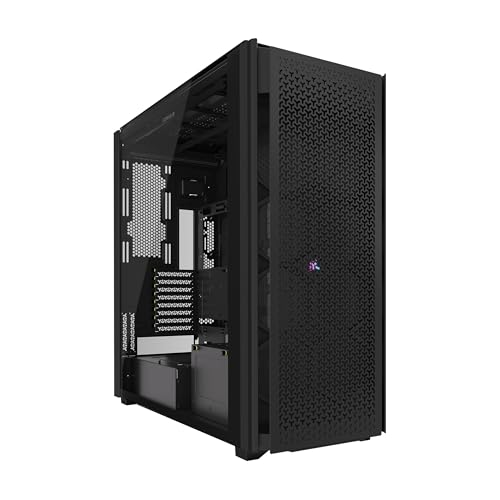

Clearance is the first filter
Two full-size graphics cards need vertical slot spacing and physical room. Most workstation cards occupy two or more slots each, so you need a motherboard and case that support the layout with breathing space between cards. Look for a case that accepts E-ATX or larger boards, offers at least seven or eight expansion slots, and has enough internal depth for long cards plus their power cables.
| Requirement | What to look for | Why it matters |
|---|---|---|
| Motherboard support | E-ATX / SSI-EEB | Room for spaced PCIe slots |
| Expansion slots | 8 or more | Two multi-slot cards fit |
| GPU length clearance | 350mm+ | Long workstation cards clear |
| PSU bay | Fits 1000W+ ATX unit | High combined power draw |
| Airflow / fan mounts | Front + top + bottom | Feeds the hotter lower card |
Cooling two cards that starve each other
The core problem in dual-GPU builds is that the top card dumps heat straight into the intake of the card below it. That lower card runs hotter and throttles first. A good workstation case counters this with strong, direct front intake, generous spacing, and often bottom intake fans that feed cool air to the lower card. Blower-style cards, which exhaust heat out the rear rather than into the case, historically suited these builds because they do not recirculate hot air between cards.
Airflow layout priorities
Favor a mesh front panel with two or three high-static-pressure intake fans, add bottom intake if the case supports it, and keep top and rear exhaust clear. Positive pressure with filtered intakes reduces dust in a machine that may run continuously. Open internal volume matters more here than glass and RGB — you are managing hundreds of watts of concentrated heat.
Power and cable routing
Two high-end cards plus a workstation CPU can push total system draw well past what a mainstream PSU handles, so plan for a 1000W-plus unit and confirm the case bay fits a longer high-wattage supply. Each card may need multiple PCIe power connectors, so look for ample cable routing space behind the tray and enough grommets to keep runs tidy. Cramped cable channels not only look messy, they block airflow and make transient power spikes harder to manage cleanly.
Full tower versus large mid tower
A full tower gives the most room for spacing, radiators, and airflow, and is the safest default for dual-GPU work. A large mid tower can work if it explicitly supports E-ATX and long cards, but verify every clearance number before buying. When in doubt, size up — thermal headroom is cheap insurance for expensive cards.
Frequently asked questions
Do I need a full tower for two GPUs?
Not always, but it is the safest choice. A full tower provides the slot spacing, GPU length clearance, and airflow volume that two hot cards demand. A large mid tower can suffice only if it clearly supports your board size and card length with room to spare between the cards.
Will two GPUs overheat in a normal gaming case?
Often, yes. A typical gaming case spaces cards too closely and lacks the bottom intake and open volume needed, so the lower card ingests the upper card’s exhaust and throttles. A case designed for workstation airflow and spacing is what keeps both cards within safe limits.
Bottom line
For a dual-GPU workstation, prioritize clearance, spacing, and airflow over aesthetics: an E-ATX-capable full tower with eight-plus slots, 350mm-plus GPU room, strong filtered front and bottom intake, and space for a 1000W-plus PSU with clean cable routing. Get those right and both cards stay cool under continuous load. Cut corners on the case and the lower card will remind you every time it throttles.









