
Liquid metal can drop CPU temperatures noticeably compared with a standard paste, sometimes by 5–10°C on a hot chip, because its thermal conductivity sits far above conventional compounds. It is also electrically conductive and can corrode aluminum, so a careless application can short a board or ruin a cooler. Done patiently, it is safe. Done in a rush, it is a repair bill. Here is the careful way.
As an Amazon Associate we earn from qualifying purchases at no extra cost to you.

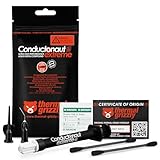
Our Top Picks


Understand the risk before you open the tube
Liquid metal is a gallium-based alloy. It conducts electricity, which means a single stray bead touching pins, surface components, or socket contacts can cause a short. It also reacts aggressively with aluminum, so it must only touch nickel-plated copper or bare copper cooler bases — never a bare aluminum heatsink. If your cooler base is aluminum, stop and use a conventional paste instead.
When it is worth it
Liquid metal makes the most sense on a high-heat CPU that is thermally limited, on a delidded chip between die and integrated heat spreader, or on a laptop-style tight thermal budget. For a mid-range chip that already runs in the 60s under load, a good conventional paste is easier and nearly as effective. Match the effort to the payoff.
| Item | Why you need it |
|---|---|
| Cotton swabs and lint-free wipes | Precise spreading and cleanup |
| Isopropyl alcohol 90%+ | Degrease surfaces before and after |
| Nitrile gloves | Keep skin oils and metal apart |
| Electrical or Kapton tape | Mask the area around the die |
| Nickel-plated or copper cold plate | Safe contact surface |
Step-by-step application
Work on a clean, well-lit surface with the system powered off and unplugged. Follow the sequence and do not skip the masking step.
Prepare the surfaces
Clean both the CPU heat spreader and the cooler base with isopropyl alcohol until they are spotless and dry. Mask the perimeter around the die or IHS with tape so any runoff cannot reach the socket, capacitors, or surface-mounted components. This barrier is the single most important safety step.
Apply a tiny amount
Dispense one small droplet — think the size of a grain of rice, not a pea. Use a cotton swab to spread it into a thin, even, mirror-like layer across the contact area only. You want a whisper of coverage, not a puddle. Excess is the enemy; it can migrate under vibration and heat cycling.
Coat the cooler base lightly
Apply an equally thin film to the cooler cold plate so the two mating surfaces bond evenly. Remove the masking tape carefully, then seat and mount the cooler with even pressure so nothing squeezes out the sides.
After mounting and long-term care
Power on and monitor temperatures under a short stress load to confirm the improvement. Liquid metal can slowly interact with surfaces over time, so plan to inspect and reapply every year or two rather than the longer intervals typical of paste. If you ever remove the cooler, expect to clean stained residue from both surfaces before reusing them.
Frequently asked questions
Can I use liquid metal with any cooler?
Only with a nickel-plated copper or bare copper base. Liquid metal corrodes aluminum, and many budget coolers use aluminum cold plates. If you are unsure of the base material, do not risk it — use a high-quality conventional paste instead.
What happens if a little spills onto the motherboard?
Power off immediately and do not boot. Because the alloy is conductive, a bead on the socket or nearby components can short the board. Clean it fully with isopropyl alcohol and a swab, verify nothing remains in the socket, and only then reassemble. This is exactly why masking the area first is non-negotiable.
Bottom line
Liquid metal rewards patience with real temperature drops, but its conductive, aluminum-hostile nature means safety comes first. Use only compatible copper or nickel-plated surfaces, apply a paper-thin film, mask everything around the die, and inspect it periodically. If any of that sounds like more risk than your build justifies, a premium conventional paste gets you most of the benefit with none of the hazard.









