
Mixing fans from different makers is common, but getting their addressable RGB to blink in unison across brands can be frustrating. The good news is that ARGB has settled on a near-universal electrical standard, so with the right adapters and one controlling piece of software you can usually get mismatched fans lighting in perfect sync. The trick is understanding the standard and the exceptions.
As an Amazon Associate we earn from qualifying purchases at no extra cost to you.
Our Top Picks
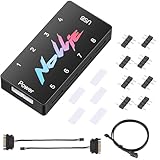
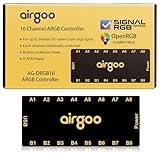
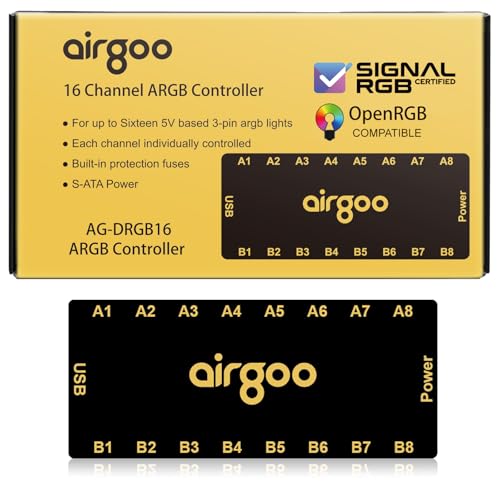 Airgoo 16-Port Magnetic-Mount USB ARGB Controller Support SignalRGB4.57 x 1.97 x 0.47 Inches0.3 poundsCheck on Amazon

The 5V 3-pin ARGB standard
Almost all modern addressable RGB fans and strips use the same connector: a 5V three-pin header, often labeled with a keyed slot where the middle pin position is blocked. Because 5V ARGB uses a common data protocol, a fan from one brand can generally be driven by another brand’s controller or the motherboard’s ARGB header, as long as the physical connectors match.
Two connector families you must not mix
| Standard | Pins / voltage | Addressable? | Cross-compatible? |
|---|---|---|---|
| ARGB (5V) | 3-pin, 5V, keyed | Yes, per-LED | Generally yes |
| RGB (12V) | 4-pin, 12V | No, whole-strip color | Only with other 12V RGB |
The critical warning: 5V ARGB and 12V RGB look similar but are electrically different. Plugging a 5V ARGB device into a 12V header will destroy its LEDs. Always confirm every fan and header is the 5V addressable type before connecting.
The path to one unified effect
To sync everything, route all fans to a single controller, either the motherboard’s ARGB headers or one dedicated hub, then drive them with one piece of software. If you connect brand A’s fans to brand A’s software and brand B’s fans to the motherboard, the two systems run independently and will drift out of sync. Consolidating control is the whole game.
Using adapters
Fans with proprietary plugs, such as some daisy-chain ecosystems, often include or sell an adapter that converts their connector to the standard 5V 3-pin. With that adapter you can feed them into a universal hub or the motherboard header alongside other brands. Match LED counts and the data direction arrow when chaining so the controller addresses the right number of LEDs.
Software and motherboard ecosystems
Motherboard lighting suites like ASUS Aura, MSI Mystic Light, Gigabyte RGB Fusion, and ASRock Polychrome can control any standard ARGB device wired to their headers, regardless of the fan brand. Alternatively, a third-party controller hub with its own app takes over all fans in one place. Pick one master and wire everything to it for a single, coherent effect.
FAQ
Will any ARGB fan work with my motherboard’s ARGB header?
If both are the 5V three-pin addressable standard, almost always yes, even across brands. The motherboard’s lighting software can then control the off-brand fan. Just verify LED count limits per header and never plug a 5V device into a 12V RGB header.
Why are my fans lighting but not in sync?
They are almost certainly being driven by two different controllers or apps at once. Route every fan to a single controller, motherboard or hub, and control them with one program. Independent controllers cannot stay synchronized with each other.
Watch the LED count per header
Even when connectors match, motherboard ARGB headers have a maximum number of addressable LEDs they can drive, commonly rated for a set current at 5V that translates to a few dozen to around a hundred LEDs. String too many high-density fans onto one header and the far LEDs can dim, show wrong colors, or the effect can glitch. Spread fans across multiple ARGB headers or use a powered hub that draws from SATA for its LED current rather than leaning entirely on the motherboard header. A powered hub also keeps all fans on one controller for perfect sync while sidestepping the current limit. When mixing dense RGB fans from several brands, tally the total LED count and respect the header’s ceiling, or consolidate onto a hub built to power them.
Bottom line
Because 5V three-pin ARGB is effectively universal, fans from different brands can sync as long as you consolidate them onto one controller driven by one piece of software. Use adapters for proprietary plugs, match LED counts and data direction, and never confuse 5V ARGB with 12V RGB or you will fry the LEDs. Unify the control and the whole build lights as one.









