
Small form factor builds add a twist to power supply sizing: you are usually limited to an SFX or SFX-L unit, and those top out lower than full ATX. Picking the right wattage means balancing your GPU’s real appetite against the compact unit’s ceiling, while leaving room for the transient spikes that trip undersized PSUs. Here is how to get it right in a tight case.
As an Amazon Associate we earn from qualifying purchases at no extra cost to you.

Our Top Picks
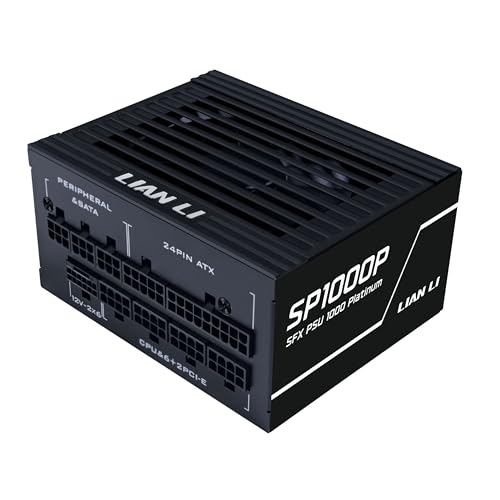 LIAN LI SP1000P 1000W SFX Power Supply4.92 x 2.5 x 3.94 inches4.92 x 2.5 x 3.94 inches4.92 poundsCheck on Amazon
Start with the GPU
In a Mini-ITX gaming build the GPU dominates the power budget, so choose the PSU around it. A mid-range card averaging 200 W wants a 650–750 W SFX unit once you add the CPU, board and headroom for spikes. A high-end card averaging 300 W+ pushes you toward the top of the SFX range or an SFX-L unit.
| GPU class | Avg draw | Recommended SFX PSU |
|---|---|---|
| Entry (1080p) | 120-160 W | 550 W |
| Mid-range (1440p) | 200-250 W | 650-750 W |
| High-end (4K) | 300-350 W | 750-850 W (SFX-L) |
| Flagship | 400 W+ | 1000 W SFX-L if available |
The SFX ceiling
Where SFX runs out
Standard SFX units are widely available up to about 850 W, while SFX-L stretches to roughly 1000 W. If your dream build pairs a flagship 400 W+ GPU with a hot CPU in a tiny case, you may be at the very edge of what SFX can deliver, and cooling that PSU becomes its own challenge. In those cases, consider a chassis that accepts ATX instead.
Why not undershoot to save space
It is tempting to fit the smallest, cheapest unit, but a Mini-ITX case already limits airflow, so a PSU running near 90% load gets hot and loud. Sizing so gaming load sits near 60% keeps the small 92 mm fan calmer and the unit cooler in a cramped space.
Cables and clearance in small cases
SFX units ship with shorter cables, which is fine in a compact case but means routing is tight. Look for flat or flexible modular cables to ease the squeeze around the GPU, and confirm the case’s PSU length rating supports SFX-L if you go that route, since the extra 30 mm depth can conflict with the GPU in the smallest chassis.
Heat, efficiency and future upgrades in a small case
Wattage sizing in a compact build is not only about meeting demand; it is about keeping the small PSU cool. A unit running near 90% load in a cramped, poorly ventilated case gets hot, its little fan spins hard, and its efficiency and lifespan both suffer. Sizing so gaming load sits closer to 55–65% lets the fan stay calm and the unit run in its efficient band, which matters more in a small case where the PSU shares tight quarters with a hot GPU.
Think ahead about upgrades, too. GPUs have trended toward higher power over successive generations, so a mid-range card today may be replaced by a hotter one in a couple of years. Choosing an SFX unit with a little extra wattage, or stepping up to SFX-L, buys you the headroom to drop in a more demanding card later without a second PSU purchase in an awkward-to-service chassis. In a Mini-ITX build where every component swap is fiddly, a slightly larger quality PSU is cheap insurance against a future teardown.
FAQ
Is 750W enough for a Mini-ITX gaming PC?
For most mid-range to upper-mid GPUs averaging 200–250 W, a quality 750 W SFX unit provides comfortable headroom for transients and keeps load around 60%. Only flagship 400 W+ cards need to look toward 850–1000 W SFX-L units.
Should I use SFX or SFX-L in my small case?
Use SFX for the broadest case compatibility and up to about 850 W. Choose SFX-L when you want a quieter 120 mm fan or need to reach 1000 W, but first confirm your case supports the extra depth without blocking the GPU.
Bottom line
Size a Mini-ITX PSU around the GPU, targeting roughly 60% load under gaming: about 550 W for entry cards, 650–750 W for mid-range, and 750–850 W SFX-L for high-end. Respect the SFX ceiling near 850 W and SFX-L near 1000 W, leave headroom for transients, and verify cable length and depth clearance in your specific compact case.









