
Silent computing is appealing, and it is tempting to imagine a totally fanless PC or one whose fans barely spin. Both are achievable, but each runs into hard physical limits set by how much heat you are trying to move. Knowing where those limits sit keeps you from cooking a CPU in the name of quiet.
As an Amazon Associate we earn from qualifying purchases at no extra cost to you.



Our Top Picks


Top 3 picks at a glance
What fanless cooling can handle
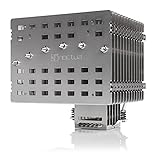
A passive tower or a large fanless heatsink relies entirely on natural convection and radiation to shed heat, with no moving air to help. That works for low-power chips, roughly 35–65 W, especially in a well-ventilated case. Push past that and the heatsink saturates, temperatures climb, and the CPU throttles to protect itself.
| Cooling approach | Safe CPU power | Noise | Notes |
|---|---|---|---|
| Fully fanless heatsink | 35-65 W | Silent | Needs case airflow or open bench |
| Large tower, fan at 400-600 RPM | 65-125 W | Near silent | Big margin, quiet |
| Tower at 800-1000 RPM | 125-180 W | Low hum | Handles most CPUs |
| AIO / high-RPM air | 180 W+ | Audible | Needed for hot chips |
The low-RPM sweet spot
A slow fan does a lot
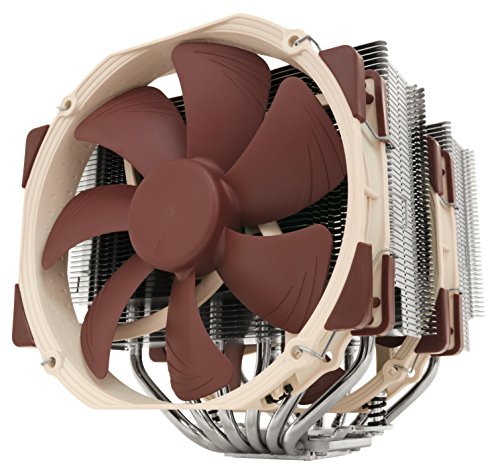
Adding even a slow 400–600 RPM fan to a big heatsink transforms its capacity, because forced air moves heat far better than convection alone. This near-silent setup comfortably cools a 65–125 W CPU, which covers most mainstream processors. It is the practical answer for people who want quiet without the risk of fully passive.
When you must spin faster
Chips that boost to 150–250 W simply generate more heat than any near-silent solution can remove. For those you need a fan spinning at 800 RPM or more, or an AIO, and some audible noise is the price of stability. Trying to run them near-silent leads to throttling and lost performance.
Case airflow is part of the equation
Fanless and low-RPM cooling both lean heavily on the case moving air past the heatsink. A sealed, cramped case defeats a passive cooler quickly, while a mesh case or open airflow lets it breathe. If you chase silence, invest in a case that provides gentle natural airflow so the CPU cooler is not fighting stagnant air.
Thermal mass and burst versus sustained loads
A large heatsink’s metal mass acts as a thermal buffer, and this changes what fanless or near-silent cooling can realistically handle. During short bursts, like launching a game or a brief compile, a big passive cooler soaks up the heat spike and releases it slowly, so momentary loads above its steady-state limit are fine. The trouble comes with sustained heavy load, where the heatsink saturates and temperatures keep climbing because convection alone cannot shed heat as fast as the CPU produces it.
This is why a chip’s behavior matters as much as its rating. A CPU that idles low and only briefly boosts pairs beautifully with fanless or low-RPM cooling, since the heatsink rarely stays saturated. A CPU pinned at high load for hours, rendering or running simulations, will overwhelm the same cooler no matter how large. When planning a silent build, look at how you actually use the machine: bursty desktop and light gaming use is forgiving, while sustained productivity workloads demand a fan that will spin up and stay spun up.
FAQ
Can I run a gaming CPU with no fan at all?
Only if it is a low-power chip around 35–65 W in a well-ventilated case. Most gaming CPUs boost to 100 W or well beyond, which a fully passive heatsink cannot dissipate without throttling. A slow, near-silent fan is a safer path to quiet.
Is low-RPM cooling risky for my CPU?
Not if you match it to the chip. A large tower with a slow fan handles 65–125 W CPUs with a healthy margin. The risk appears only when you try to cool a 150 W+ chip near-silently, where the cooler saturates and the CPU down-clocks to survive.
Bottom line
Fully fanless cooling suits low-power CPUs up to about 65 W in a breathable case, while a big heatsink with a slow 400–600 RPM fan quietly handles the 65–125 W mainstream range. Hotter chips that boost to 150 W+ demand faster fans or an AIO and some audible noise. Match the cooling to the chip’s real power and give the case room to breathe.









