
Building a machine that holds several spinning hard drives, whether a home server, a media vault, or an editing workstation, puts two goals in tension: fitting all those drives and keeping them cool. Mechanical drives run hotter and last longer when kept below the mid-40s Celsius, so the ideal case combines generous drive mounting with front airflow that actually reaches the drive cage. Here is what to prioritize.
As an Amazon Associate we earn from qualifying purchases at no extra cost to you.

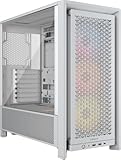


Our Top Picks
 CORSAIR 7000D Airflow Full-Tower ATX PC Case7000 Series21.65 x 9.76 x 23.62 inches41.23 poundsCheck on Amazon

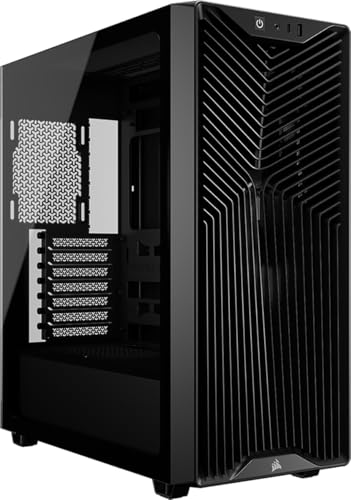

Top 3 picks at a glance
Why drive cooling matters
Hard drives are mechanical, and heat shortens their lifespan. Studies of large drive fleets suggest that consistently high temperatures raise failure rates, so keeping drives in a comfortable range (roughly 25-45C) is worth designing around. A case that crams eight drives into a stagnant corner is a reliability risk, no matter how many bays it advertises.
Front intake over the drive cage
The single most important feature is intake fans blowing directly across the drive cage. Traditional tower cases place drive cages behind the front intake fans precisely so cool air washes over the drives before moving on. A mesh front panel keeps that airflow strong, while a solid front panel chokes it.
| Feature | Why it matters | Target |
|---|---|---|
| Drive bays | Capacity | 4-8+ 3.5-inch |
| Front intake fans | Direct drive cooling | 2-3 x 120/140mm |
| Mesh front panel | Unrestricted airflow | Preferred over glass |
| Removable drive cages | Serviceability | Tool-free trays |
| Dust filters | Keep drives clean | Front and bottom |
Capacity and layout
Count the 3.5-inch bays
Many modern airflow cases have shed drive bays to make room for radiators and cable space, so a case can look spacious yet hold only two hard drives. For a multi-drive build, specifically count the 3.5-inch mounts and confirm they sit in the airflow path, not tucked behind the motherboard tray where no fan reaches them.
Tool-free trays and access
Servicing several drives is easier with tool-free trays and removable cages. When a drive fails in a busy array, you want to swap it without dismantling the build. Cages that slide out or trays that pop free save real time over the life of the system.
Balancing drives and airflow
Aim for two or three front intake fans feeding a filtered mesh front, a drive cage sitting directly in that stream, and enough bays for your needs plus room to grow. Positive pressure (more intake than exhaust) helps keep dust off the drives, and front dust filters keep the cage clean. This layout keeps a stack of drives comfortably cool and serviceable for years.
Frequently asked questions
What temperature should hard drives stay under?
Aim to keep mechanical drives in roughly the 25-45C band during use. Sustained operation much hotter than the mid-40s raises long-term failure risk, so front airflow across the cage is worth prioritizing.
Do I need a full tower for many drives?
Not always. Some mid towers hold six or more 3.5-inch drives, while some full towers focus on radiator space instead. Count the actual 3.5-inch bays and check their airflow rather than assuming size alone guarantees capacity.
Bottom line
For a multi-drive build, prioritize a case with plenty of 3.5-inch bays sitting directly behind two or three mesh-front intake fans, tool-free trays, and good dust filtering. Keeping drives in the 25-45C range with steady front airflow protects their lifespan, so choose airflow over glass and count the bays before you buy.









