
Your GPU reports more than one temperature. Beyond the core, there is the memory junction (or “hotspot memory”) reading, which tracks the hottest point on the graphics memory. On some cards, especially those with dense high-speed memory, this figure climbs far higher than the core and can trigger throttling. If your memory junction temp is pushing 95-105C, several fixes can bring it back into a safe range.
As an Amazon Associate we earn from qualifying purchases at no extra cost to you.

Our Top Picks
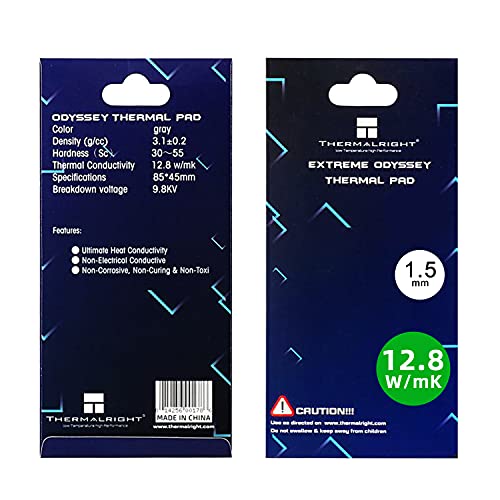 Thermalright Thermal Pad 1.5mm 12.8 W/mK85x45x1.5mm3.35 x 1.77 x 0.06 inches0.1 PoundsCheck on Amazon

Why memory junction runs hot
Graphics memory chips sit around the GPU die and are cooled by thermal pads that bridge them to the cooler or backplate. High-bandwidth memory generates real heat, and if the pads are thin, dried out, or poorly contacting, that heat gets trapped. Because the sensor reports the single hottest memory point, it is often the first thing to hit a thermal limit even when the core looks fine.
Know your safe ceiling
Modern GDDR6 is generally rated to run up to around 95-100C sustained, with throttling kicking in near that point to protect the chips. Seeing 80s under load is normal; consistently hitting 100C+ is a sign to act.
| Fix | Typical improvement | Effort |
|---|---|---|
| Improve case airflow | 3-8C | Low |
| Raise fan curve | 4-10C | Low |
| Undervolt / power limit | 5-12C | Medium |
| Replace thermal pads | 10-20C | High |
| Avoid vertical mount w/ poor clearance | 3-8C | Low |
Start with the easy wins
Airflow and fan curve
Memory cooling depends on the card getting fresh air. Make sure the case has strong intake and that the GPU is not starved in a cramped or vertically mounted position with little clearance to the glass. Raising the GPU fan curve so it ramps sooner keeps the whole card, including memory, cooler at the cost of some noise.
Undervolt and power limit
Reducing the card’s power draw lowers total heat, which the memory shares in. A GPU undervolt or a modest power-limit reduction can shave several degrees off memory junction temps while barely affecting frame rates, making it a great low-effort step.
The heavy fix: new thermal pads
If temps remain high after airflow and power tuning, the pads are the culprit, especially on older cards. Replacing worn memory pads with fresh ones of the correct thickness restores proper contact and often drops memory junction temperatures by 10-20C. This is more involved and may void warranty, so try the easy fixes first and reserve repadding for cards that clearly need it.
Frequently asked questions
Is 100C memory junction dangerous?
It is at the upper edge of safe for GDDR6 and will usually cause throttling that costs performance. It is not instantly harmful, but sustained operation there is worth reducing for stability and longevity.
Does the core temperature tell me about memory temps?
Not reliably. Memory junction can run 15-25C hotter than the core, so you must monitor it separately with a tool that exposes the hotspot memory reading rather than assuming the core figure covers it.
Bottom line
Tackle high GPU memory junction temperatures from easy to hard: improve airflow, raise the fan curve, then undervolt or power-limit, and only repad the memory if it stays hot. Monitor the memory reading directly, keep it comfortably under about 95C, and you will avoid throttling and keep the card stable for years.









