
Modern graphics cards report a separate memory junction temperature for the VRAM, and it often runs much hotter than the GPU core. Builders who spot a 90C+ memory reading frequently assume something is wrong, when in fact GDDR6 and GDDR6X are specced to tolerate high temperatures. Knowing the safe range, and when a high reading is actually a problem, keeps you from worrying, or from ignoring a real issue.
As an Amazon Associate we earn from qualifying purchases at no extra cost to you.


Our Top Picks
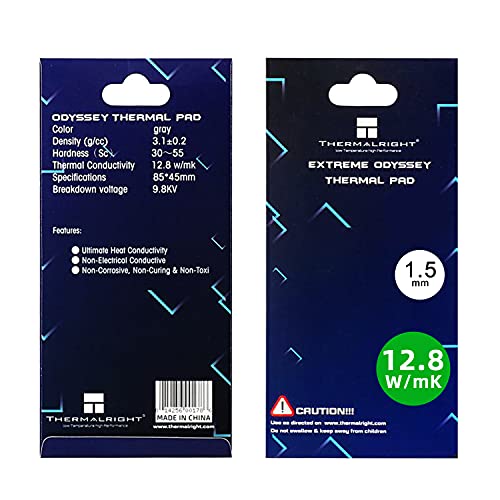 Thermalright Thermal Pad 1.5mm 12.8 W/mK85x45x1.5mm3.35 x 1.77 x 0.06 inches0.1 PoundsCheck on Amazon

What Counts as Safe
VRAM sits under the same cooler as the GPU die but is often cooled through thermal pads rather than direct contact, so it naturally runs warmer. The memory has its own throttle point, typically around 105-110C, and stays reliable below that.
| Memory junction temp | Status |
|---|---|
| Under 85C | Excellent |
| 85-95C | Normal under load |
| 95-100C | Warm but acceptable |
| 100-110C | Approaching throttle |
| 110C+ | Throttling, investigate |
Why VRAM Runs Hot
Indirect cooling
The GPU core makes direct contact with the cooler’s coldplate, but memory chips scattered around the die connect through thermal pads to the heatsink or backplate. That extra interface means the memory sheds heat less efficiently, so a 90-95C memory junction alongside a 70C core is completely normal on many cards, especially memory-heavy models running GDDR6X.
Workload and orientation
Memory-intensive tasks like high-resolution gaming, crypto workloads or heavy rendering push VRAM temperatures up. In some cards the chips on the back of the board, cooled only by a backplate, run hottest, which is why a vertical mount with poor clearance or a hot case can push readings higher.
When to Take Action
If your memory junction sits in the 85-95C range, leave it alone; that is business as usual. Start paying attention if it consistently exceeds 100-105C or if you see memory throttling in your monitoring app. The usual fixes are improving case airflow, especially over the back of the card, or replacing tired thermal pads. On an older card, degraded factory pads are a common reason VRAM temperatures have crept up 10-15C over time, and a repad with quality pads in the correct thickness restores headroom.
Keeping VRAM in the Safe Zone
Because memory is cooled indirectly through thermal pads rather than a direct coldplate, the levers that lower VRAM temperatures differ a little from core cooling. The biggest one is airflow over the back of the card, since many designs place some memory chips on the rear of the board where only a backplate and passing case air remove heat. Adding a side intake fan, or simply improving general case airflow so cooler air reaches the backplate, can shave several degrees. A vertical mount with tight side-panel clearance works against this, trapping the card’s own exhaust and pushing memory temperatures up.
Time is the other factor. The thermal pads that connect memory chips to the cooler harden and dry over years, and it is common for an older card’s VRAM to run 10-15C hotter than it did when new, even though nothing has broken. If your memory junction has crept toward 100-105C on a card a few years old, a repad with quality pads in the correct thickness usually restores the original headroom. Until then, remember that GDDR6 and GDDR6X are genuinely built for the high 90s, so a 90-95C reading under a demanding load is normal and not worth losing sleep over.
FAQ
Is 96C VRAM temperature safe?
Yes. GDDR6 and GDDR6X are designed to run into the high 90s and only throttle around 105-110C. A 96C memory reading under a heavy gaming load is within the expected range and not a cause for concern by itself.
How can I lower my VRAM temperatures?
Improve airflow across the card, particularly over the backplate where rear-mounted chips live, and consider adding an exhaust or side intake fan. On an older card, replacing worn thermal pads with correctly sized quality pads is the most effective single fix.
Bottom line
GDDR6 and GDDR6X memory is built to run hot, so readings in the 85-95C range under load are normal and safe. Only worry when the memory junction consistently pushes past 100-105C or you see throttling, at which point better airflow over the back of the card and a fresh set of correctly sized thermal pads are the fixes that work. If an older card’s memory has crept past 100C, a repad with correctly sized quality pads is the fix that restores its original headroom.









