
Before you pick fans, coolers, or a graphics card, you pick a size class. ATX, Micro-ATX, and Mini-ITX define how much room you have for everything else, and choosing wrong means either a cramped, hot build or a needlessly large tower on your desk. This guide breaks down the trade-offs so the first decision is the right one.
As an Amazon Associate we earn from qualifying purchases at no extra cost to you.



Our Top Picks


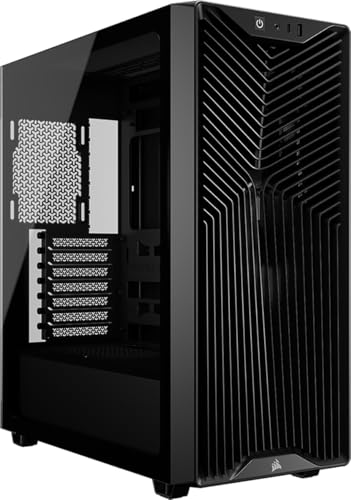
Top 3 picks at a glance
What the size classes mean
The names describe motherboard form factors, and cases are built to match. Larger boards offer more expansion slots, more RAM slots, and more room to cool. Smaller boards trade that flexibility for a compact footprint.
| Class | Board size | RAM slots | PCIe slots | Best for |
|---|---|---|---|---|
| ATX | 305 x 244 mm | 4 | 3-4 | Airflow, expansion |
| Micro-ATX | 244 x 244 mm | 2-4 | 1-2 | Balance of size and value |
| Mini-ITX | 170 x 170 mm | 2 | 1 | Small footprint builds |
Cooling and airflow differences
Bigger is easier to cool. A full ATX mid-tower swallows a 360mm radiator and multiple intake fans without drama, keeping a hot CPU and GPU comfortable. Mini-ITX cases pack heat into a small volume, so they demand careful fan planning, low-profile or compact coolers, and often a blower or short GPU. Micro-ATX sits in the middle and is frequently the value sweet spot.
Cost and component compatibility
ITX motherboards and small SFX power supplies carry a price premium for their engineering. Micro-ATX boards are often the cheapest of all, which is why budget builders gravitate to them. ATX and Micro-ATX both accept standard ATX power supplies and full-size air coolers; ITX often needs an SFX unit and a height-limited cooler.
Which should you choose?
Choose ATX if you want the easiest cooling, room to add drives and cards, and the widest part selection. Choose Micro-ATX if you want most of that flexibility in a smaller, cheaper package, which suits the majority of gaming builds. Choose Mini-ITX only if a small footprint genuinely matters to you and you accept tighter cooling and higher cost.
Matching the size class to your goals
The right pick usually falls out of two questions: how much do you value a small footprint, and how much do you plan to expand later? A builder who wants a single GPU, one or two drives, and no future tinkering can happily go Micro-ATX or even ITX. Someone who might add cards, drives, or a big custom cooling loop should stay with ATX for the slots and the airflow room.
| If you want… | Best class |
|---|---|
| Easiest cooling and most expansion | ATX |
| Value and a smaller desk footprint | Micro-ATX |
| The smallest possible living-room build | Mini-ITX |
| A quiet, low-maintenance daily driver | ATX or Micro-ATX |
Budget plays in too. That premium buys you compactness, not speed, so pay it only if the size genuinely matters to you. For the majority of gamers who keep their tower under or beside a desk, Micro-ATX quietly wins on cost, cooling, and flexibility all at once.
FAQ
Does a smaller case hurt gaming performance?
Not directly, but poor cooling in a cramped case can cause thermal throttling that lowers boost clocks. A well-designed small case with good airflow performs the same as a big one; a badly ventilated one does not.
Can I put a Micro-ATX board in an ATX case?
Yes. Larger cases accept smaller boards, so an ATX case fits Micro-ATX and Mini-ITX boards too. The reverse is not true; you cannot fit a large board in a small case.
Bottom line
ATX is the safe, easy-to-cool default, Micro-ATX is the value pick for most gamers, and Mini-ITX is a deliberate choice for a small footprint at a cost premium. Decide how much space and expansion you need first, and let that drive every part that follows.









